


HiBob doesn’t generate or provide SSH key pairs. These are created by your IT team or your third-party storage/SFTP provider and then added to your integration settings.
A quick overview of the setup:
- Your IT team or third-party provider generates an SSH key pair (private + public key)
- You upload the private key into Bob’s SFTP integration settings
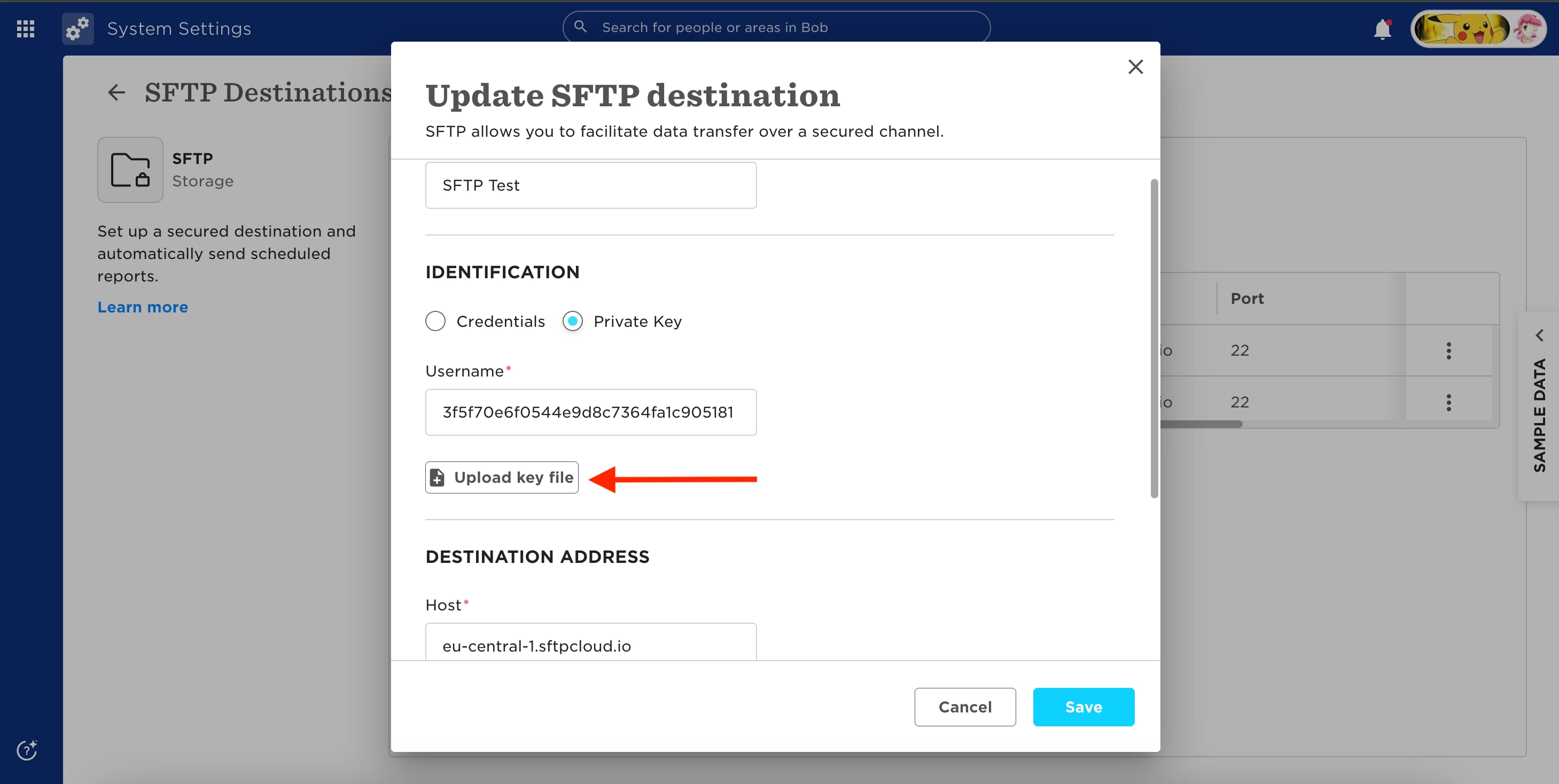
If your provider is asking for “HiBob’s public key,” there’s likely some confusion. In the standard setup, Bob acts as the client connecting to an external SFTP server - we don’t host an SFTP server or generate keys to share.
Before finalizing the setup, it is important to note:
- The private key must be in OpenSSH format and starts with:
" -----BEGIN OPENSSH PRIVATE KEY----- "
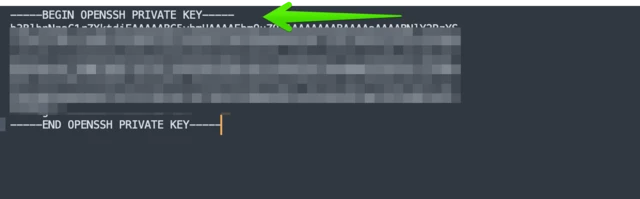
- RSA keys are not supported
- The username must match exactly what’s configured on the SFTP server (case sensitive)
If your provider is expecting a different setup, it’s worth confirming:
Are they expecting Bob to connect to their SFTP server? If yes, they have to provide the keys.
OR
Are they trying to connect to a Bob-hosted SFTP server? If yes, this is not supported. Bob does not host SFTP servers.