


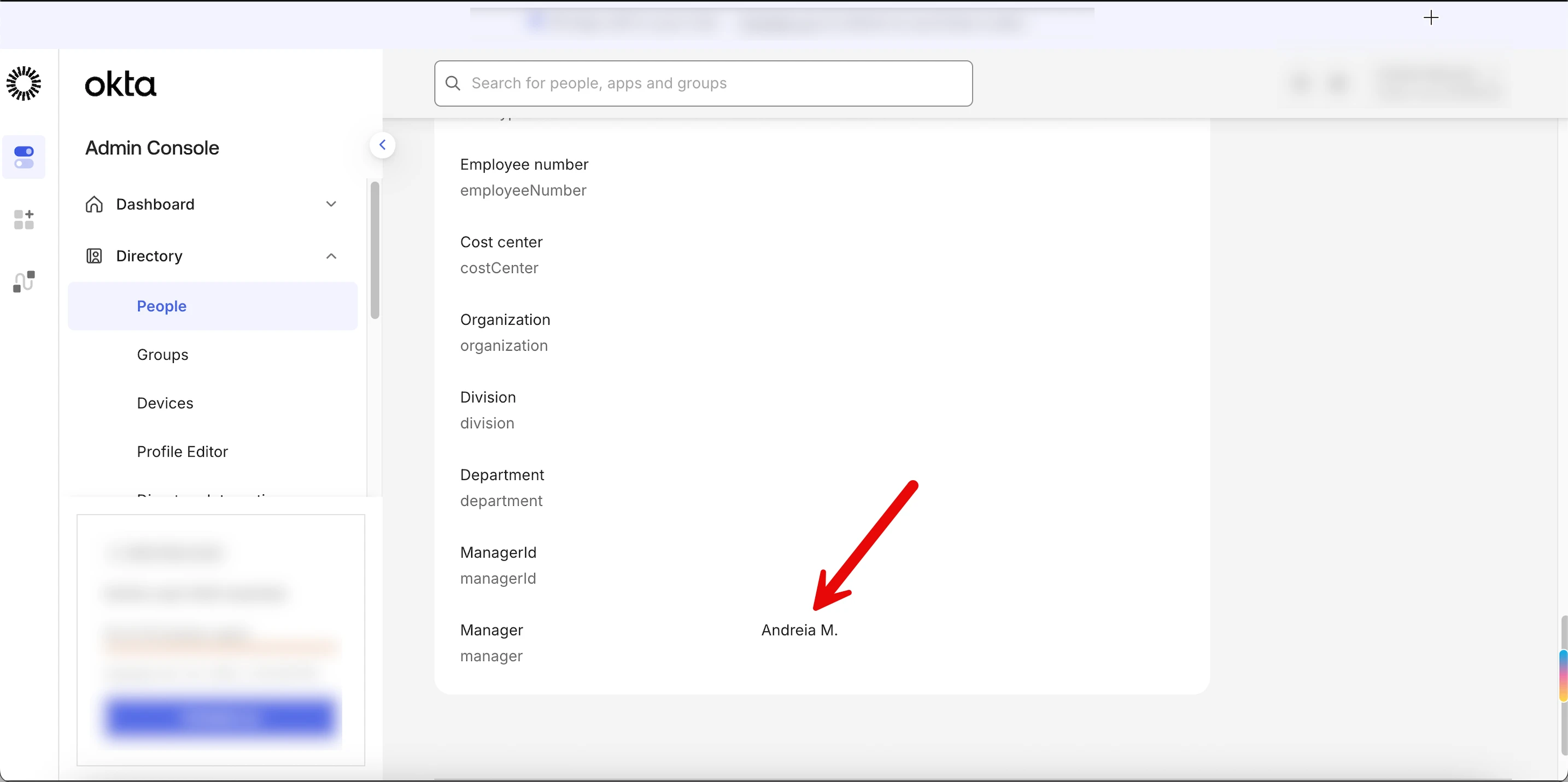
If you've changed an employee's manager in Bob but Okta isn't reflecting the update—or if Okta syncs everything except the manager field - this likely comes down to permissions or field mapping.
Here’s how to fix it:
1. First, check permissions in Bob:
- Go to the Permissions of the SCIM user in Bob (usually named “Okta SCIM”)
- Make sure this user has View access to the Work section, where the “Reports To” field lives
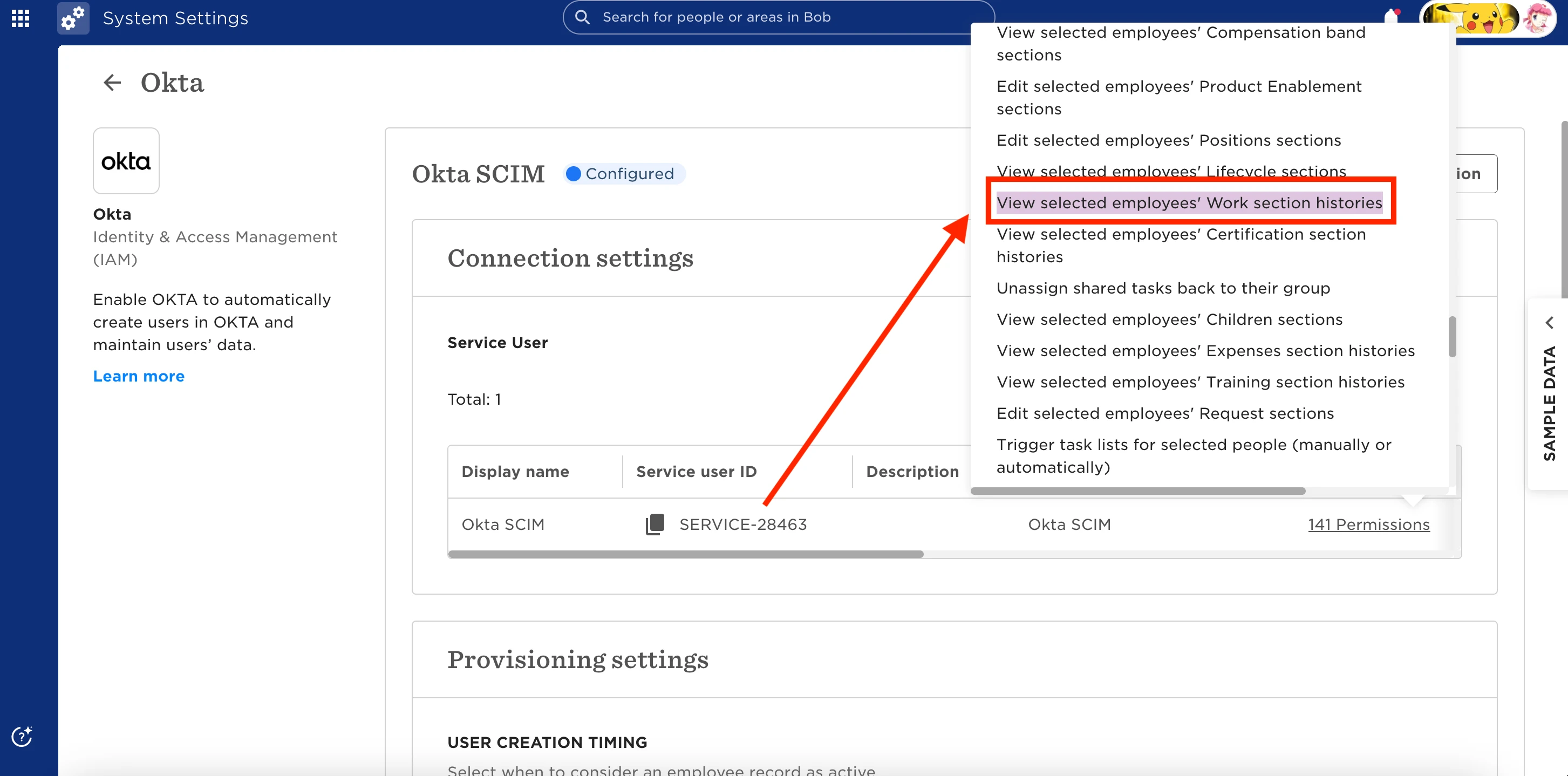
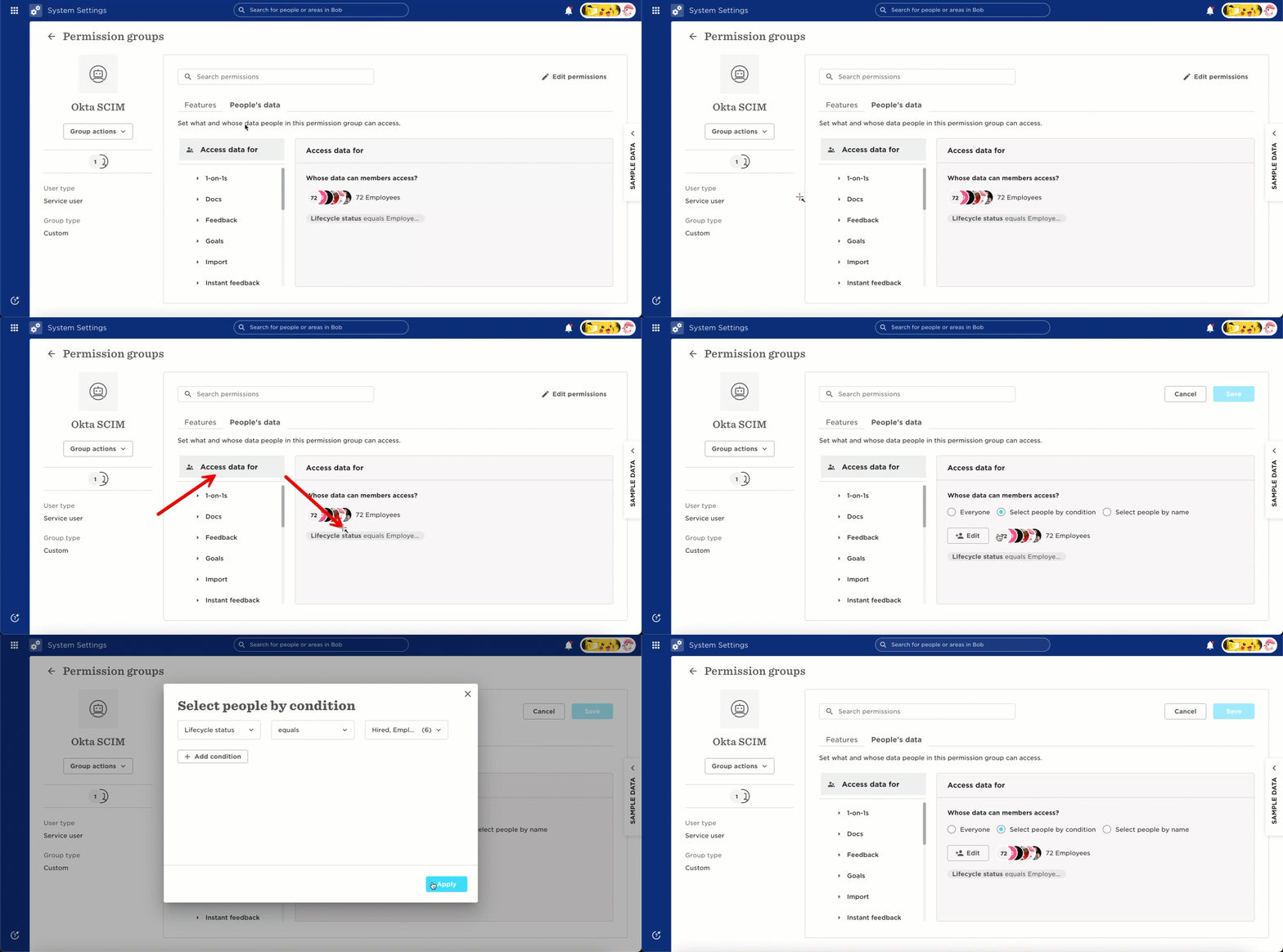
- In the same permission group, confirm that employees are included in the Access Data For section
Note → If you exclude certain employment statuses (like Parental Leave), Okta may revoke access for those employees
2. Next, adjust the mapping in Okta:
- In Bob, copy the field string: work_reportsTo
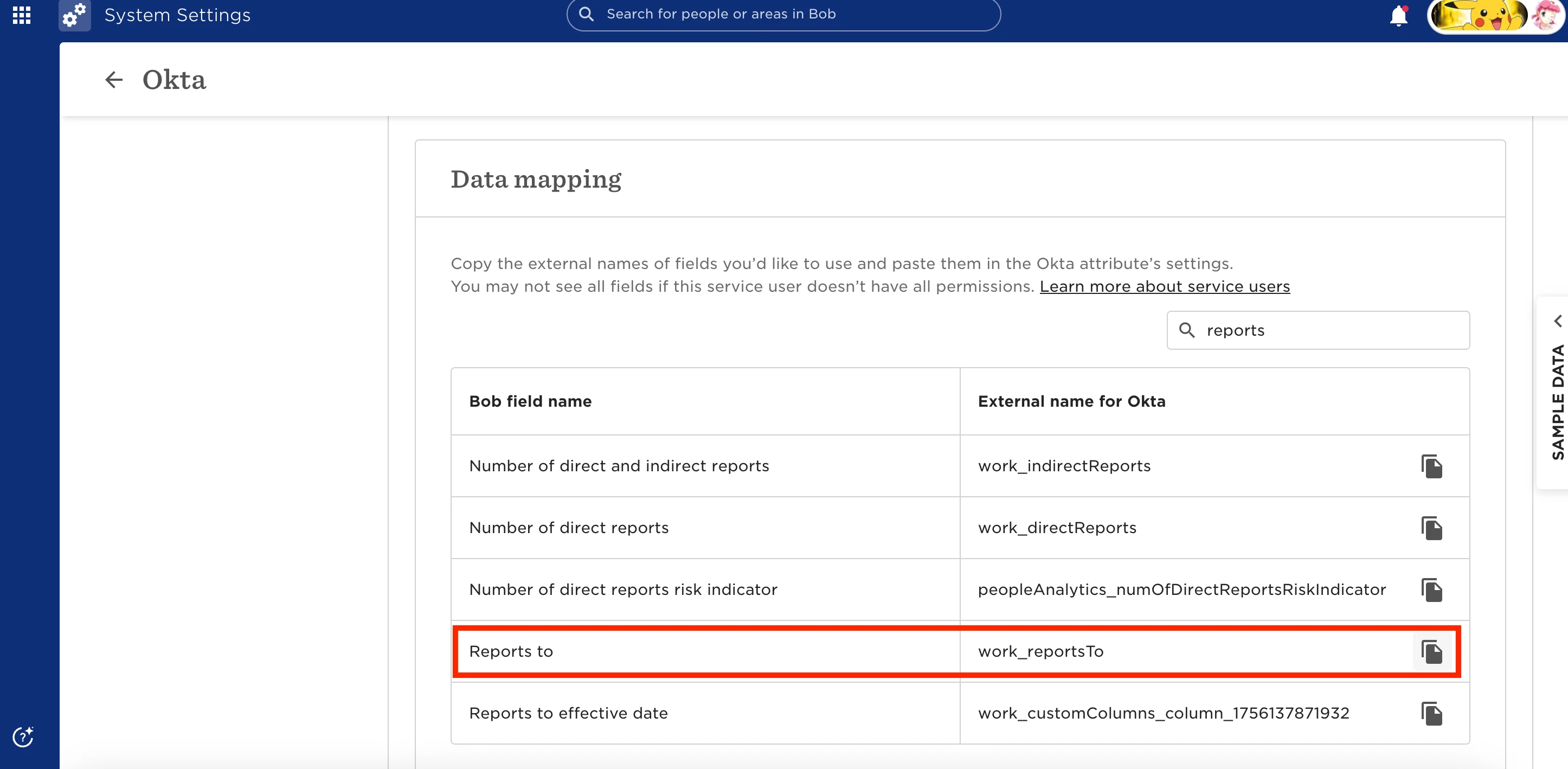
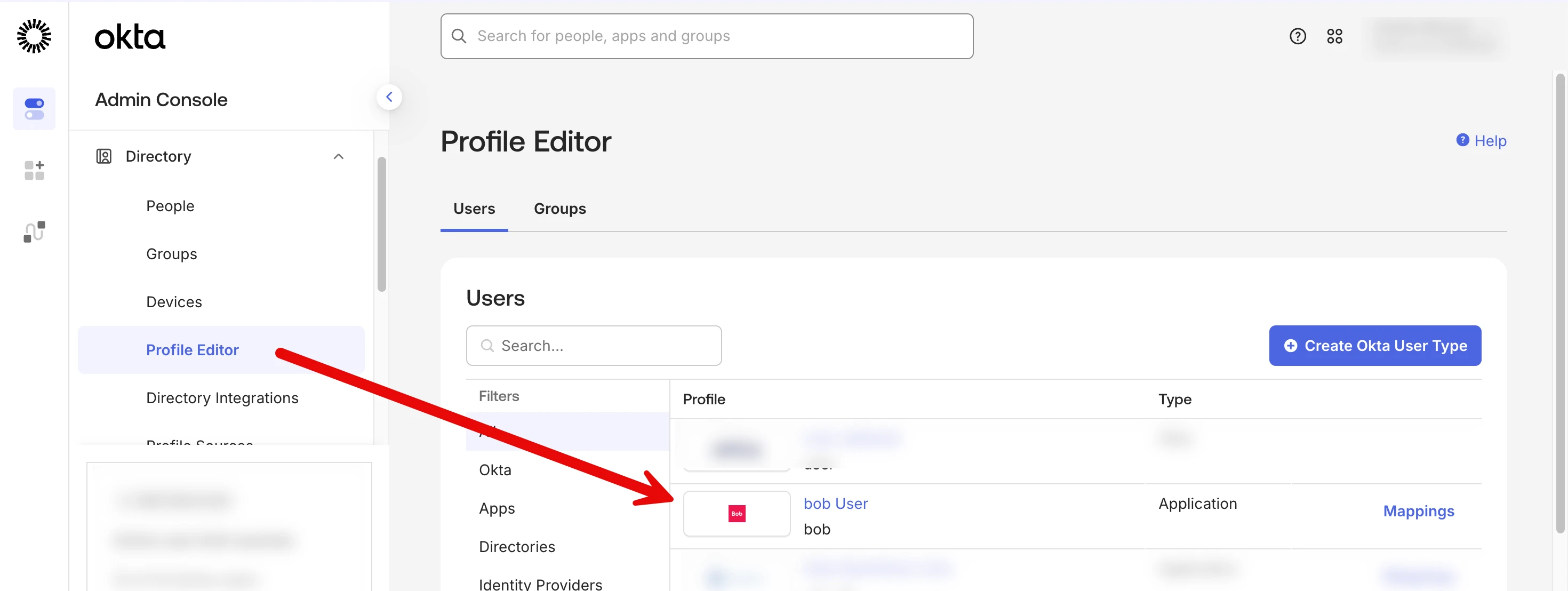
- In Okta, go to Profile Editor > Bob > Attributes
- Add a new attribute and configure it as follows:
- Display name: Reports To (or Line Manager—your choice)
- External name: work_reportsTo
- Variable name: bob.work_reportsTo
- External namespace: urn:ietf:params:scim:schemas:core:2.0:User (For future reference - You can always find the namespace here)
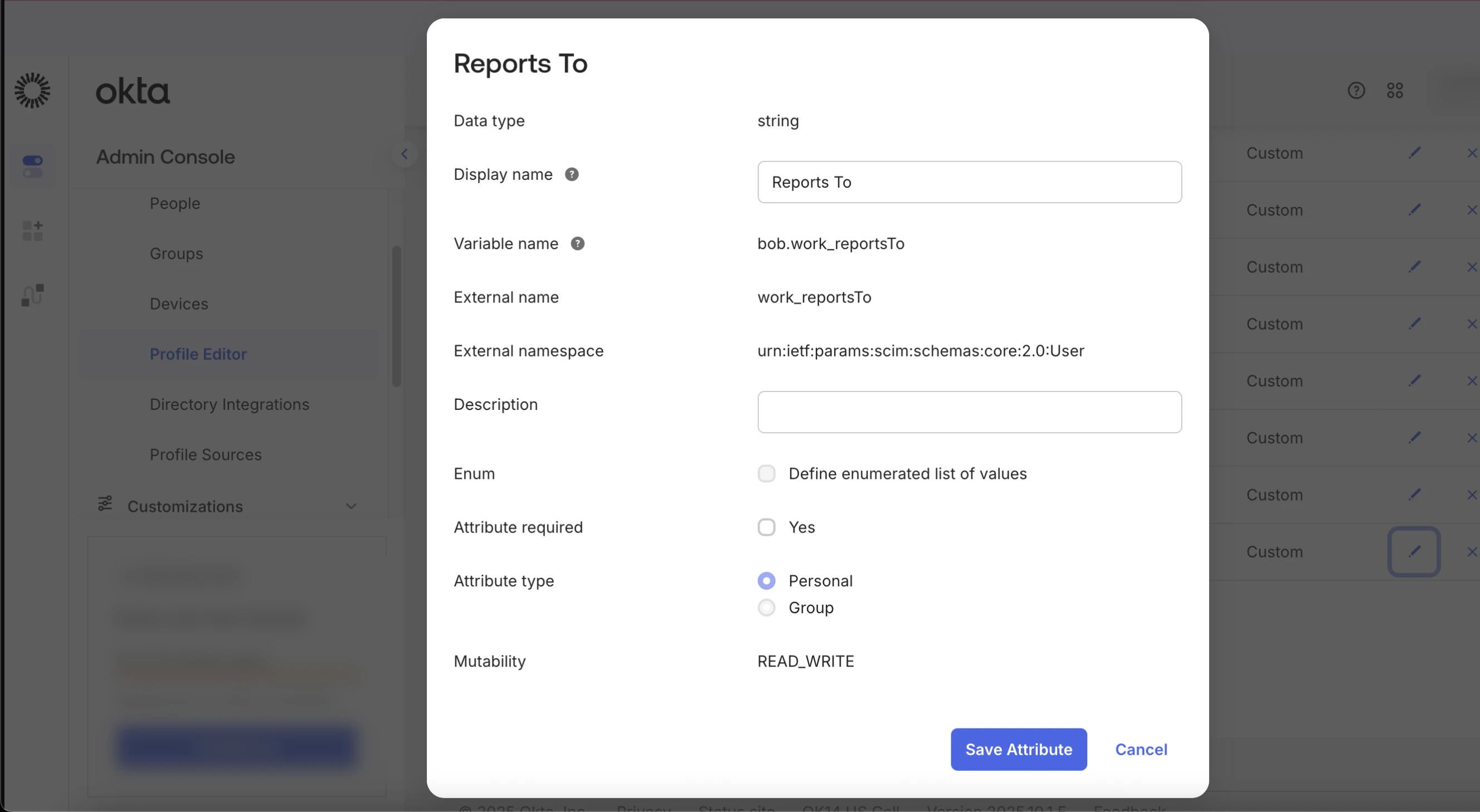
- Save your changes and manually import employees from Bob to Okta. This will prompt Okta to pull the manager field correctly.
Still not working? Reach out to our support team and we can cross-check this further!