


When you see the message “Make sure that all the required permissions are granted to the Azure AD account associated with this integration”, it usually means the Bob Enterprise app in Entra ID is missing required permissions or doesn’t have enough privileges to update certain users.
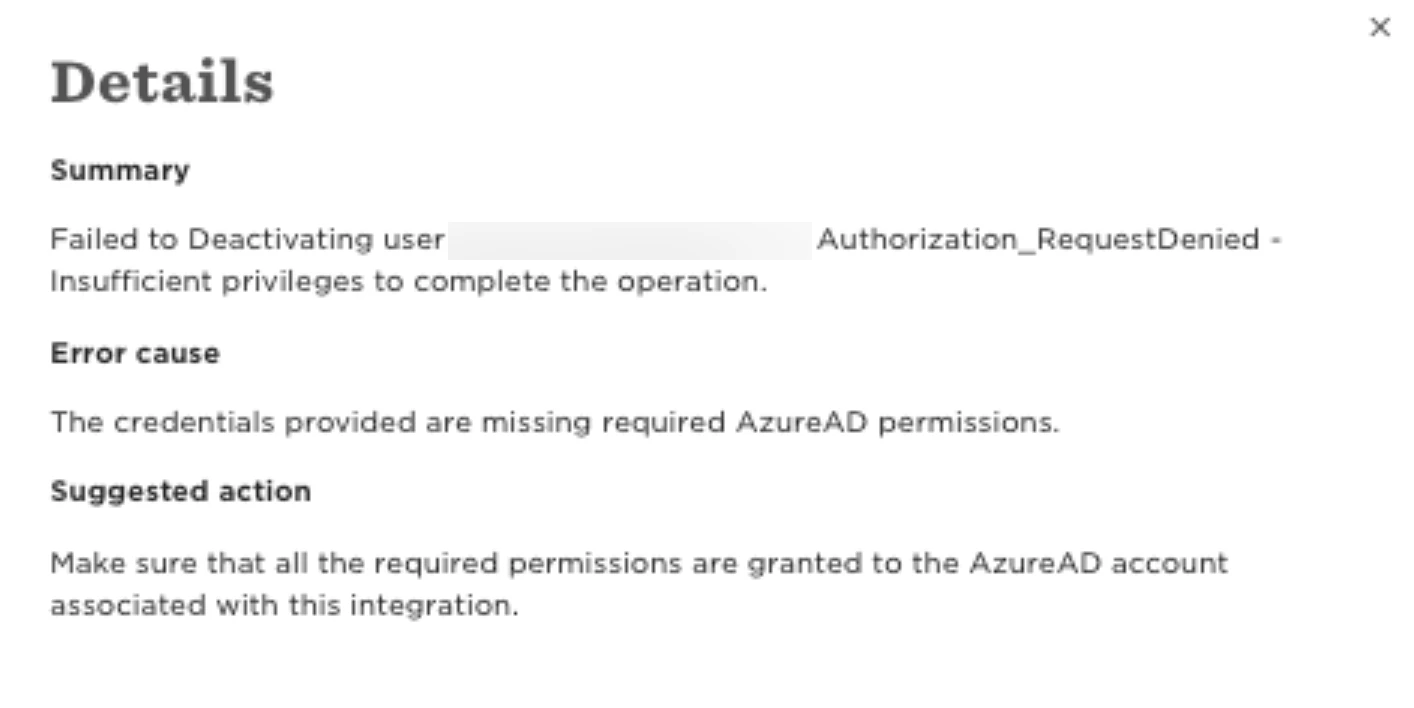
Due to this, Microsoft will reject the changes and Bob won't be able to update one or more employees during user provisioning.
Here’s what your IT team should check:
1. In Entra ID, open the Bob Enterprise app registration.
2. Under API permissions, make sure the app has these Application permissions:
- User.ReadWrite.All
- Directory.ReadWrite.All
- User.EnableDisableAccount.All
- User.ManageIdentities.All
3. Confirm that Admin consent has been granted for these permissions.
4. Check the account used to run provisioning and verify it has a sufficient directory role, typically "User Administrator" or "Application Administrator".
This error can also occur when the affected employee is assigned one or more privileged roles in Microsoft Entra ID. Users with elevated roles often require higher permissions for updates.
If the affected users are not admins and the permissions look correct, the issue is often related to sensitive Microsoft attributes mapped in the integration. Some fields (for example, businessPhones) are considered sensitive by Microsoft Graph and require a higher-privileged administrator role to update. Microsoft outlines these requirements in their documentation on Who can perform sensitive actions?
As such, you need to ensure if Bob Enterprise App is assigned with the "Privileged Authentication Administrator" role in Azure Entra, in order for it to update phone numbers on sensitive/privileged accounts.
If everything appears to be set up correctly and the error still occurs, this indicates that Microsoft is rejecting the update request due to permissions outside of Bob’s integration scope. Therefore, the best option is to verify the behavior directly with Microsoft support team.