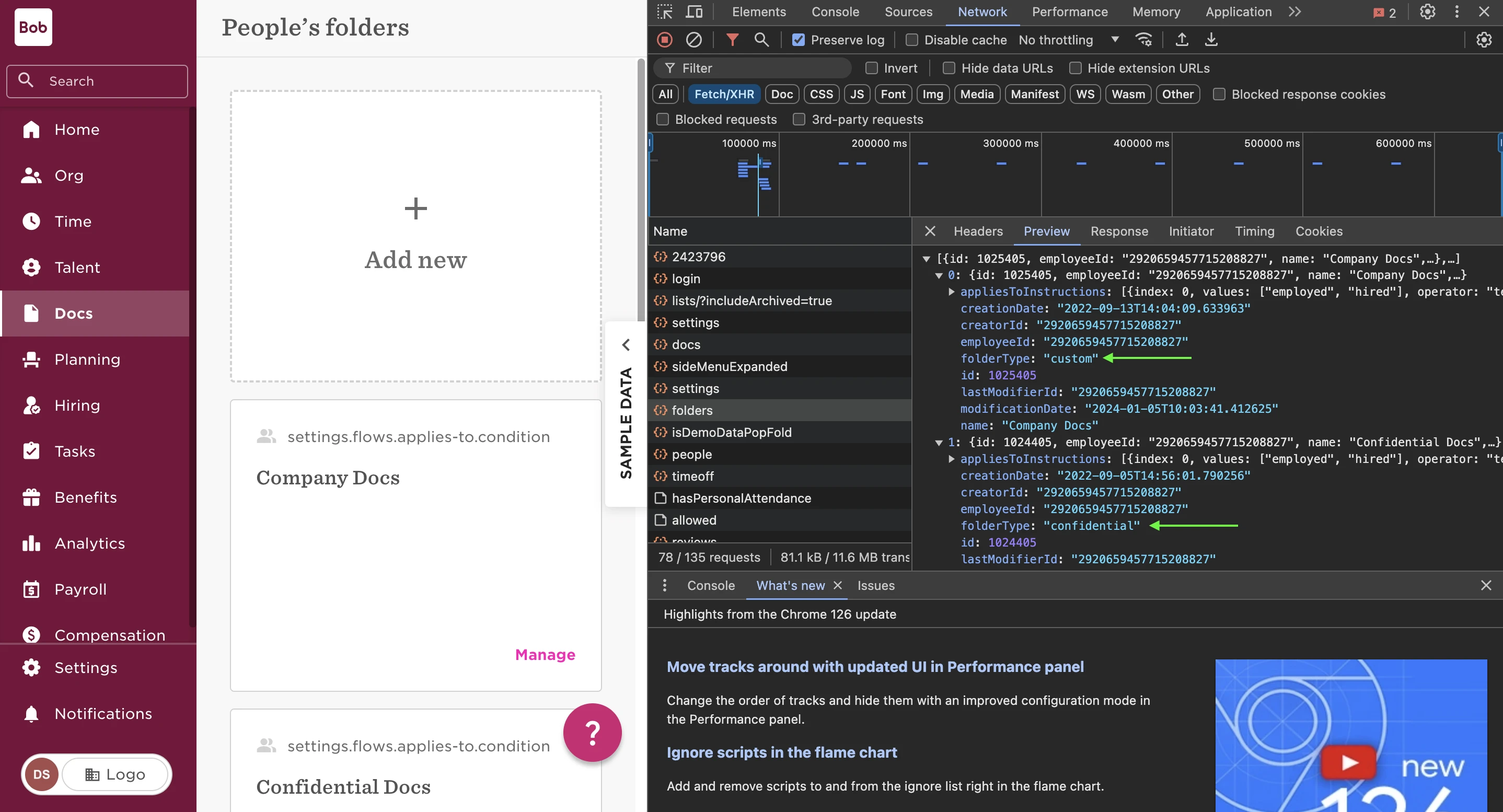
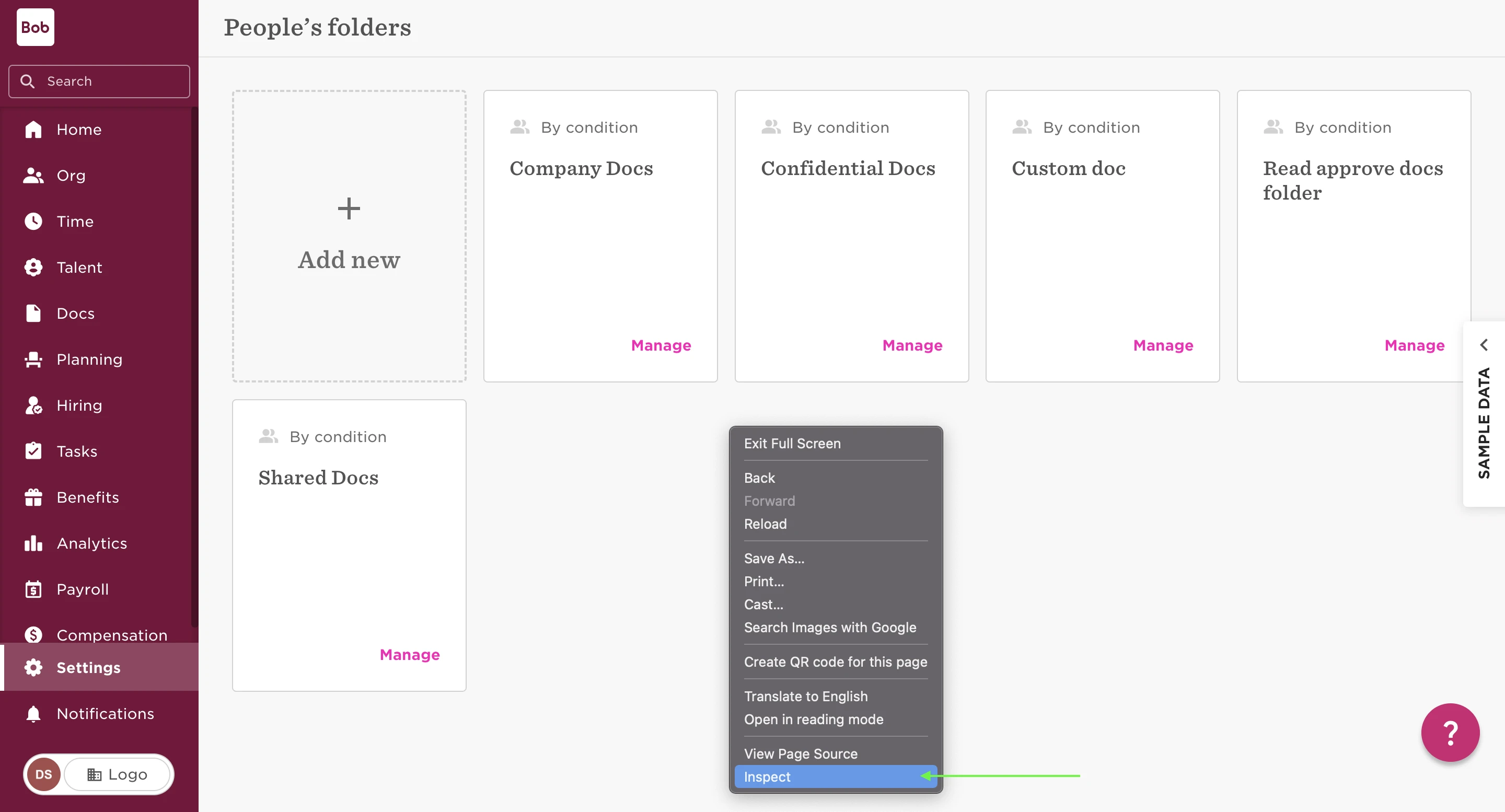
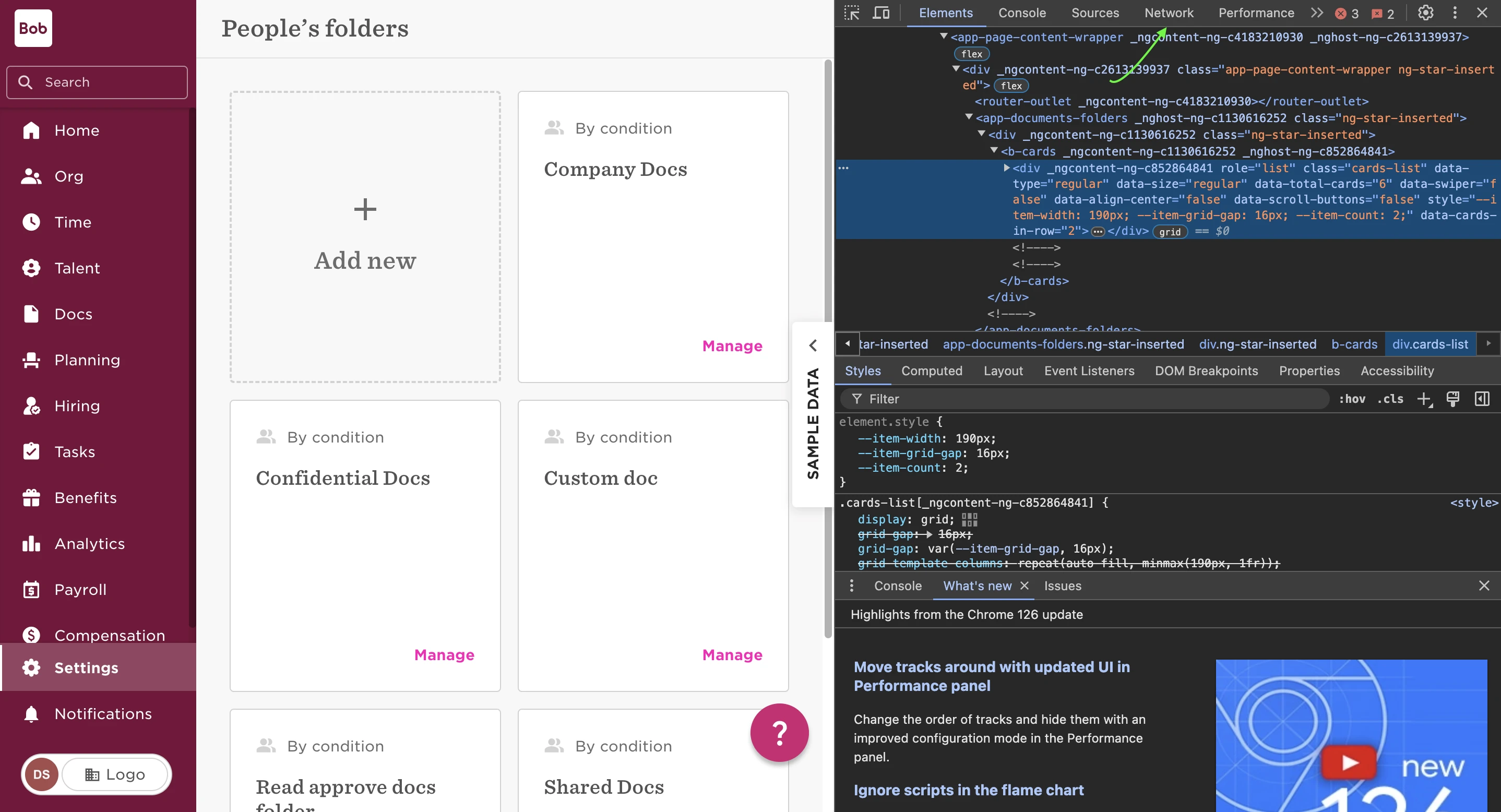
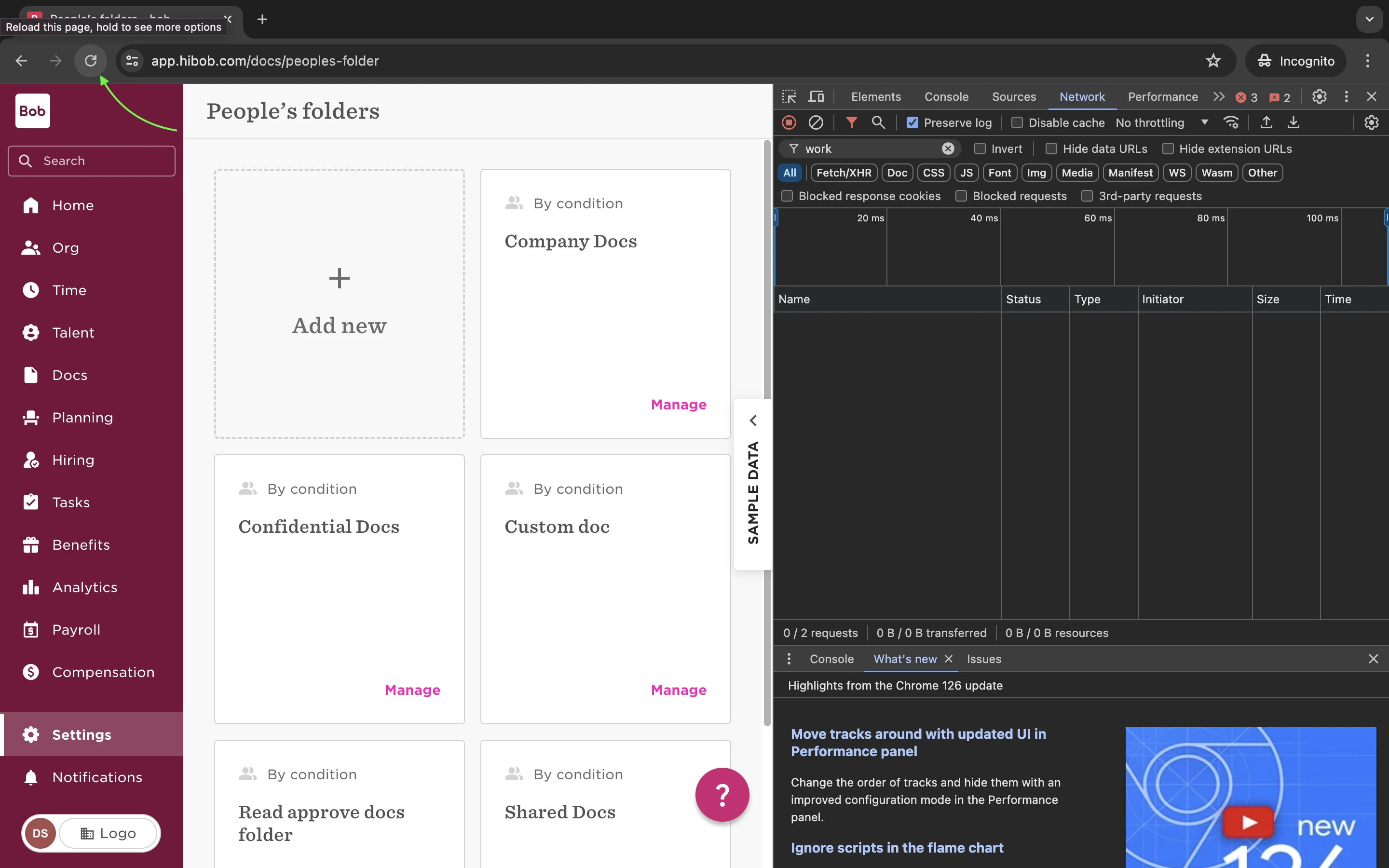
Navigate to Docs > People's folders > right-click the page > Inspect > click Network tab:
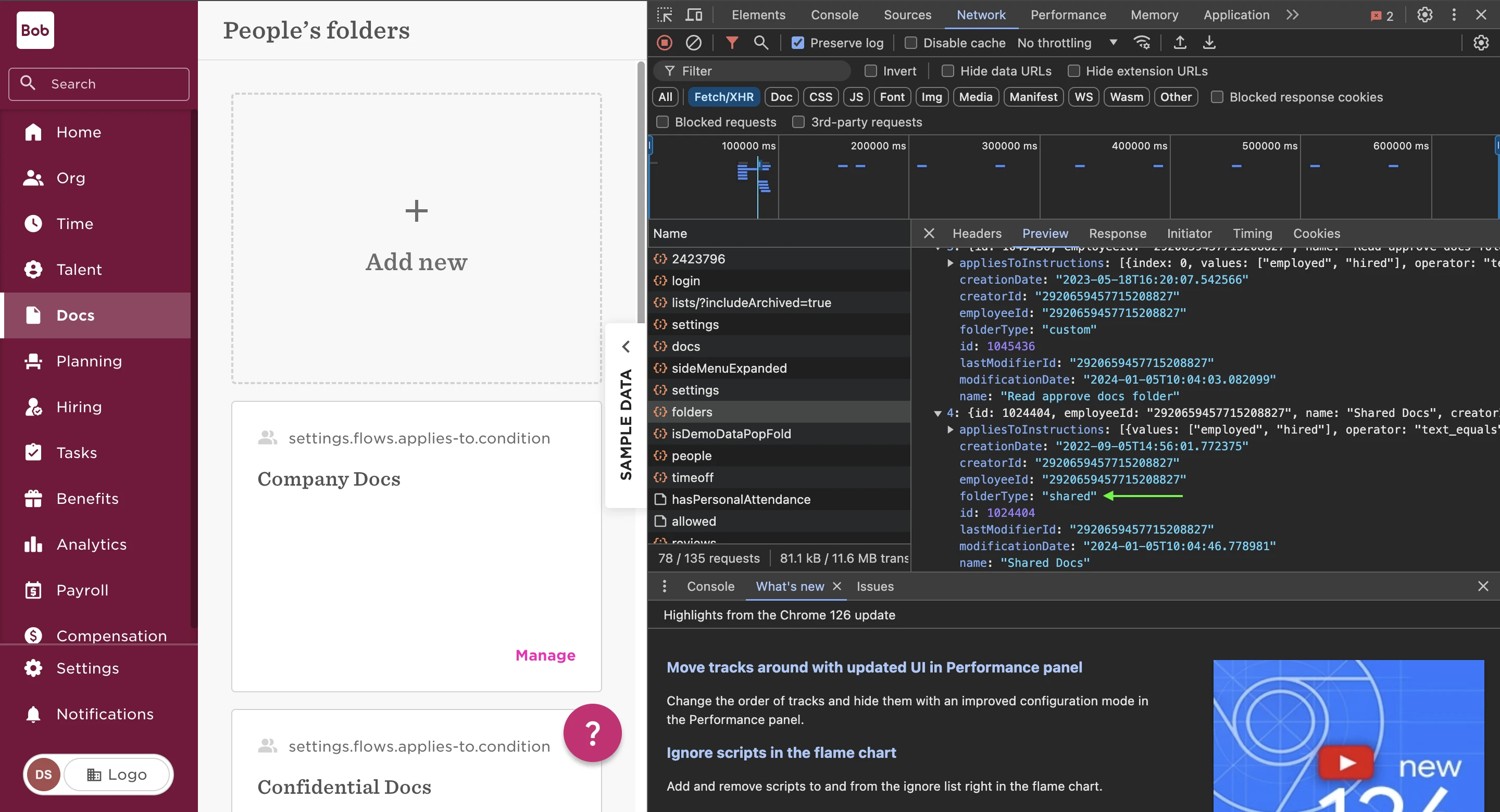
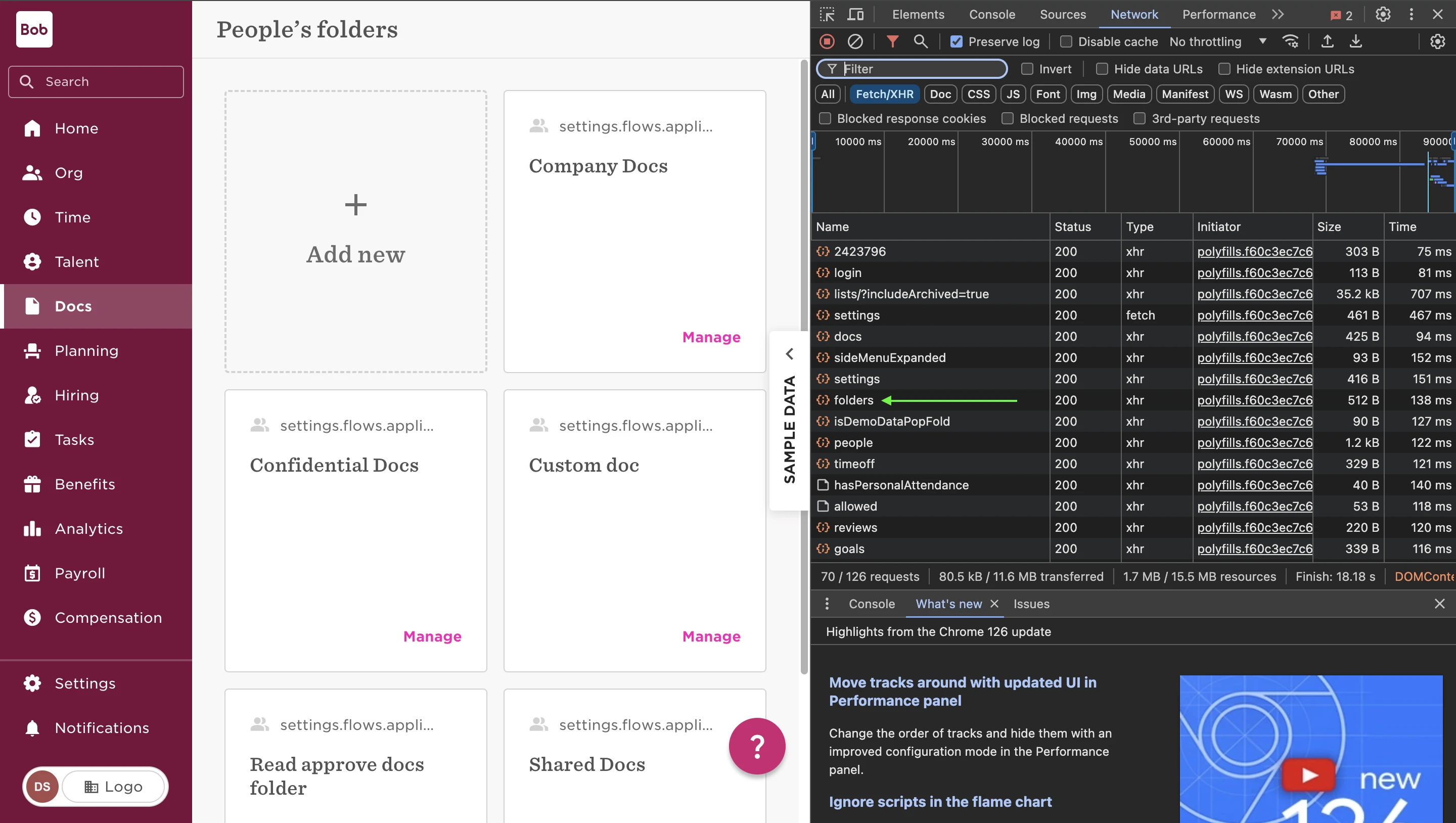
Refresh the webpage > folders > Preview tab:
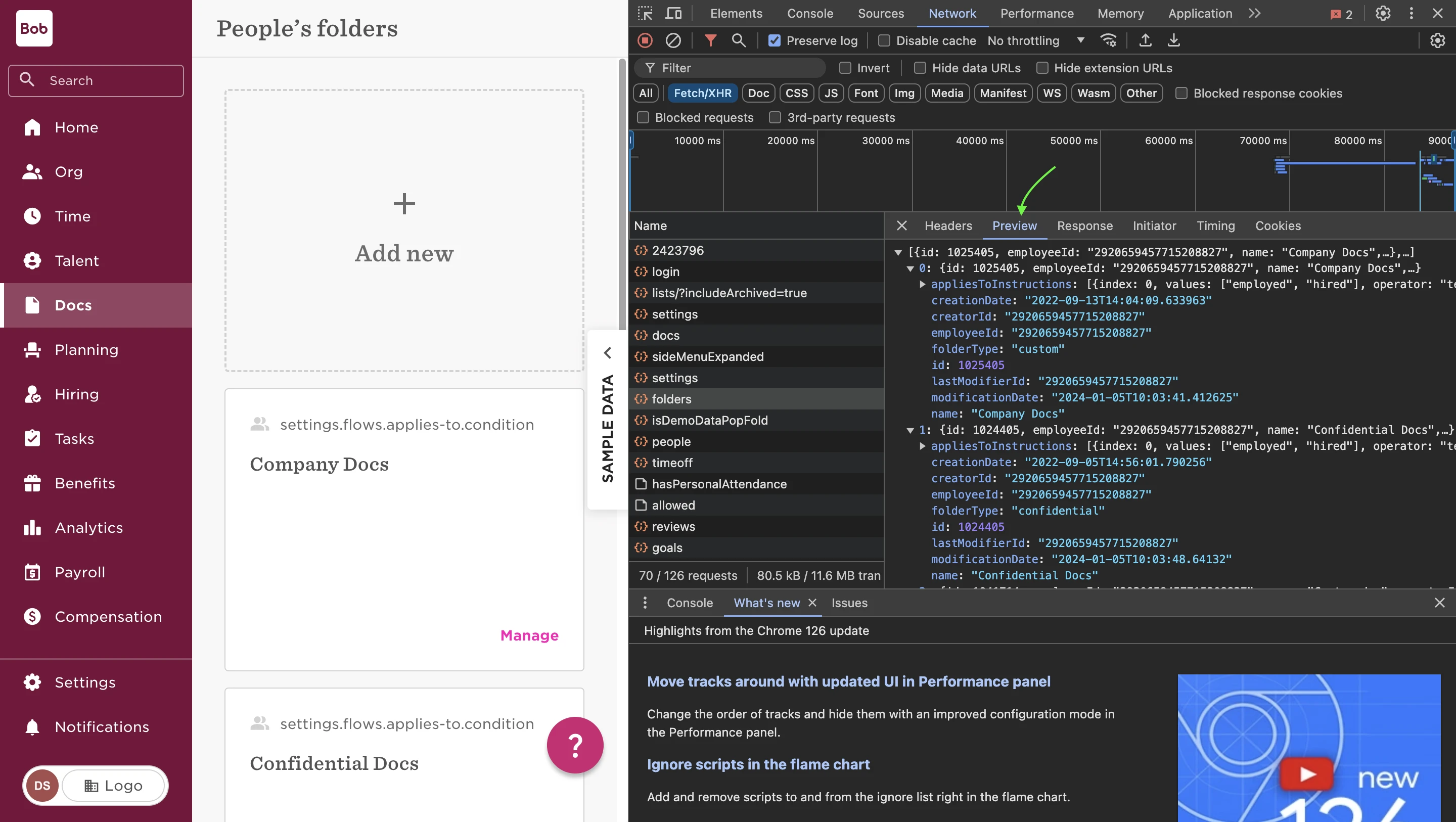
Folder type: we will be able to see which are custom folder and which is the default Confidential folder and default shared folder:
-
If you are not able to see the default confidential or default shared folder in the network tab then please let us know and we can ask our dev team to restore it.