
The employee.deleted webhook only triggers when “All employees” is selected as the audience. If the webhook audience is restricted using any employee condition or filter, the deletion event will not trigger.
When an employee profile is deleted from Bob, the profile no longer exists in the platform. As a result, Bob can no longer evaluate the deleted employee against the conditions configured for the webhook audience.
This means:
- All employees: The employee.deleted webhook triggers successfully.
- Any employee audience condition or filter: The employee.deleted webhook does not trigger, even if the employee matched the configured conditions immediately before deletion.
This behavior is specific to employee.deleted, as this is the event where the employee profile no longer exists in Bob. Other employee events can still be evaluated against the configured audience while the employee profile exists.
If you need to detect employee deletions while excluding certain employees from downstream processing, configure the employee.deleted webhook with “All employees” as the audience.
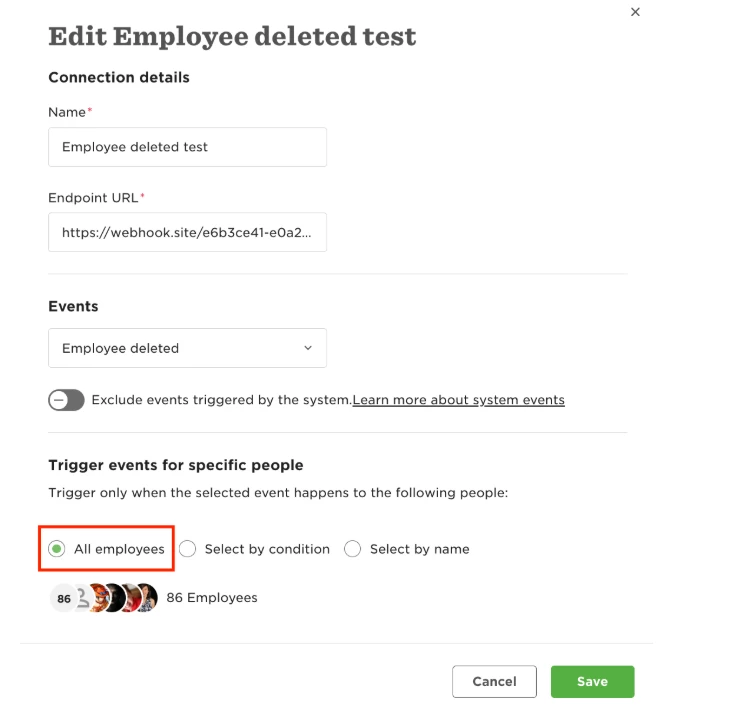
Then apply any required filtering in your downstream system:
Bob → employee.deleted webhook (All employees) → downstream system → determine whether the employee should be processed
This ensures the deletion event is sent. Any conditions determining which employees should be processed need to be handled by the downstream system rather than by the webhook audience.