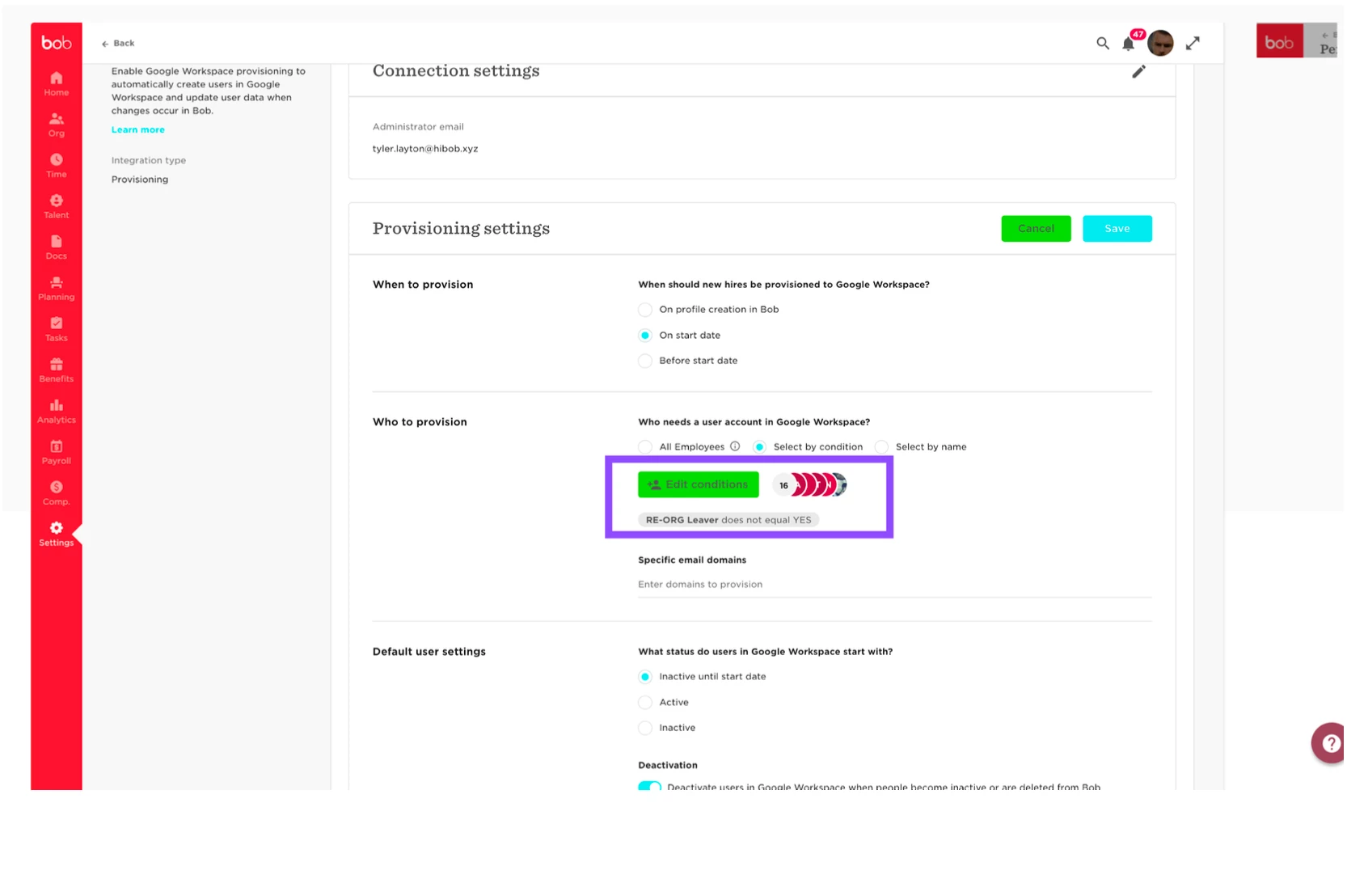
The best method for this is to create a new custom field for the bob profile which you can label whatever you need for example "re-org leaver' or something for you to identify.
Then fill the profile in as a list option with values such as YES.
Fill these in manually on the several employees that are leaving but need to remain active on bob.
Then you can use this field you've created to filter them out using the audience section in the integration setup:
If field equals = yes then
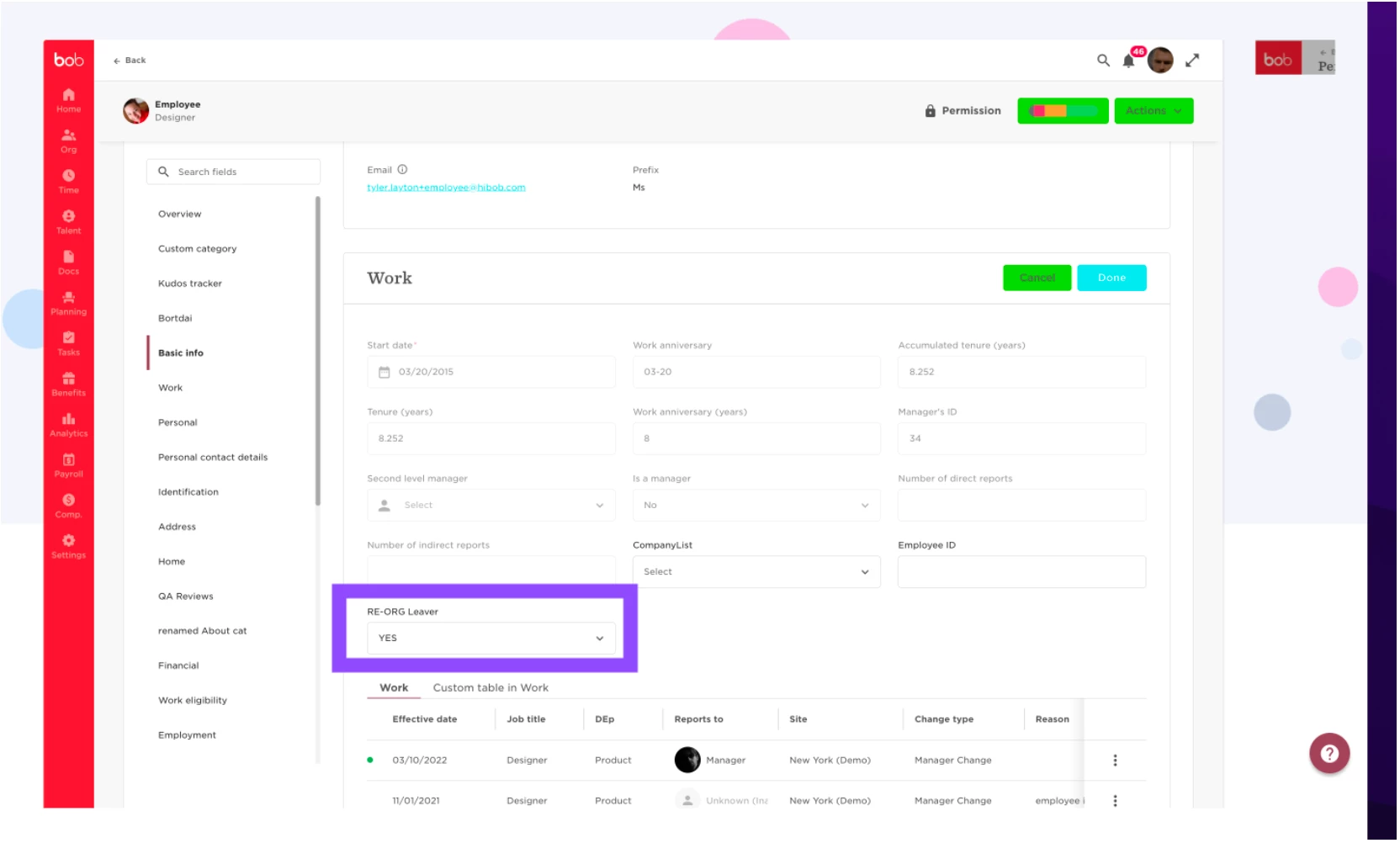
Here is an example of this new field I created and how it appears on the users profile who is part of the group that is leaving the company:
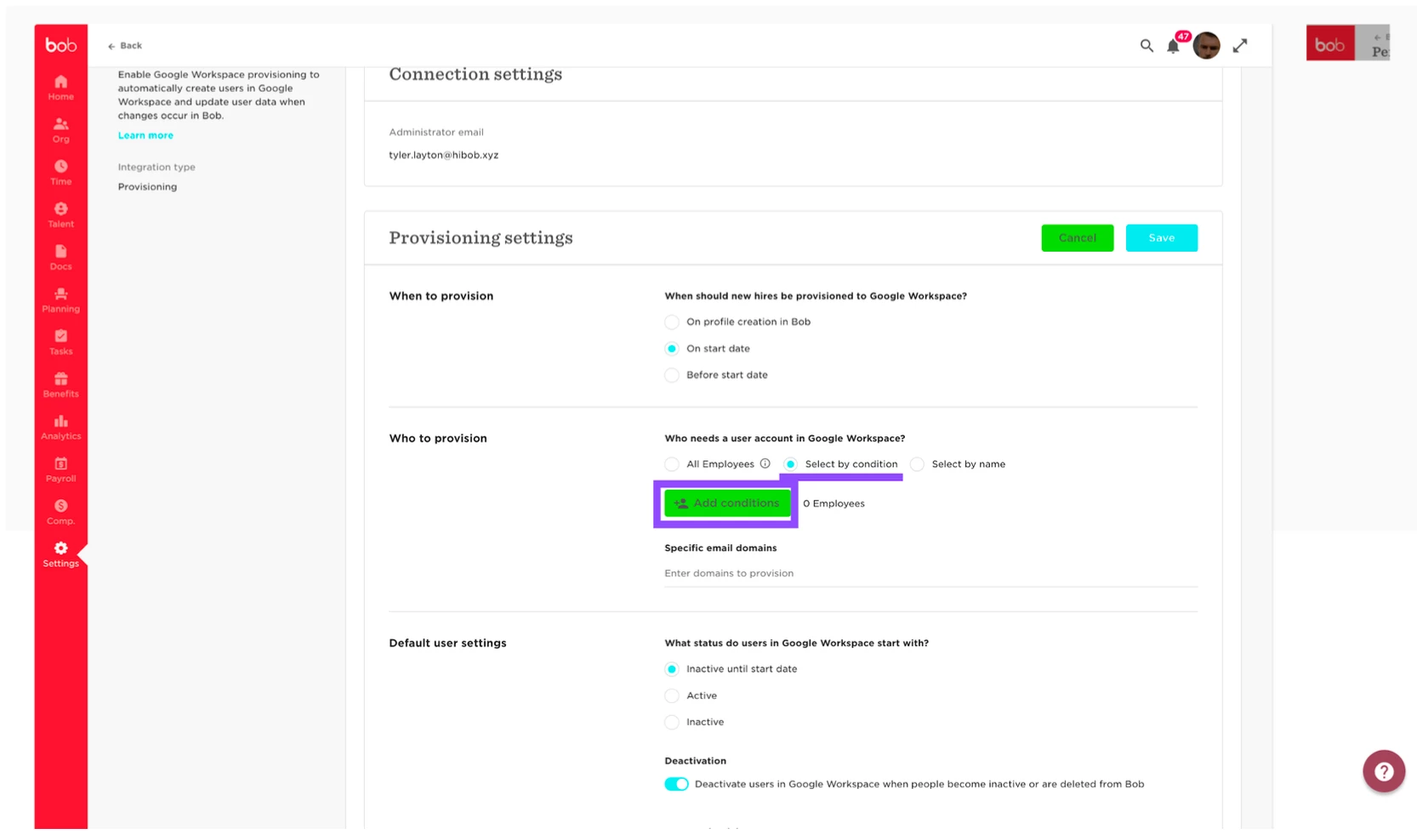
Then we head over to our provisioning integration settings under settings > integrations. Under who to provision we will select by condition > add condition:
I will add this condition as I want to include all employees who do not have the value YES inserted in the field:
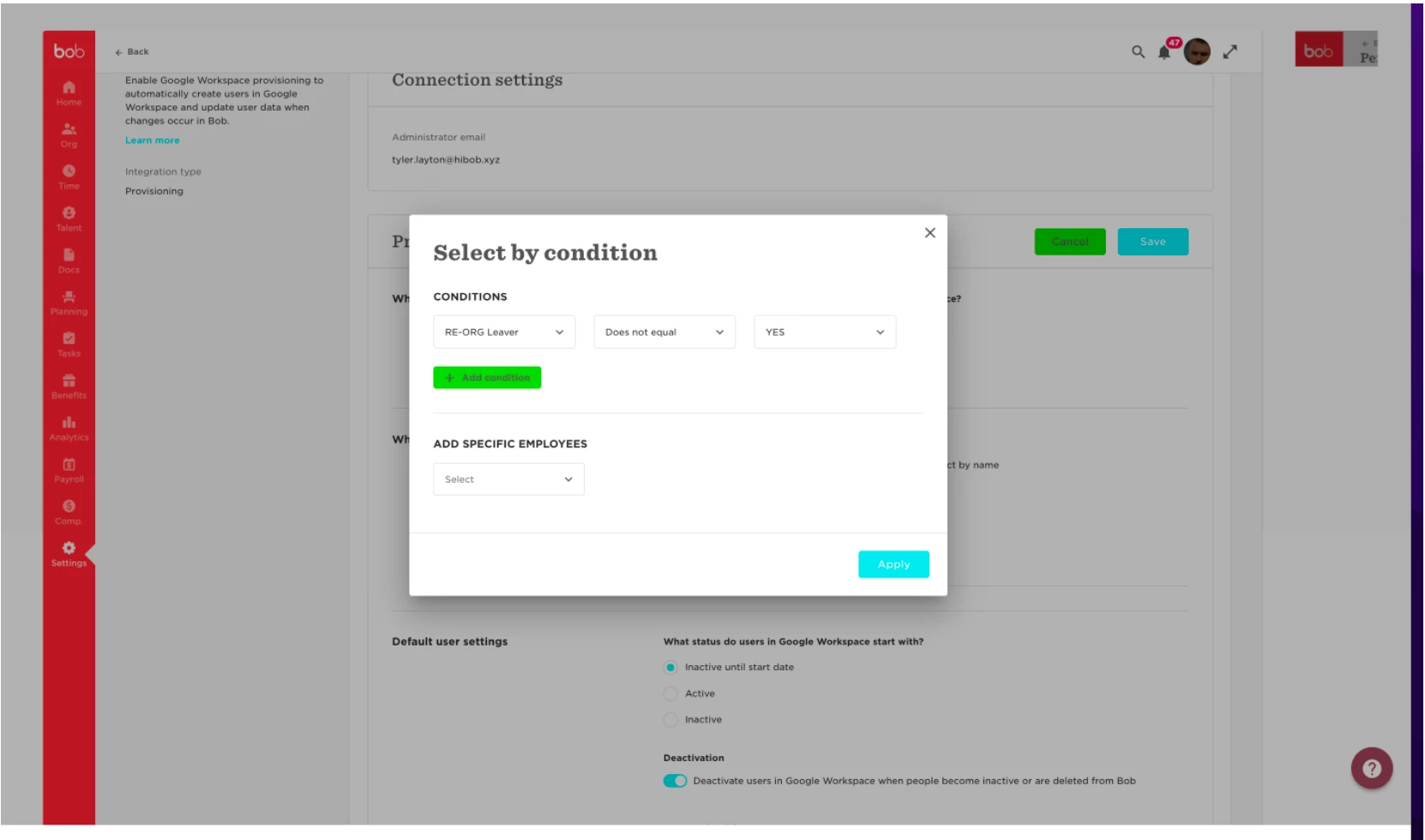
Then click apply and we will see that all users who do not have the field populated with YES value will be included in this list of who to provision and those who do have the value YES populated in that field will be excluded from who to provision. This means they will no longer be reactivated when you disable them in the integration: