Typically we send employee data to third-party systems via a Service user, and the Service user requires a permissions group to access employee data on Bob.
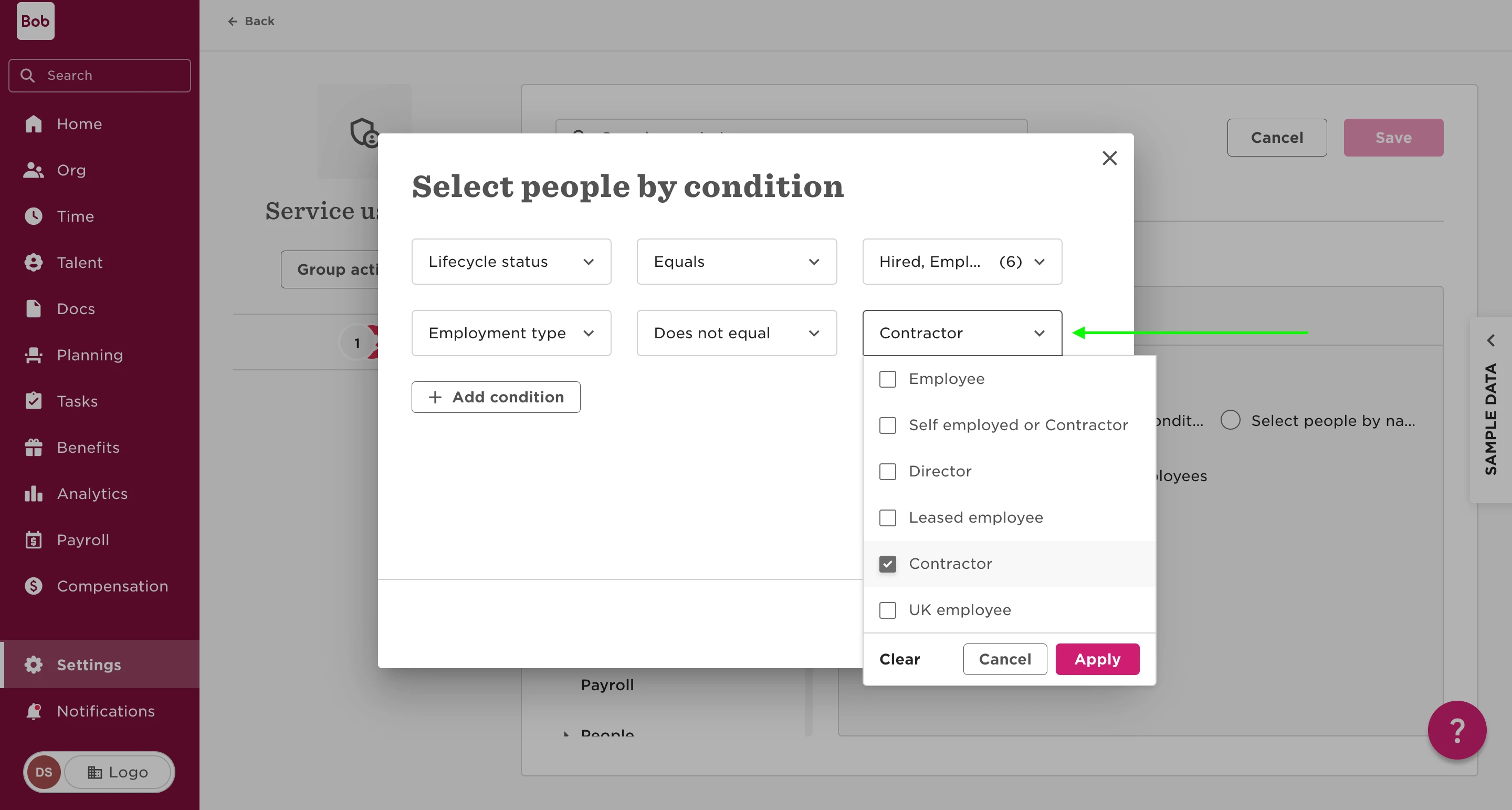
What type of users do we want to exclude from the Integration? For instance, if we want to exclude contractors from the integration we can add a condition in the Service user's permissions group e.g. Employment type does not equal contractor
If there are certain users, such as contractors, that you want to exclude from this integration, you can set up specific conditions in the permissions group for the Service user.
How to Exclude Users
-
Based on Employment Type:
- You can define conditions that will exclude users by their employment type.
- For instance, a condition could be set as: "Employment type does not equal contractor."
-
Using a Custom Field:
- Alternatively, create a custom field, preferably a list type, to serve this purpose.
- This field can be used to define the conditions necessary for excluding specific users, giving more flexibility in who is excluded.
Setting Up Permissions to Support Exclusion
-
Access Permissions Group Settings:
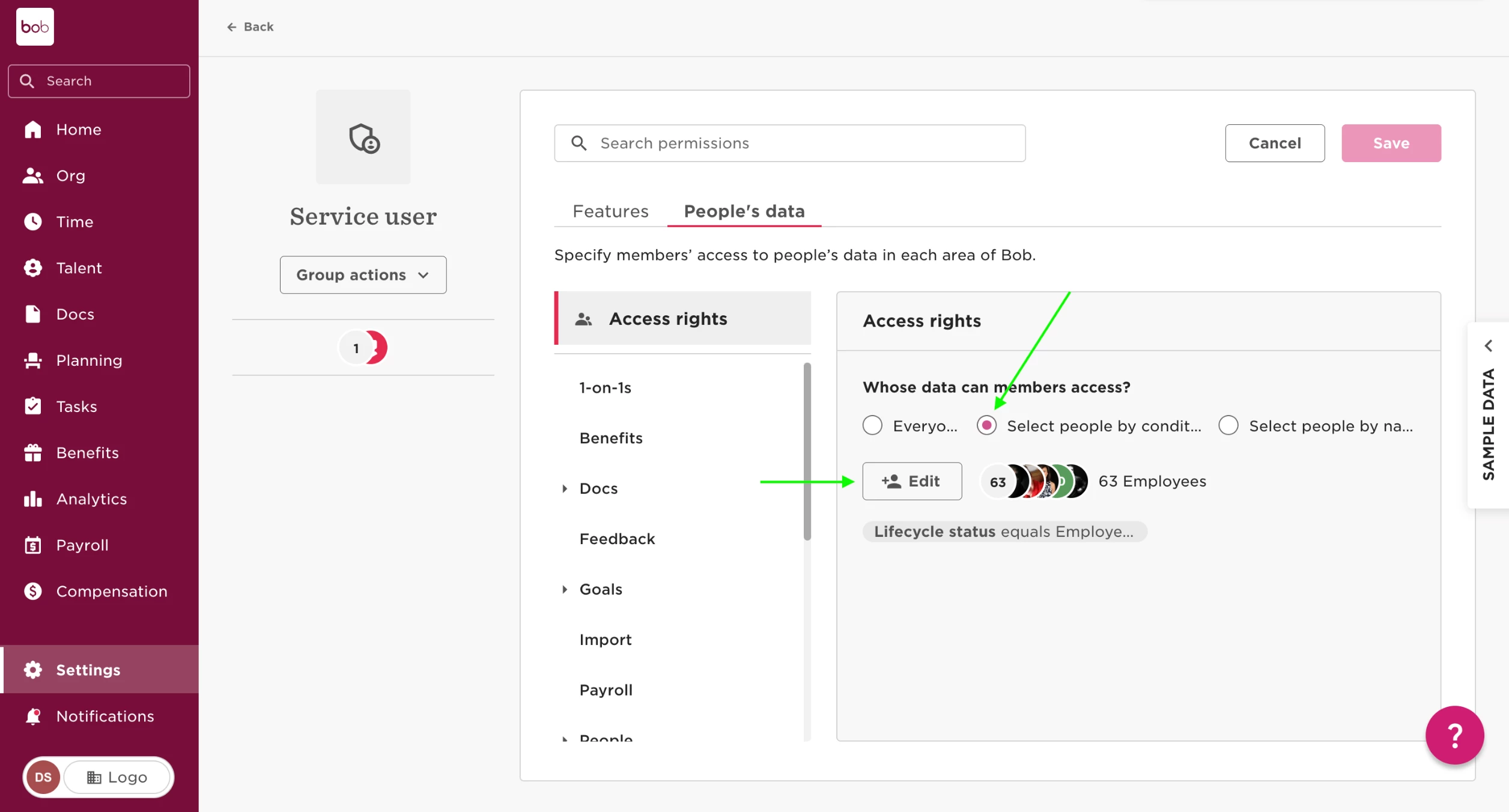
- First, navigate to Settings > Permissions groups in the system.
-
Choose the Service User's Group:
- Select the permissions group specifically assigned to the Service user.
-
Modify People's Data Permissions:
- Proceed to People's data > Access rights > Edit permissions.
-
Establish Exclusion Conditions:
- Click on edit to add your condition.
- For example, you might set: "Employment type does not equal contractor."
By carefully configuring conditions within the Service user's permissions group, you ensure that specific users, like contractors, are excluded from data integration. This approach helps maintain control over which employee data is shared with third-party systems.