


During your Microsoft Entra ID integration setup, you may expect the following error:
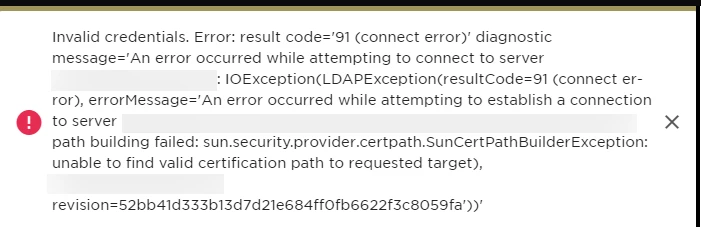
It usually means the connection from Bob to your LDAP server is being blocked.
In most cases, this happens because the required IP addresses haven’t been whitelisted yet. Bob sends integration requests from a fixed set of static IPs, and if those aren’t allowed on your side, the connection will fail.
To fix this, make sure the relevant IPs are added to your allowlist:
-
Go to your network/security settings (firewall, VPN, or LDAP access rules)
-
Allow inbound access from Bob’s static IP addresses
-
inteRetry the sync once the changes are applied
You can find the full list of IPs here:
If the issue persists after whitelisting, double-check:
-
If the Port 636 (LDAPS) is open
-
If your SSL certificate chain is valid and trusted by your server
Microsoft provides a step-by-step guide that may help confirm if everything is set up as expected: Enable LDAP over SSL with a third-party certification authority