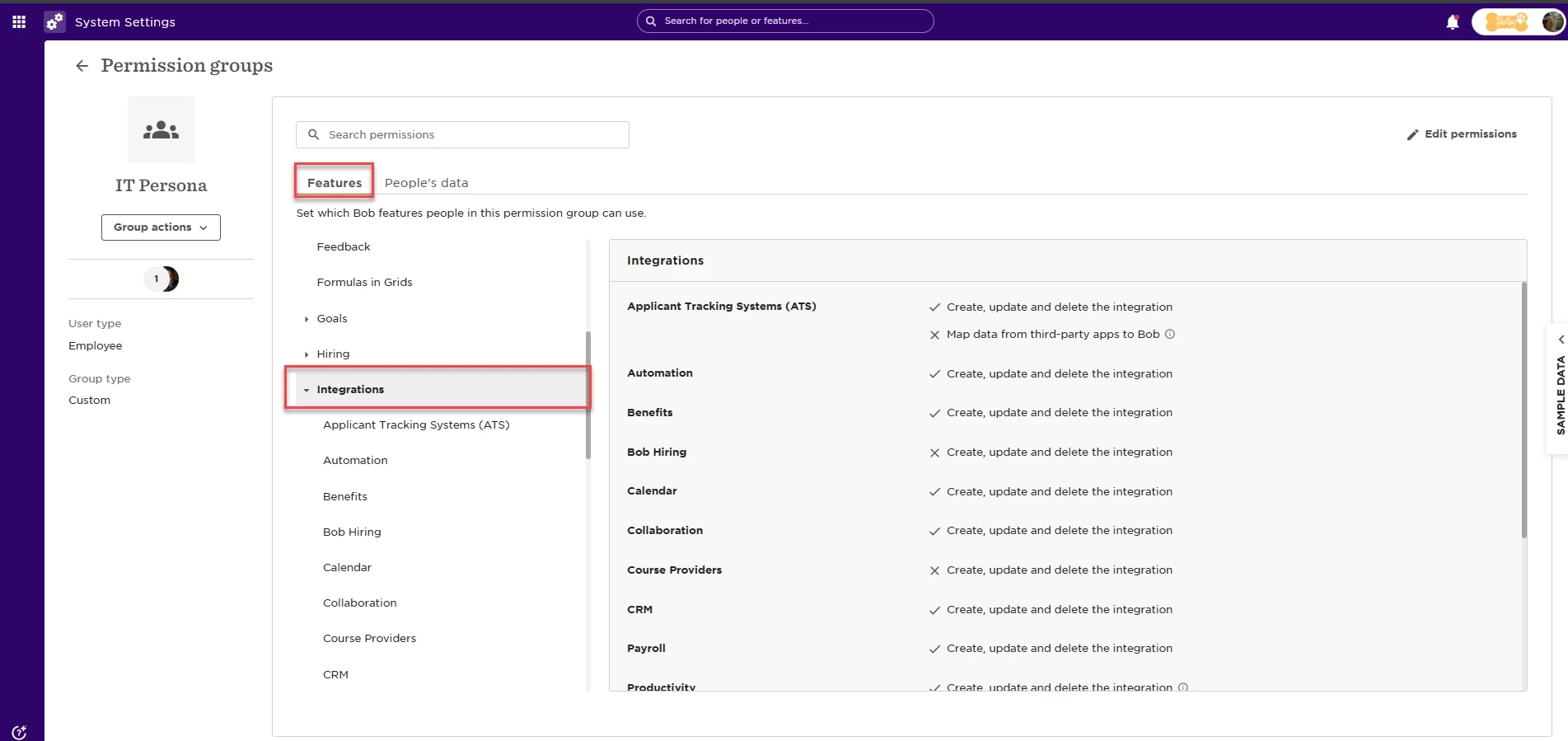
When it comes to integrating and connecting Bob with external systems, our recommendation is to grant the IT team access to the section in Bob where integrations can be configured and managed so they can handle it independently.
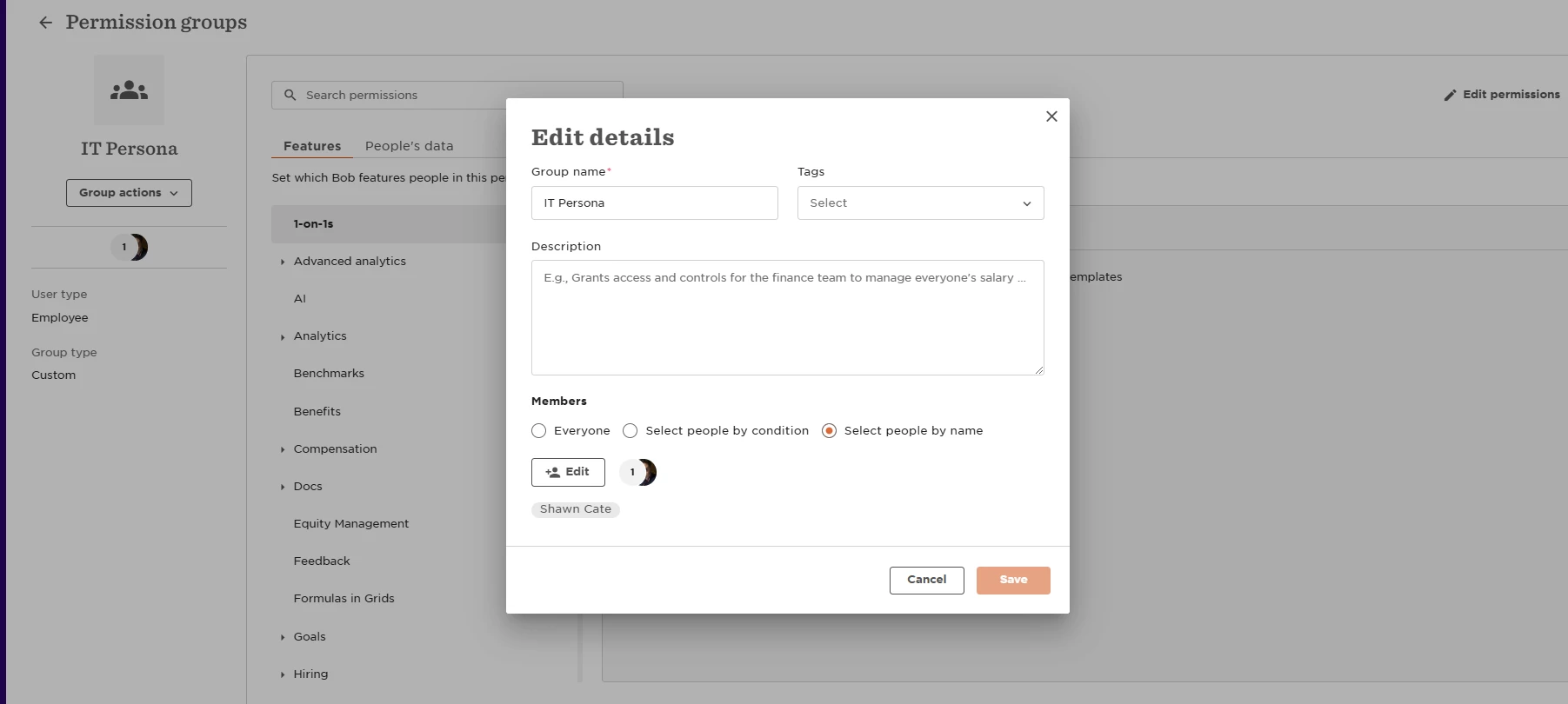
You can create a dedicated custom permissions group where the only participants are members of the IT team.
Employees can be added either by name or based on criteria (such as role/department).
After adding the team to the group, the relevant permissions can be found under Features > Integrations.
On this screen, you should enable the relevant permissions based on the type of integration: