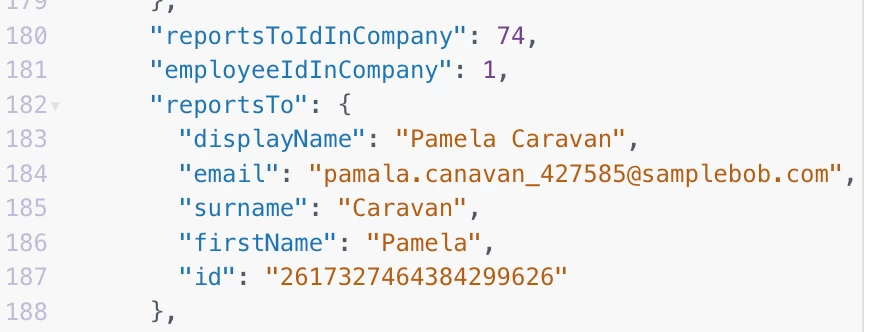
When updating a manager's details in the Okta provisioning integration, it’s essential to map both the manager's email and the 'Reports to' field. Mapping only the email will not ensure that updates are processed correctly.
Why Mapping 'Reports to' is Crucial: The 'Reports to' field is a virtual field connected to the backend. Updates to virtual fields are not automatically captured. By mapping the 'Reports to' field, you ensure that:
- Updates to the actual 'Reports to' field are linked to the virtual field.
- The updated information is synced correctly with the Identity & Access Management system.
What You Need to Do
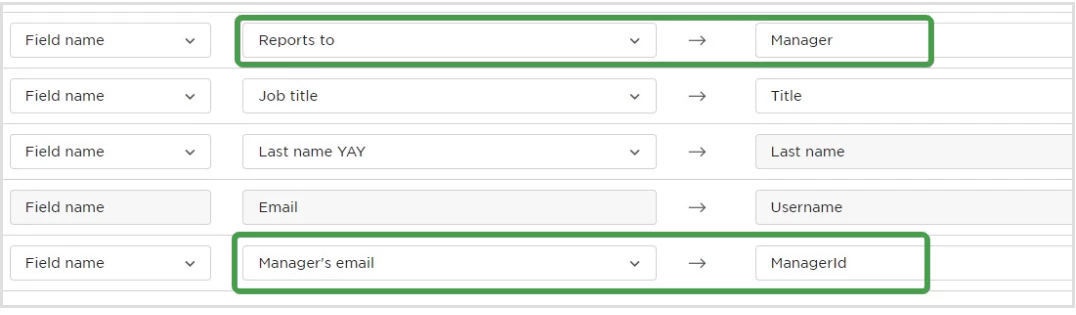
- Map the Manager's Email: Include the manager's email in your mapping configuration.
- Map the 'Reports to' Field: Add this field to ensure synchronization of updates.
Here’s an example setup for how the mapping might look:
If you have any questions or run into issues, don’t hesitate to reach out. We’re here to support you!