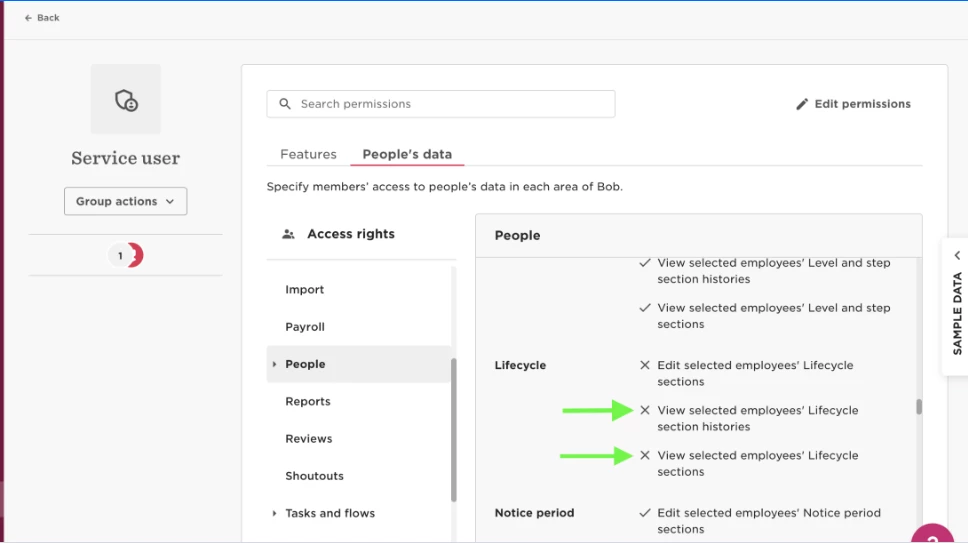
To view termination dates we need to grant the Service User access to Terminated users and permission to view the lifecycle category.
- To grant permission to view the lifecycle category navigate to the Service user's permissions group > People's data > People > Lifecycle > grant two permissions: View 'sections histories' and 'View section' lifecycle category
- We need to grant permission to view terminated users, in the Service user's permissions group > People's data > Access rights > edit permissions > Select people by condition > Edit > Lifecycle status equals [add terminated]:
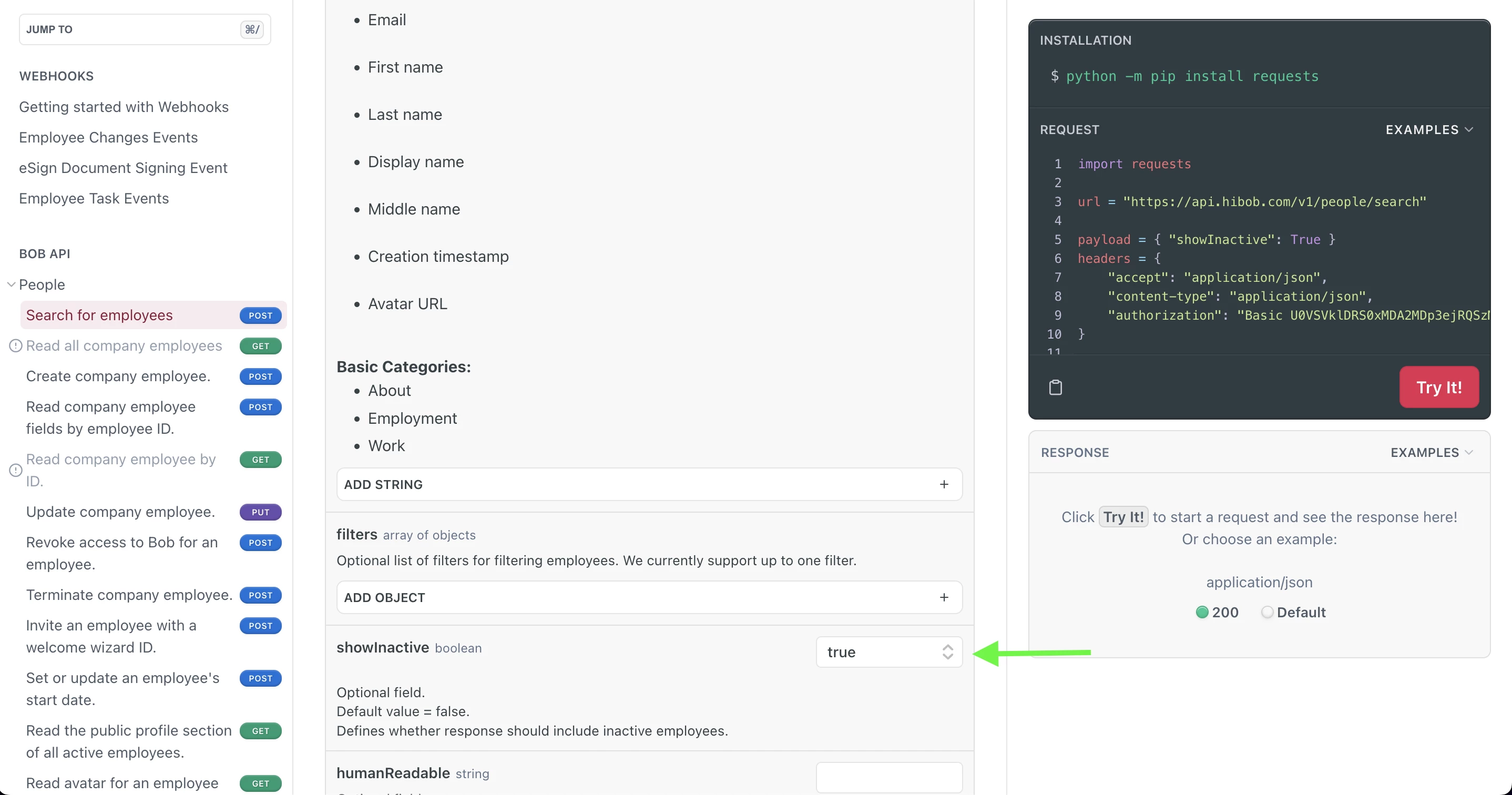
- We need to ensure we have added showInactive: true in the endpoint: