Firstly you will need to create a Service user token.
Create the token under System settings > integrations > Service users:
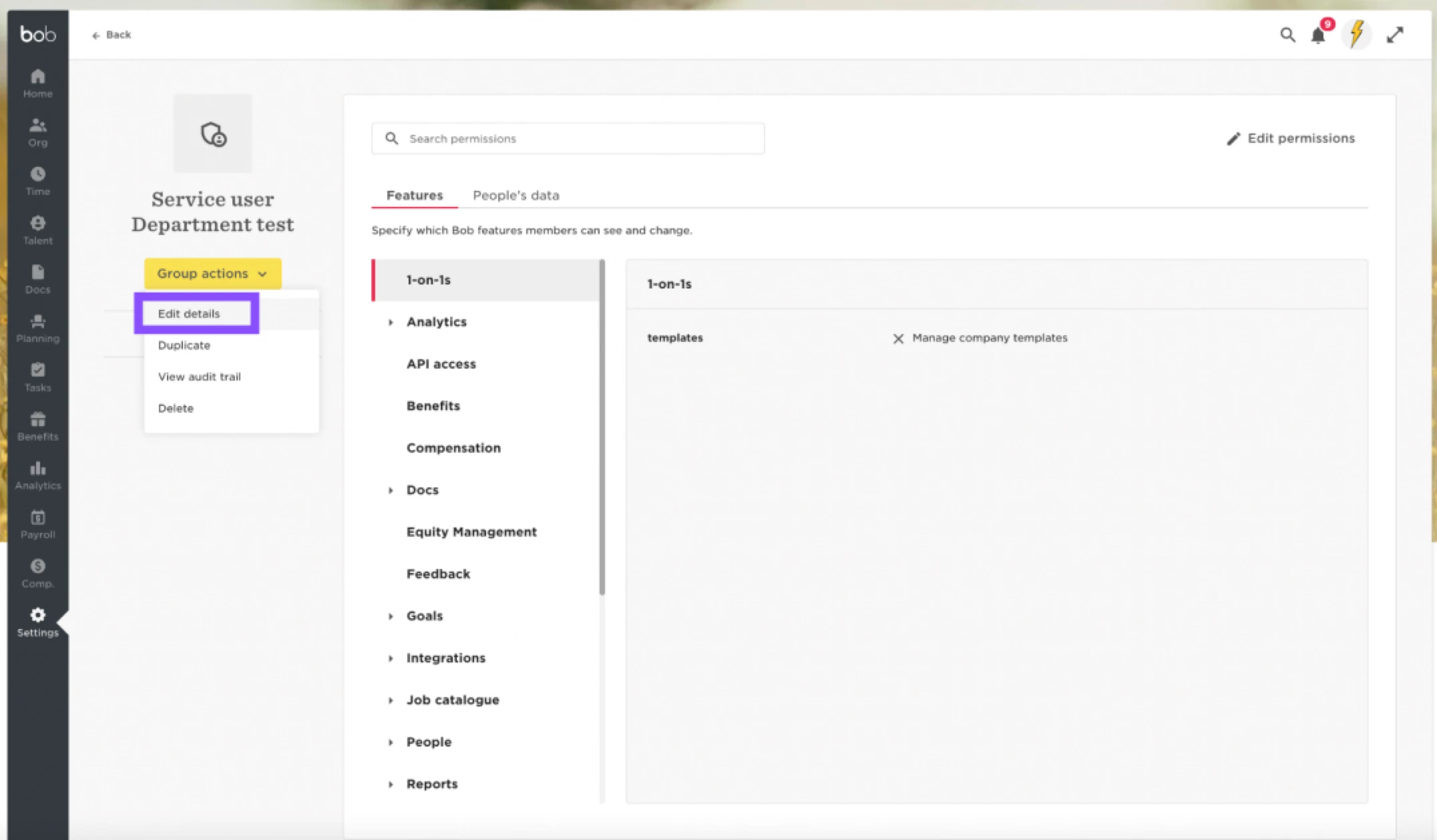
Then once you have created the token you will need to add the token to a permission group. This should be a custom permission group:
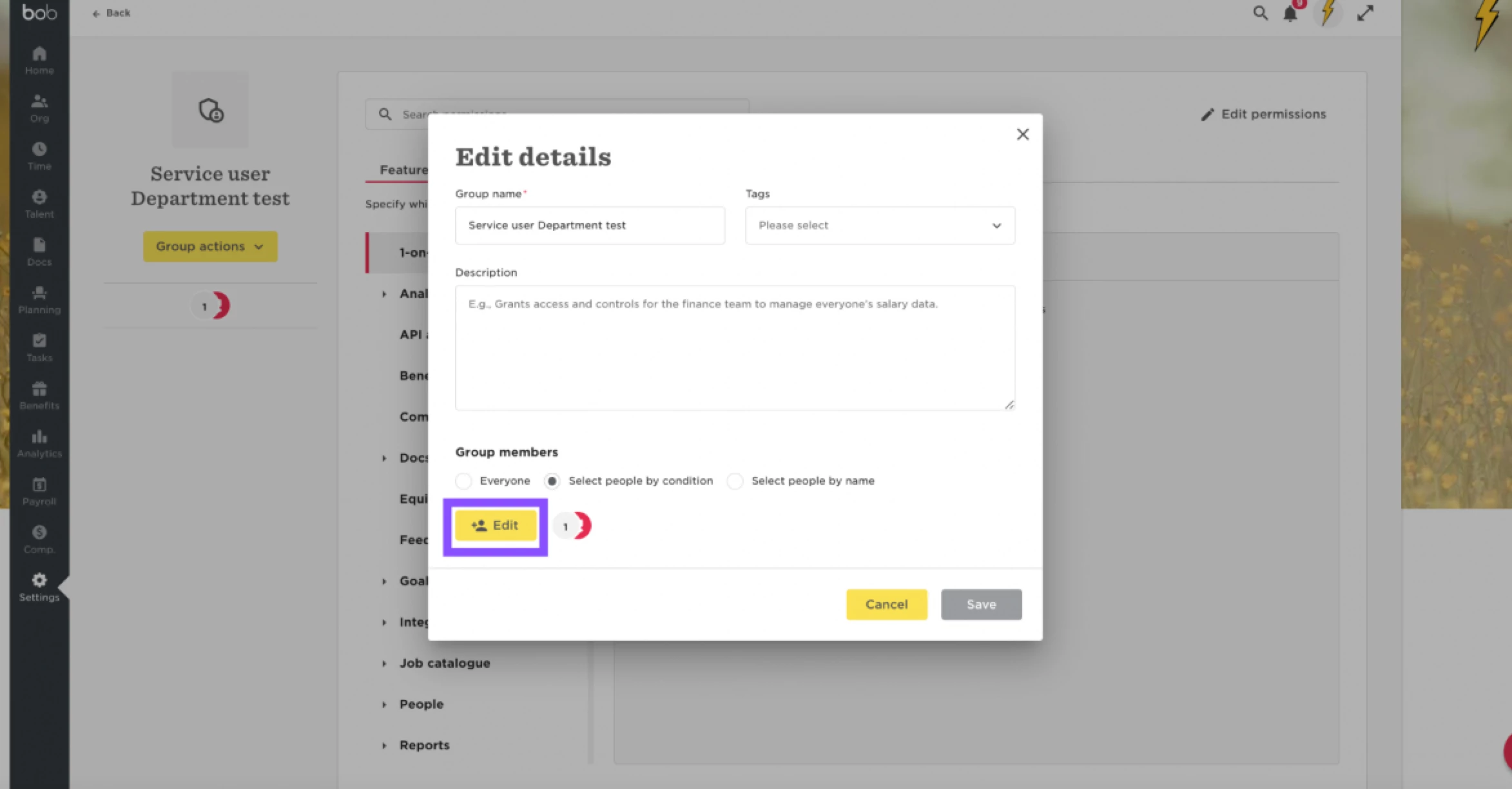
Ensure to select people by condition:
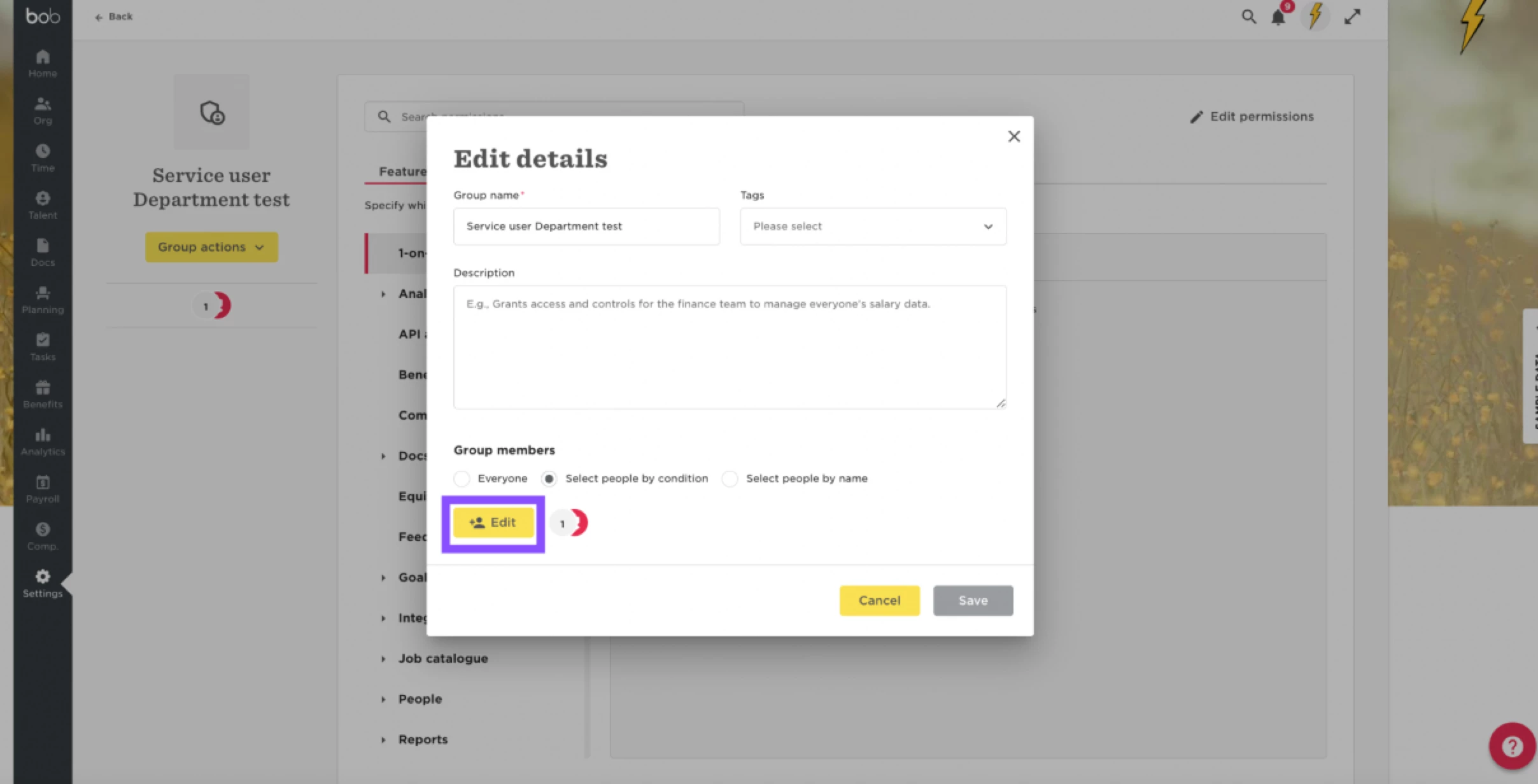
Also please note you will need to remove the lifecycle status filter to ensure only the token is added and not all users who fall under the filter.
You can either not include any lifecycle options or you can remove the filter by clicking the trash icon on the right hand side of the filter.
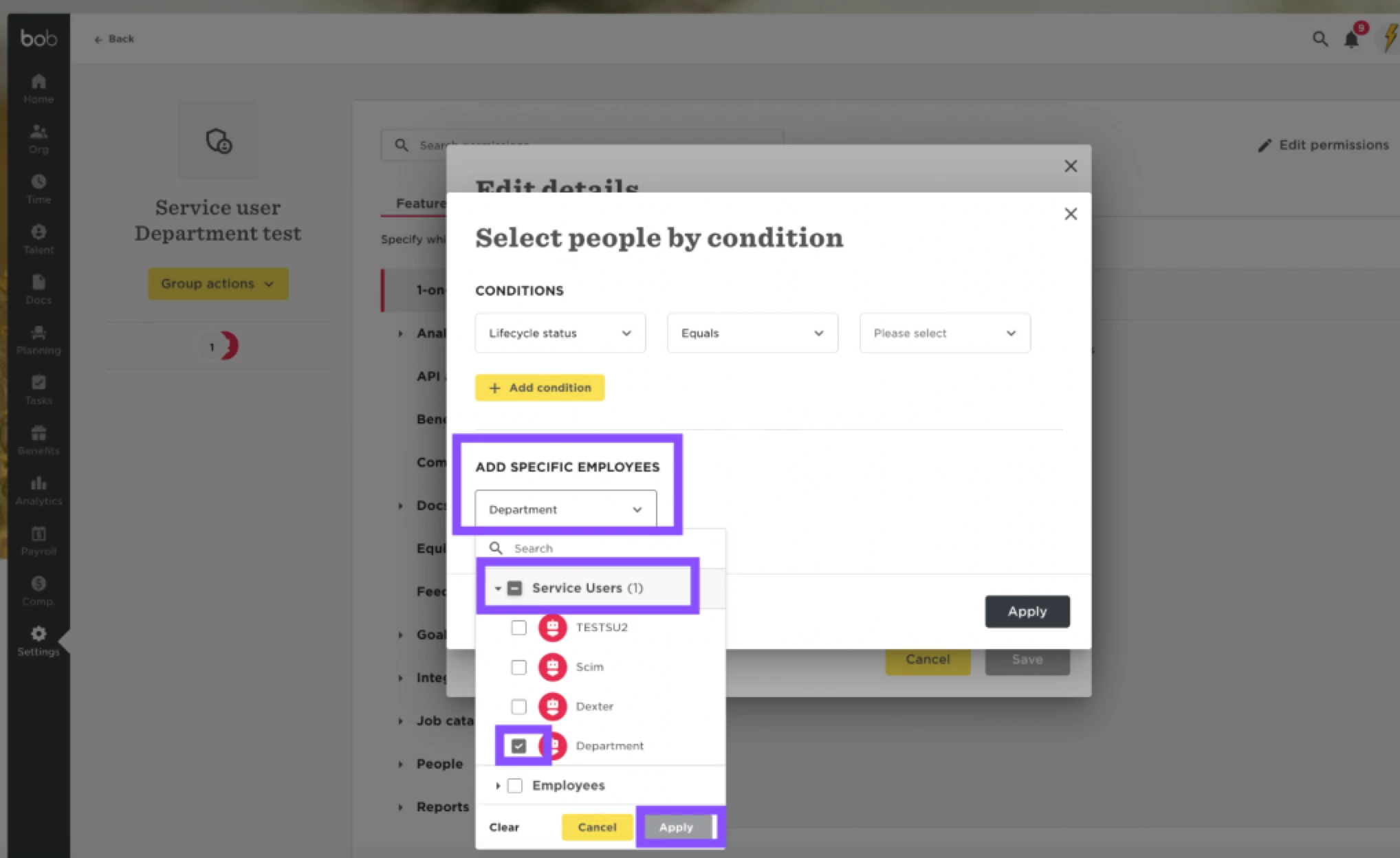
Once the service user is added please ensure you enable the attendance permissions for the token and also under the access rights check that the lifecycle statuses and other filters you have are defined for the users you want the token to be able to import attendance for. For example if you want the token to have permissions of all lifecycle statuses, or only certain sites etc.
Click save. The permission group is now saved with the token and permissions applied.
The Format of the API call
Please find below the correct format to use for this API call to have this successfully imported.
Check which import method you want to use. You have two options:
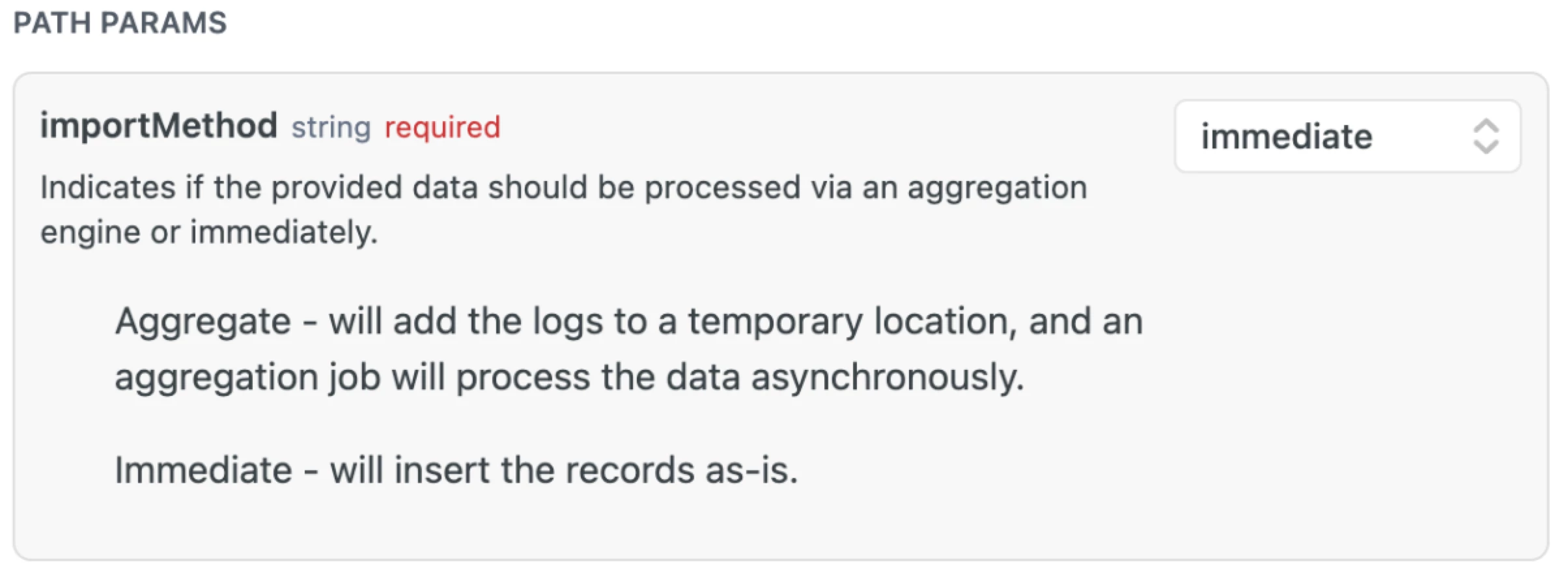
For this example I chose this to be immediate.
If using the Bob ID for this import in the iDType set this as - bobId
Then the long ID number on the employees profile in the URL of your browser (without the forward
slash)
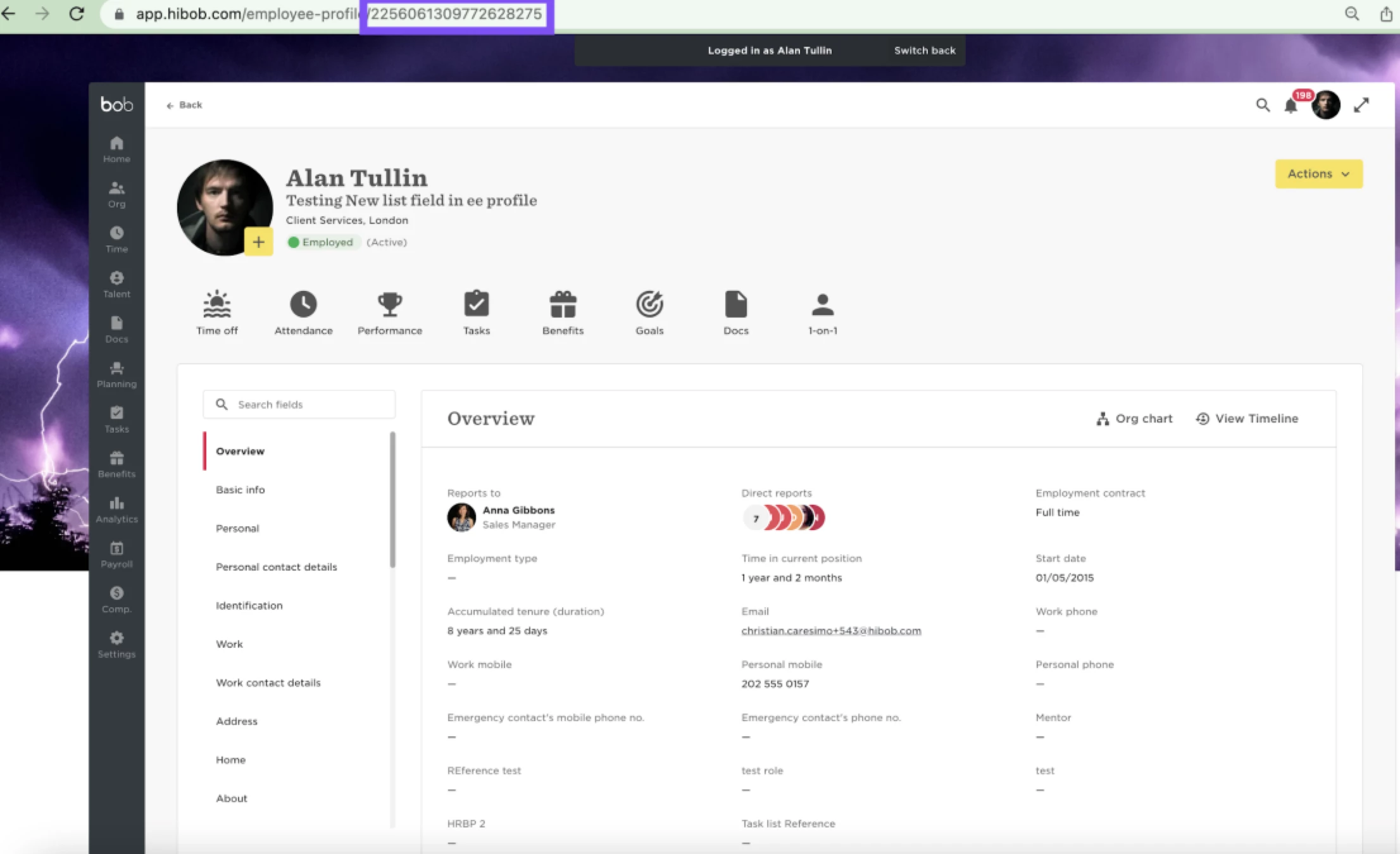
For example it will be - 2256061309772628275
Then for the clock in and clock out format use the format that is given as is for example
clock in- 2023-05-24T10:00
clock out- 2023-05-24T16:00
Then for the dateTimeFormat please keep this blank, unless defining a custom time format.
Run the call and you should get a 200 response with a success in the output.
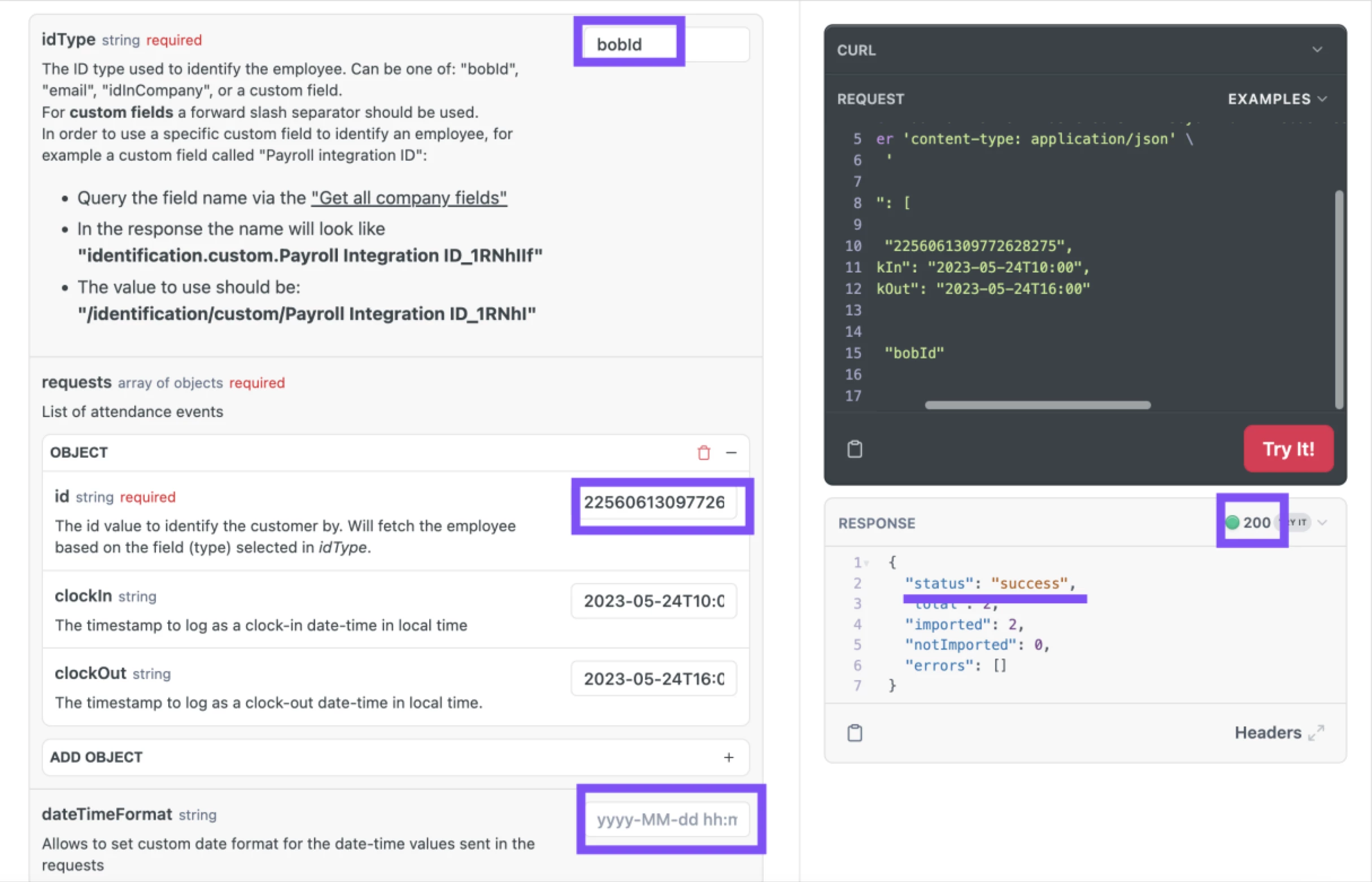
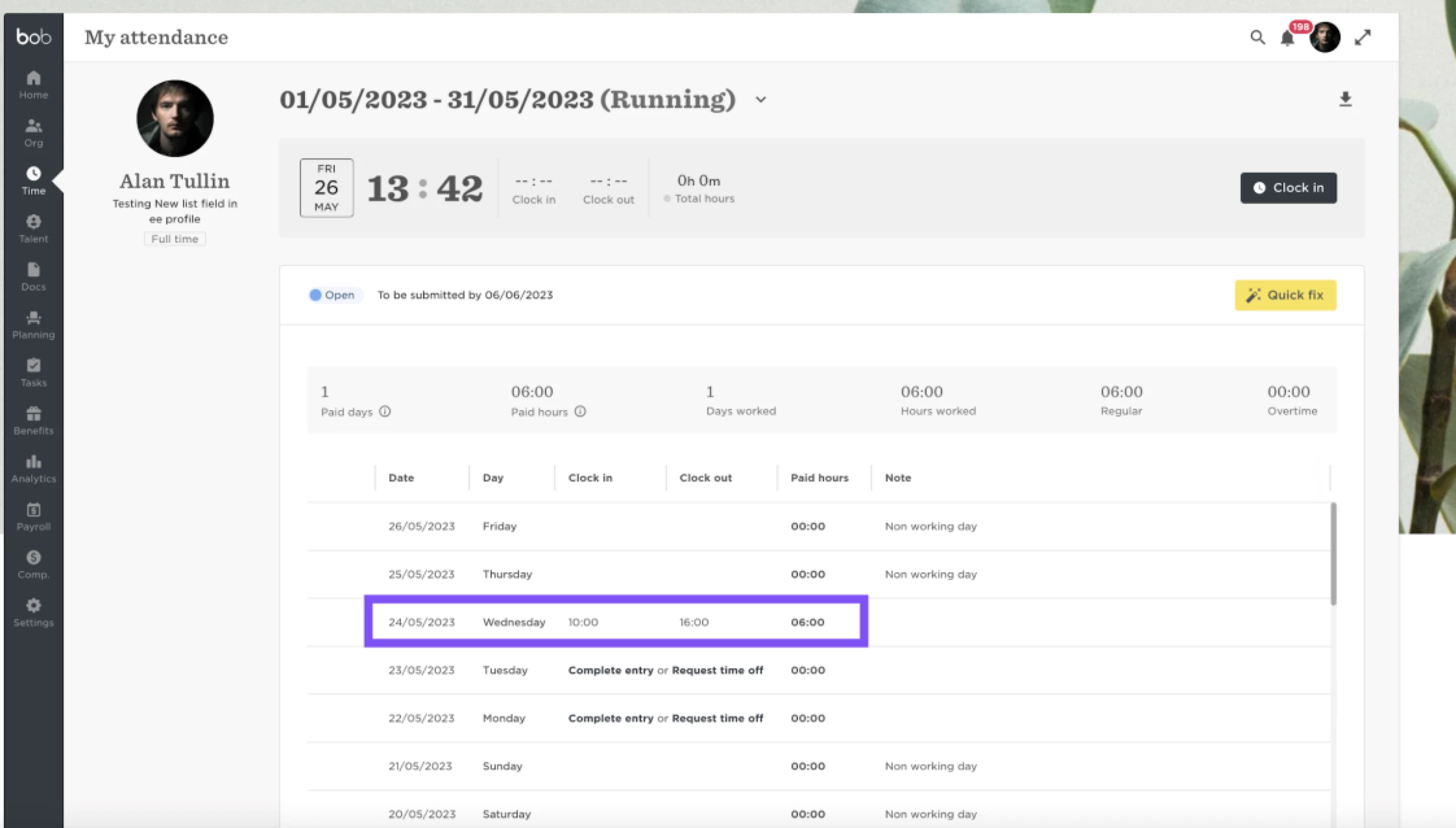
As you can see this record has imported correctly on my users attendance sheet: