

Seeing "Other" under Change type in an employee’s work table? This usually means the table was updated using the wrong import flow.
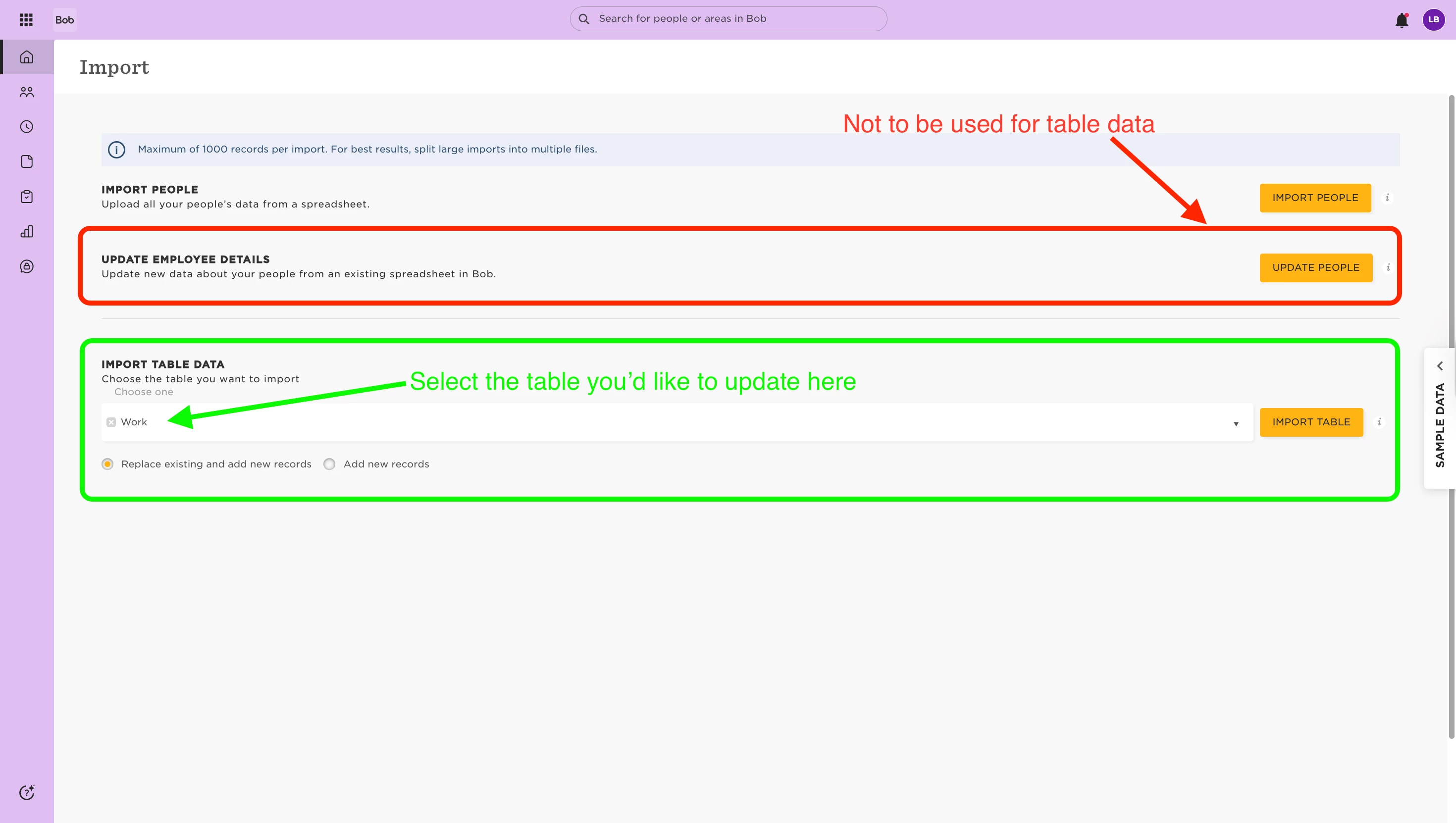
When updating table data (like Work), it's important to use the Import table data wizard - not Update people data.
Here's why:
- The Import table data flow uses a dedicated template that includes required fields like Effective date and Change type. These help protect your existing records and ensure new data is added cleanly.
- If you use Update people data, the system will still allow the upload. You'll be prompted to choose an Effective date, but not a Change type - so Bob defaults the field to Other, even if that wasn’t the original value.
To avoid this, always choose the Import table data flow when updating structured tables like Work, Employment, or Compensation.
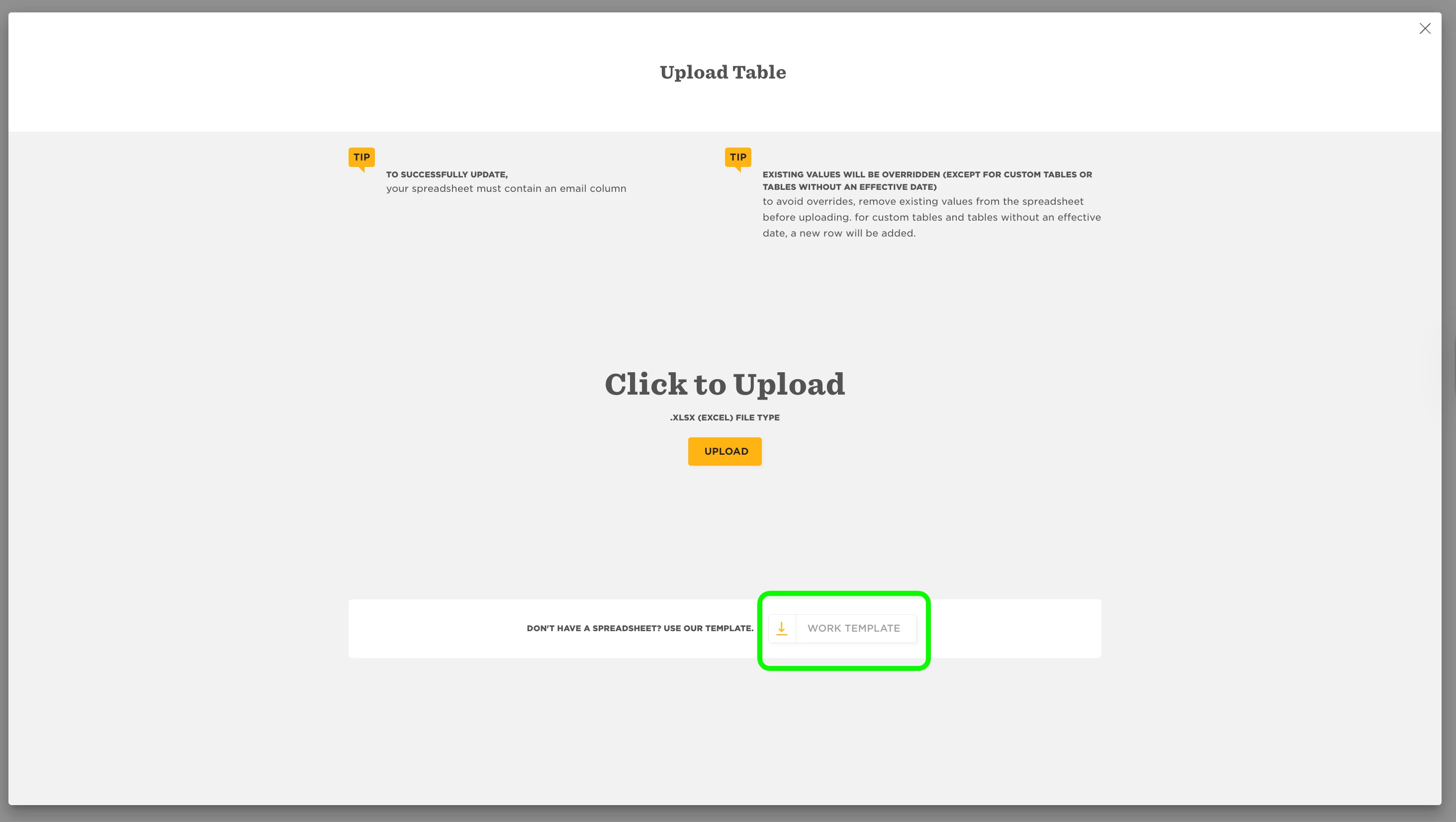
Need a refresher? You can learn more here: Import table data