

If a table, such as the salary table, isn’t available when importing people data updates, check the user's permissions for the category where the table sits.
With Field-Level Permissions, access can be configured for individual tables and fields. However, importing data into tables requires full View access to the entire category.
This means the table you want to import may not appear if your View access is restricted for any fields or tables within the category. This includes custom tables and newly generated custom fields.
For example, even if you can view salary data and have permission to perform bulk imports, the salary table may not appear as an import option if you don’t have full View permissions across the Payroll category fields.
To correct this, please navigate to System Settings > Account > Permission Groups and ensure that all View Permissions are granted across the entire category in question.
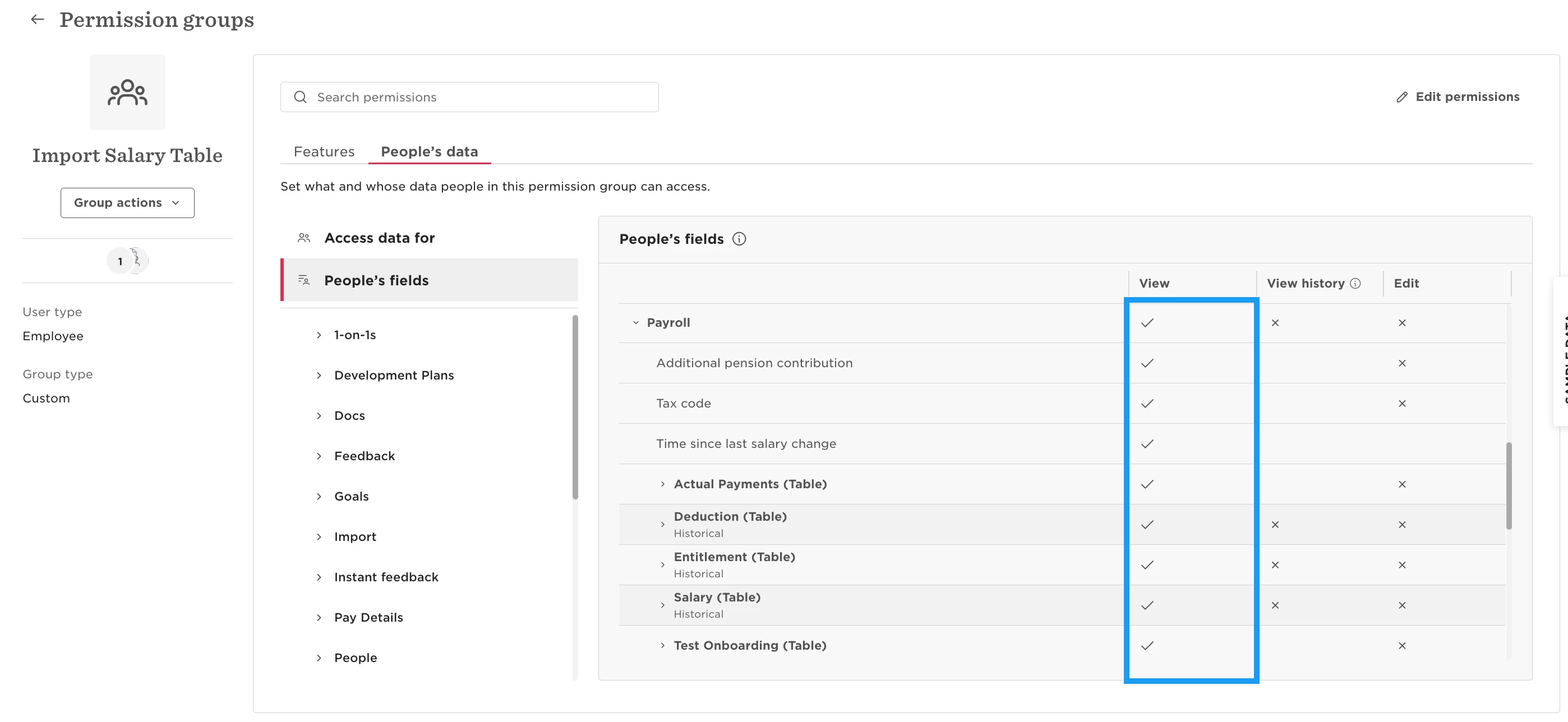
Once full View access is confirmed, the affected user should be able to proceed with the table import.