

When creating new Job Profiles via the Import job profiles import option, you may encounter the *Job level role does not exists* error message.
This message refers to a job level combination that is entered in the *Track name* and *Job level* fields of the import template, but does not correspond to a compatible combination in your *job content library*.
To resolve this error, navigate to Settings > Bob > Org > Job content library > Job roles and ensure that the values you have listed in your import template match an available job level combination. If it does not, you will need to add these values to your list prior to performing the import.
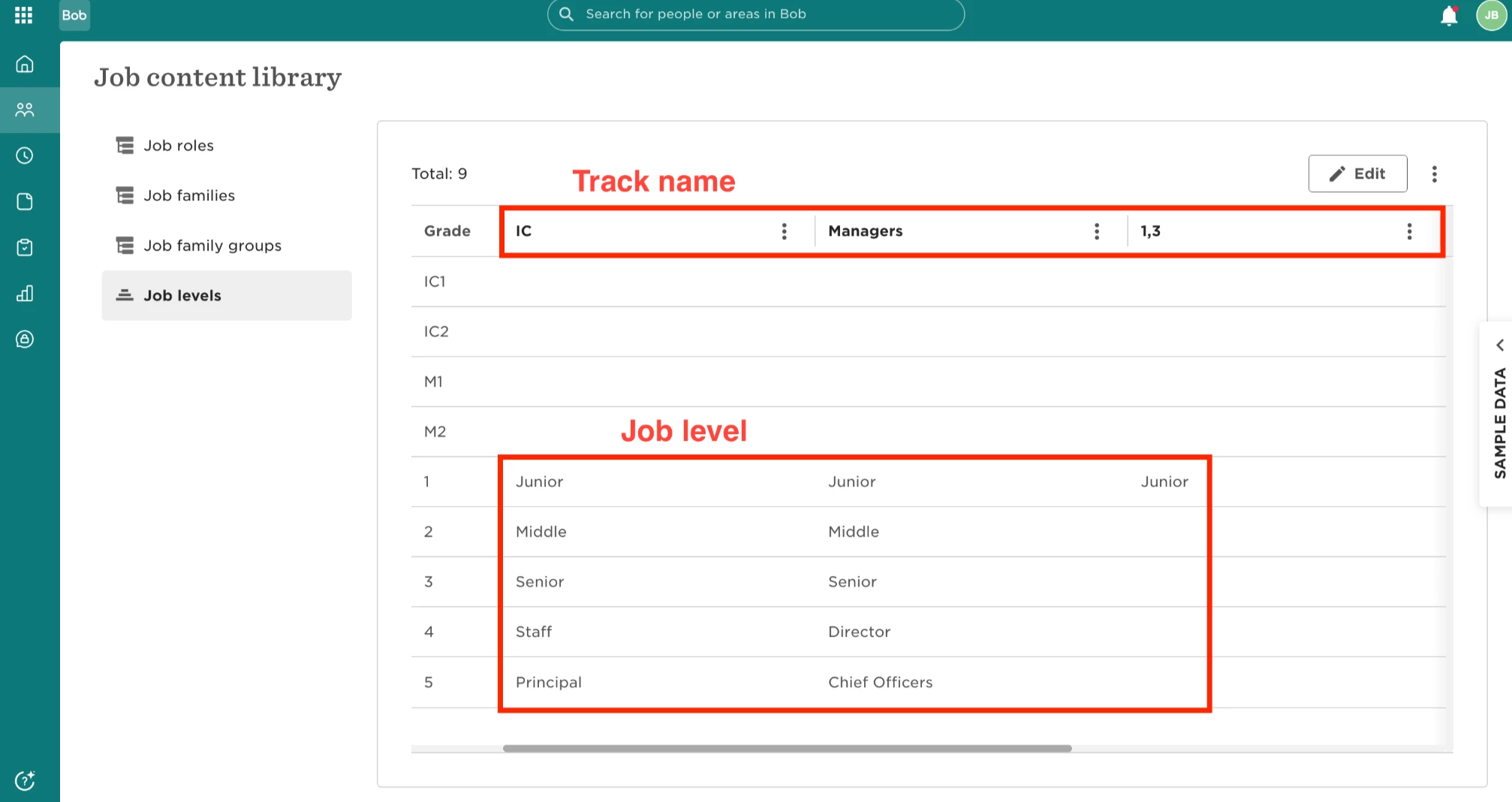
*Please note:* Track name and Job level combinations must be stored in the same vertical column. In the example image above, IC + Staff would be a compatible combination while Mangers + Staff would not since they are in different columns.