
In order to update values to a list this is what you need to do:
- Create an excel sheet with 2 columns:
- The field you are updating
- Then under the "Email" column add your email in each row(Don't worry, this will not be uploaded to your profile, this is just part of the process).
- Under the second column, add in each row one of the list options/ values you want to upload under the employee field.
- When the file is ready, please go to Settings > Data management > Import > Go to people Import > Update people:
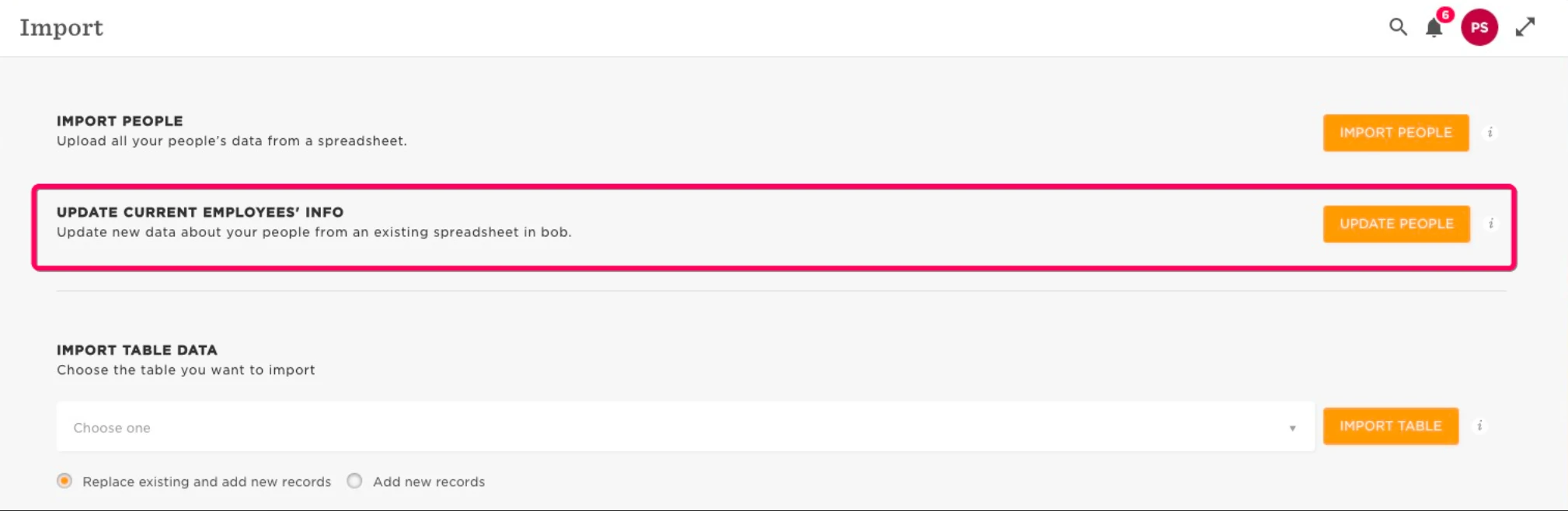
-
Upload the file here:
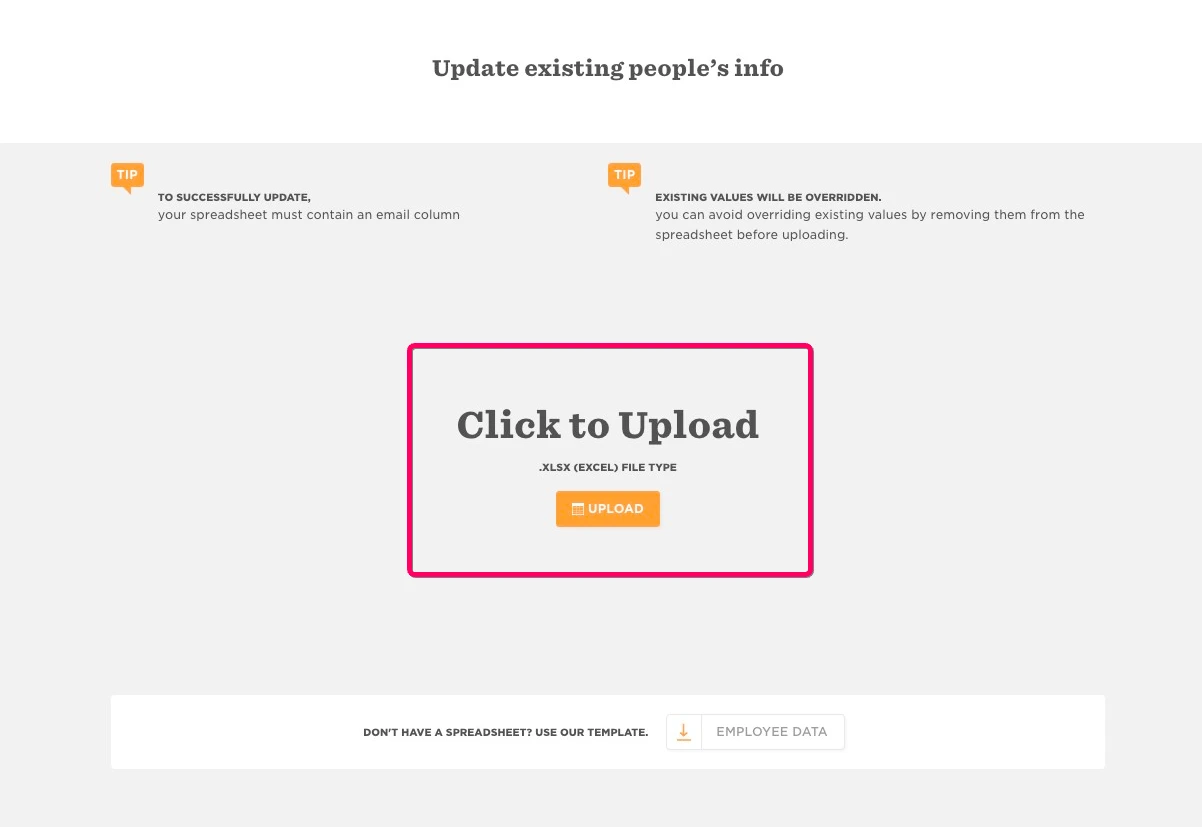
-
Choose email as an identifier:
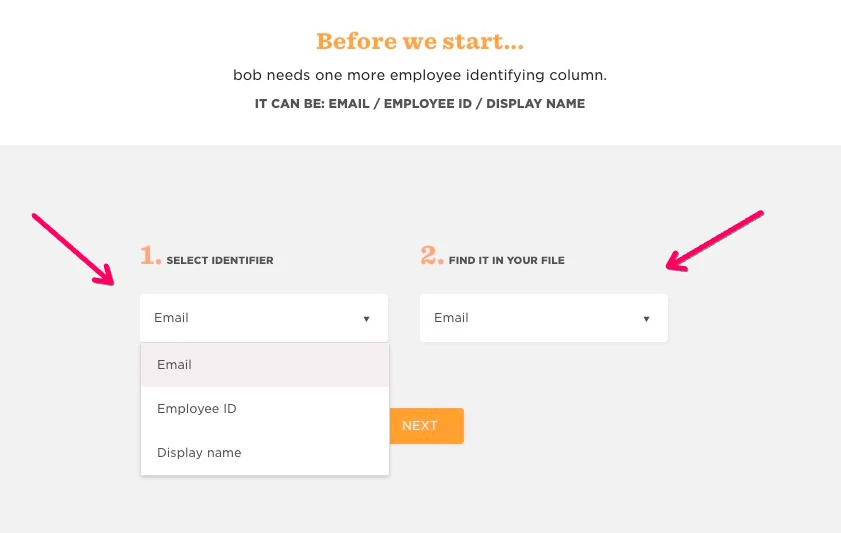
-
Then you will get a red triangle, click on it:
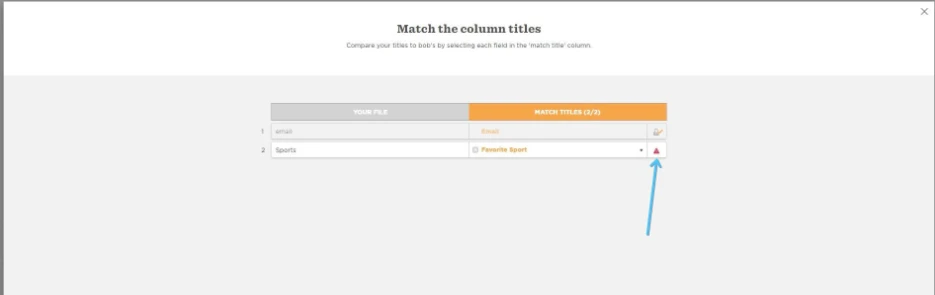
-
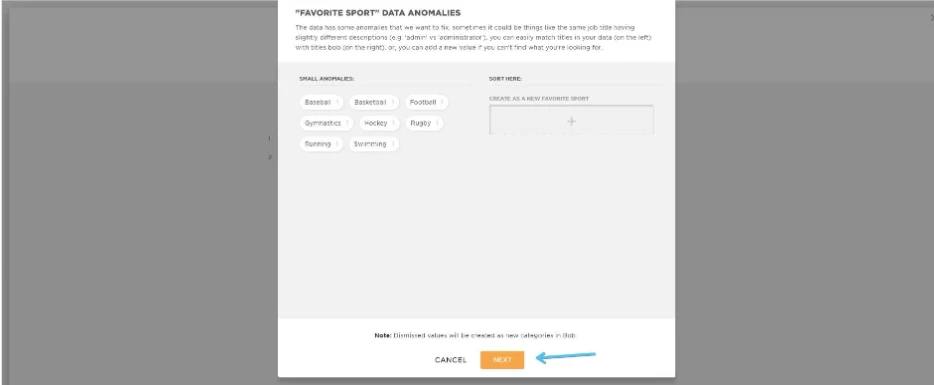
This will open a new menu where you will create the values, just click "Next":
-
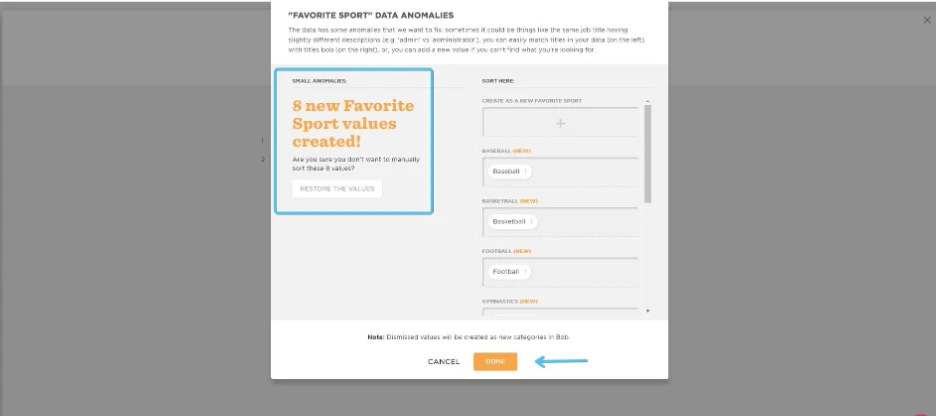
The values will be created and you will get a confirmation like this below, then click done:
In the last step all you need to do is click on the ‘X’ and get out of the import menu.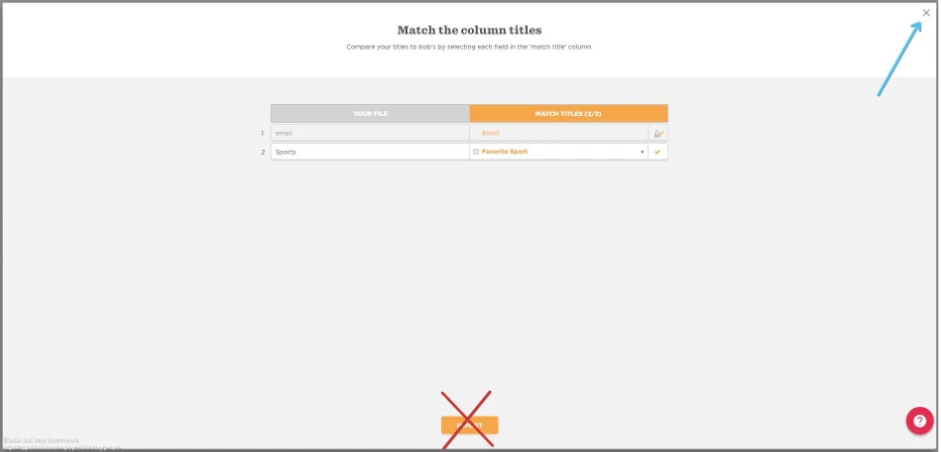
NOTE : Do not continue importing as it will upload the data to your profile!!!