

If an employee unexpectedly appears at the top of the org chart for some users, check whether their manager is terminated and whether those users have permission to view terminated employees.
This can happen even when the employee’s Reports to field is configured correctly. If their manager is terminated but isn't included in a user's permission scope, that user can't see the manager in the reporting structure. As a result, the employee may appear at the top of their org chart.
To check the relevant permissions:
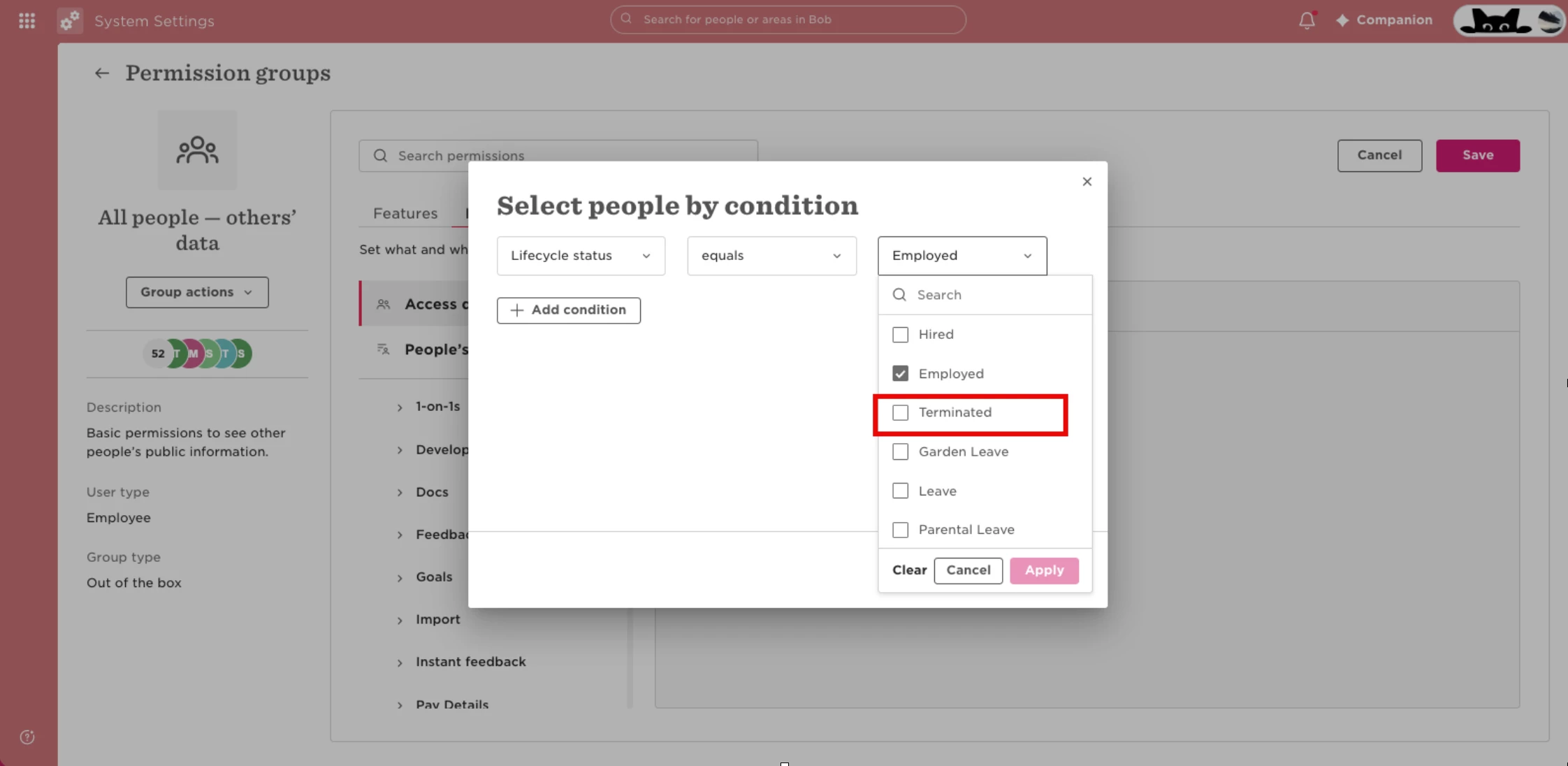
- Go to Settings > Permission groups > All People - Other’s Data.
- Review the Access data for conditions.
- Add Lifecycle status = Terminated to include terminated employees.
- Save your changes.
- Ask the affected users to check the org chart again.
Once the permission group includes terminated employees, affected users should be able to see the employee within the correct reporting structure.