Previously, birthday posts were automatically created and sent on behalf of the celebrant’s manager, with people’s birthday wishes as comments on the post.
The 'Birthdays' feature now has a new look and system behavior! With this revamp:
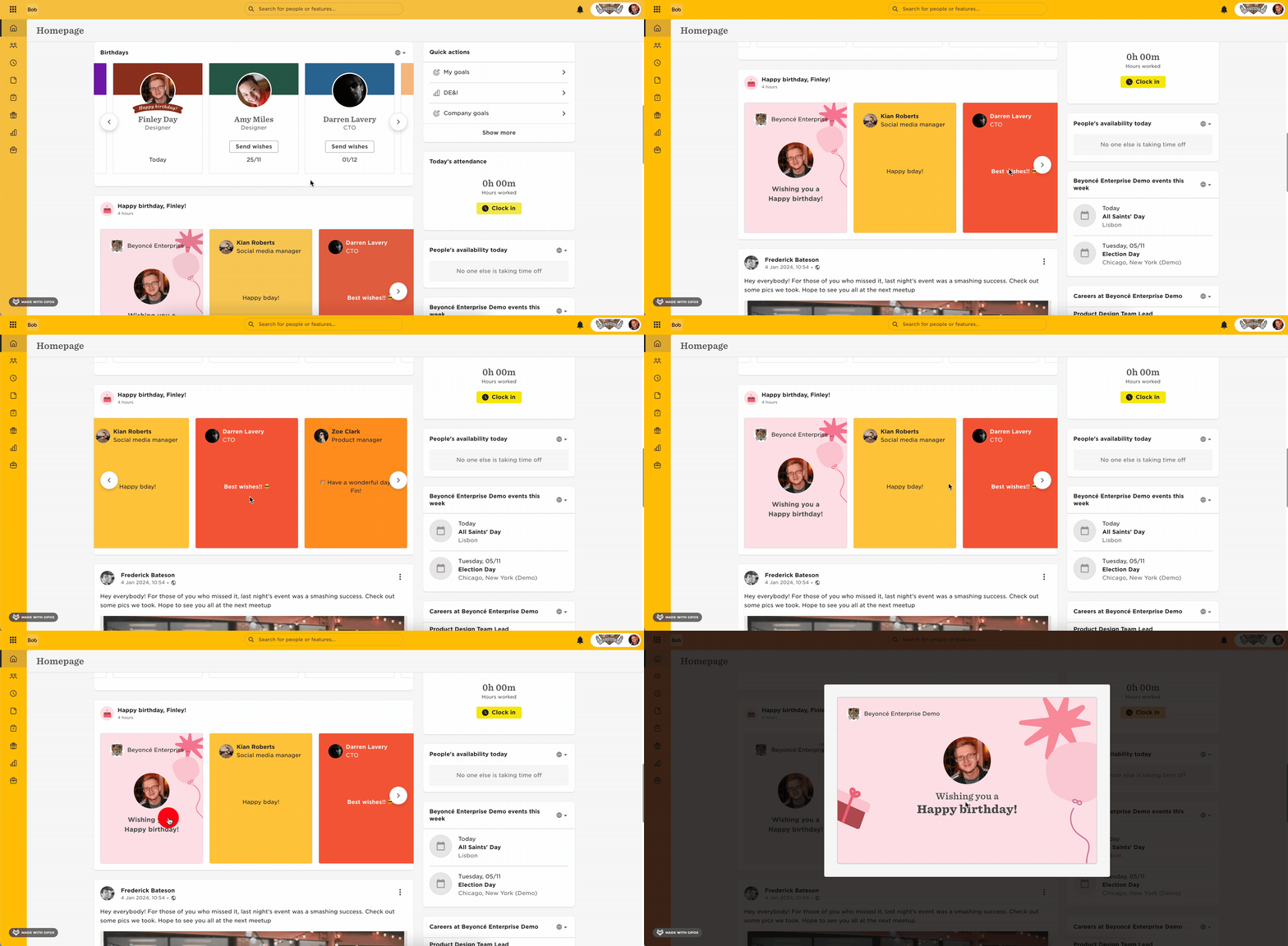
- Celebrants receive a birthday wish from the company on their homepage feed, followed by personal well-wishes from colleagues in a card-style format.
- All employees see recent, current, and future birthdays in a card-style widget on the homepage. Through this widget, they can send personal messages to celebrants, which will be delivered on the celebrant's birthday and are visible only to them.
How to Enable or Disable the Birthdays Feature
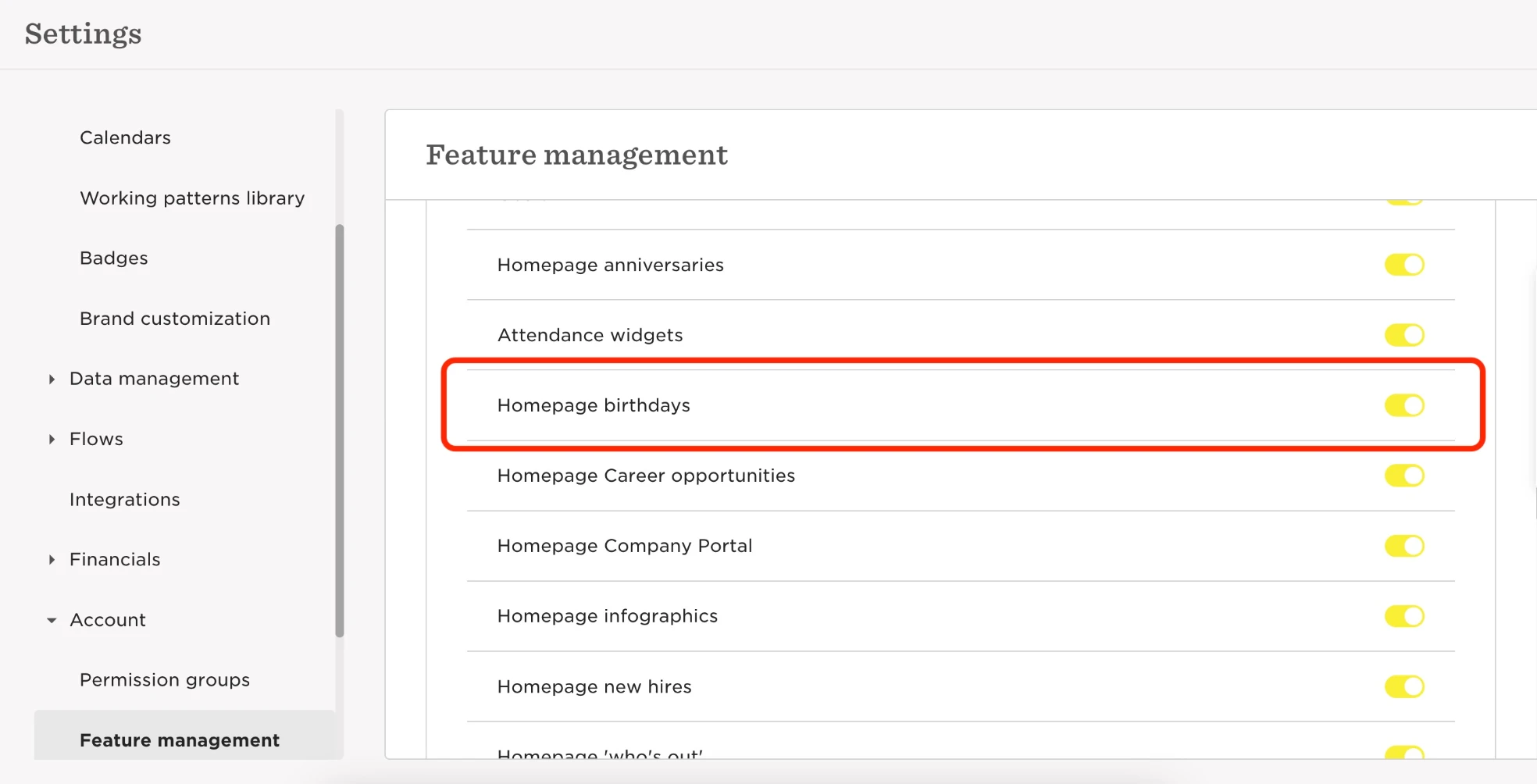
- Navigate to: System Settings > Account > Feature Management.
- Toggle “Homepage Birthdays” on or off.
How to Post Birthday Wishes
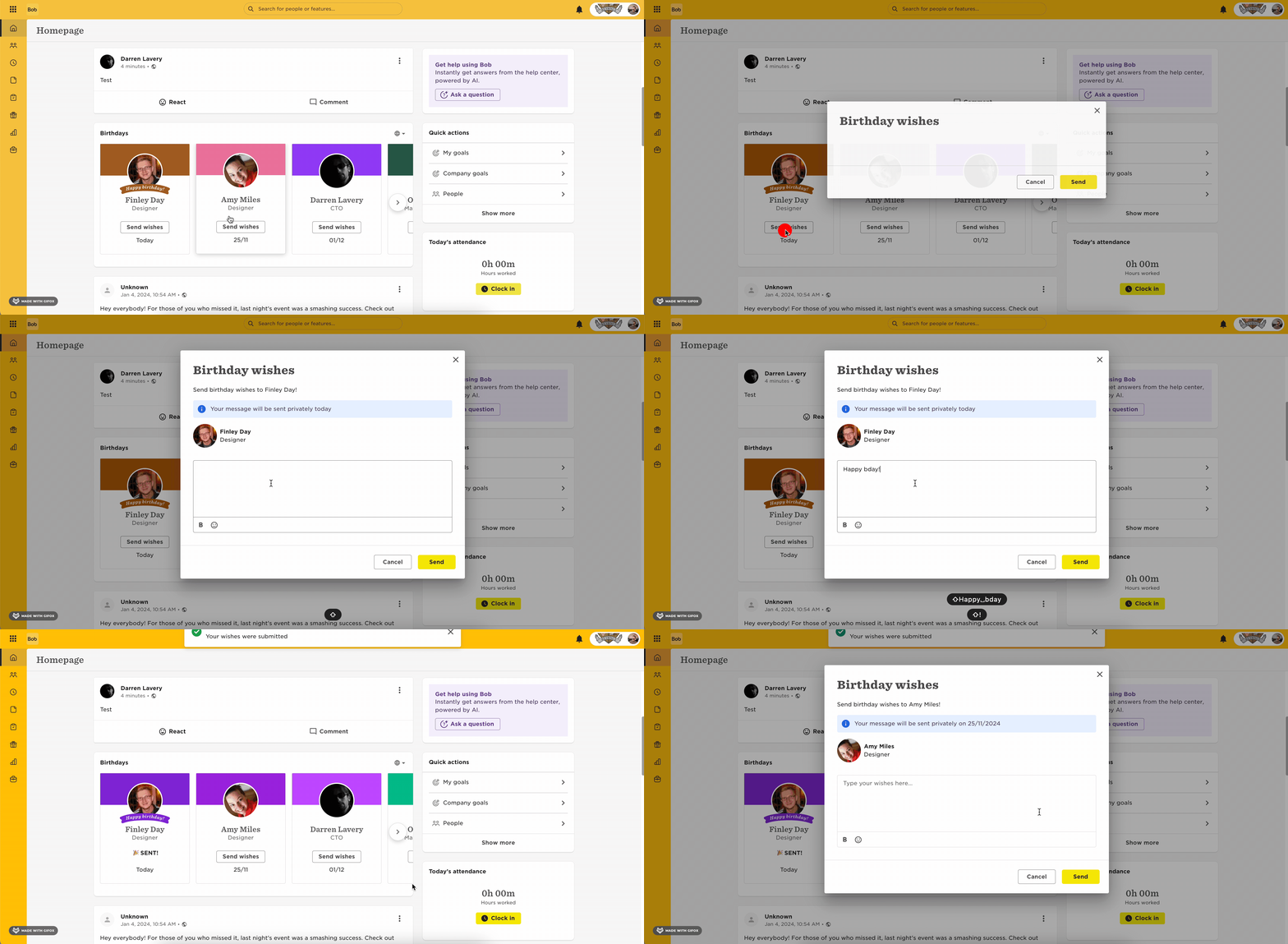
- Scroll to the Birthdays feature on the homepage.
- Select a celebrant and click Send Wishes.
- Enter your message in the text box.
- Click Send.
Notes
- Birthday wishes sent in advance will be delivered on the person’s birthday at 09:00, based on their site timezone.
- Only the celebrant can view the birthday wishes they receive.
- Celebrants cannot reply to or comment on the birthday wishes.
How to See Your Birthday Wishes
- On your birthday, scroll to your birthday messages on the homepage.
For additional guidance, visit our Help Center article.