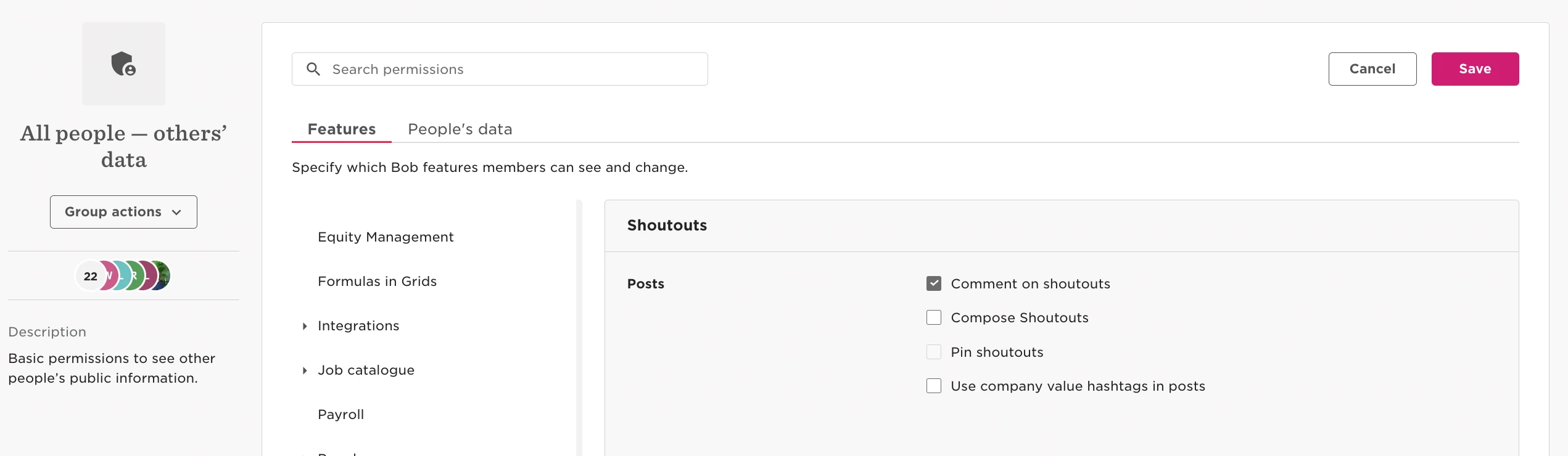
To turn off shoutouts for employees by following these steps:
- go to Settings
- Feature management
- toggle off ‘Homepage Shoutouts’
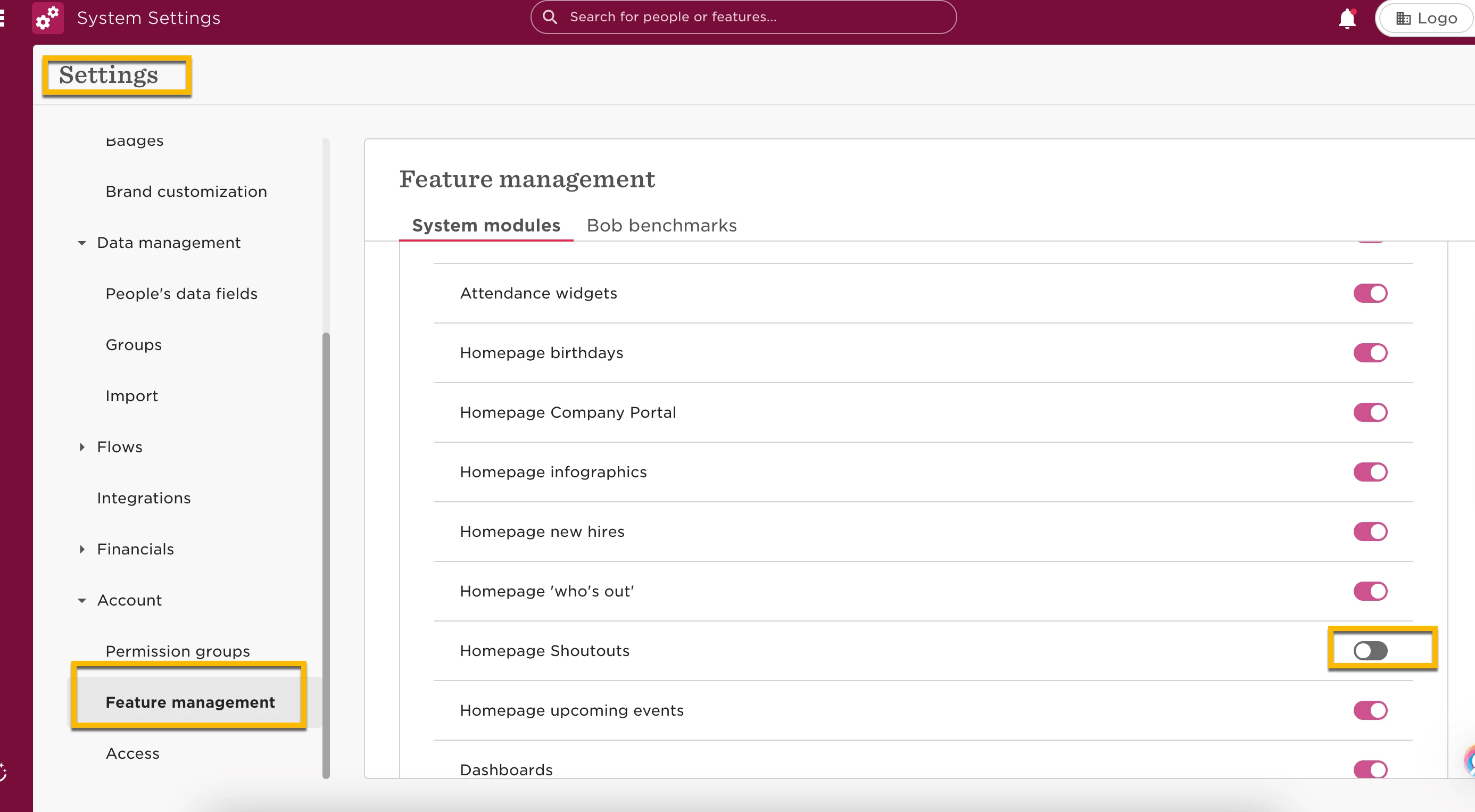
This will turn off this feature for everyone, in reverse, that’s how you can turn on the feature!
However if you want only certain employees to not be able to compose shoutouts/post polls, head to:
- Settings
- Account
- permission groups
- All People - Other’s data
- turn off the permission; ‘Compose Shoutouts’
- After that you will be able to turn this permission on only in needed permission groups