

Control whether employees can access the company org chart by adjusting their permission settings.
To remove org chart visibility for employees, update the relevant permission group:
Go to System Settings
Select Permission groups
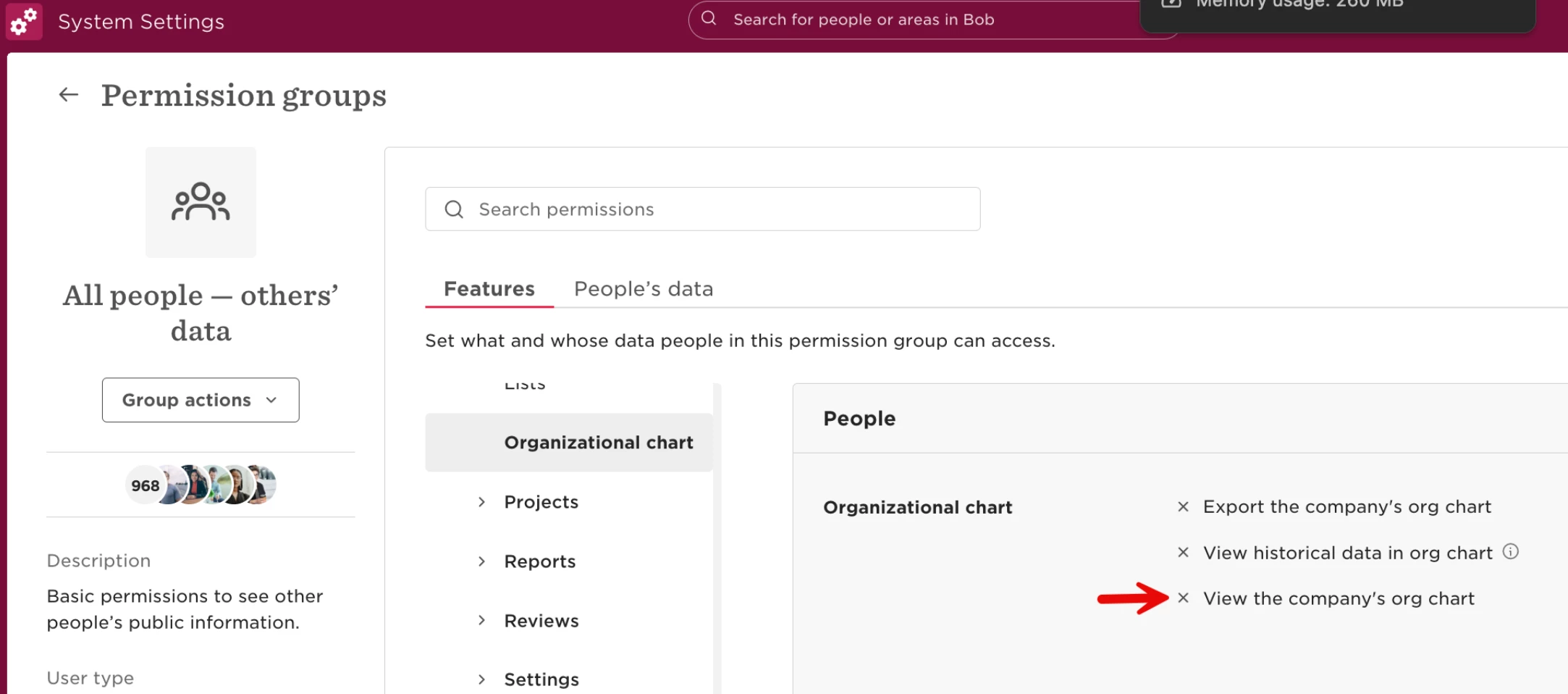
Open the All people – others' data permission group (this controls what employees can see about others)
Find the setting View the company's org chart
Disable this option
Click Save
Once saved, employees will no longer have access to the organisational chart.