

If you see an error while creating company values, it’s usually caused by using a hashtag symbol (#) in the value fields.
Bob automatically adds the hashtag where needed, so manually entering # can cause duplication issues and prevent the value from being saved.
How to resolve the error:
- Go to Org > Company values
- Start creating or editing your company value
- Remove any # symbols from all text fields
If you’re using the Hashtag field, enter only the text (for example, teamwork instead of #teamwork)
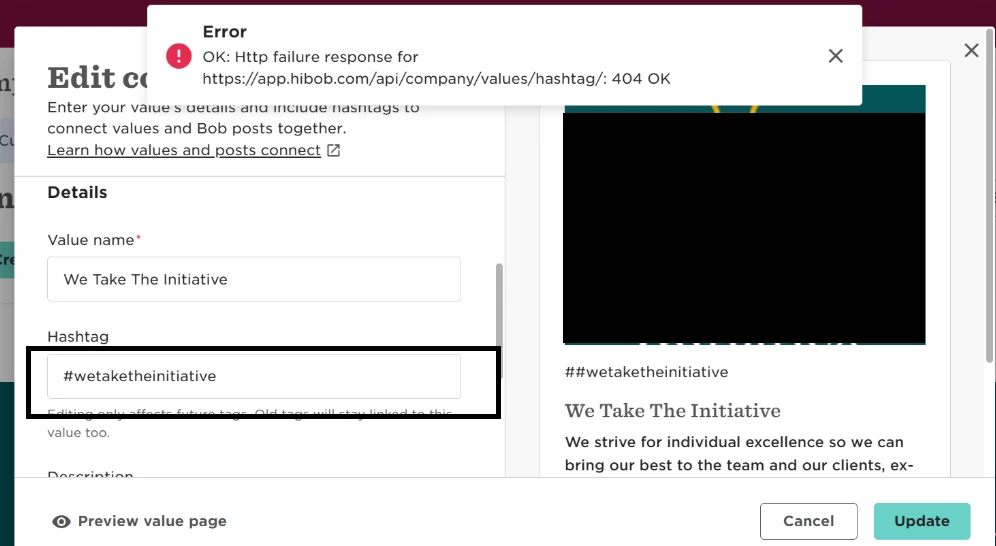
- Preview the value card to confirm it looks correct
- Select Create or Update to save
- Once the hashtag symbol is removed from the input fields, the company value should save successfully.
Good to know:
The system automatically formats hashtags, so adding # manually isn’t required
This helps avoid duplicate hashtag formatting across company values and Kudos