Trying to archive a site but getting an error, even when no one’s assigned?
Here’s how to find out who’s really blocking it.
Sometimes a site can’t be archived because an inactive employee (on leave or terminated) is still assigned to it. They don’t show up in the standard search, but they’re still linked behind the scenes.

To fix it:
-
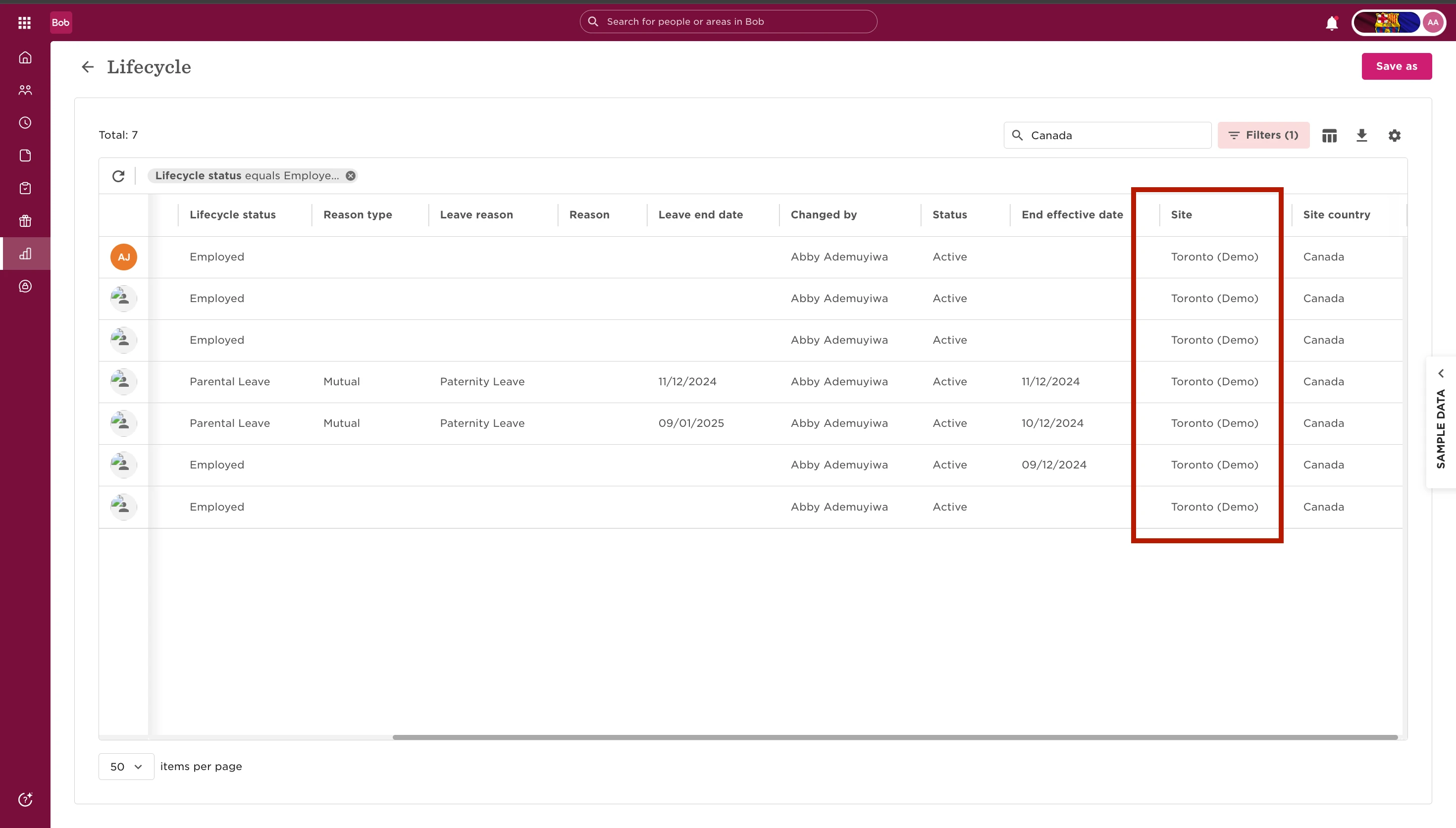
Go to Reports → Lifecycle.
-
Adjust the filters to include employees who are on leave or terminated.
-
Click the column picker and add the Site column.
-
Use the search bar to look up the site name.
-
Check the Site column to find who’s still assigned.
-
Go to the employee’s profile and remove the site assignment.
-
Head back to Sites, you should now be able to archive it.
Why this happens
Inactive employees don’t show up when you search, but they still count as assigned. Lifecycle Reports is the best place to surface and remove those hidden links.