

If a candidate has already been moved to the Hired stage, you can't move them back to the Offer stage directly. This article explains the available workaround if you need to continue the hiring process, such as sending a new employment contract.
- Go to the candidate's application.
- Select Actions.
- Choose Reject or Withdraw the application.
- When prompted, do not send an email to the candidate.
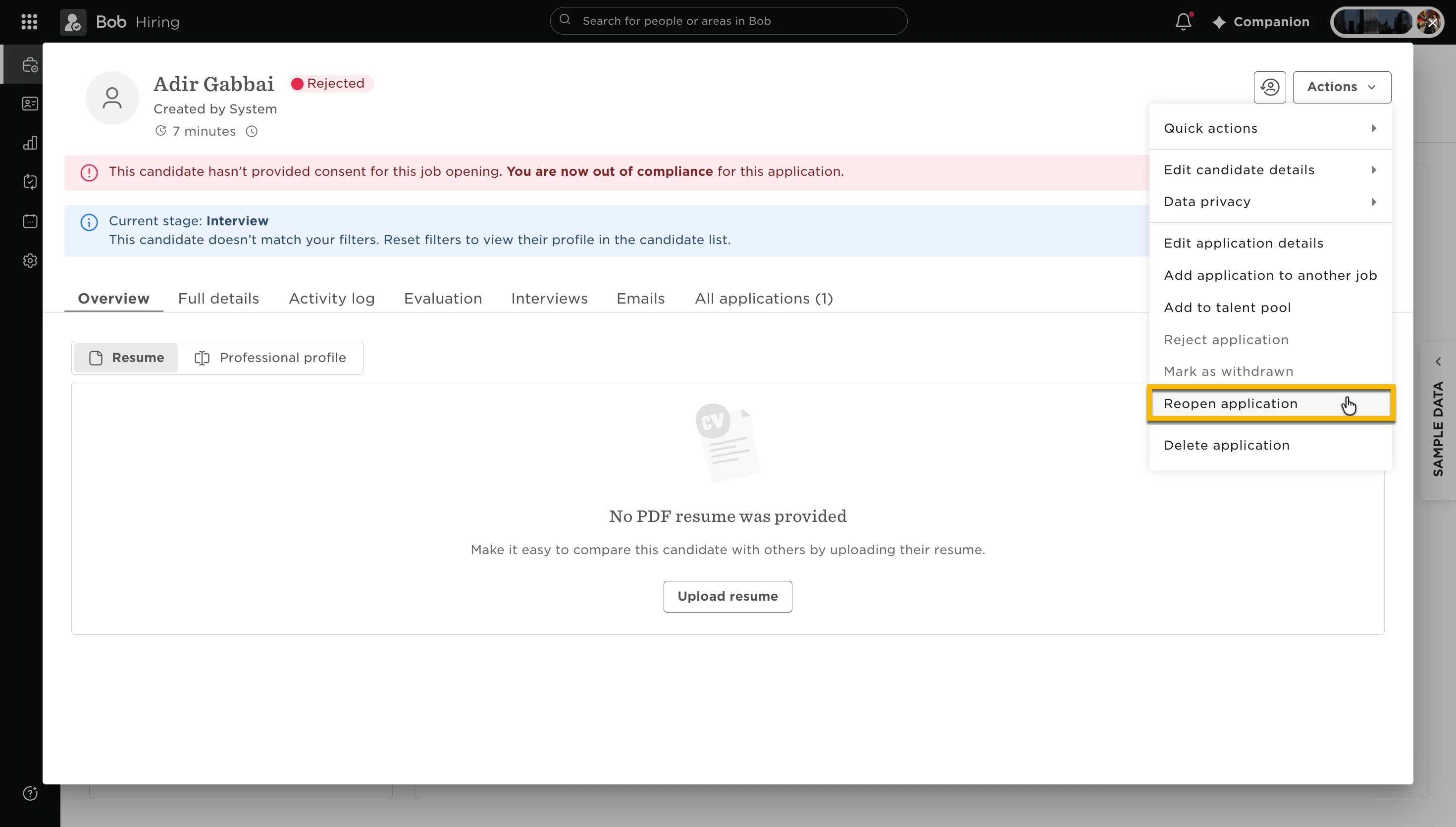
- Once the application is rejected or withdrawn, select Reopen application.
The application status changes from Pending hire to In progress.
You can now move the candidate through the hiring pipeline again, including back to the Offer stage if needed.
Note: There isn't currently a way to reopen a candidate directly from the Hired stage without first rejecting or withdrawing the application.
When you reopen a rejected candidate’s application in Hiring, the candidate returns to the hiring pipeline stage they were rejected from by default.
To reopen the application:
- Go to the relevant job and open the rejected candidate’s profile.
- Reopen the candidate’s application.
- In the pop-up window, review the hiring pipeline stage.
- To return the candidate to a different stage, select the stage you want before confirming. You can also select New here.
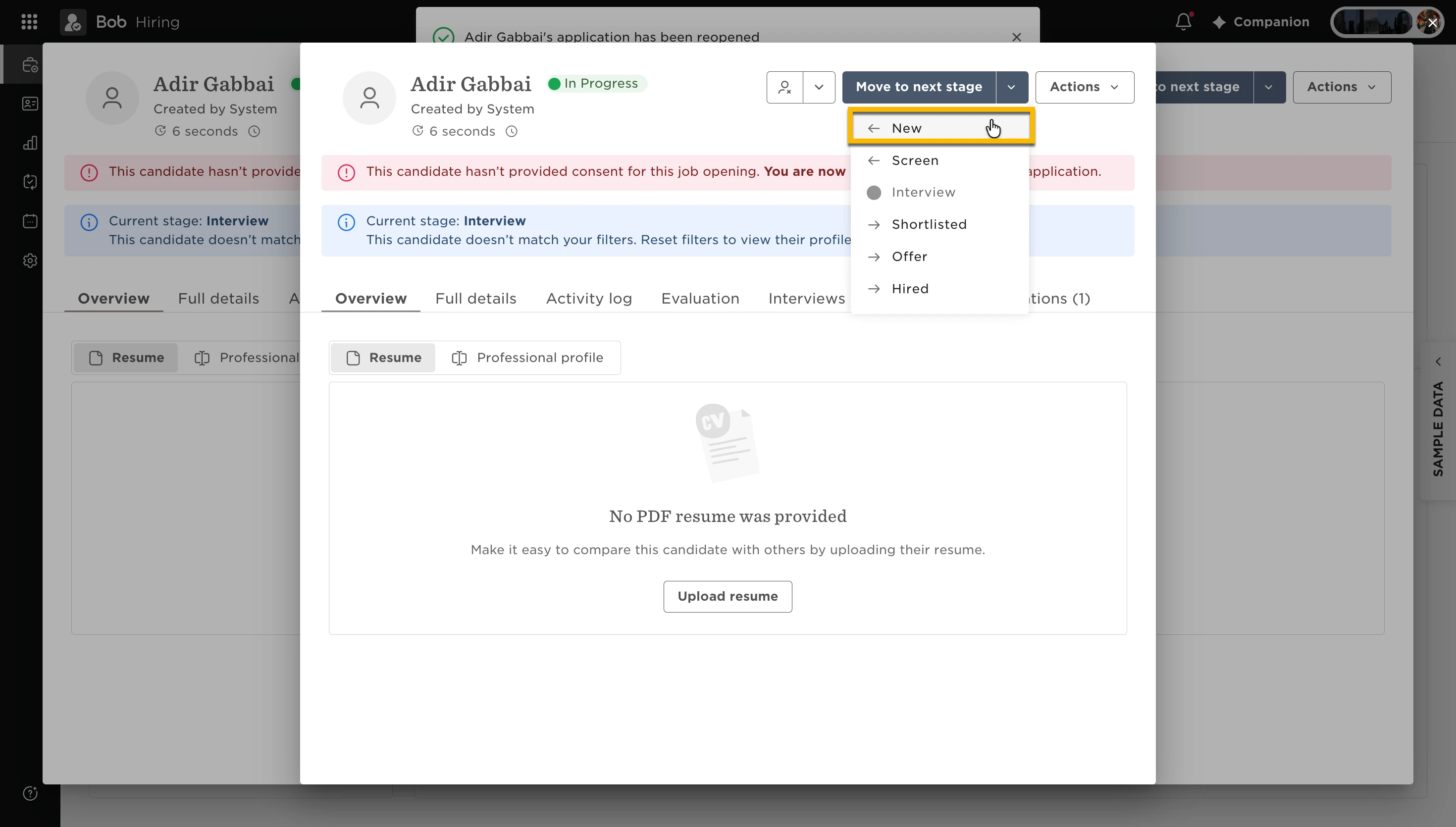
There isn’t a setting to make reopened applications automatically return to New. By default, they return to the stage they were rejected from, but you can select a different stage when reopening the application.