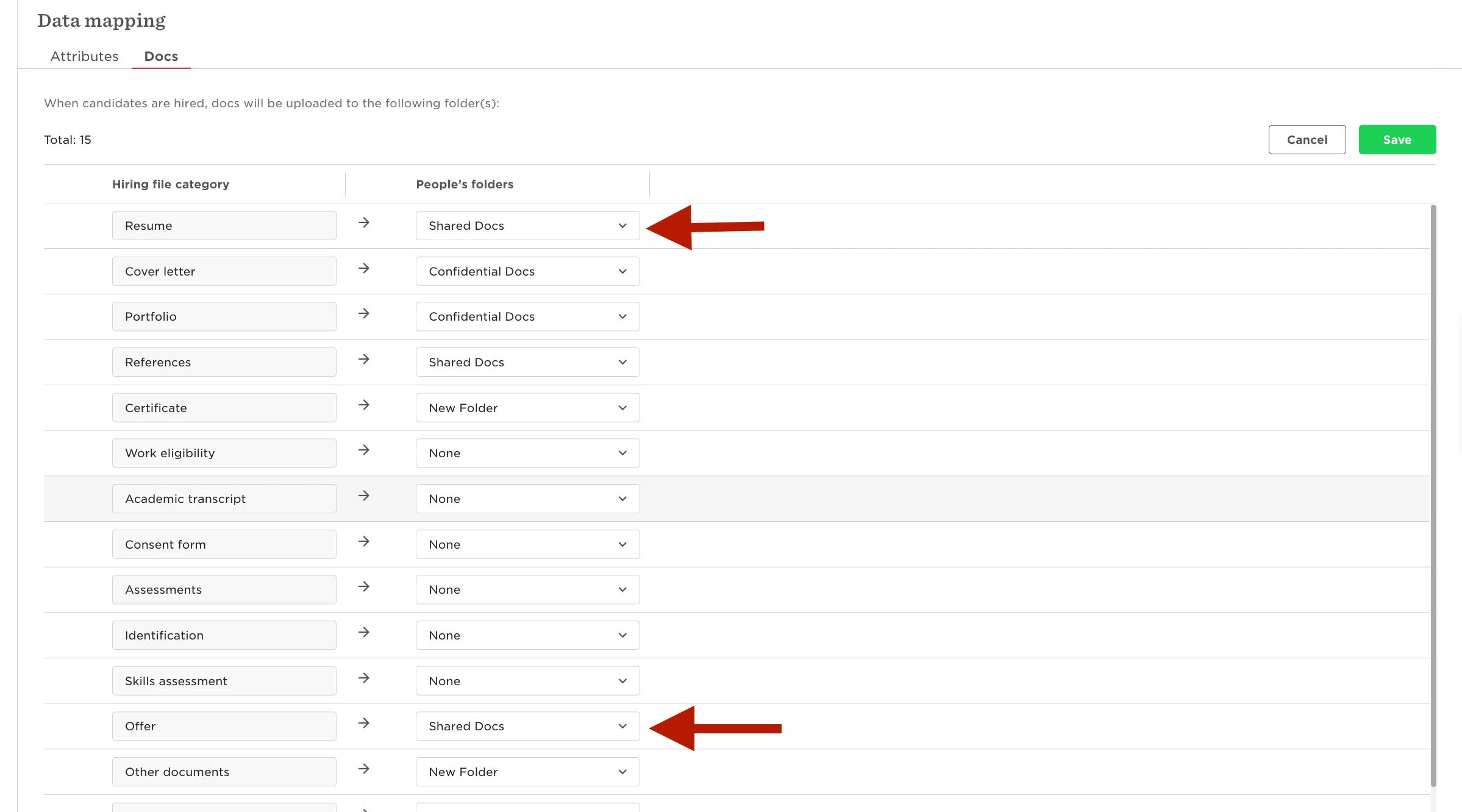
With the recent update made to the Hiring module, you are now able to map documents to be transferred from Hiring into Core.
This can be particularly useful when you want to transfer the resume and offer letter upon creating the employee profile from the 'Pending Hires' page.
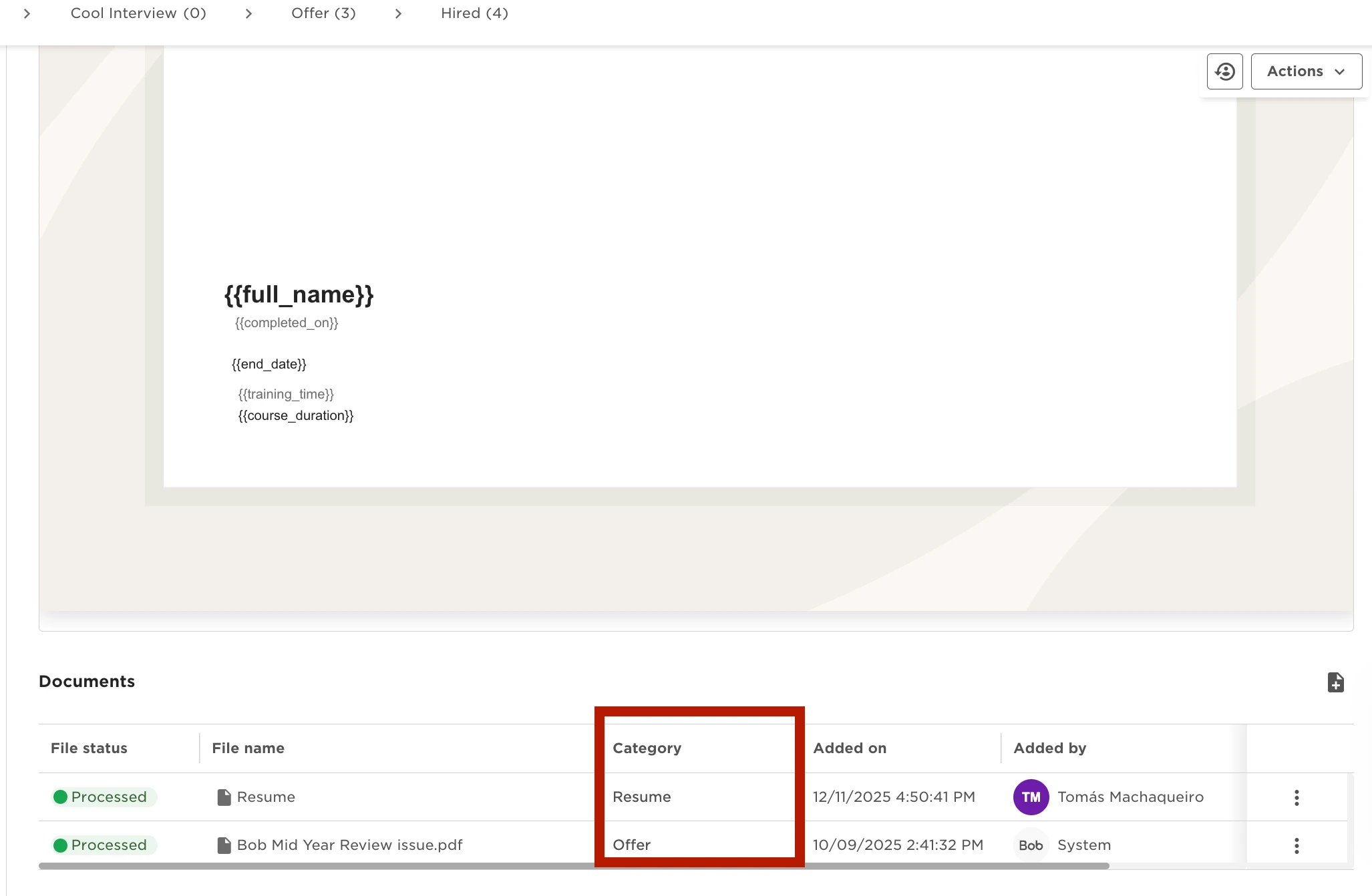
To do so, first you need to ensure that these documents are part of the Overview tab in the candidate's profile. The categories you see in this section match the categories available in the Document Mapping within Hiring. Below is an example:
After all the documents are added in the candidate's Overview, you can then ensure that the Document Mapping is done correctly by going to Hiring Settings > Data Management > Data Mapping > Docs > Here you can choose to which folder in the employee's profile the documents will be sent to.