

If you want to give someone access to just the Hiring Dashboards—without giving them full Hiring permissions—you can do this by granting a specific set of permissions.
These dashboards include the Company Dashboard and Team Dashboard.
To grant access, use the following permissions (under the Features tab » Analytics/Hiring):
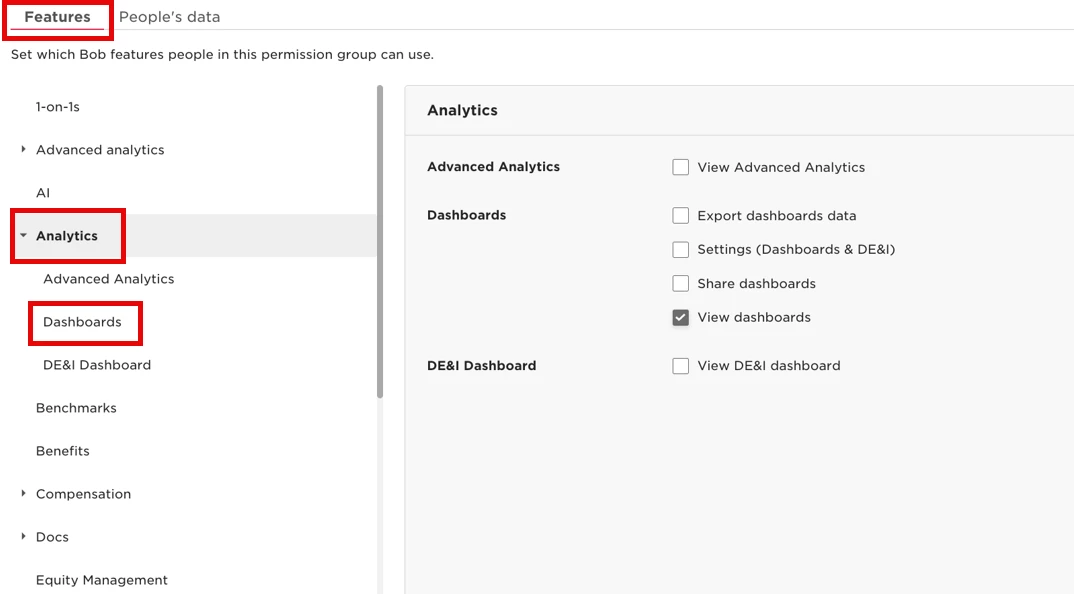
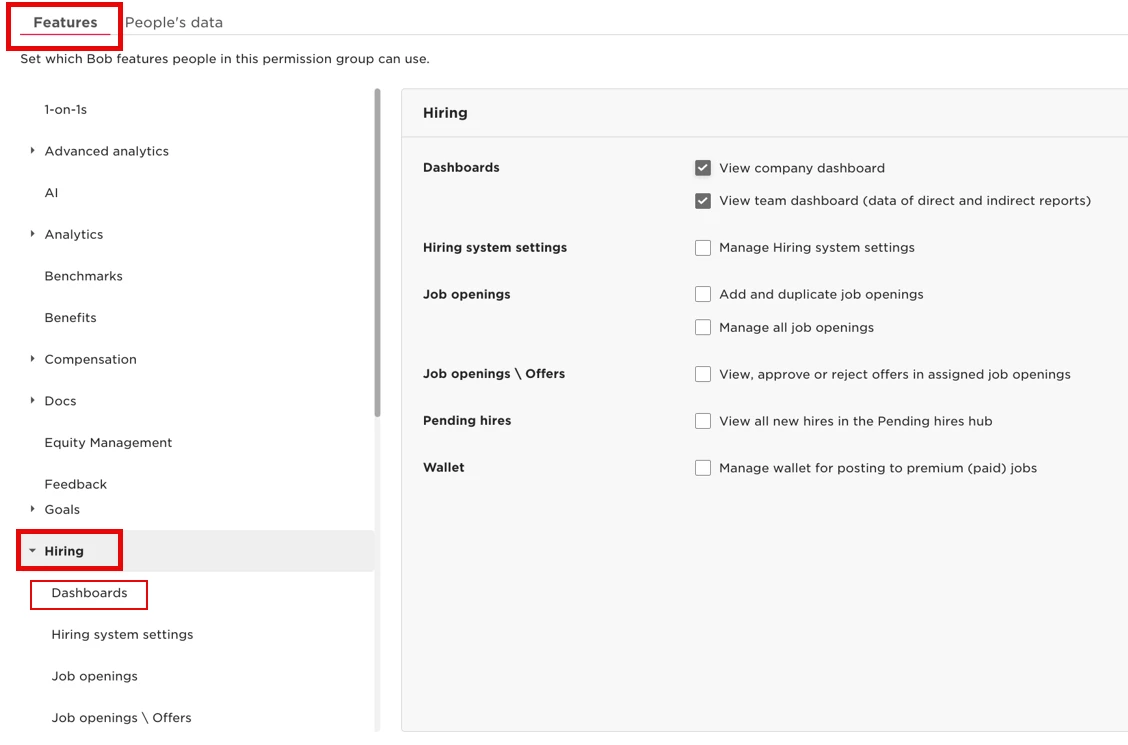
The first permission allows users to open and view the dashboards themselves. However, they won’t see any data unless they also have additional view permissions for relevant categories, such as lifecycle, work, or employment.
This setup is helpful when you want someone to explore Hiring insights but still limit what data they can actually see.
You can find these dashboards under Hiring > Analytics, or in the Dashboards section under Analytics > Dashboards.
Learn more in View your hiring analytics.