When creating a hiring pipeline in Bob, you can add up to seven different stages. Each stage helps you manage a specific part of the hiring process, from the moment candidates apply through to when they’re hired.
Here’s a breakdown of what each stage is for:
New
The first stage of every pipeline. This is where candidates land when they apply for a job opening.
Screening
Use this stage to check whether candidates meet the basic requirements of the role.
Interview
Schedule interviews here—whether in person, virtual, or over the phone.
If a candidate stays in this stage for more than 7 days without an interview scheduled, Bob will send you an email reminder.
Assessment
Request an assessment from a third-party provider (Canditech) once the integration is set up.
Adding this stage unlocks a new Assessment tab in the candidate’s profile.

Background Check
Run background checks through a third-party provider (Zinc).
Adding this stage unlocks a new Background check tab in the candidate’s profile.

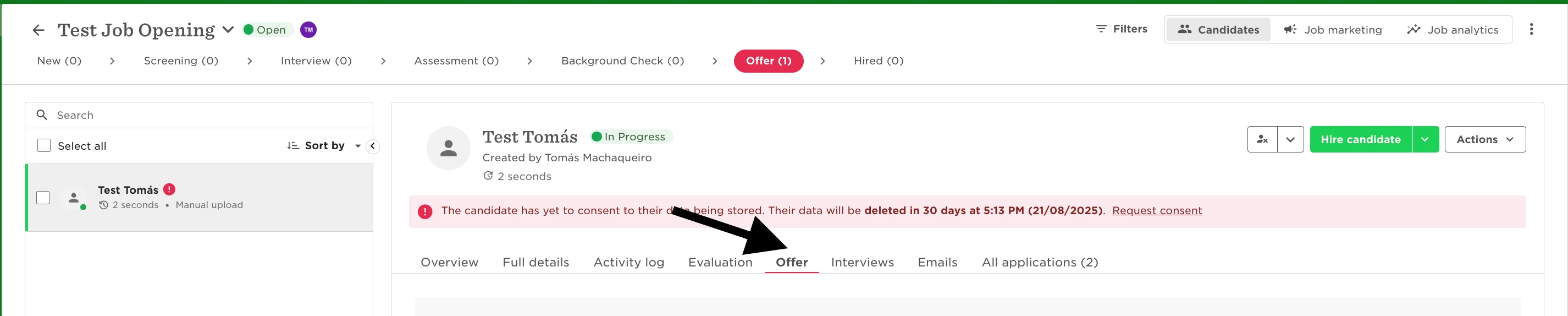
Offer
Start the offer process and send an offer letter to the candidate.
You can use an offer template and, if you’ve set up approvals, send it through your internal approval process before sharing with the candidate.
Adding this stage also unlocks an Offer tab.
Hired
The final stage of the pipeline. Moving a candidate here means they’ve completed all previous stages and are ready to join the company.
From this stage, you can launch a New Hire Flow and create their employee profile.
Want to learn how to set up and customize pipelines? See: Manage hiring pipelines.