
Personal & Shared goals visibility and management are set by permissions. You can define, for each permission group, who can view public and who can see private.
This can be seen through:
- From the top left, click Bob products
- Select System Settings
- Click, in the left menu list, on the Account dropdown menu at the bottom
- Then, select Permission groups
- Choose the permission group you want to edit (you can see here the distinction between the default groups and how to manage permission groups)
In the group, for example, you can set that all employees can view all goals that are set as shared, but not goals that are set as personal.
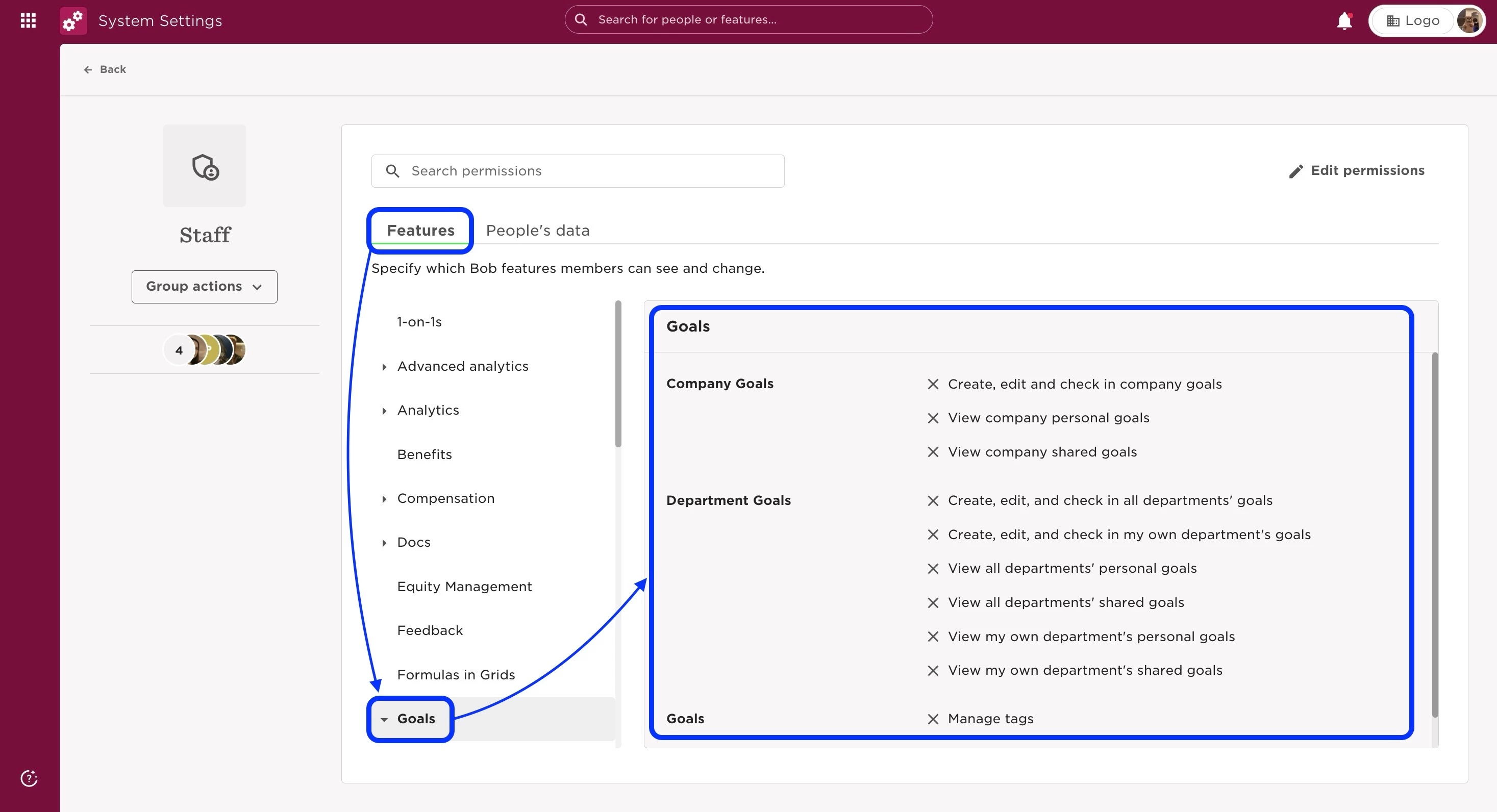
In the Features tab, you can set your ownership Company and Department goals permissions.
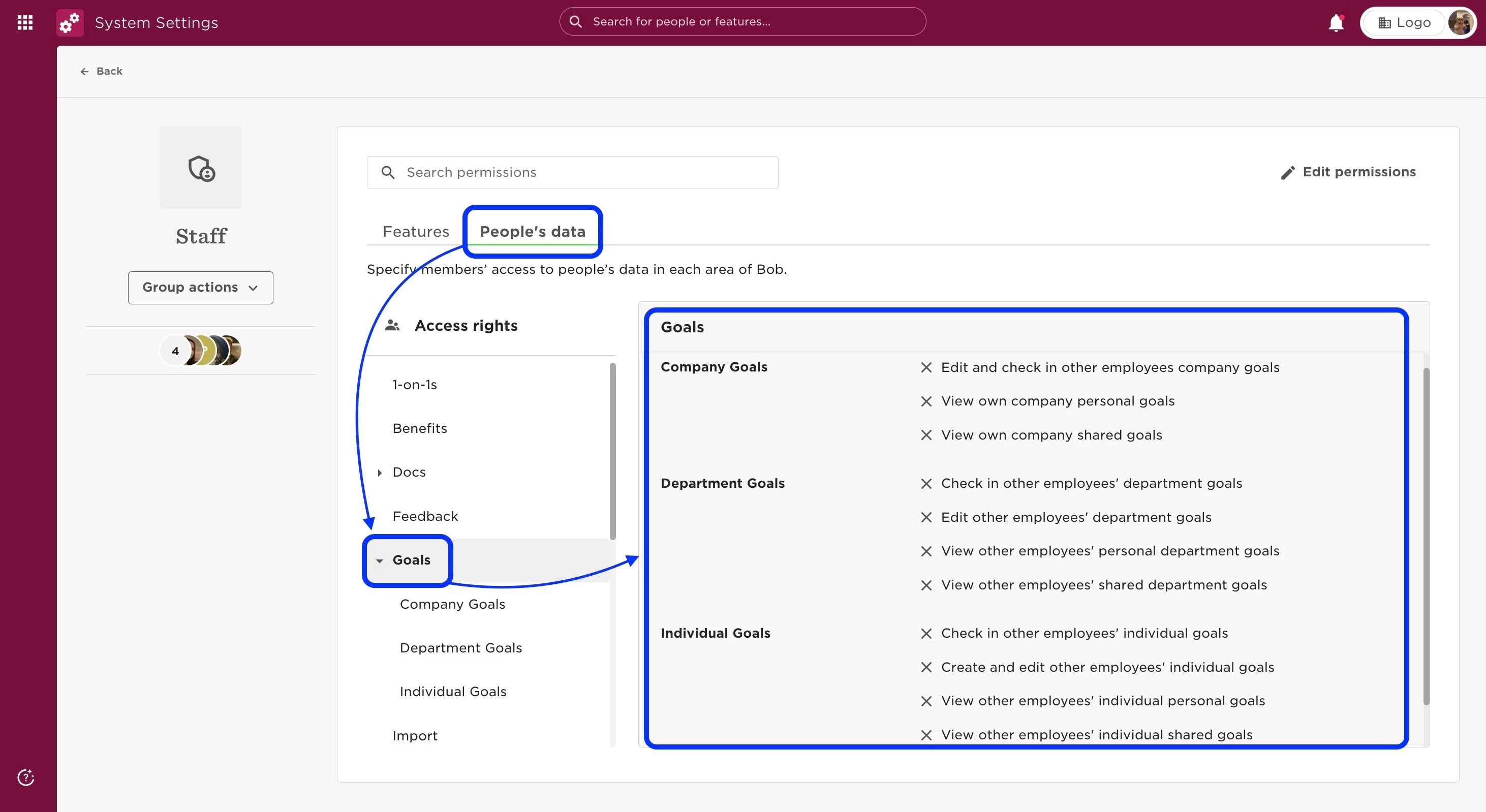
Meanwhile, in the People’s data tab, you can set the group's access to other employees goals.
This way, when you create a goal, you can choose which goals are personal and which are shared.
Last edited on June 20th, 2024