Owner in Company Goals

  • August 10, 2023
  • 9 replies
  • 751 views

Why does a company goal need an owner, and why does that goal appear as a personal goal for the owner?

The idea is that the creator of the goal is the responsible owner to update the progress of the goal. 
The company goals can be accessed in two ways:

  • From the top left Menu
  • Select Talent 
  • You will find in the left menu the option Goals
  • Select Company goals
  • You can see here all Company goals, independent of owner
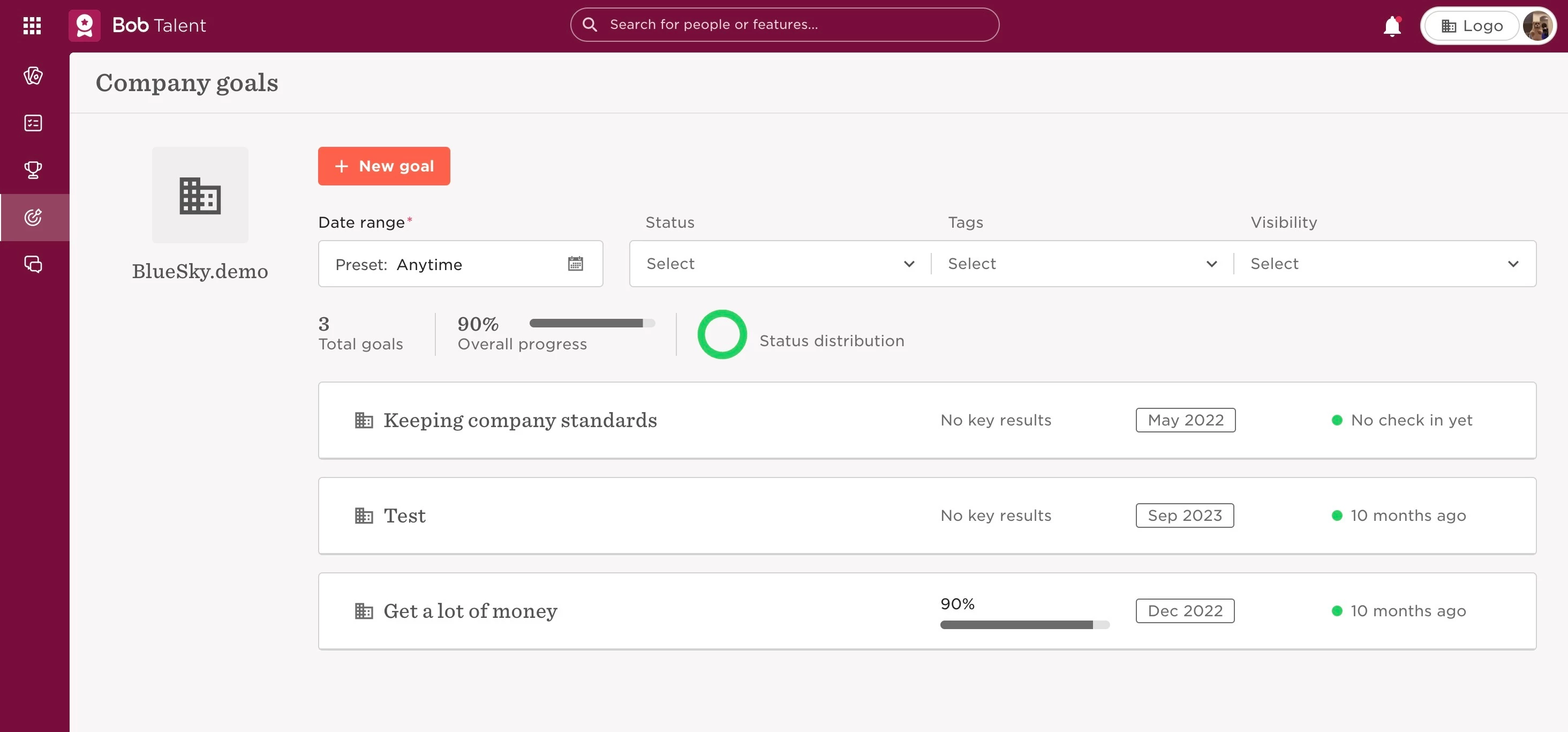
or

  • From the top left Menu
  • Select Talent 
  • You will find in the left menu the option Goals
  • Select My goals
  • In this list, you can see the goals you’re responsible for, and filter by type to see Individual goals / Department goals / Company goals.
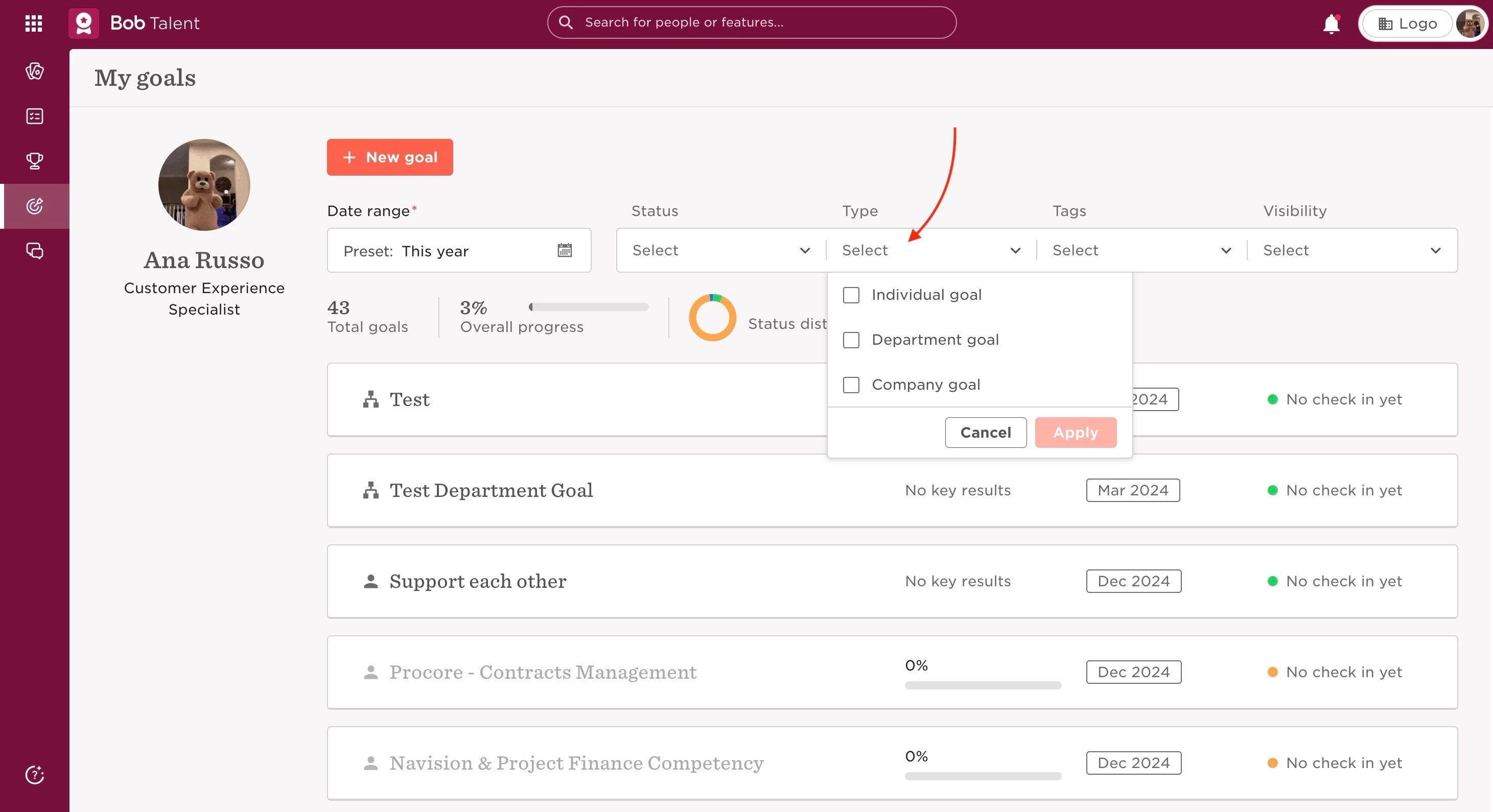
 

Last edited on June 20th, 2024

9 replies

Hi ​@Claudia Ines. With changes to the Bob layout, it looks like this is quite different now. The only way I can see for our employees to get to Company Goals is for them to go to Browse goals, and select All Goals from the dropdown menu (which defaults to People’s Goals).

Is this correct, or am I missing an easier way for team members to see the company goals?


Jessica Lane
Bobber

Hi ​@Dayna Dankbaar 👋🏻


With the new layout, to view company goals, you can set the view to 'Browse all goals' and then filter by company goals:
?name=image.png
 
?name=image.png


LucyTaylorBW

Hello! Is there a reason why Company Goals is not an option for the drop down menu? It would be much easier than having employees go through all goals - as we do not seem to be able to hide departmental / regional goals that they should not see in this list.


Maital Terdiman
Bobber

Hi ​@LucyTaylorBW 

Using the permissions, you should be able to update what Departmental/Regional Goals employees have access to

🥅


  • June 24, 2025

how do you set the perissions for viewing company goals for all employees?


LucyTaylorBW

how do you set the perissions for viewing company goals for all employees?

Hi Clare - under permission group “All people — own data”, head to “goals” and then tick what you need to open up under the “company goals” options. Company goals are also only viewable by going to “browse goals” and then “all goals”, rather than allowing a drop down. I hope this helps!


  • January 12, 2026

Hi, I am adding our company goals to the system but it is showing me as the owner when it should be our CEO. Can I change this in the system?


Hello,


I am trying to create a company goal from the above menu and/or align a quarterly goal to the company goal but it does not allow me to save and says “goal save failed” without any detail as to why.


Hello, I can’t change the owner of my company goals. How can I do this?