
The option to manage goal tags is defined by the relevant permission (Manage tags). .
Go to:
- From the top left, click Bob products
- Select Talent
- You will find in the left menu the option Goals
- Select People’s Goals (the same can be done through Company or Department goals)
- Click on an employee from the list to see their goals
- Click on one of their goals
- Click on the 3 dots at the right of the form you want to change
- Select the More dropdown menu
- Then, select Edit
- Under Additional Details, click on Edit List
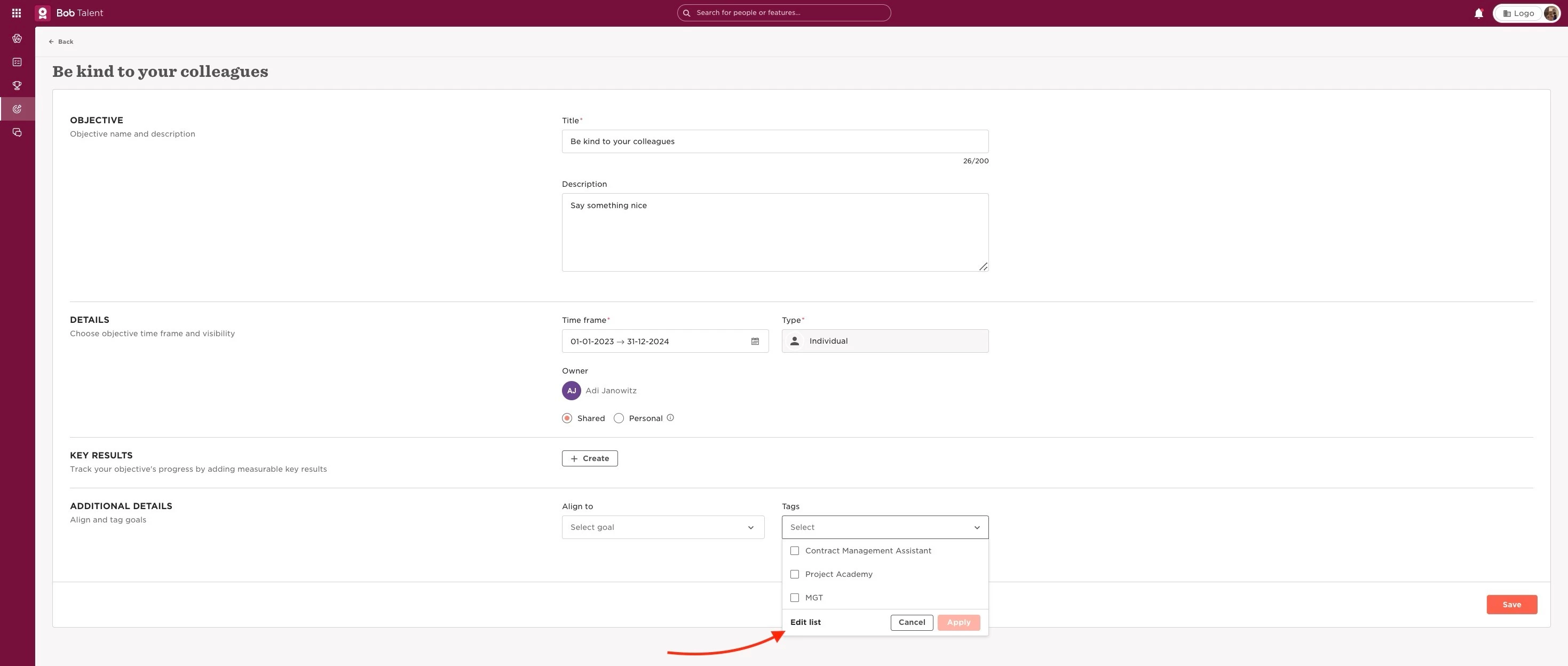
Enable the relevant permission (company level) through:
- From the top left, click Bob products
- Select System Settings
- Click, in the left menu list, on the Account dropdown menu at the bottom
- Then, select Permission groups
- Choose the permission group you want to edit (you can see here the distinction between the default groups and how to manage permission groups)
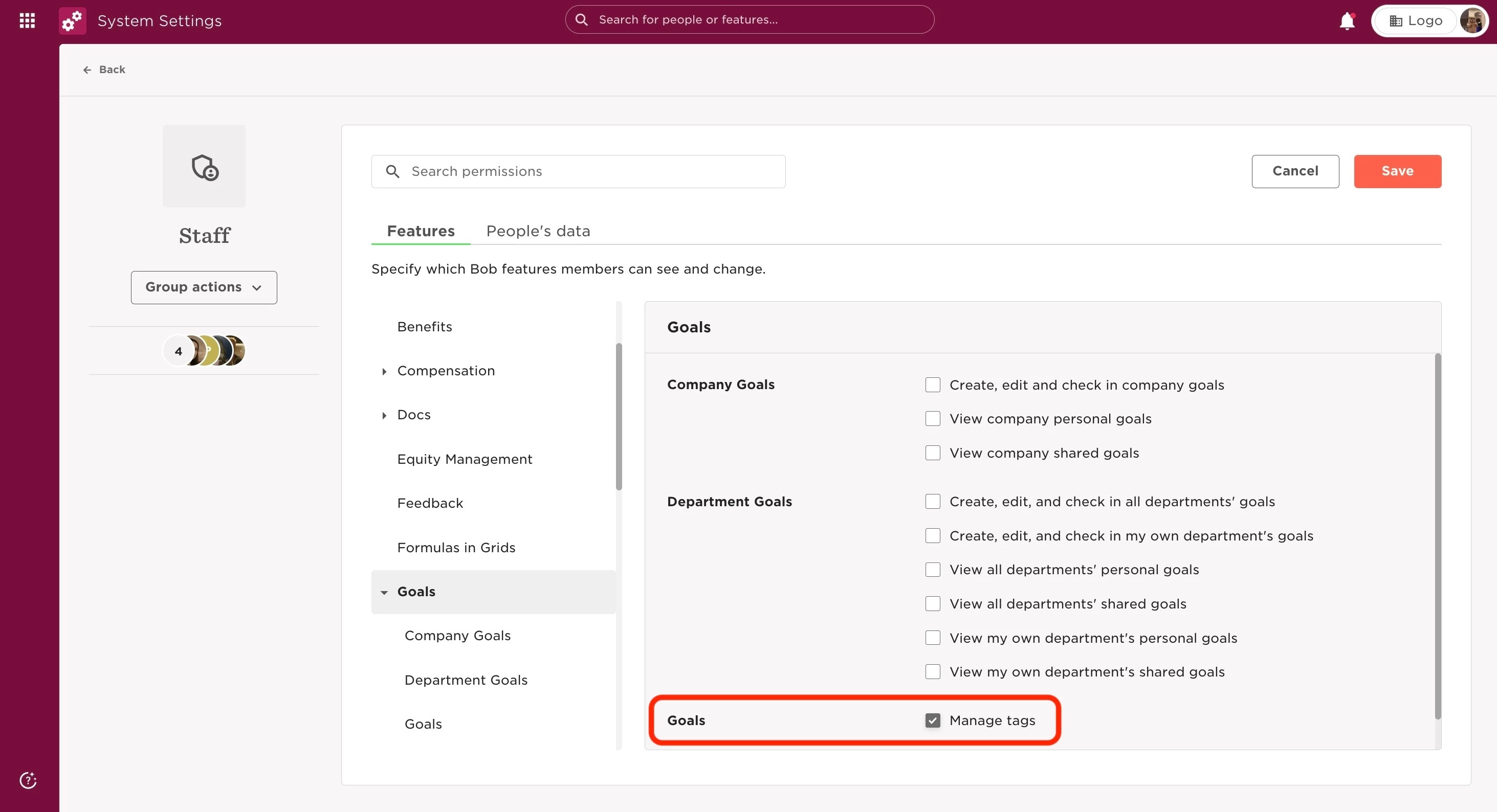
- In the Features tab, go to Goals
- Select Edit at the top right, to be able to change the permissions
- Tick the Manage tags permissions to allow editing it
- Save
Last edited on June 20th, 2024