

Create Goals for Employees in Hired Status

  • May 21, 2026
  • 5 replies
  • 65 views

Managers can create and track goals for new joiners before their start date by creating goals directly from the employee profile while the employee is still in the Hired stage.


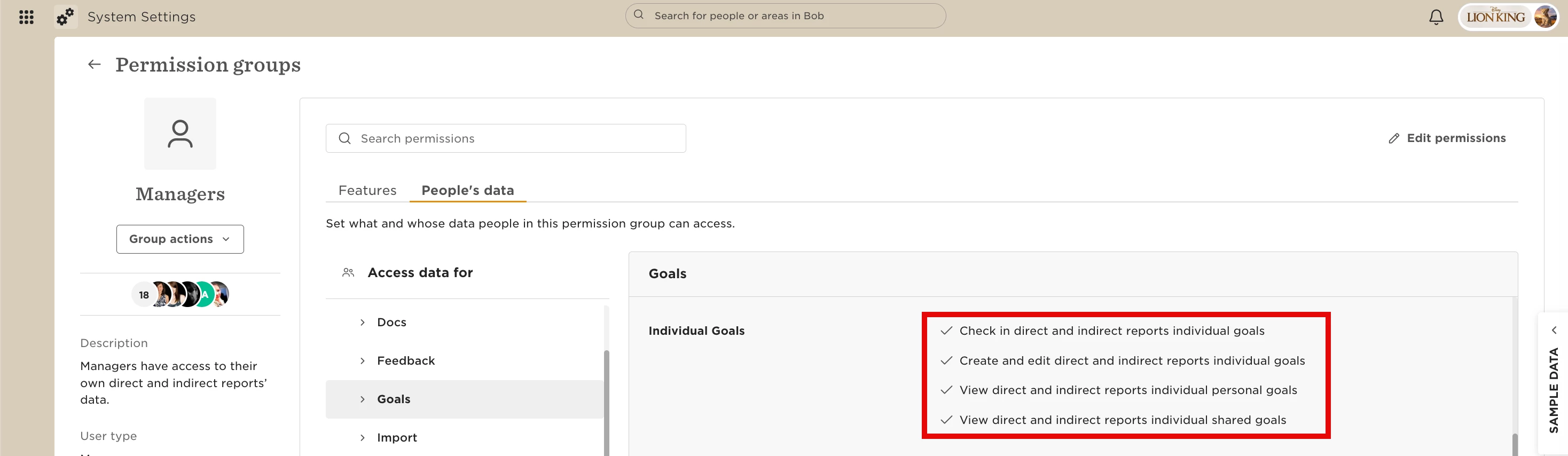
To allow managers to manage goals for employees in Hired status, make sure the following permissions are enabled in the manager permission group:


Make sure the group includes access to employees in Hired status.
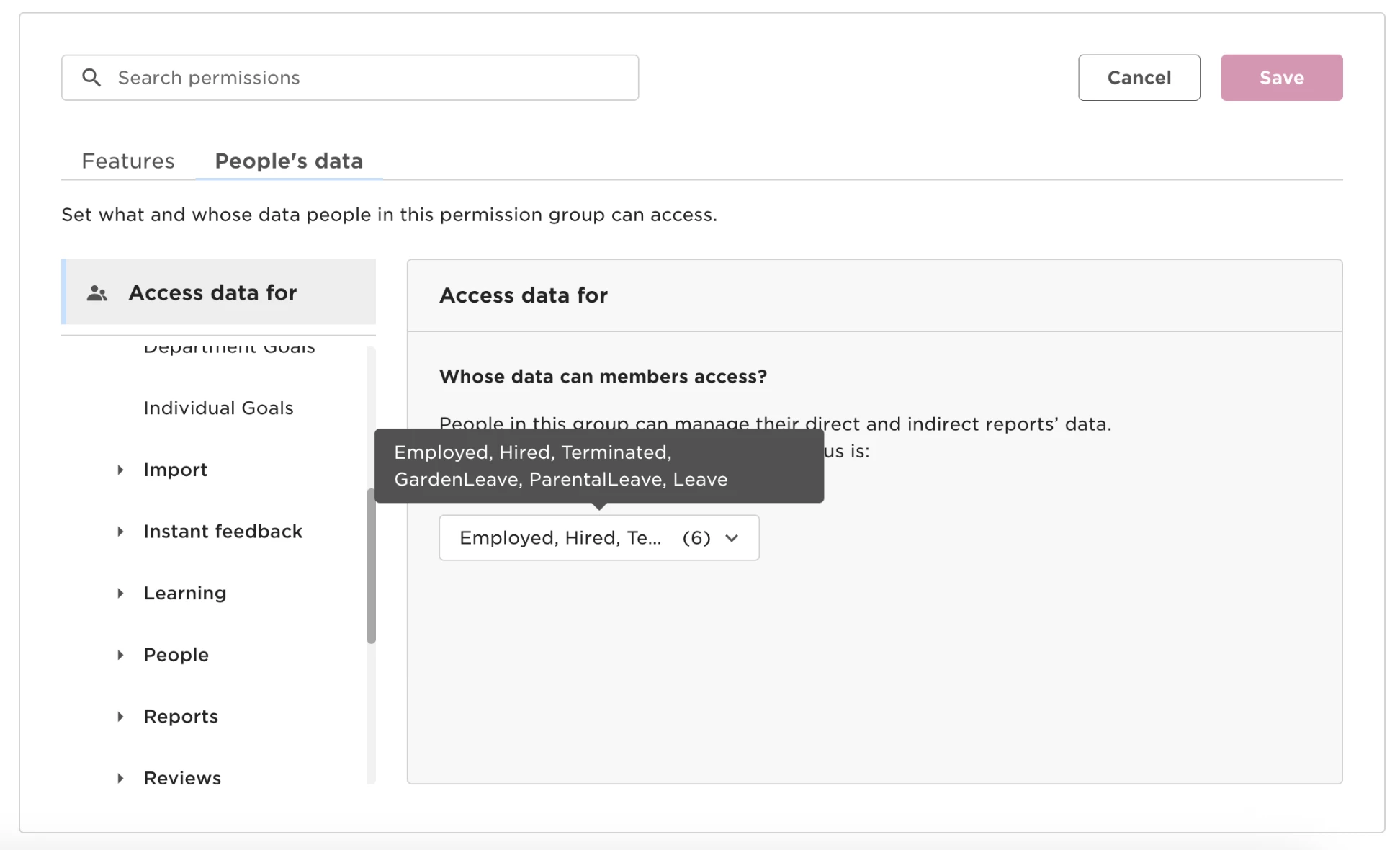


Once these permissions are enabled, managers can create goals for employees in Hired status directly from the employee profile.


To create a goal for a new joiner:

1. Open the employee’s profile.

2. Create the goal from the profile page.
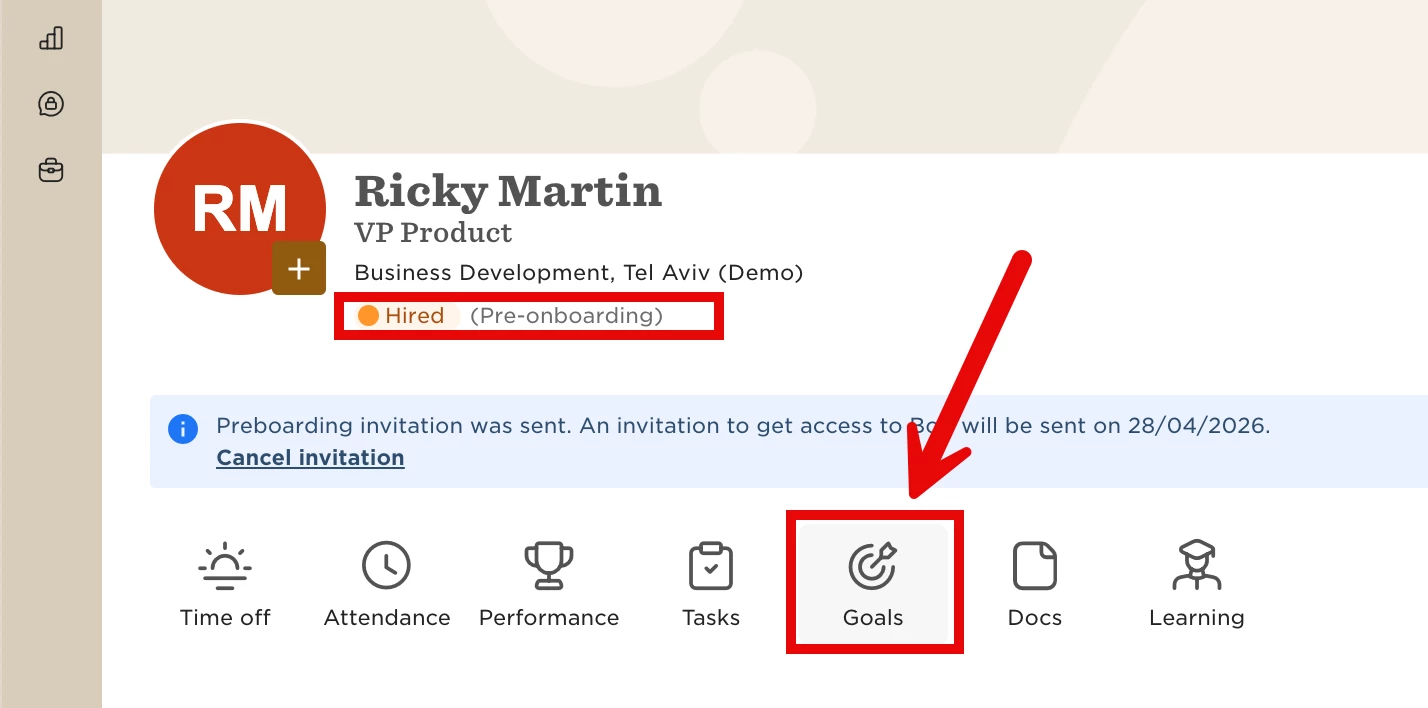


Goals created this way will also appear in the main goals area.


To view them:

1. Go to Goals > Browse goals > All goals

2. Update the filters to include both Active and Inactive employees.


This is useful for setting probationary goals or onboarding objectives before the employee officially starts.


 

5 replies

Is it possible to create Goal templates with name and descriptions that can be assigned to new hires either during their pre-hire status or once they are hired? We have Business Shared Goals that everyone has to do across the company. We are bulk uploading the Business Shared Goals titles and descriptions and it’s manual. Is there an automated way to do this? 


I would also like to know the answer to this as we’d like to share some core goals to everyone for their onboarding period.


Kris Van Acker

Also looking for a way to auto-assign some default Goals for new hires rather than having to configure and assign a task to do it manually.


Karen Stewart Longest

Oh that’s a great feature idea! I too would love that. 


We’d also like to be able to auto-assign goals to new hires based on company-wide goals + have a goals template.