


When an employee transfers under TUPE, their Date hired and Original start date serve different purposes. Recording both correctly helps preserve continuous employment while ensuring UK Payroll uses the correct date for the employee's new payroll scheme.
Date hired
- The official start date for payroll purposes
- Used for PAYE tracking, which affects tax and National Insurance contributions
Original start date
- Determines continuous employment
- Used to calculate eligibility for statutory rights, such as maternity/paternity leave and redundancy
- Reflects the employee's first employment start date, even when their employment changes over time
If You Have an Active Bob Integration
If your organisation uses Bob with an active UK Payroll integration, both dates need to be populated in Bob and mapped to UK Payroll.
Go to Settings > Integrations > Bob and make sure the fields are mapped as follows:
Date hired → Work: Start date
Original start date → Work: Original start date

If You're Not Using Mapping
If you aren't mapping these fields through the Bob integration, you can enter them manually in UK Payroll:
- Go to the employee's General tab.
- Enter the Date hired in the top section.

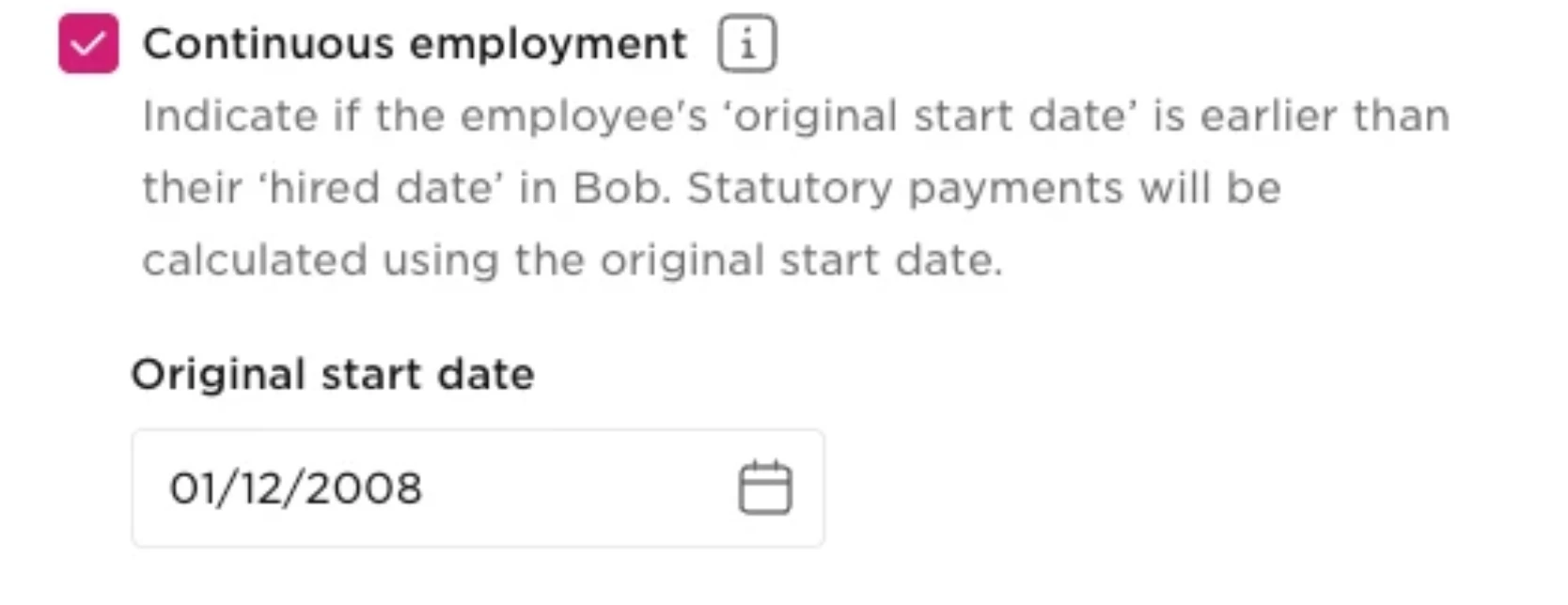
- Scroll to Continuous employment.
- Select Continuous employment.
- Enter the Original start date.
Record the TUPE Transfer in Bob
For an existing employee in Bob, don't simply change their Start date to the TUPE transfer date.
If the employee only has one employment period in their Lifecycle table, changing their Start date will also affect their Original start date. To preserve the original employment date while creating a new Start date, record the change using a termination and rehire.
If the employee's Start date has already been changed to the TUPE transfer date:
- Open the employee's profile.
- Go to Actions > Change work details > Change start date.
- Restore their original Start date.
After reverting the Start Date to the correct Original Start Date check the UK Payroll integration mapping
In UK Payroll, go to Settings > Integrations > Bob make sure the Start Date and Original Start Date fields are mapped correctly to Date Hired and Original Start Date, respectively.
Once this is done, still in UK Payroll, disable the setting shown below before processing the termination. This prevents a P45 from being sent to the employee:

Then record the termination:
- From the employee's profile, go to Actions > Change work status > Terminate employee.
- Select the appropriate termination flow.
- Enter the relevant termination date.
- Complete the termination flow.
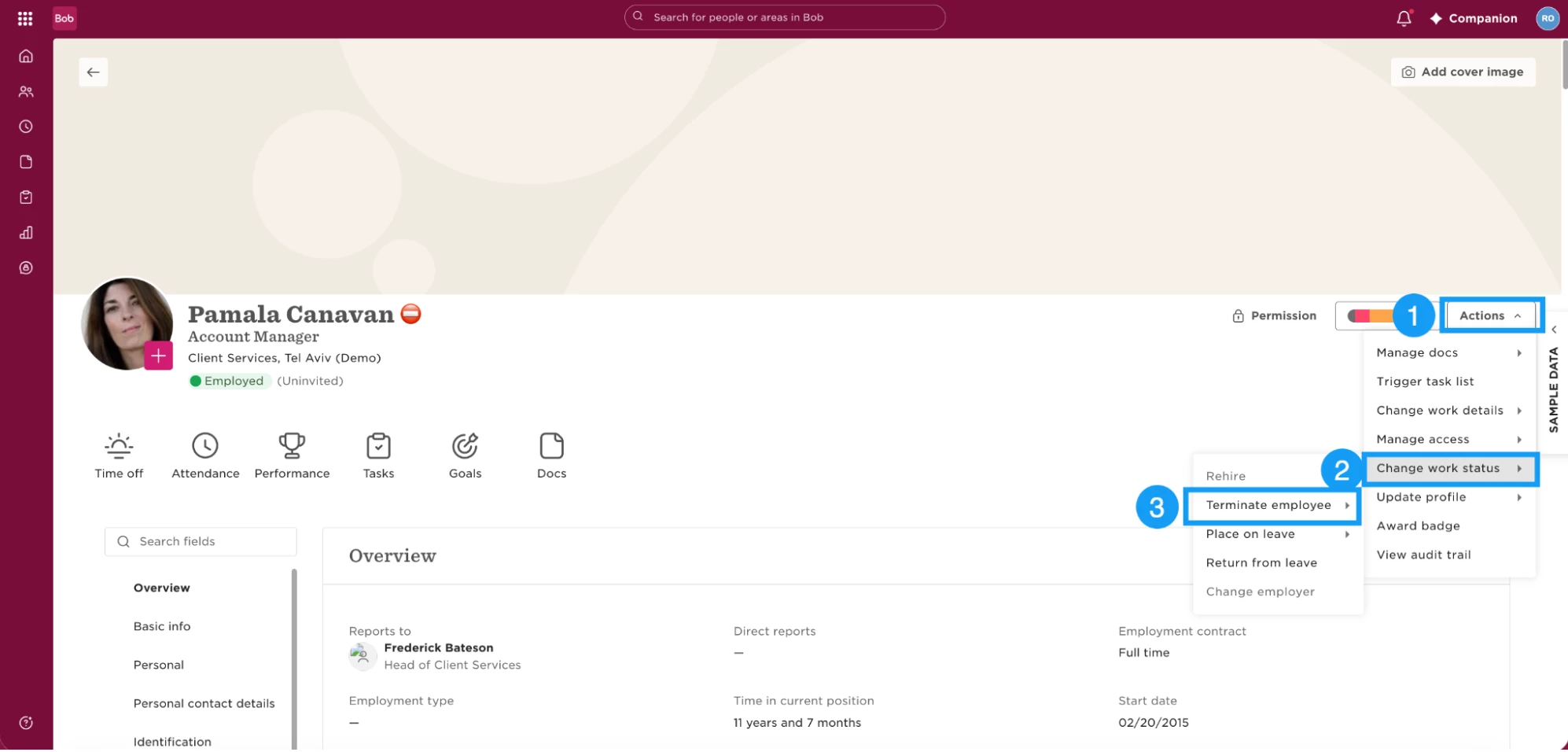
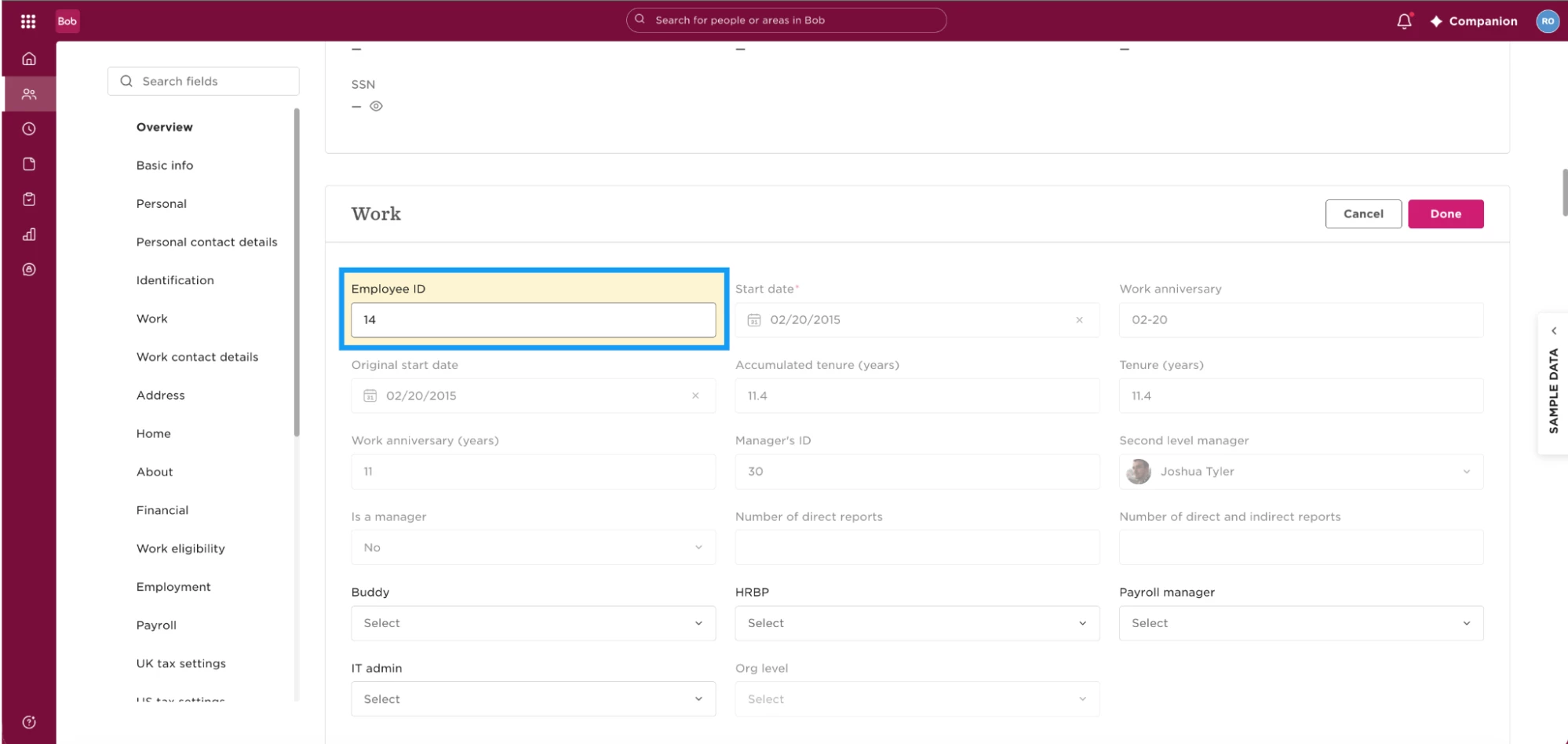
Once the termination flow has been triggered, assign a new, unique, Employee ID in Bob. This will then be synced over to UK Payroll as a new TUPEd profile.
Back in UK Payroll, update the email address on the terminated employee record to a dummy address.
This is necessary as there can only be one record in UK Payroll with one e-mail address. By swapping the terminated record’s address for a dummy e-mail, it allows the rehired employee to sync as a new payroll record using the correct e-mail identifier from Bob.
Finally, in Bob, rehire the employee:
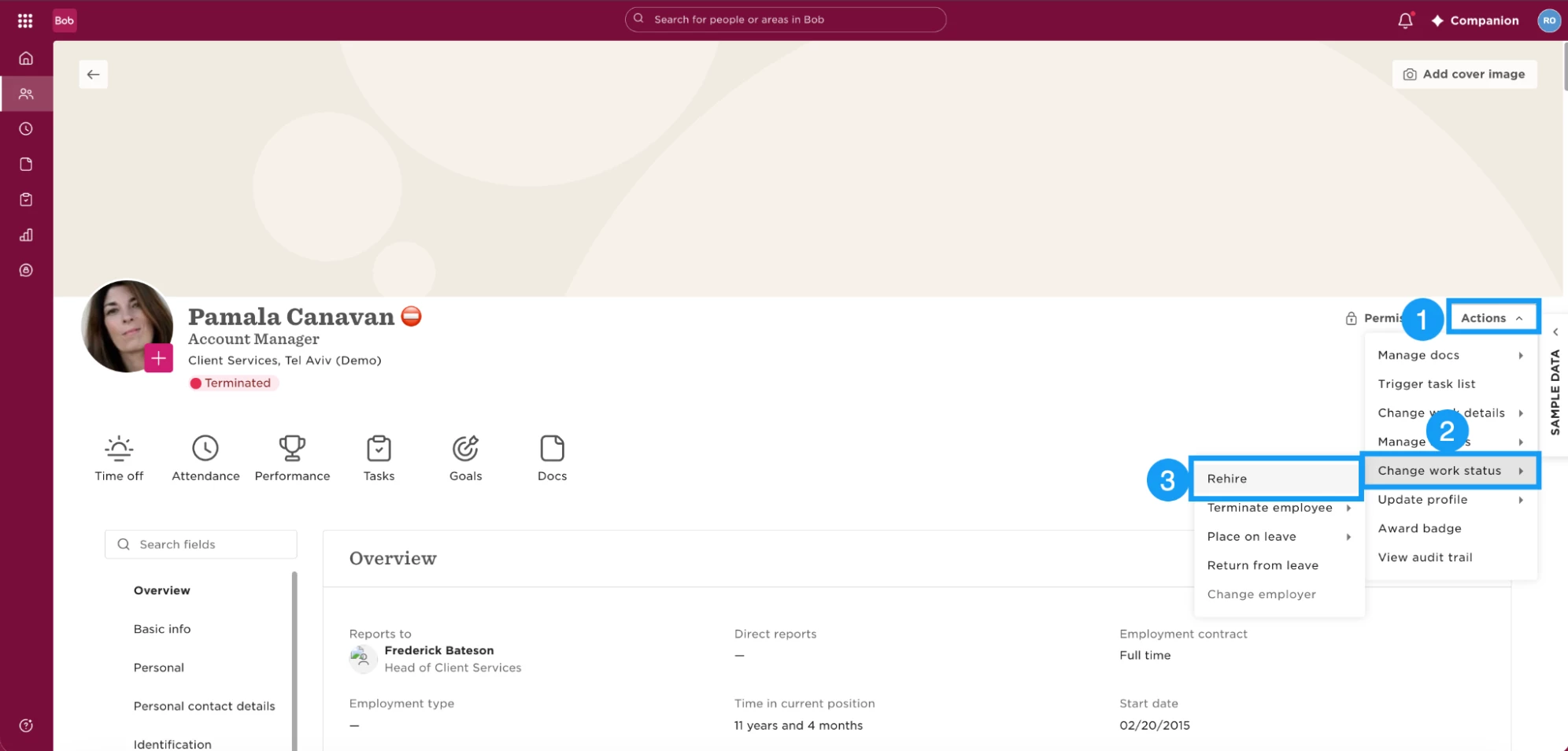
- Go to Actions > Change work status > Rehire.
- Select the appropriate new hire flow.
- Enter the TUPE transfer date as the employee's new Start date.
- Complete the rehire flow.
The Rehire action becomes available after a termination flow has been triggered, even if the termination date is still in the future.
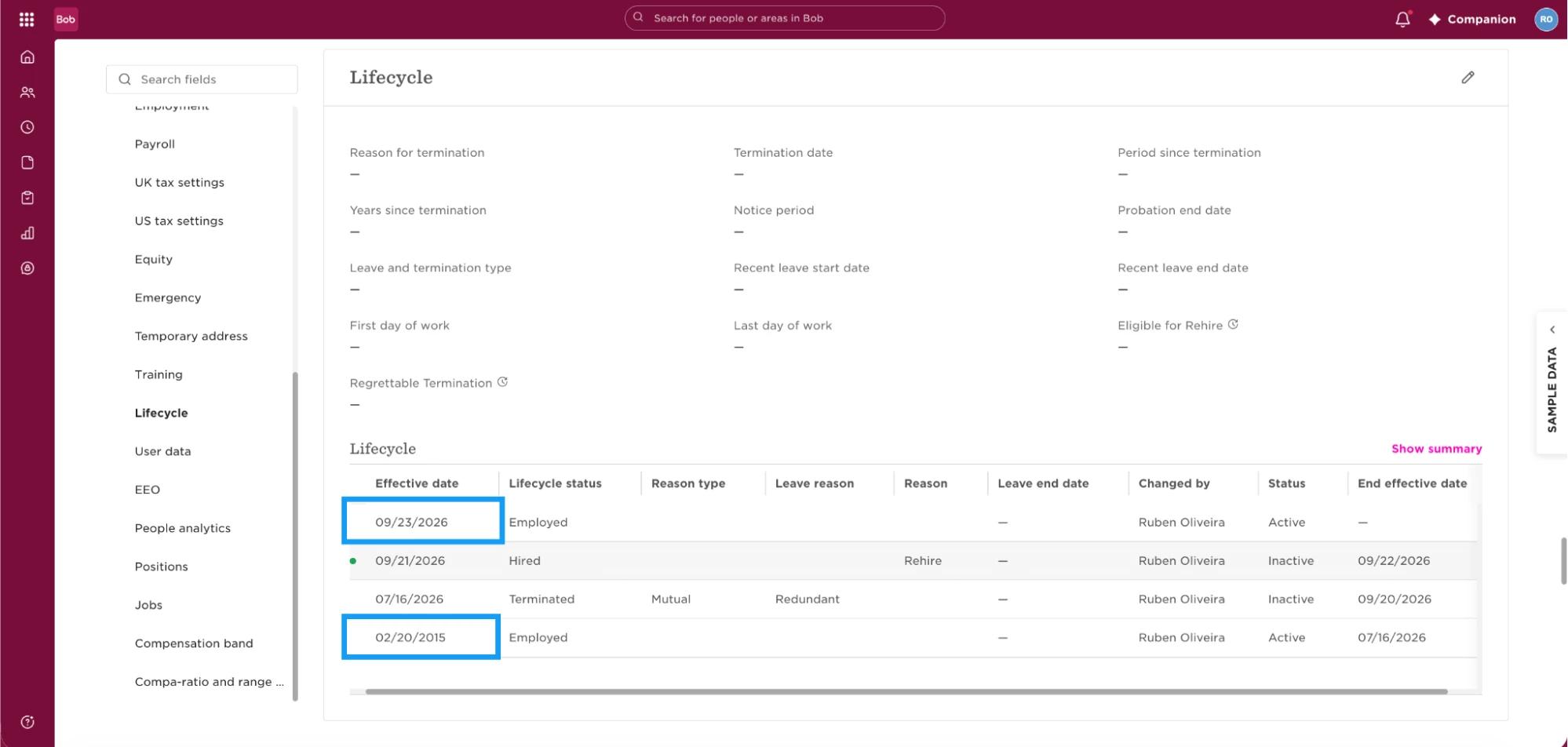
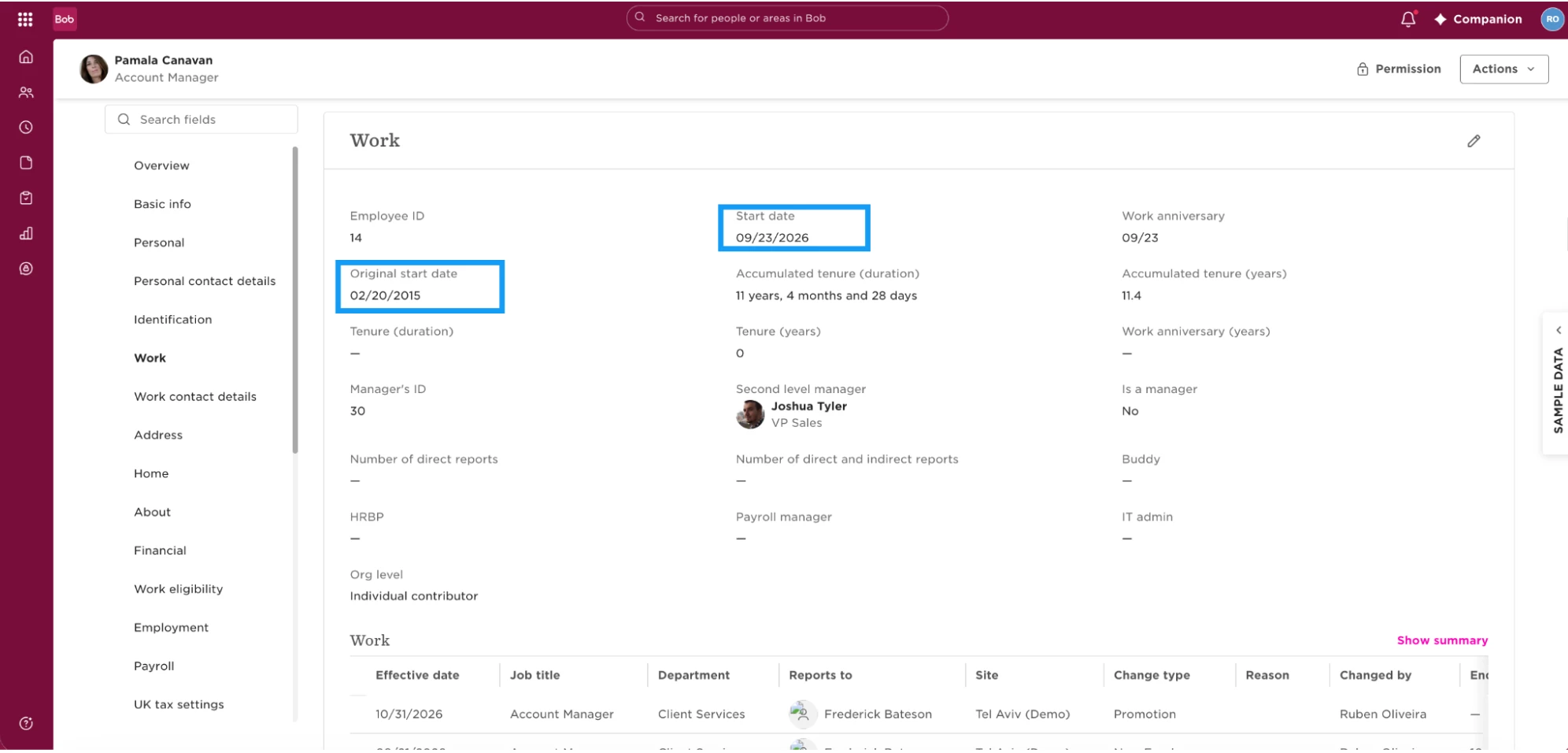
After the rehire, Bob keeps the employee's previous employment period in their Lifecycle history. Their Original start date represents their earliest employment period, while their Start date reflects their new employment period.
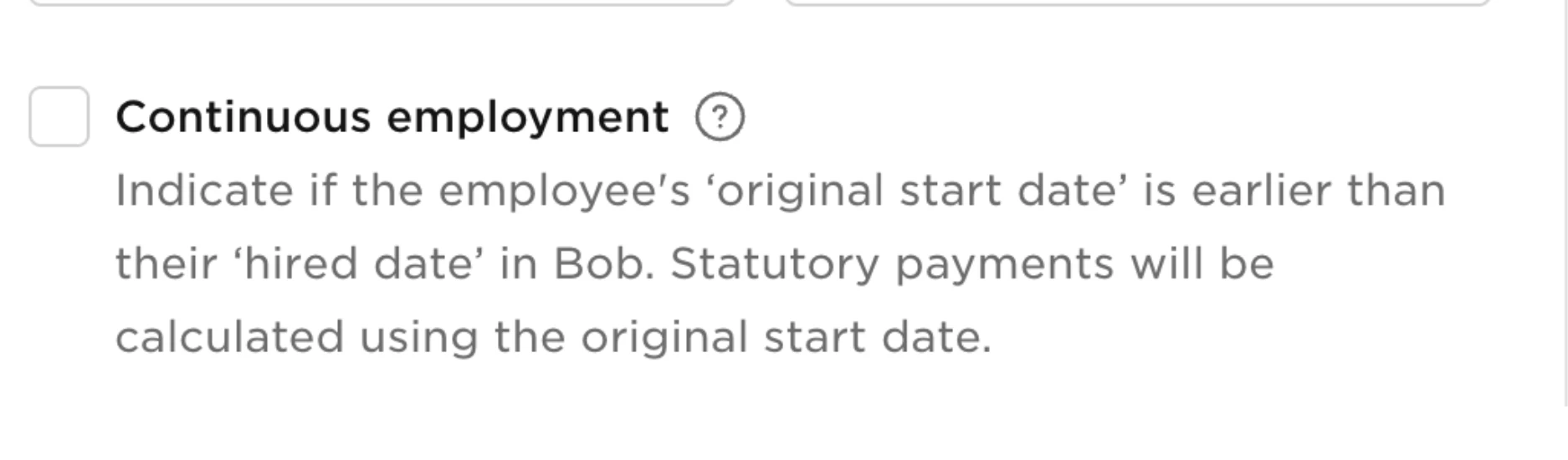
As a final step in UK Payroll ensure the continuous employment setting is enabled:
Important Note: Allow time for the UK Payroll sync information from Bob.
Bob and UK Payroll can sync within a 6-hour window, so the new employee record may not appear immediately after the sync is reported as complete.
If the new record is not showing in UK Payroll straight away, allow additional time for the record to appear before troubleshooting the setup.
TUPE for terminated employees being imported into Bob:
If employees are being added to Bob as part of the TUPE process rather than already existing in Bob, the documented workflow is slightly different. Import them as Terminated, ensuring the Original start date and Start date are entered separately, and then rehire each employee. Each employee should also have a unique employee ID for payroll purposes.
Time Off Impact - Before You Terminate:
1. Recommended: Back Up the Employee’s Time Off Data
Before terminating the employee in Bob, export their current Time off balances and approved future requests. You can use these exports as a reference when reviewing and realigning their Time off after the rehire.
Use:
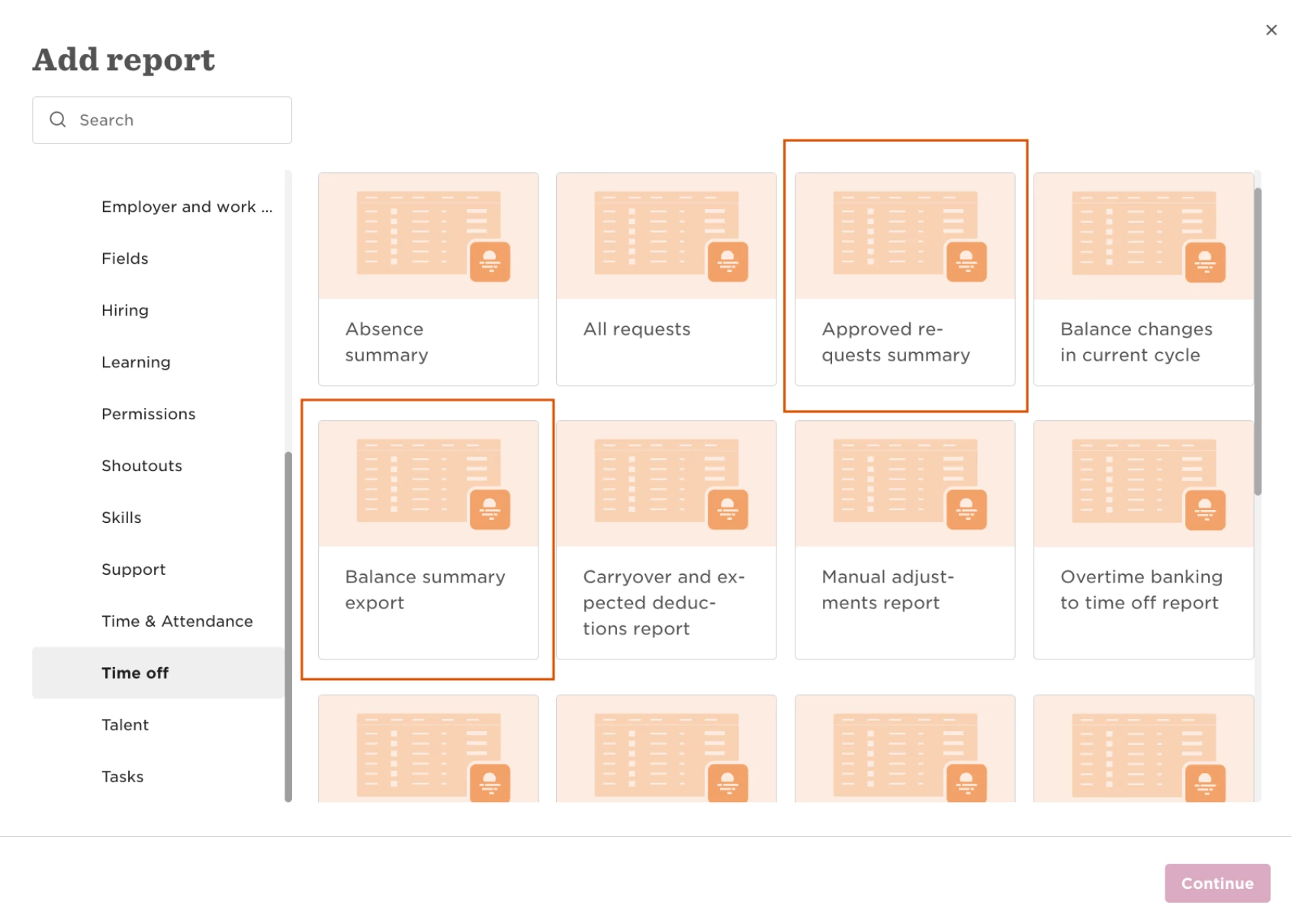
- Balance Summary Export report for current balances
- Approved Requests Summary for approved Time off requests
This is important because terminating an employee unassigns them from their Time off policies and cancels their approved future Time off requests. Rehiring the employee and assigning them back to the same policy does not restore the cancelled requests, so they will need to be added again.
2. Review Time Off After the Rehire
Once the employee has been rehired, reassign them to the relevant Time off policies and compare their Time off data with the information you exported before termination.
There are a few things to keep in mind when reviewing their balances and activity.
- Balance retention depends on the policy type. If the employee is assigned to a Time off policy connected to the same policy type as the policy they had before termination, their previous balance is retained if the process is done on the same time off cycle (Starting balance and accruals).
- Balance activity also depends on the Time off cycle. If the employee is assigned to a Time off policy connected to the same policy type as the policy they had before termination, balance activity from previous closed cycles won't be displayed after the rehire, if not done on the same cycle.

However, if the employee is unassigned and reassigned within the same active cycle, you may still see multiple accrual rows relating to different accrual periods within that cycle. For example, an employee reassigned effective 11 May may still show accrual activity from January through 8 May when those periods belong to the same active cycle. If the termination and rehire are only 1 day apart, the accrual will display without gaps.
Use the information exported before termination to check that the employee's new Time off setup and balances align with what you expect.
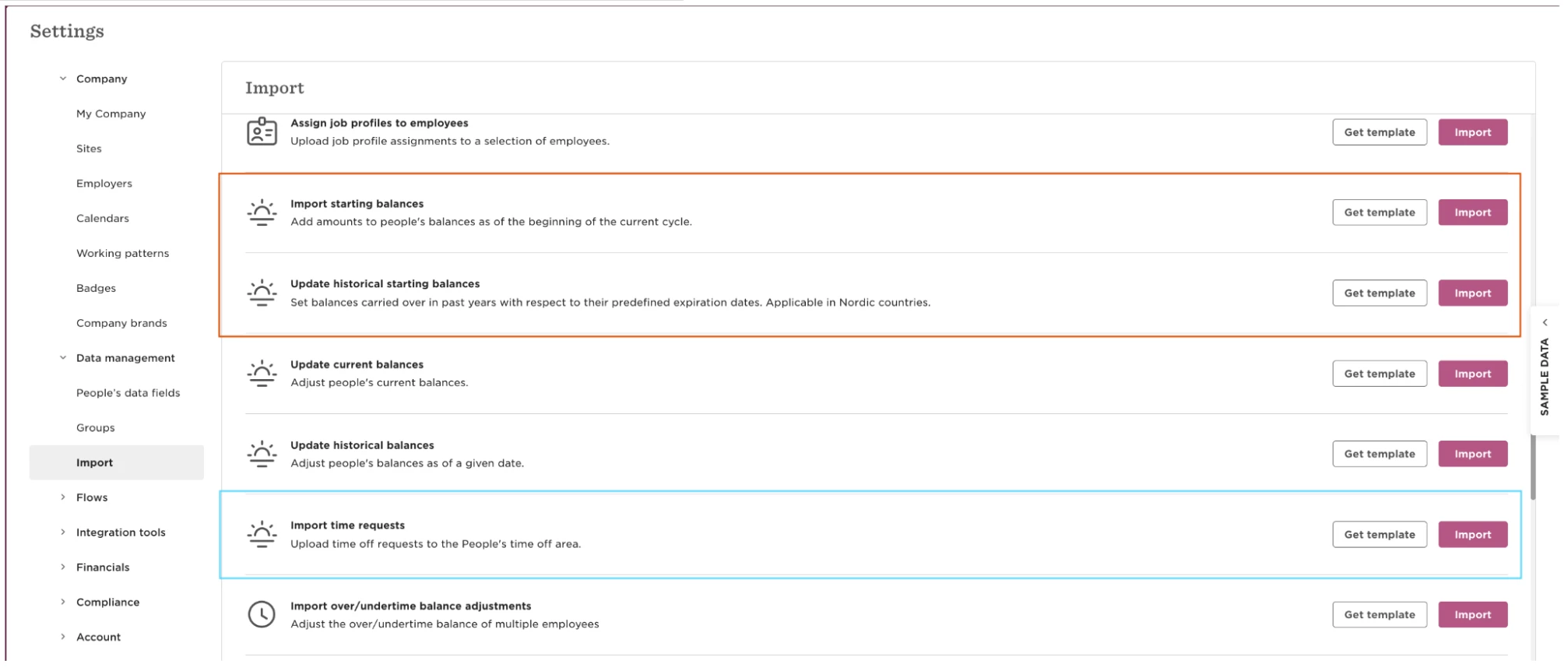
If adjustments are required, you may need to use Import Time Off starting balances to realign the employee's balance. Starting balances can also be imported in bulk when you're managing multiple employees.
Because approved future requests are cancelled by the termination and aren't reinstated after rehire, you'll also need to recreate the relevant requests. If you're restoring requests for multiple employees, you may be able to use Import Time Off requests.
3. Check Years of Service Allowance Increases
If the employee's Time off policy automatically increases their allowance based on Years of Service, review this setup carefully after a TUPE rehire.
Years of Service grants are calculated using the employee's Start date, not their Original start date. Because a rehire gives the employee a new Start date, their continuous service isn't automatically reflected in this Time off calculation.
For example, an employee may have an Original start date showing several years of continuous employment, but their Years of Service allowance increase will still be calculated from their newer Start date.
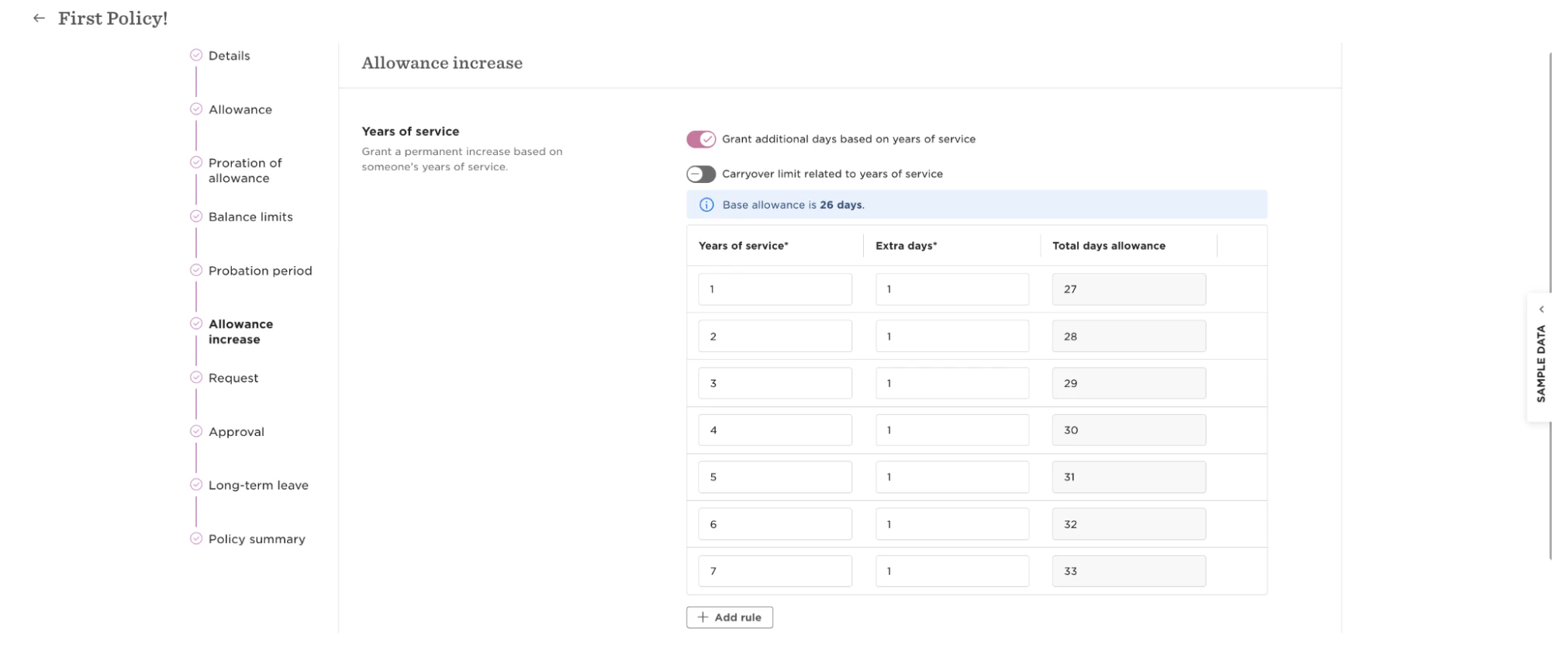
If the employee needs to retain an additional entitlement based on their continuous service, the recommended approach is to assign them to a separate Time off policy that doesn't use the Years of Service grant and apply manual adjustments to reflect the additional entitlement they should receive.
After completing the process, review the employee's Lifecycle history, Start date, Original start date, Time off policies and balances, and UK Payroll employment dates to make sure the TUPE transfer is represented correctly across Bob and UK Payroll.