


Sometimes, an employee may show as Pending in the Employee Pre-onboarding report even after completing all their fields. This article explains why this happens and how to confirm the cause.
Pre-onboarding only tracks information completed before the employee’s start date. Anything submitted after their start date will always keep the status as Pending, even if all fields are complete.
Understanding why the report shows “Pending”
If an employee completes their pre-onboarding fields after their start date, the report will not update to “Finished.” This is expected product behavior.
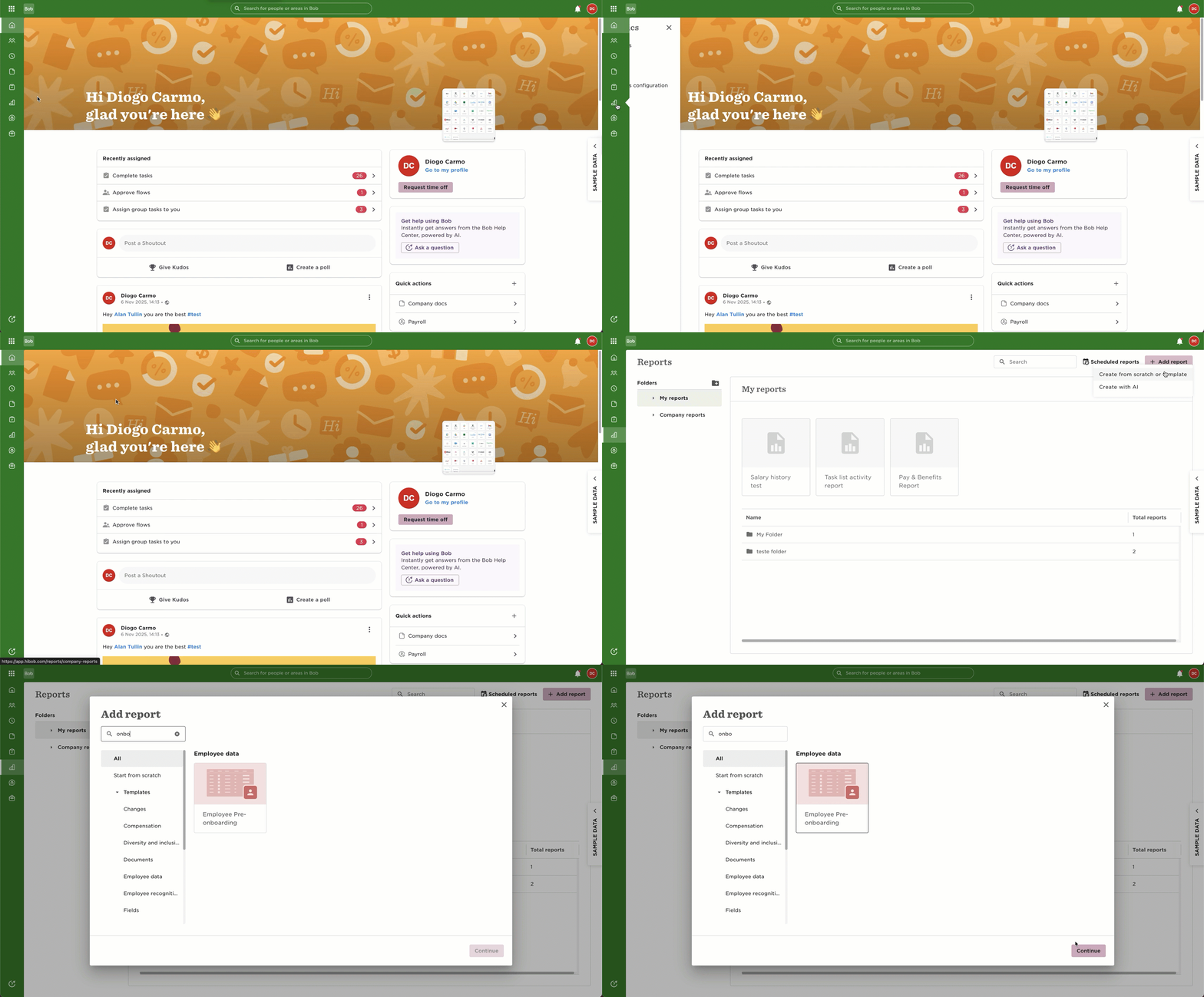
Here's how to get the report:
An example of how an employee appears in the report when their pre-onboarding was completed after their start date:
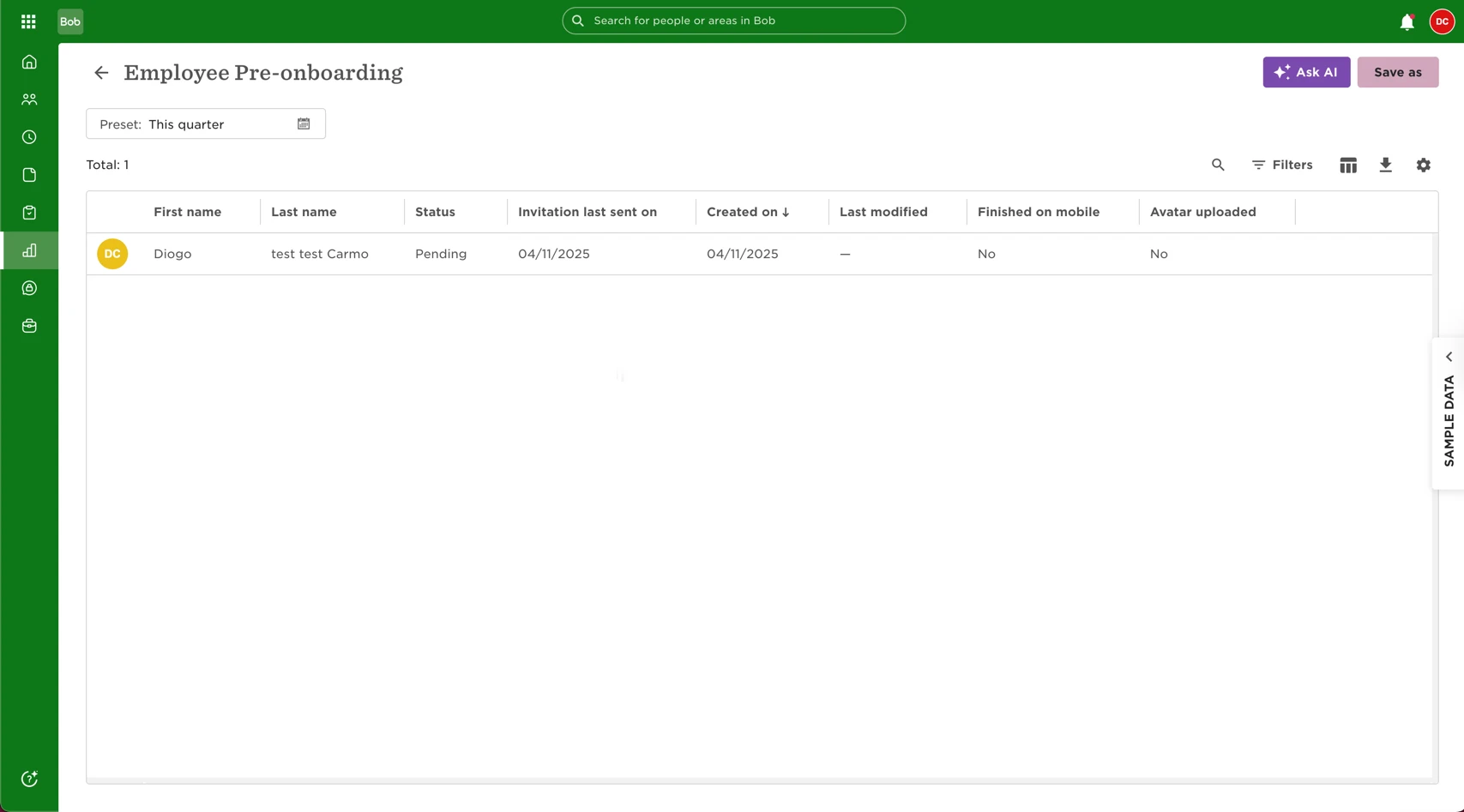
Even if fields are filled out, the status will stay Pending because the completion happened after the start date.
How to confirm the employee completed fields after their start date
You can verify this directly in their profile by checking their Start date
Once in the profile, look at the Overview section:
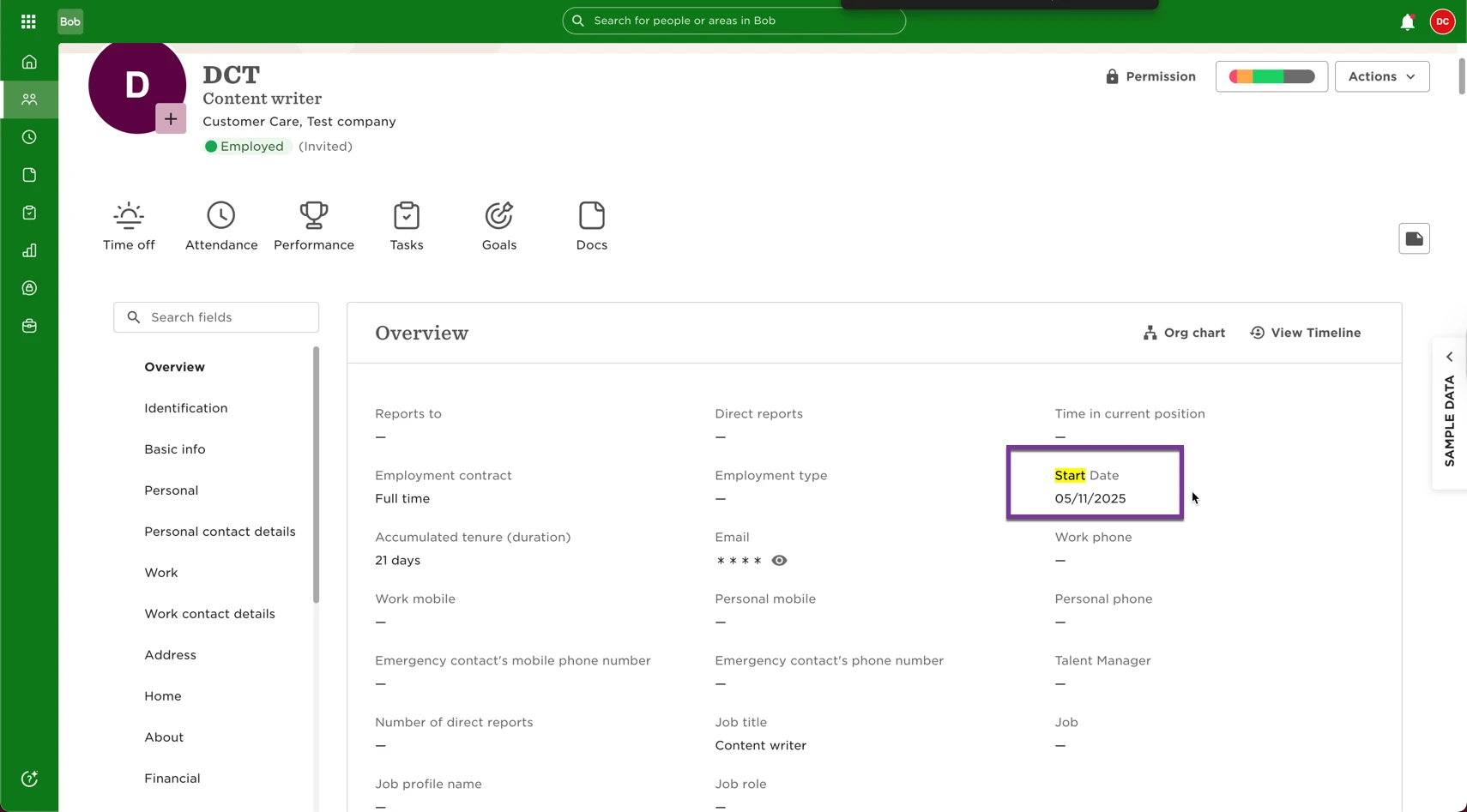
If the employee’s form completion date is later than their Start date, they will always remain Pending in the Pre-onboarding report.
You can check this by cross-referencing with what is on the Onboarding required fields (to be completed) and the Employee's Audit Trail
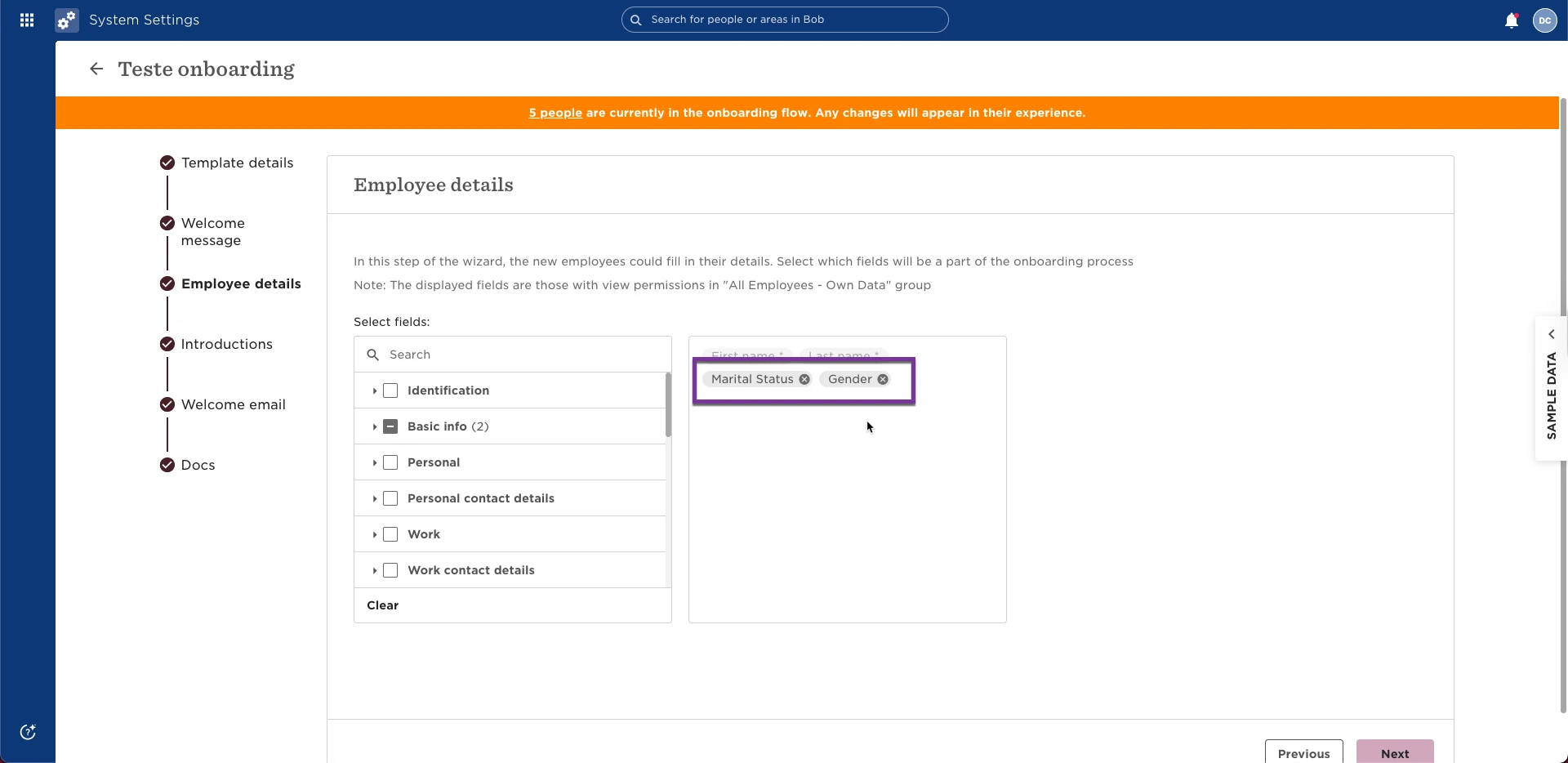
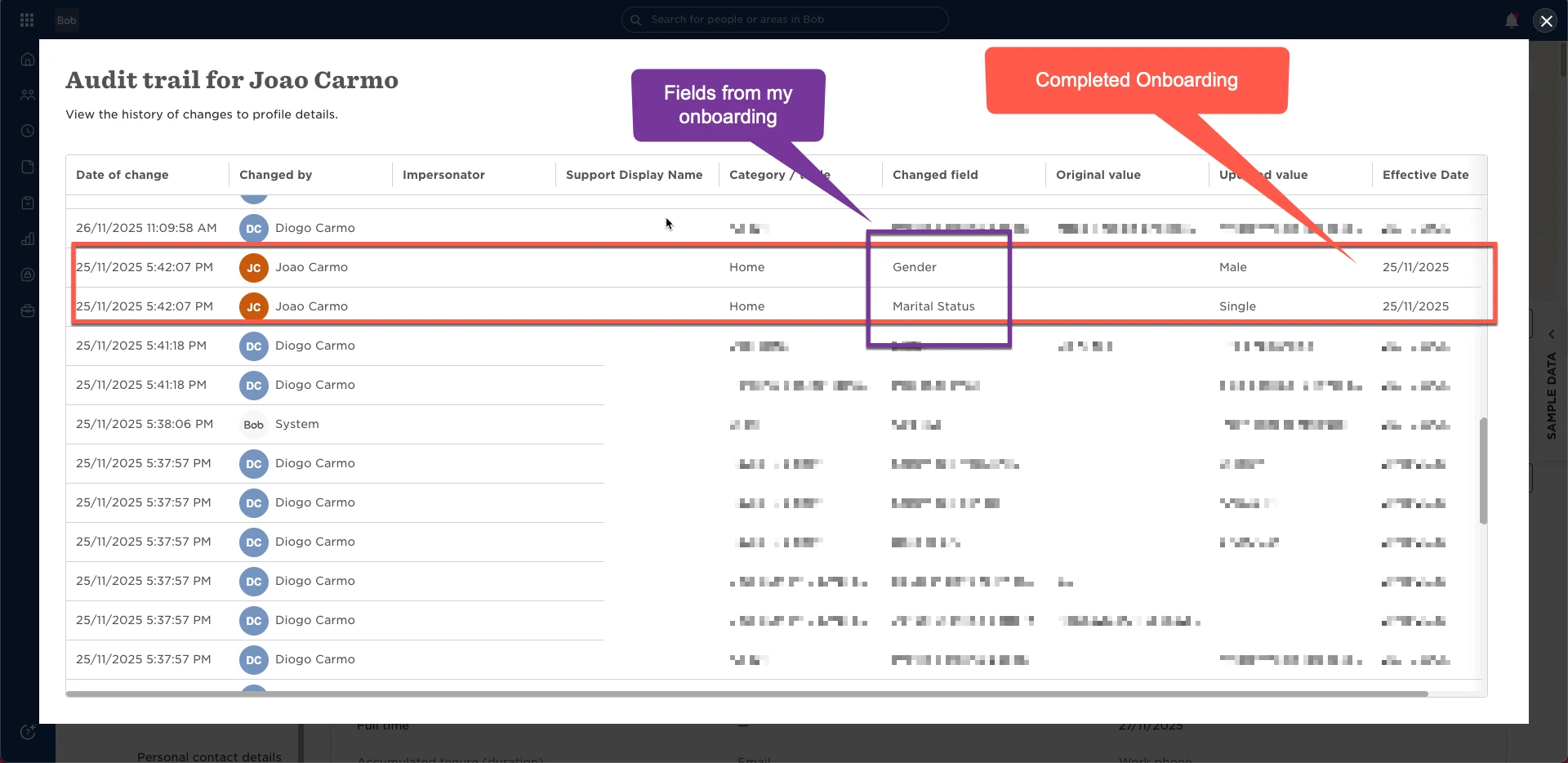
How the report looks when pre-onboarding is completed on time (Please bold this and increase the size to improve visibility)
Here’s an example of an employee who finished pre-onboarding before their start date; their status shows as Finished:
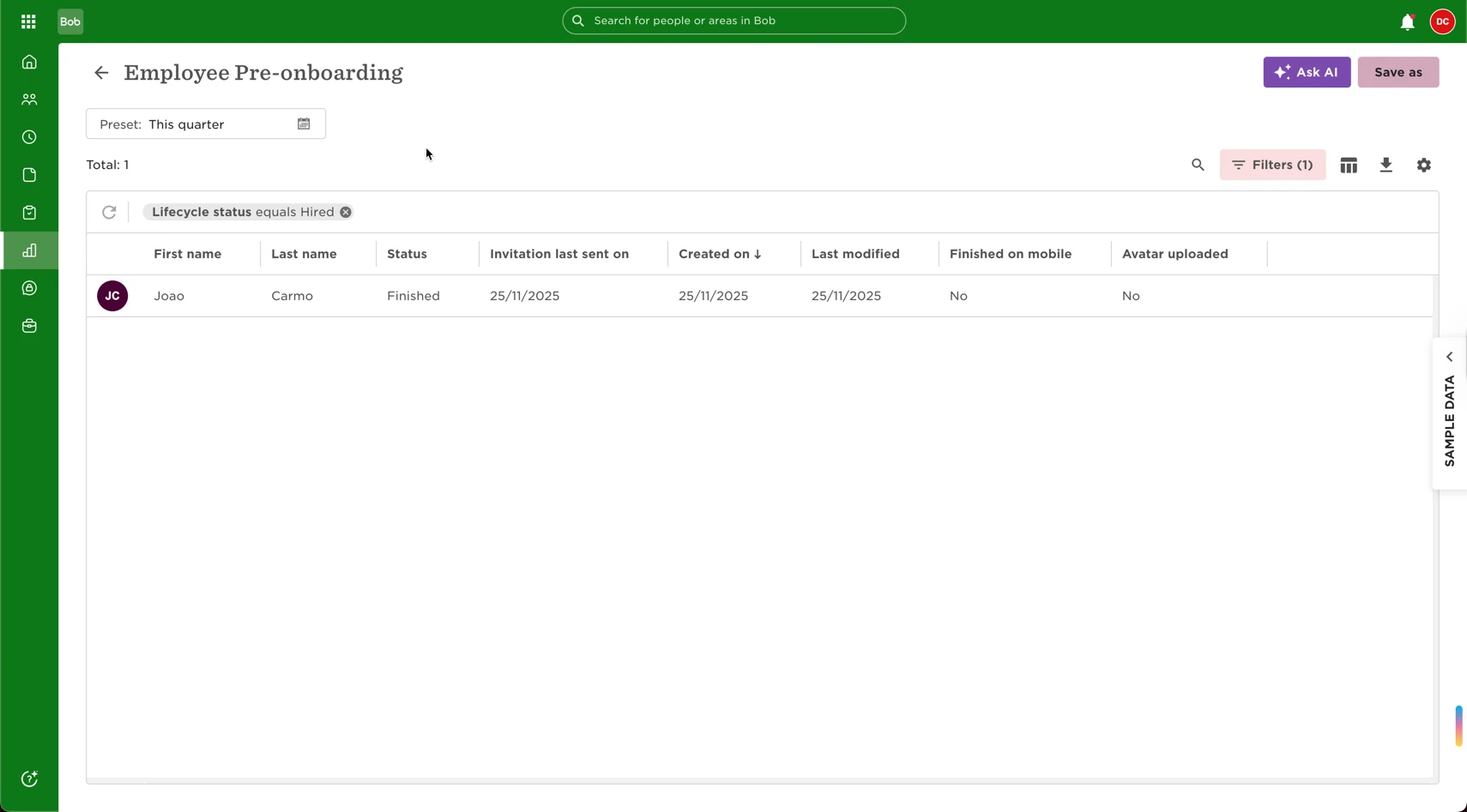
This is the expected state when pre-onboarding is completed while the employee is still “Hired.”
Can Admins override or manually mark pre-onboarding as completed?
At this time, there is no option for Admins to manually override the pre-onboarding status.
Because the report is designed to strictly track before-start-date activity, it will not change retroactively once onboarding is completed late.
For needs beyond this flow, such as reviewing onboarding progress after the start date, we recommend creating a custom report that includes the fields relevant to your onboarding process.