


Reset and Restart Employee ID Auto-Generation

  • May 21, 2026 12:14 PM UTC
  • 2 replies
  • 140 views
  • Translate All

Itamar Sahar
Bobber

Reset and Restart Employee ID Auto-Generation


Follow this process to reset how employee IDs are generated and ensure new IDs continue from the correct sequence.


Start by turning off the current auto-generation setting:

Go to Settings → Company → My company

Make sure the auto-generate employee ID checkbox is unchecked
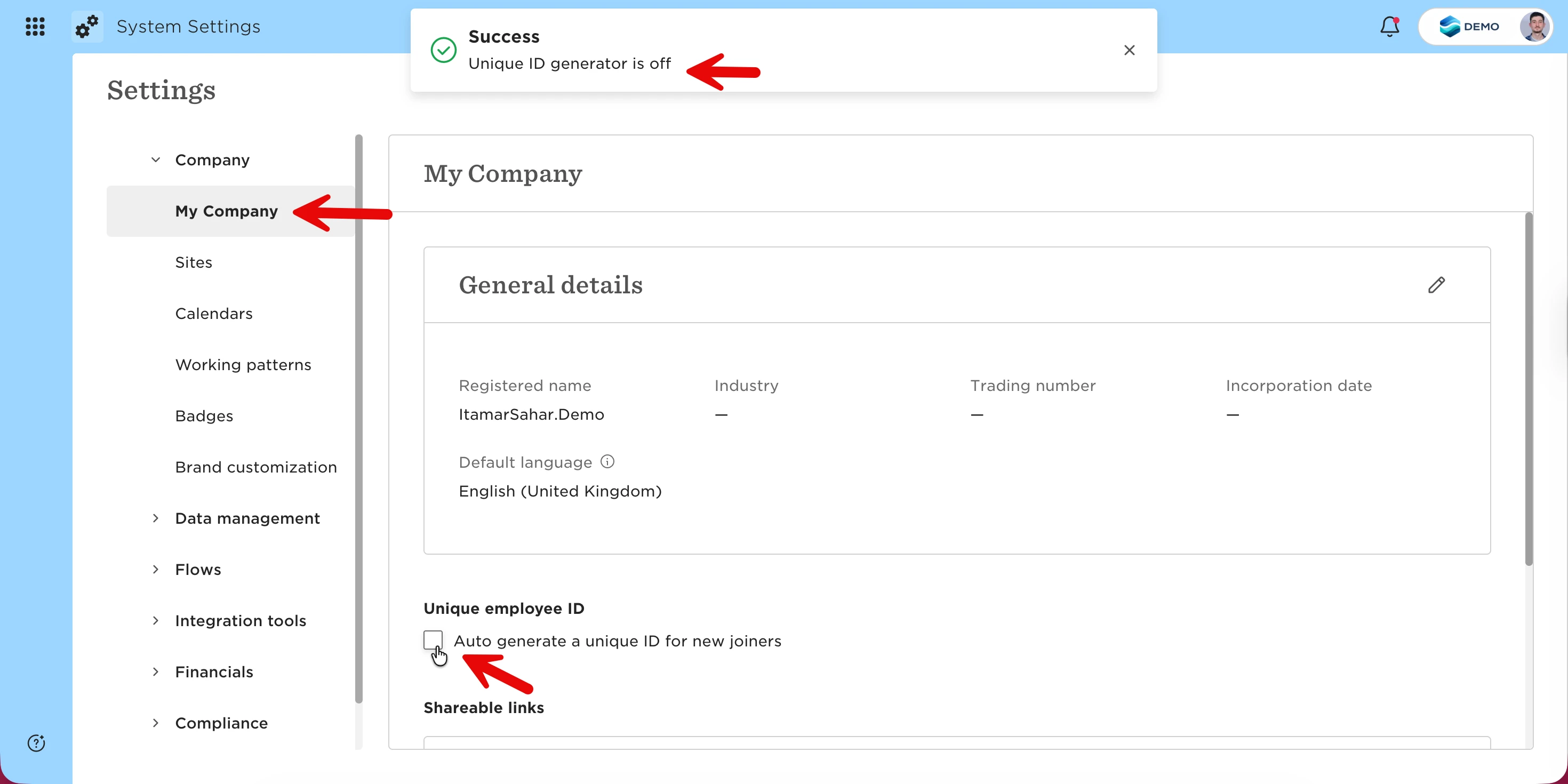


Next, prepare and import your employee ID data so the system recognizes the latest ID in use:

Create an Excel file with:

Column 1: Employee email

Column 2: Employee ID
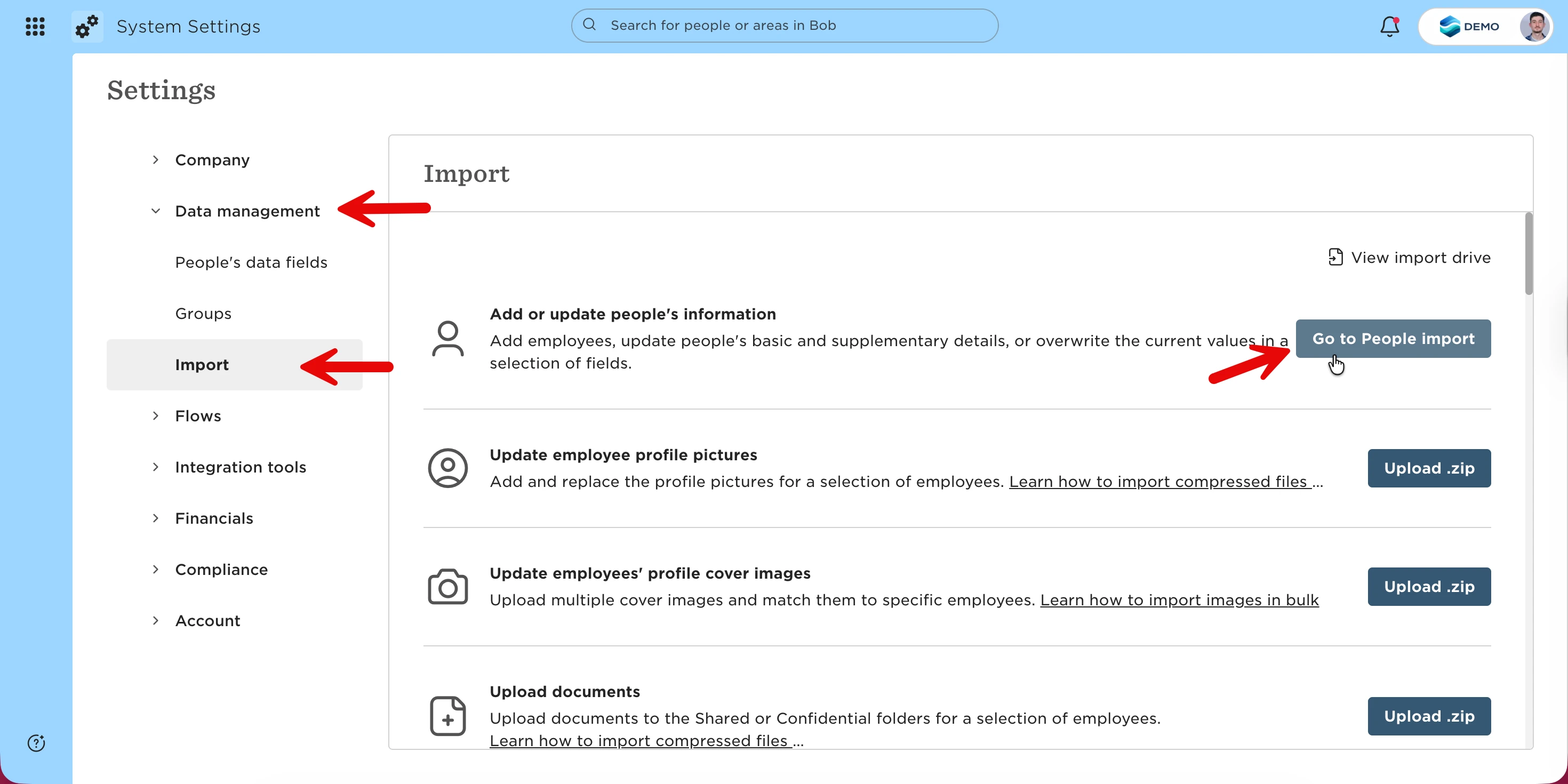


Go to Settings → Data management → Import

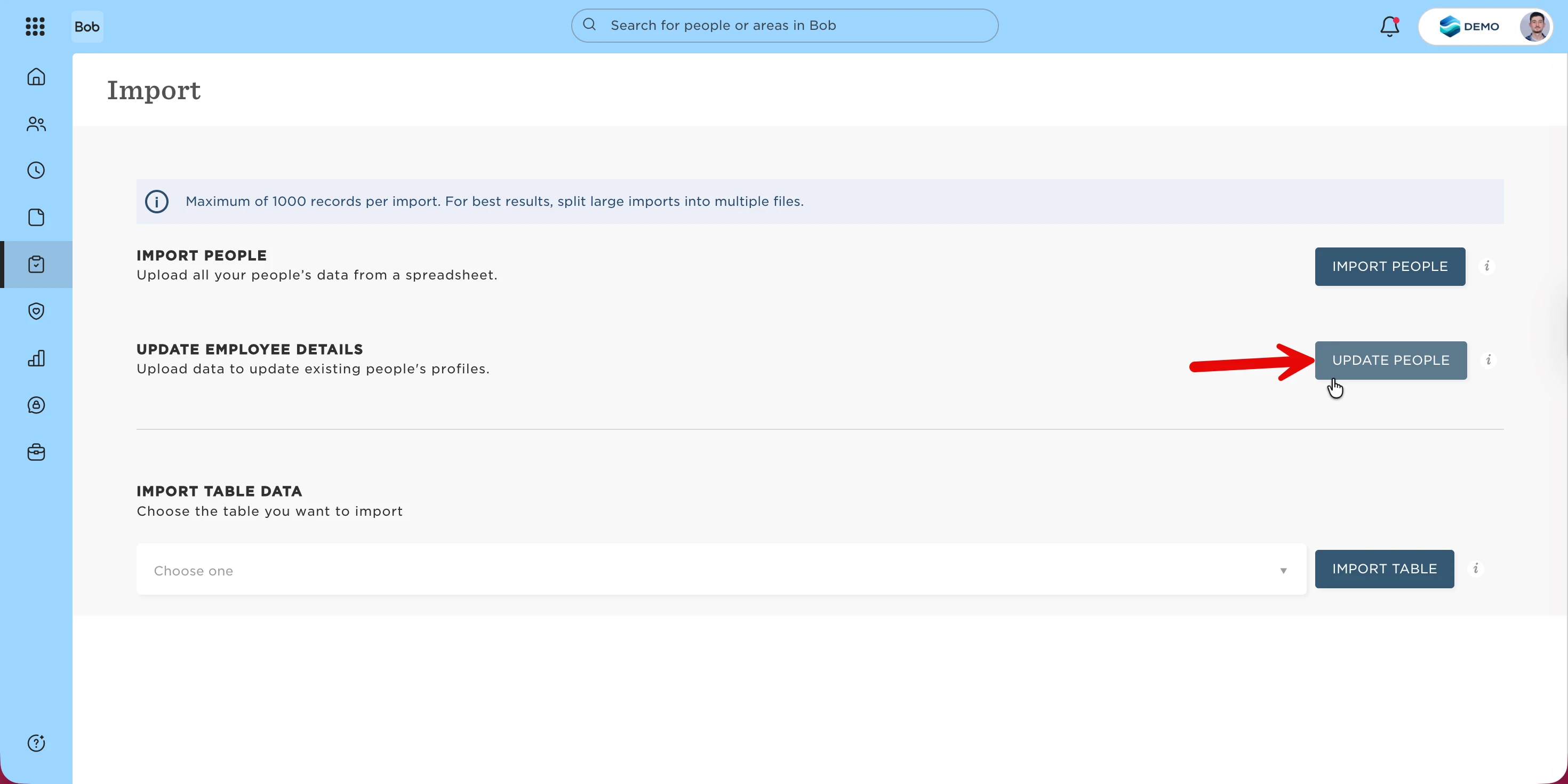
Select People import

Choose the option to update existing employees

Follow the import process.


Once the import is complete, turn auto-generation back on:

Return to Settings → Company → My company

Re-enable the auto-generate employee ID checkbox


From this point on, any new employee added will receive an ID that continues from the last imported value.

2 replies

Hello, ​@Itamar Sahar, thanks for a useful article and please allow me to add some questions regarding Employee IDs.

  • Can Employee IDs be not only numbers? Can we, e.g. create numbers X001; X002, etc.? Would the system catch the logic and create numbers in the sequence further on? Or what are the limitations for the format?
  • And do rehires keep the same ID as they had when they first joined?

Thanks in advance!

Translate

Itamar Sahar
Bobber
  • Author
  • Bobber
  • Jun 8, 2026 9:57 AM UTC

Hey ​@Inga Vaskeviciene , 

Happy to hear you’ve found this article useful :) 

Regarding your questions:
 

1. Can Employee IDs be not only numbers? Can we, e.g., create numbers X001, X002, etc.? What are the limitations for the format?

Hibob’s native Employee ID field only supports numbers (integers). You cannot use alphanumeric formats like “X001” or “B012” in the default Employee ID field. If you need IDs with prefixes or letters, you would need to create a custom field, but this field will not support auto-generation or integration features tied to the core Employee ID field.
 

2. Will the system catch the logic and create numbers in the sequence further on?

The system will only auto-increment numeric Employee IDs. For example, if the highest Employee ID is 998, the next will be 999. It does not recognize or continue alphanumeric sequences (e.g., X001 to X002).
 

3. Do rehires keep the same ID as they had when they first joined?

By default, when using the rehire function, Hibob retains the original Employee ID. However, for certain payroll integrations (such as UK Payroll), a new Employee ID is required for rehires due to legal requirements. In such cases, you must manually assign a new Employee ID to the rehired employee.

Translate