
This article explains why Work and Employment dates can look different during a rehire and how Bob handles the effective date behind the scenes.
When you rehire an employee, Bob uses the rehire start date to manage the employee’s lifecycle and the related Work and Employment records. In some cases, the tables do not look the same as a regular new hire flow because Bob also needs to support rehire-related automations.
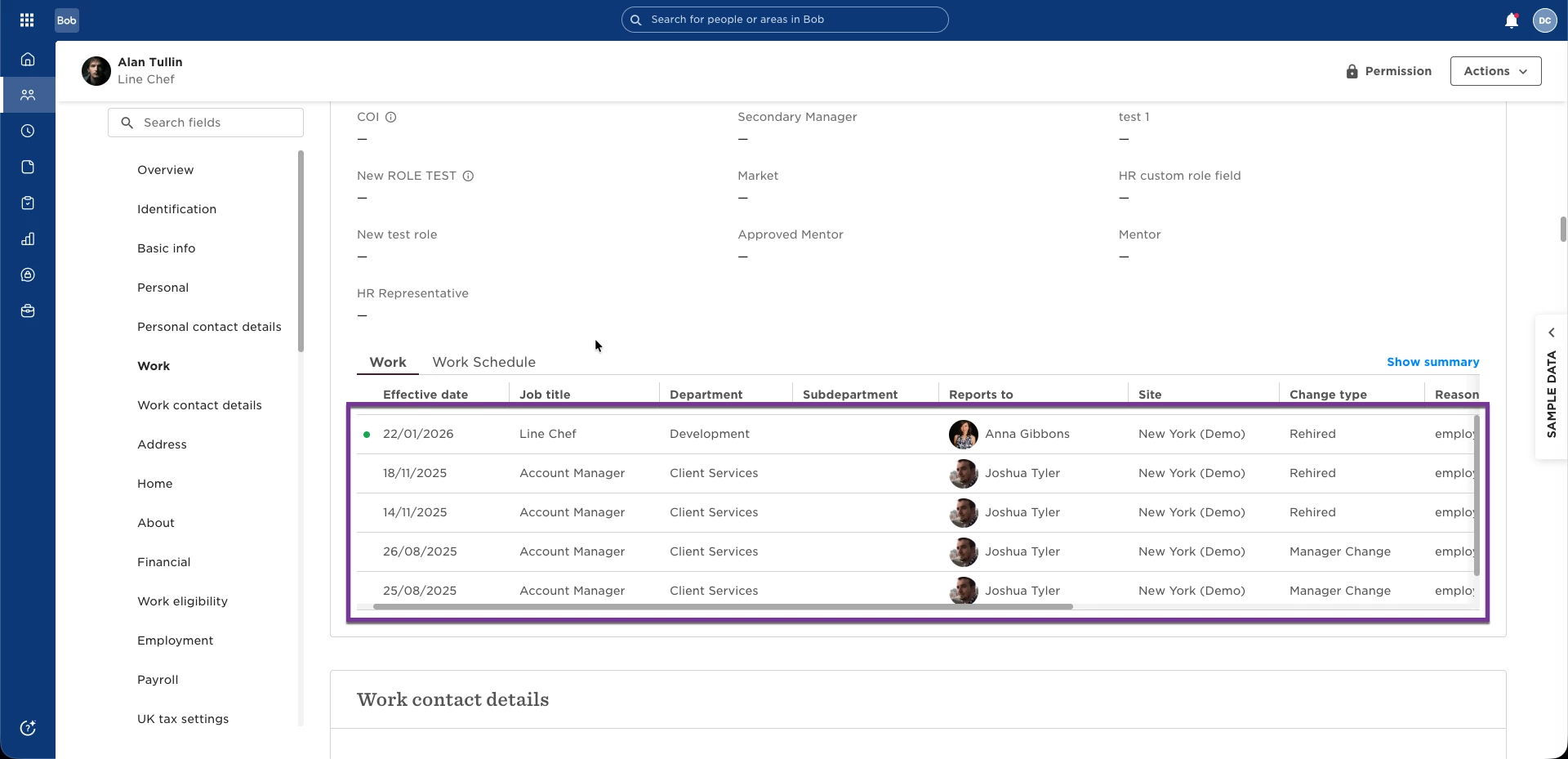
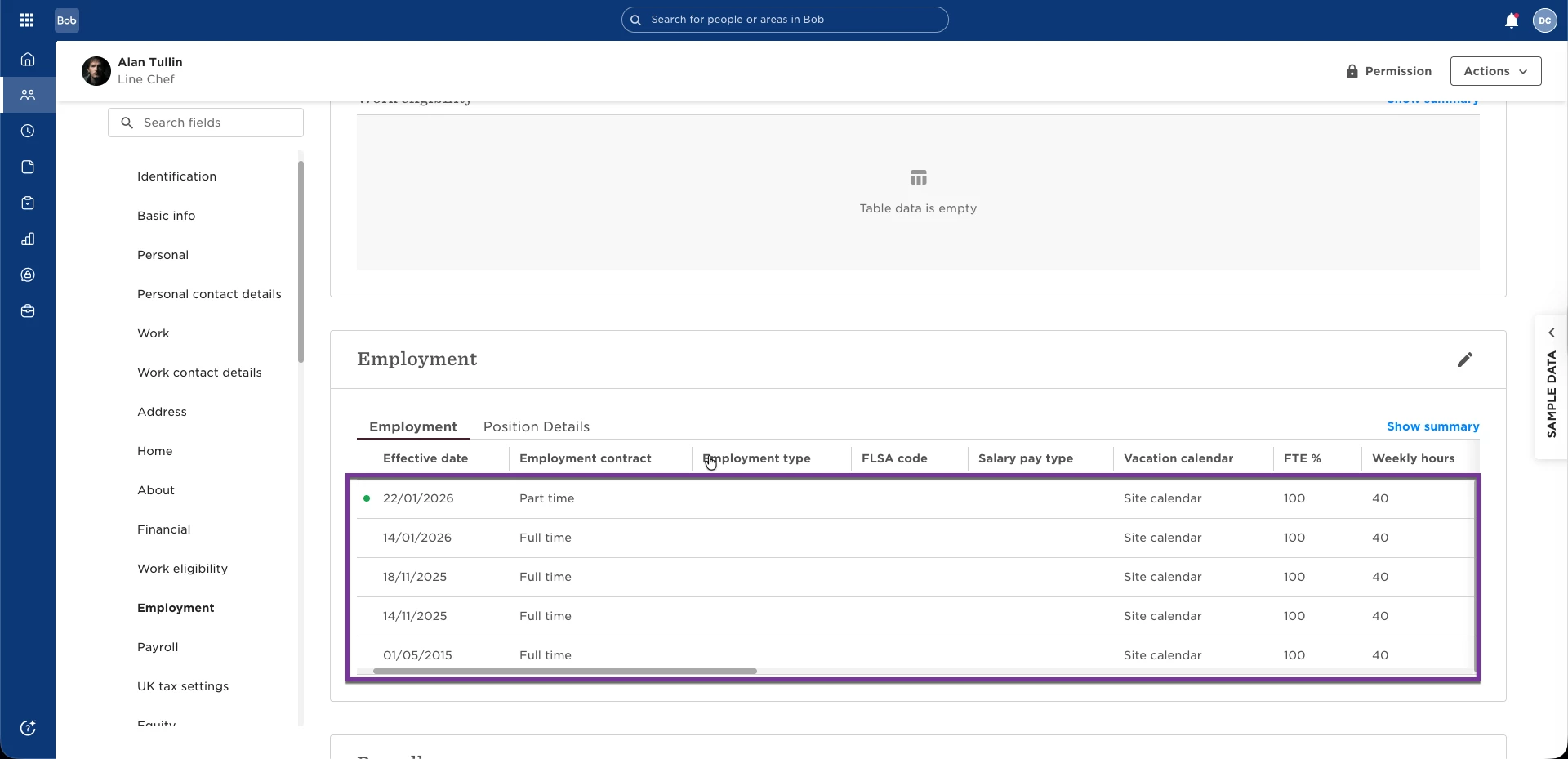
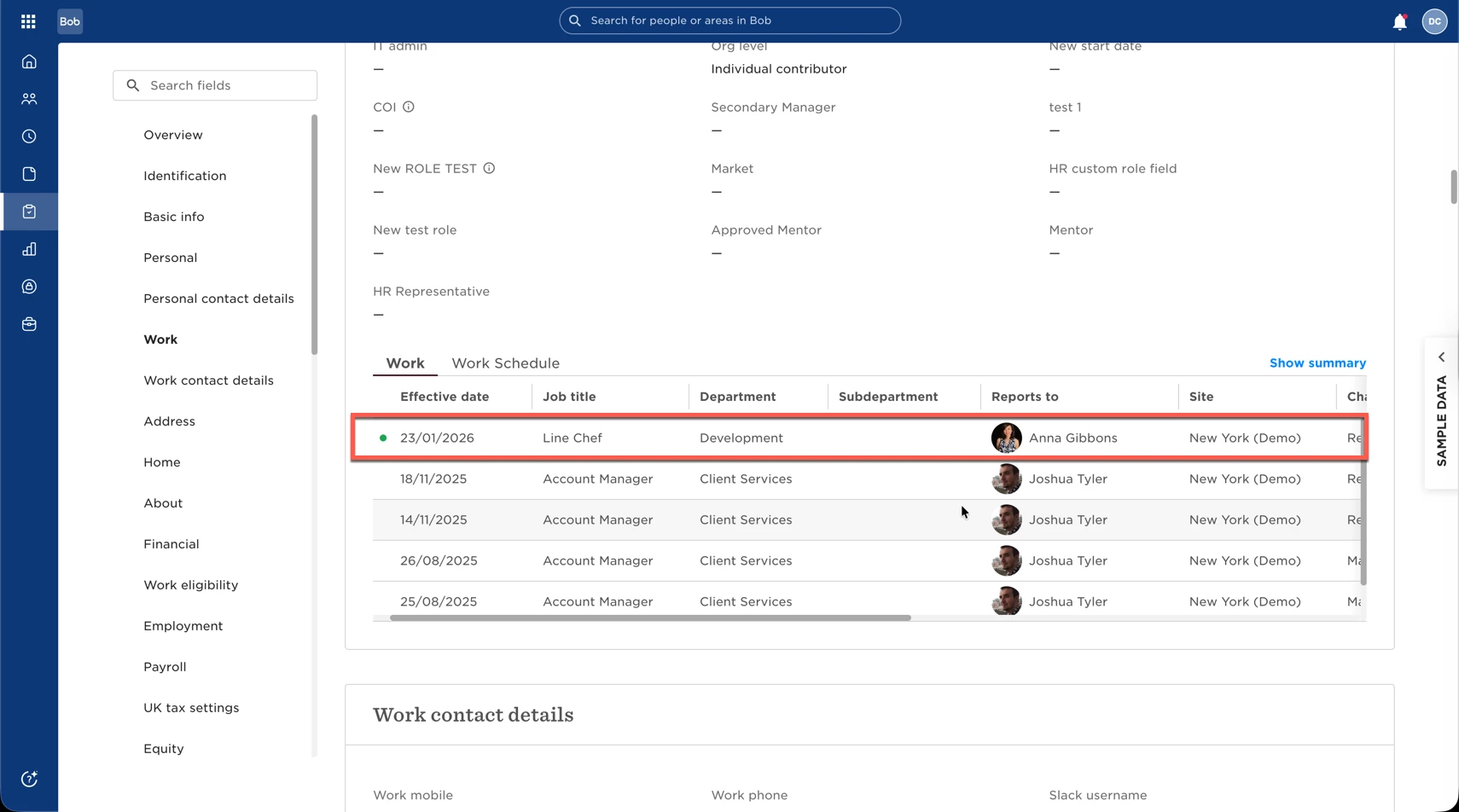
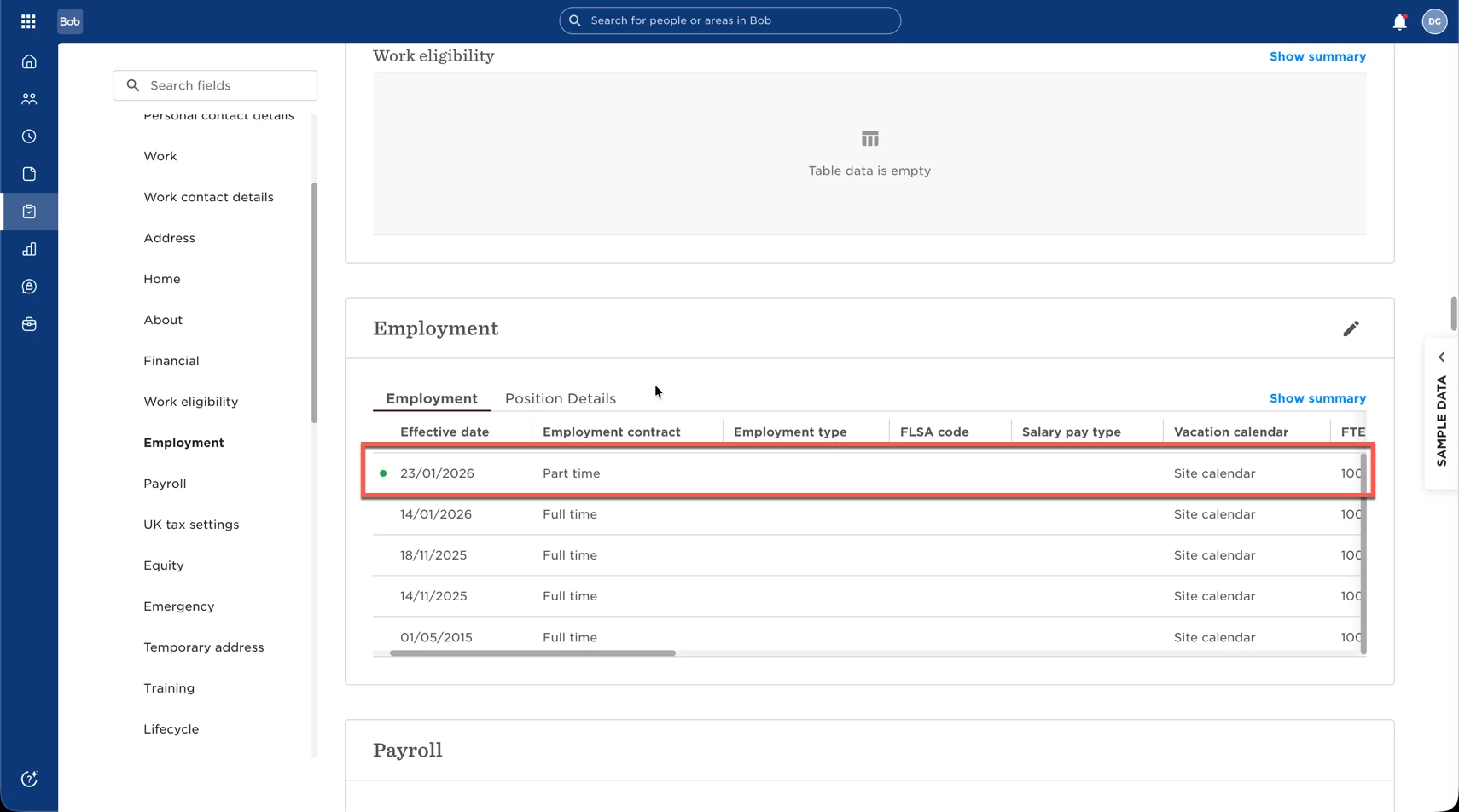
If a rehire task list is triggered by a Work Effective Date, Bob needs to find a matching date in the Work and Employment tables. Bob can only evaluate changes going back about seven days into the past, so when the rehire date is outside that window, Bob temporarily updates the Work and Employment entries to make sure the task list can run correctly.
That means the experience can look like this:
- The Lifecycle table shows the hiring event and the date the employee becomes active.
- The Work and Employment tables use the effective date needed for the rehire flow to work as expected.
- Once the effective date is reached, the system updates itself automatically.
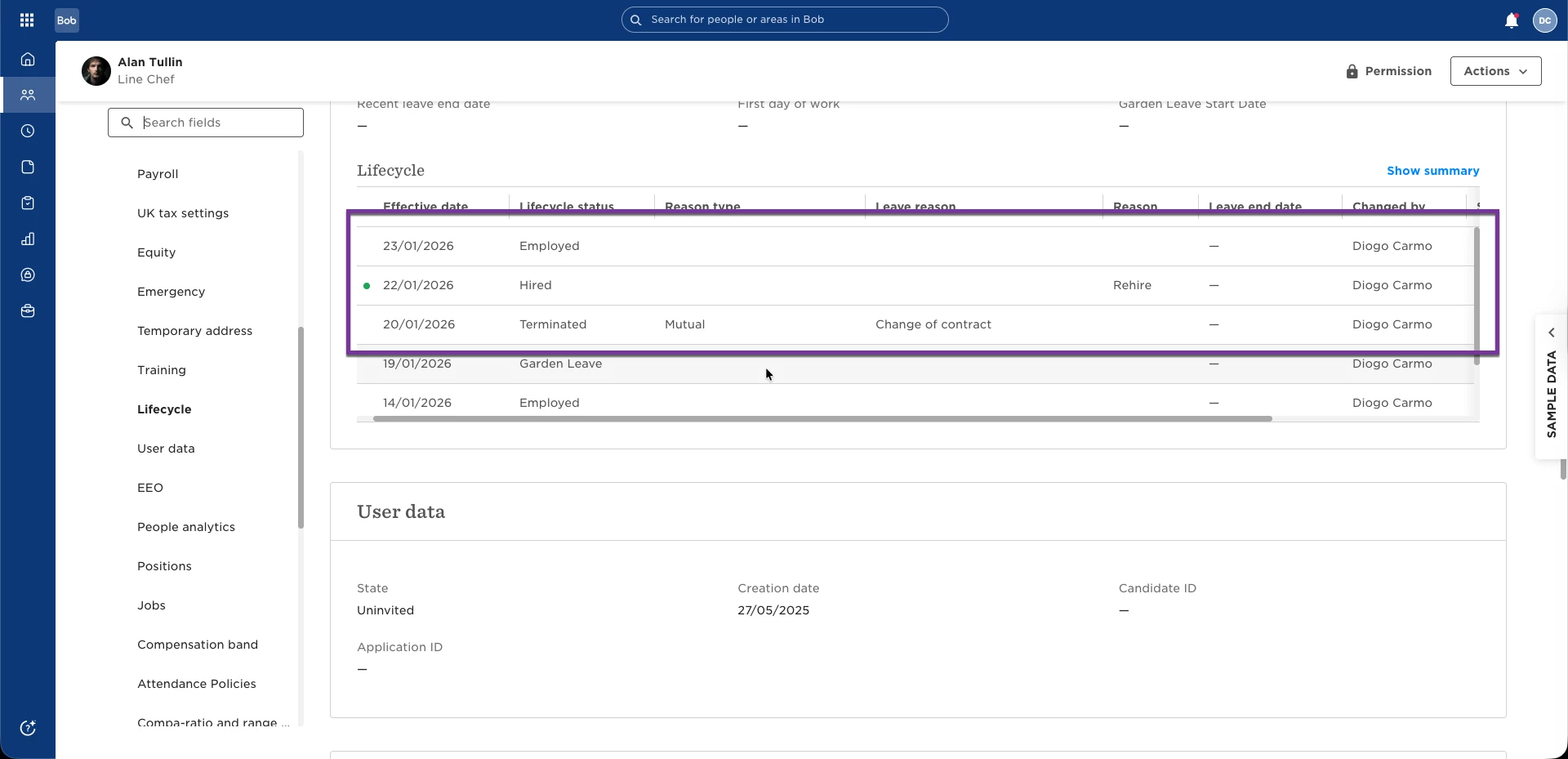
If you are checking a rehire before the effective date, the values may not look final yet. After the scheduled date passes, the Work and Employment rows should reflect the correct start date.
This behaviour is different from a new hire. For a new hire, there is no earlier job change to evaluate, so the Work and Employment effective date is typically shown directly as the employee’s start date from the beginning.
When reviewing a rehire, check the following:
- Confirm the employee’s rehire start date.
- Review the Lifecycle table for the hired and employed dates.
- Review the Work and Employment tables for the scheduled effective date.
- If a rehire task list is not triggering, check whether the relevant Work Effective Date falls within Bob’s roughly 7-day lookback window.