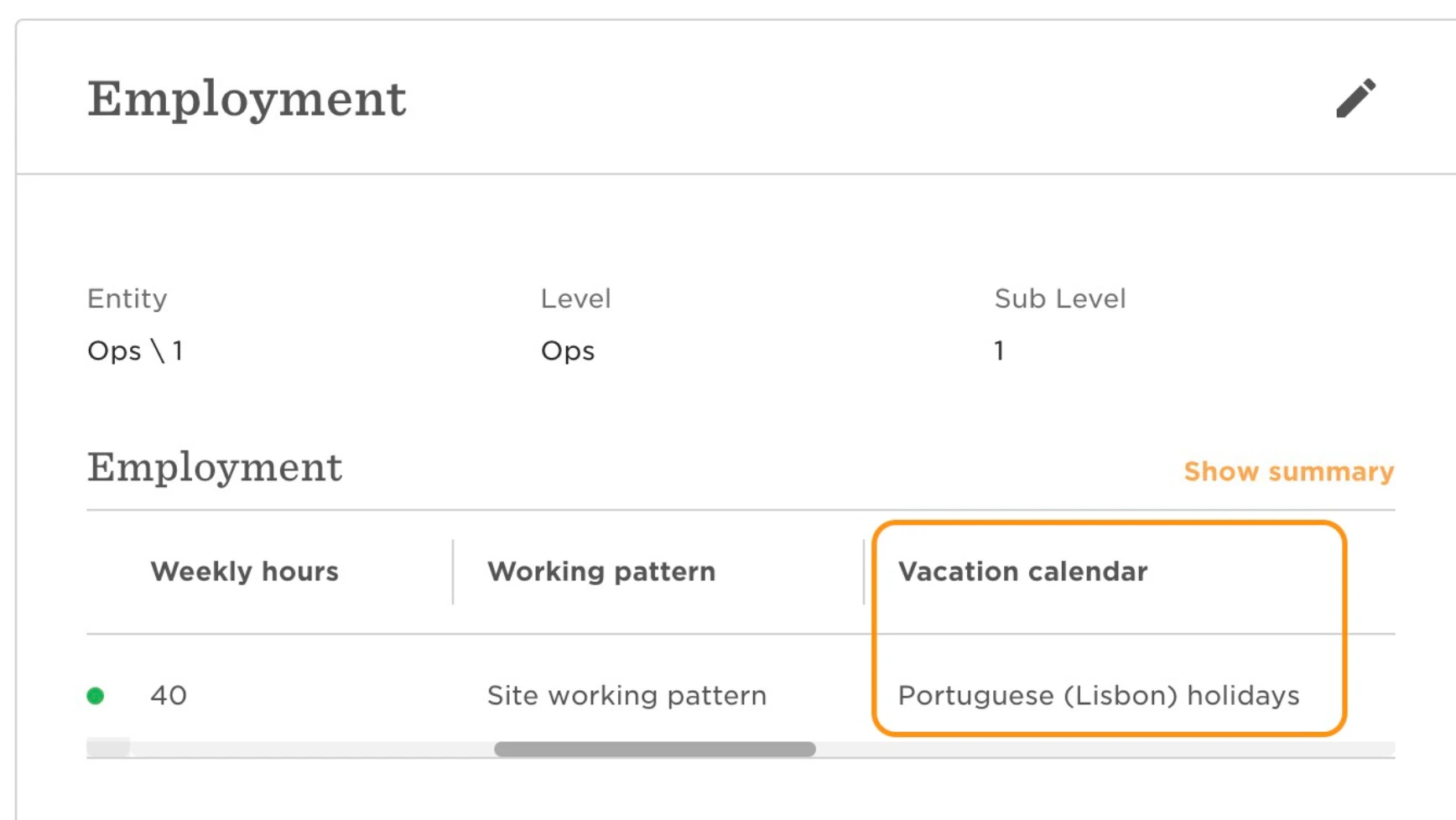
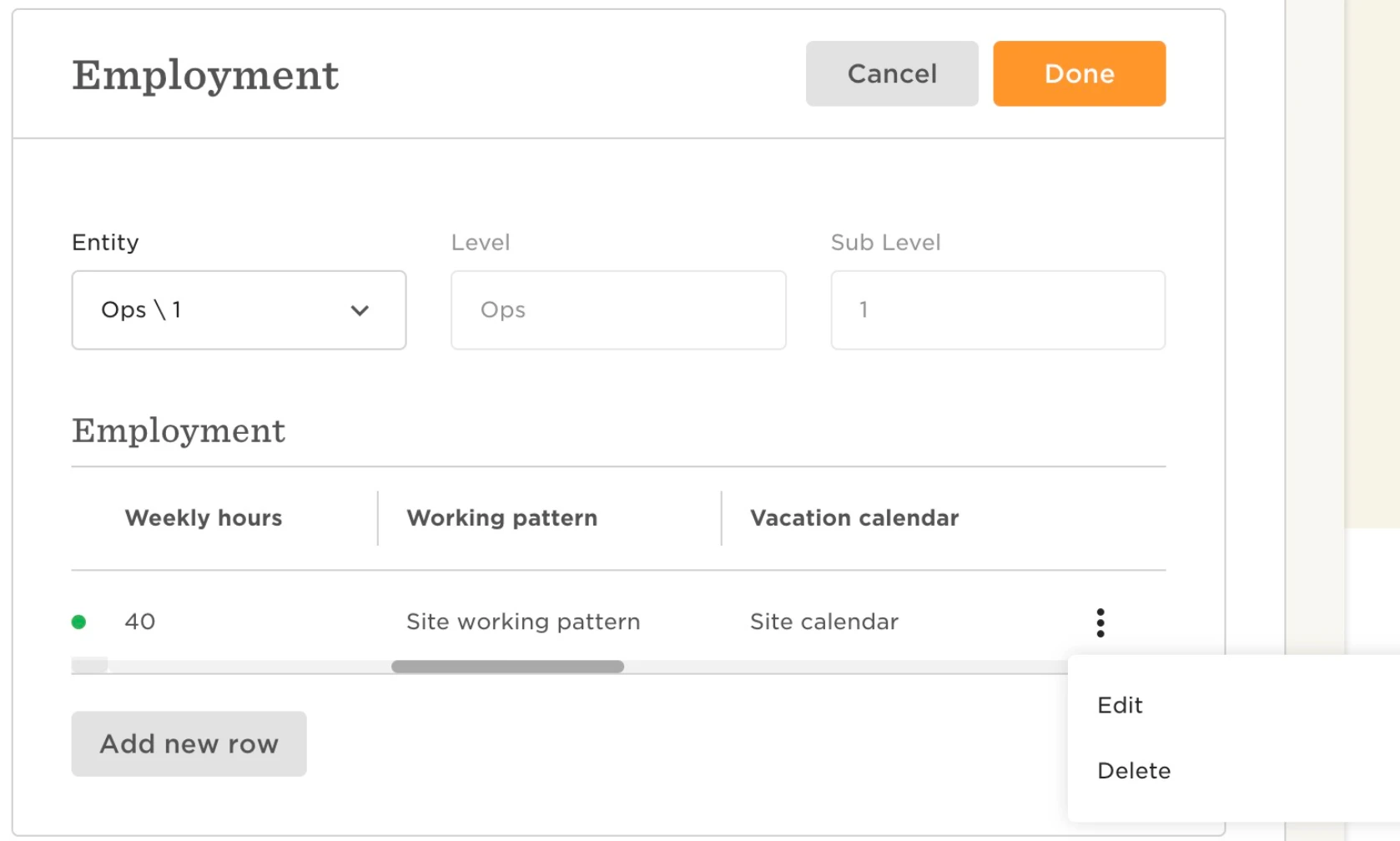
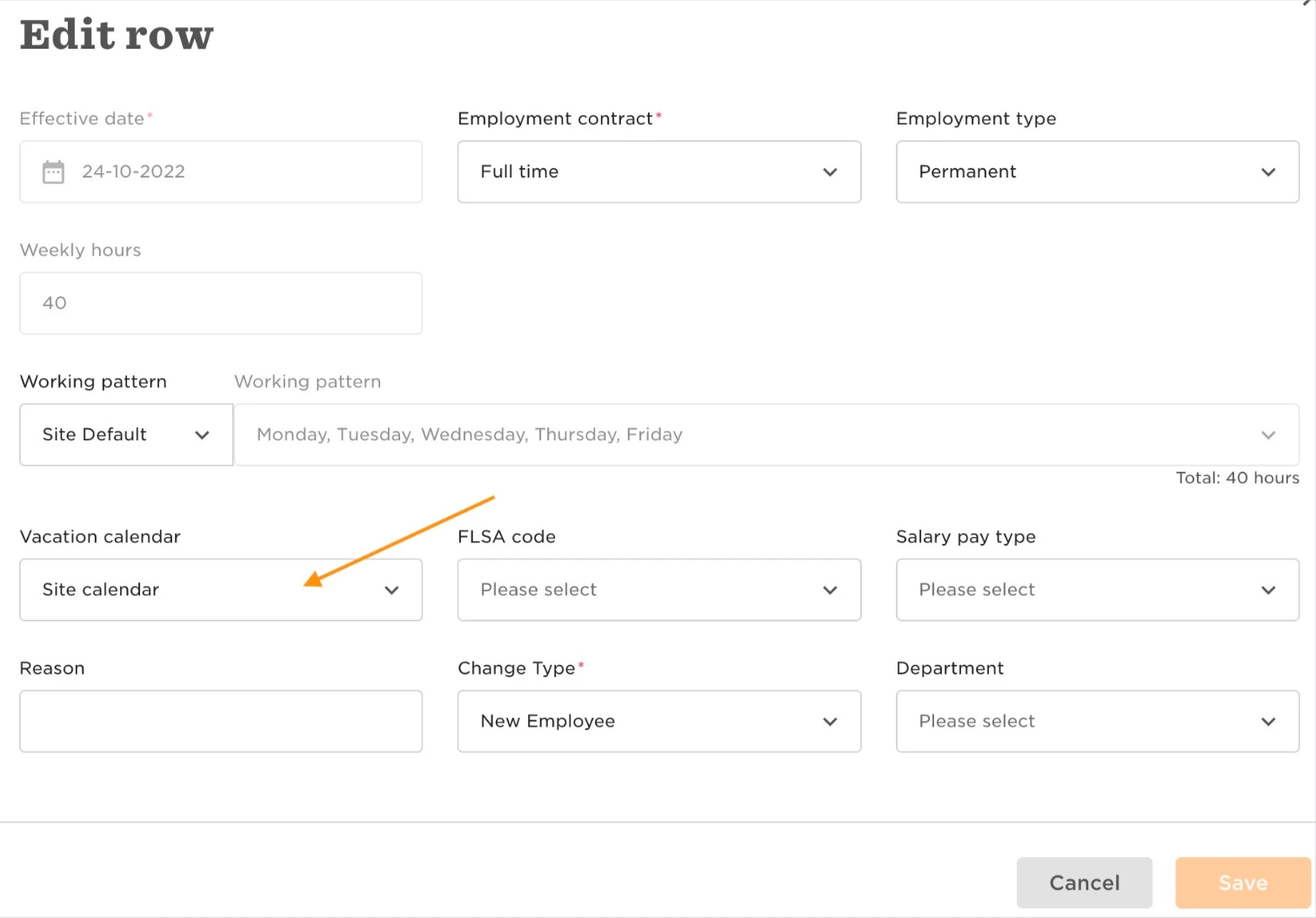
By changing the Vacation calendar field to "Site default", it will automatically update each time the site is changed. You can change this through the employee's profile, by clicking on the pencil icon at the top right of the category, then on the 3 dots at the left of the row you wish to change and select Edit. On the vacation calendar field dropdown menu, select "Site calendar", and Save.