

When creating a custom working pattern in Bob, you will be asked to enter a value for Hours in a non-working day.
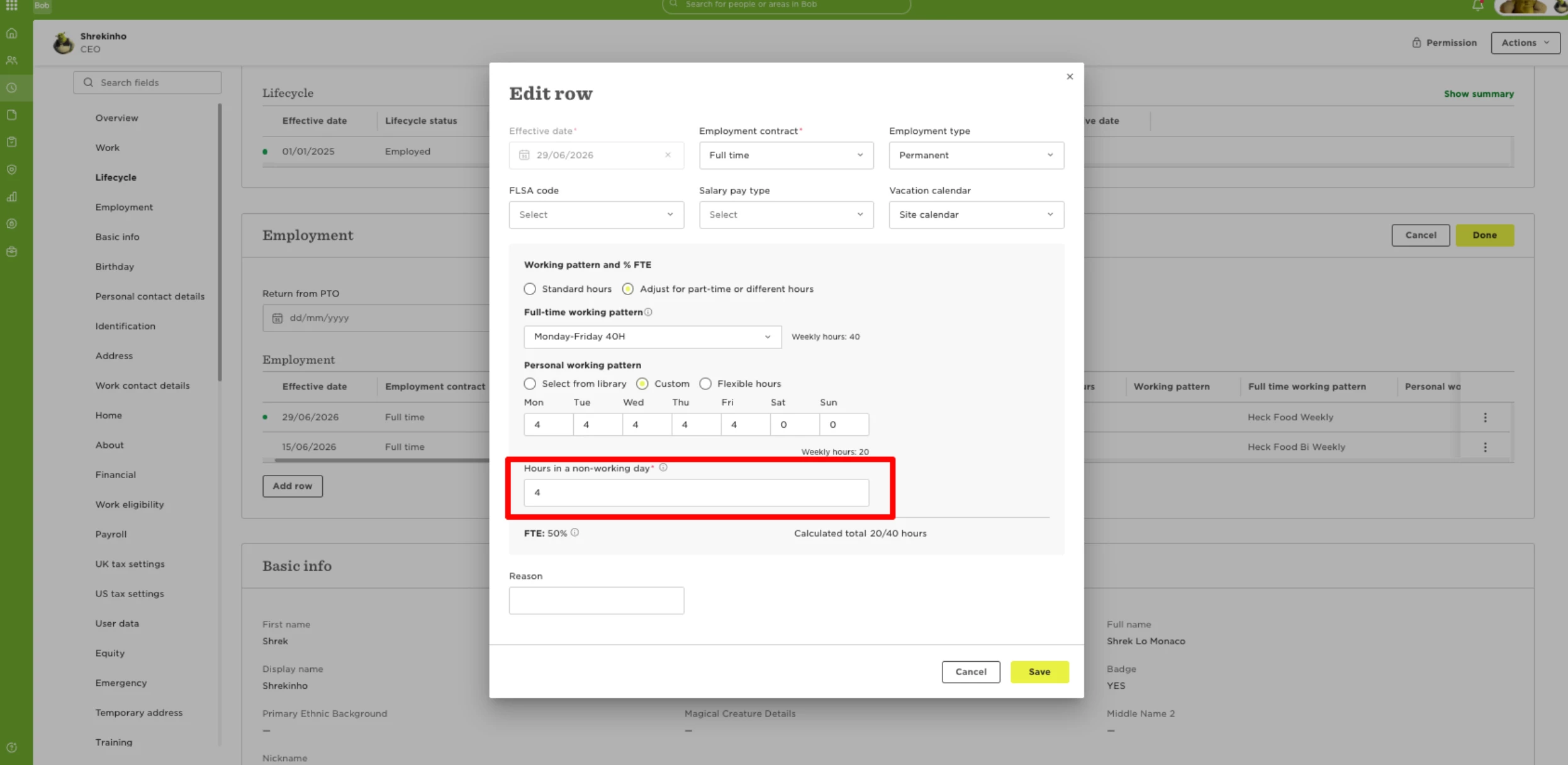
This value is important for part-time employees and employees with custom working patterns, particularly when the time-off policy setting Prorate public holidays when applicable is enabled.
Why this value matters
To calculate a prorated allowance correctly, Bob needs to know how many hours a non-working day should represent.
For example, when a public holiday falls on a day the employee does not normally work, Bob uses the Hours in a non-working day value as part of the allowance calculation.
If this value does not reflect the employee’s working pattern, the prorated allowance may not be calculated as expected.
How to choose the correct value
For employees who work the same number of hours each working day, use that daily number of hours.
For example, if an employee works:
- 4 hours per day
- 5 days per week
Set Hours in a non-working day to 4 hours.
For employees who work a different number of hours each day, we recommend using the average number of hours worked per day.
For example, if an employee works:
- Monday: 8 hours
- Tuesday: 6 hours
- Wednesday: 4 hours
- Thursday: 6 hours
- Friday: 8 hours
Their average working day is:
32 weekly hours ÷ 5 working days = 6.4 hours
In this case, set Hours in a non-working day to 6.4 hours.
Recommended approach
Before saving the custom working pattern:
- Review the employee’s normal weekly schedule.
- Calculate the average daily hours where the schedule varies.
- Enter that value in Hours in a non-working day.
- Confirm that the time-off policy uses Prorate public holidays when applicable, where relevant.
Setting this value accurately helps Bob calculate allowances consistently for part-time employees and employees with non-standard working patterns.