The work category is visible to everyone by default, it allows one to see an employee's manager and job titles. Changes in the work category are only visible to employees with history permissions, so the employees only see the current data.
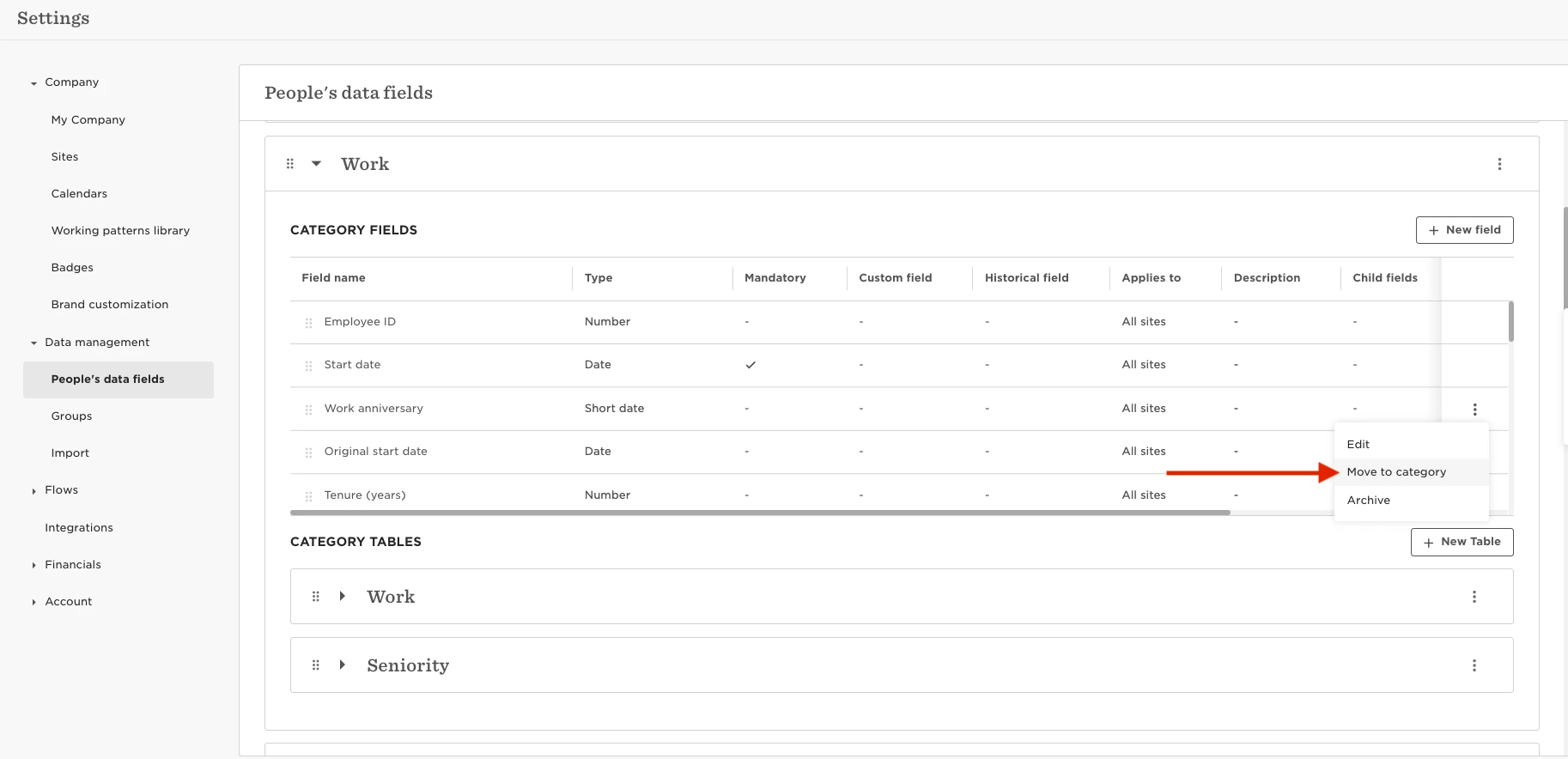
However, if you have some fields you would like not to be visible as a part of this category, you can move them to a different category with the needed permissions.
In order to do so navigate to:
- Settings
- Data Management
- People’s Data fields
- Work category
Then click on the three dots next to the field you would like to move, you will be able to select a new category for this field.