
tips & tricks

Giving profile owners the ability to view/perform tasks they can't by default 💡

  • Feb 6, 2023 10:46 AM UTC
  • Sep 17, 2024 10:59 AM UTC
  • 6 replies
  • 231 views
  • Translate All

Leah Gidberg
Bobber

Hi, everyone 😄.

I’m Leah, a Professional Services Engineer, based here at HiBob in Israel! I just thought this was a solution worth sharing, which lets you give profile owners the ability to do a lot more than they can by default in Bob.

Here’s a step-by-step guide:

  1. Create a new permission group with all employees
  2. In the “applies to” section, choose “Email” - “Same as viewer”
  3. Grant the relevant permissions

Each employee will only be able to see their own section, as they only have the same email as the viewer 🙂.

And here’s a video walkthrough from my demo account:

Super easy (hopefully). If you have any questions though, feel free to ask them below.

Thanks very much! 
6 replies

  • Mar 2, 2023 7:34 PM UTC

@Leah Gidberg I tried this because I wanted to expose the Date of Birth field in Personal so employees may see their own full date of birth, but it didn’t appear to work. Is there a way to do that?

Translate

Leah Gidberg
Bobber
  • Author
  • Bobber
  • Mar 6, 2023 5:22 PM UTC

Hi, @Ben Fahlgren,

Thanks for asking this question. By default, the date of birth should already be visible for each employee in their profile.

Check to see if anything has been changed in the original permissions settings for the personal tab. If you still can't fix it, I would advise you reach out to Support. They'll be able to solve this for you 😃

Translate

  • Mar 6, 2023 10:25 PM UTC

@Leah Gidberg The employee is able to see the Birthday (month and day), but not the full date of birth.

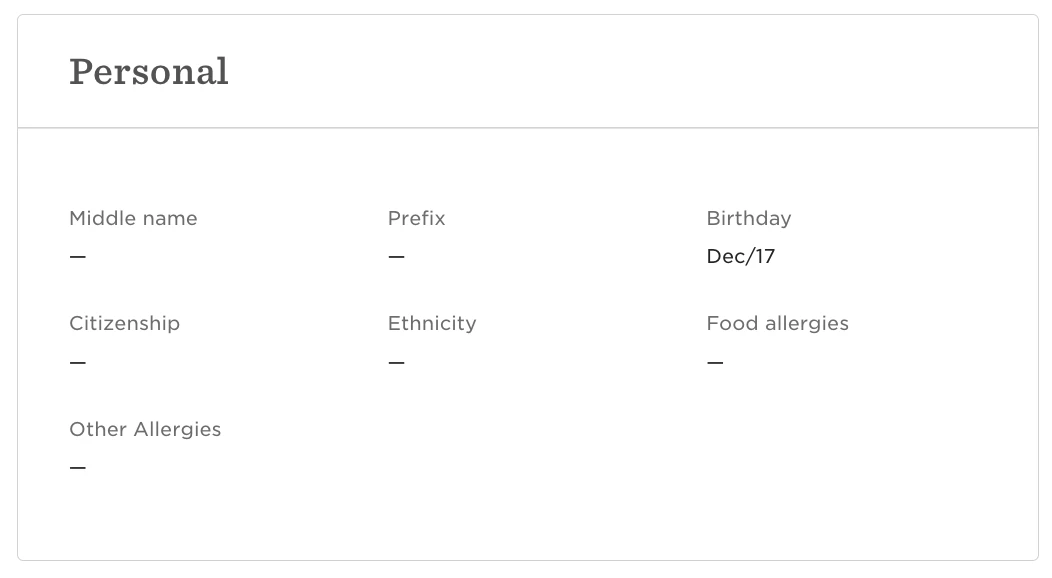
e.g. this is what employees can see:

Personal section when impersonating the employee.


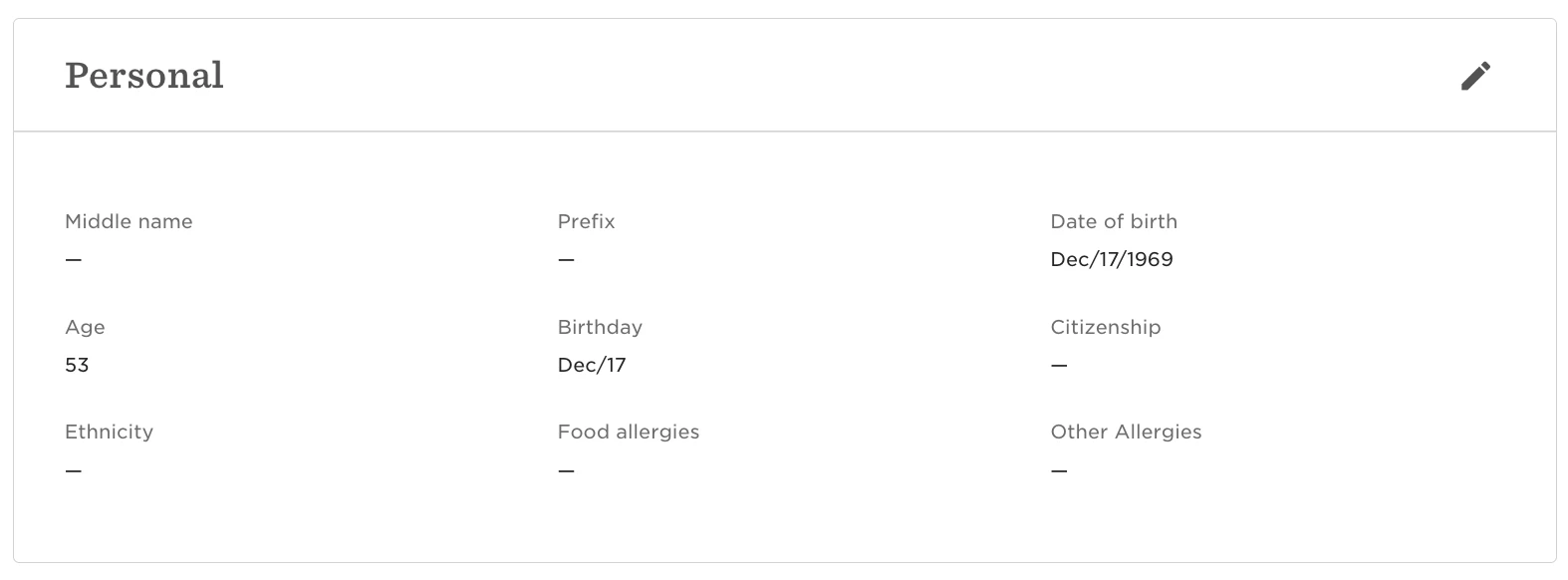
and this is what an admin can see:

Personal section on an employee profile when not impersonating the employee, in my admin view.


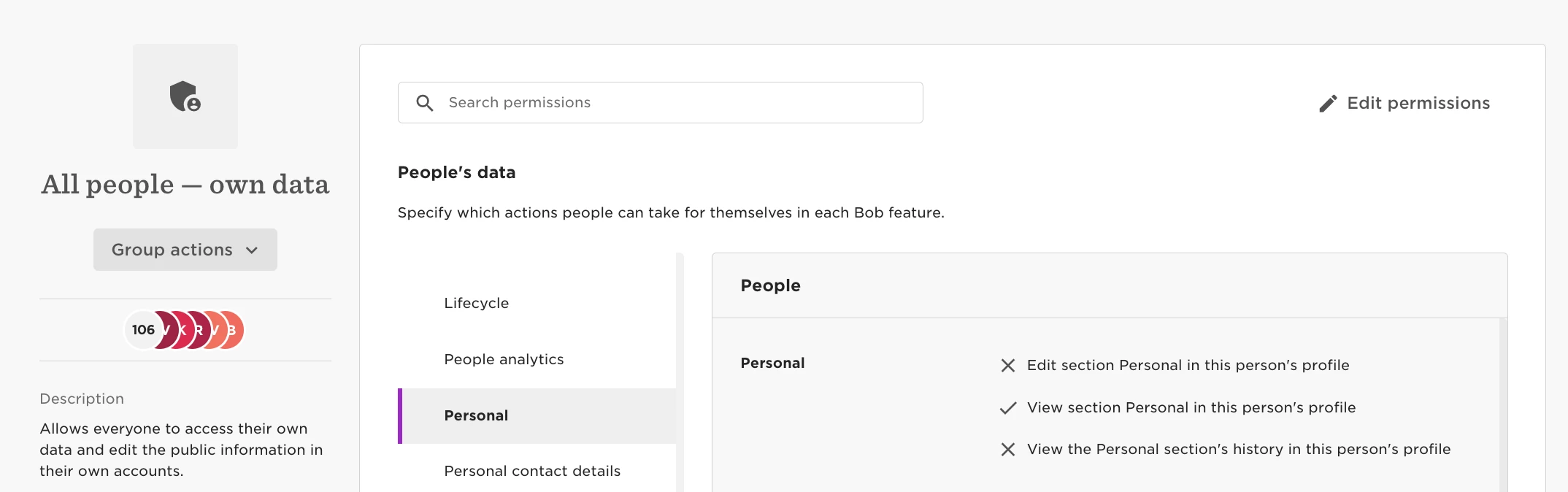
The permissions for the personal section in “All people – own data” should allow employees to view the section Personal;

Settings > Permissions > All people – own data

but some fields are being hidden, and I’m not sure how to overcome that. If anyone here has a suggestion it’d be appreciated.

Translate

Leah Gidberg
Bobber
  • Author
  • Bobber
  • Mar 7, 2023 7:41 AM UTC

Hi again :)

The “Date of birth” field is a special field type that is only visible for EEs who have edit rights. 

If you will open edit rights, they will be able to view it.


Translate

  • Mar 7, 2023 5:53 PM UTC

I’d like to not offer edit access because I’d like to have a flow trigger notifications and approvals on the items in the personal category. Hmm..

Translate

Leah Gidberg
Bobber
  • Author
  • Bobber
  • Mar 9, 2023 10:17 AM UTC

How about moving it to another category? 
Even creating a new one just for DoB - I mean, there is very little chance that an employee will actually edit their DoB, right? 😉

You can still keep “Birthday” in the personal category so it will be displayed as always in the homepage etc, but the DoB will have it’s own home.

Translate