

If you see an “Employee not found” error when updating a job title in the Work table, check the Reports to field in the employee’s current row.
If the Reports to field displays “Unknown,” the employee previously listed in this field may no longer exist in the system. This can prevent you from saving a new row with the updated job title.
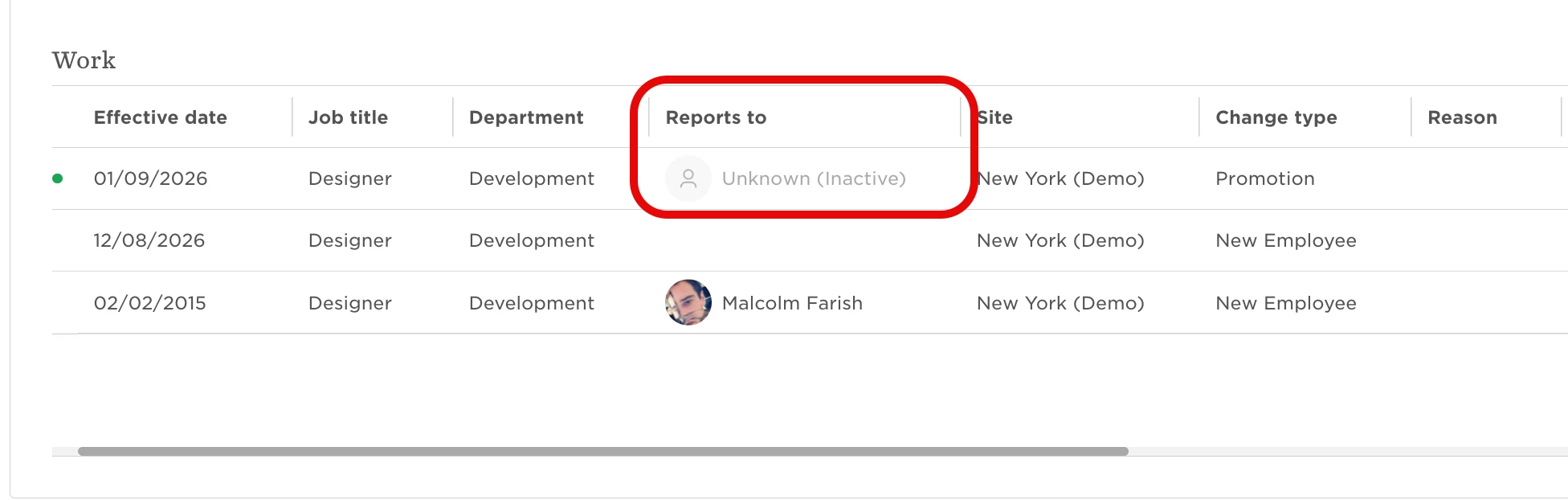
To resolve the error:
- Add a new row to the Work table with the updated job title.
- Clear the value from the Reports to field.
- Click Save.
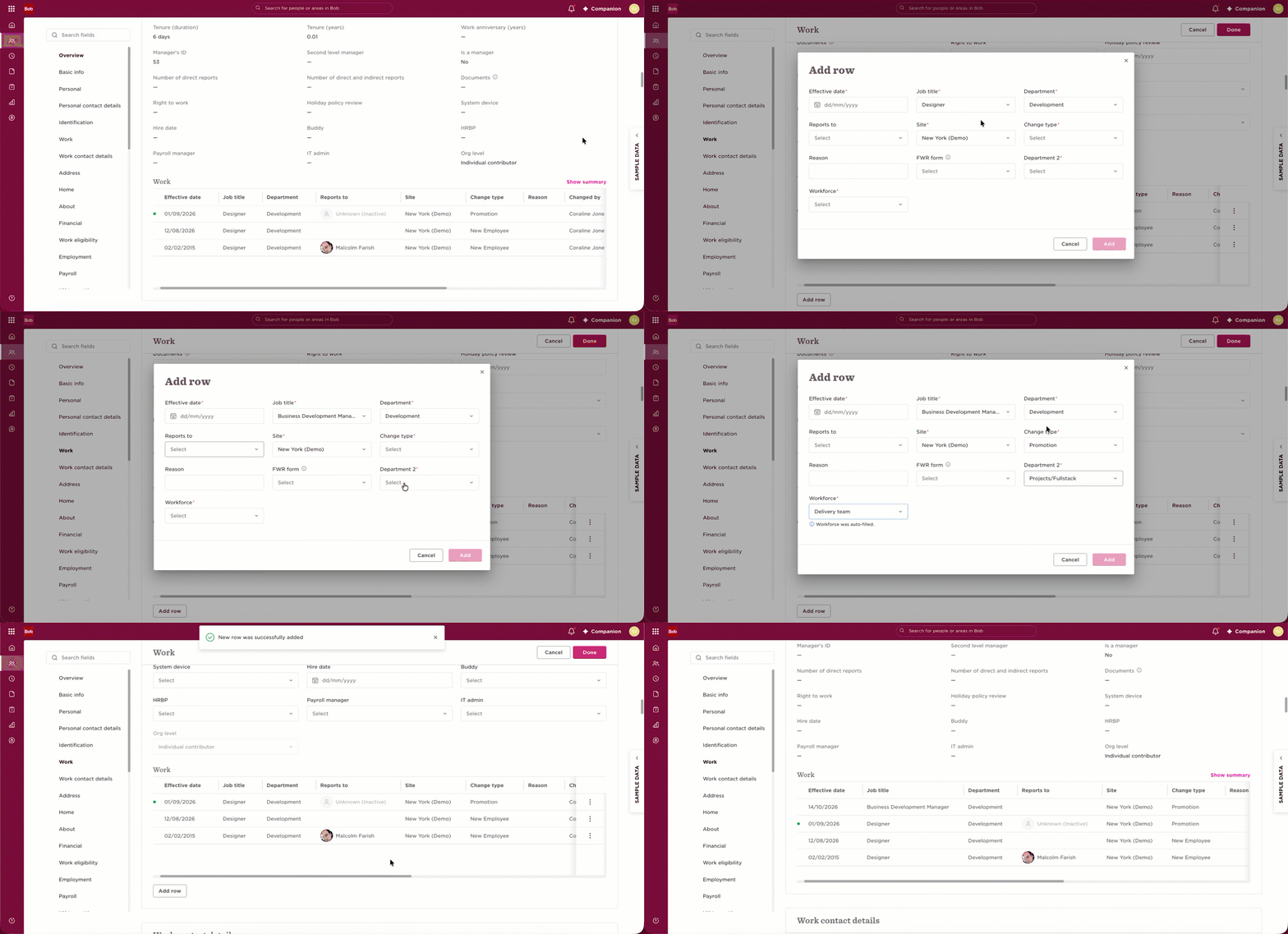
You should now be able to save the updated job title successfully.