

If you get the error "Entity already exists" when trying to rename a field, you had this value in the past, and it was deleted.
You must do the following:
Let's say I want to change the value "Customer Support" to "Customer Experience" and get this error.
I will need to:
1. Add the field "Customer Experience":
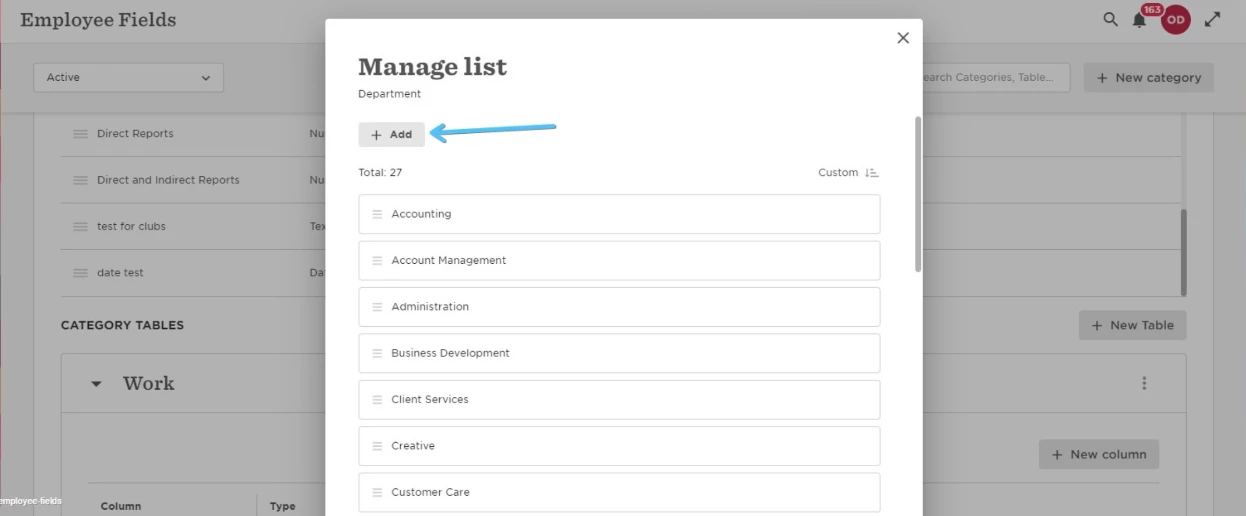
2. Rename the field "Customer Experience" to whatever you want. For example, "Customer Experience(archived)":
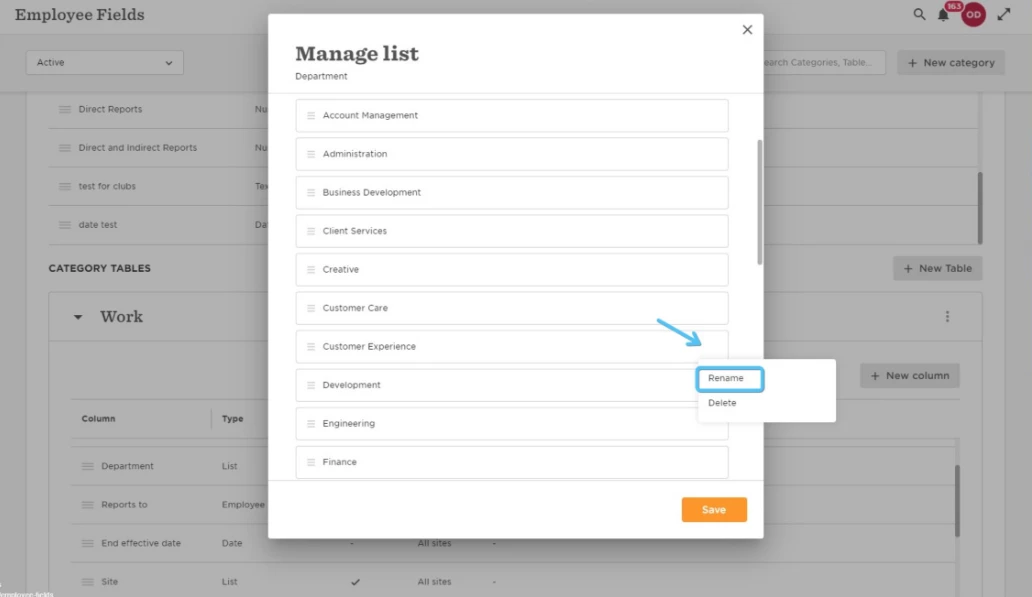
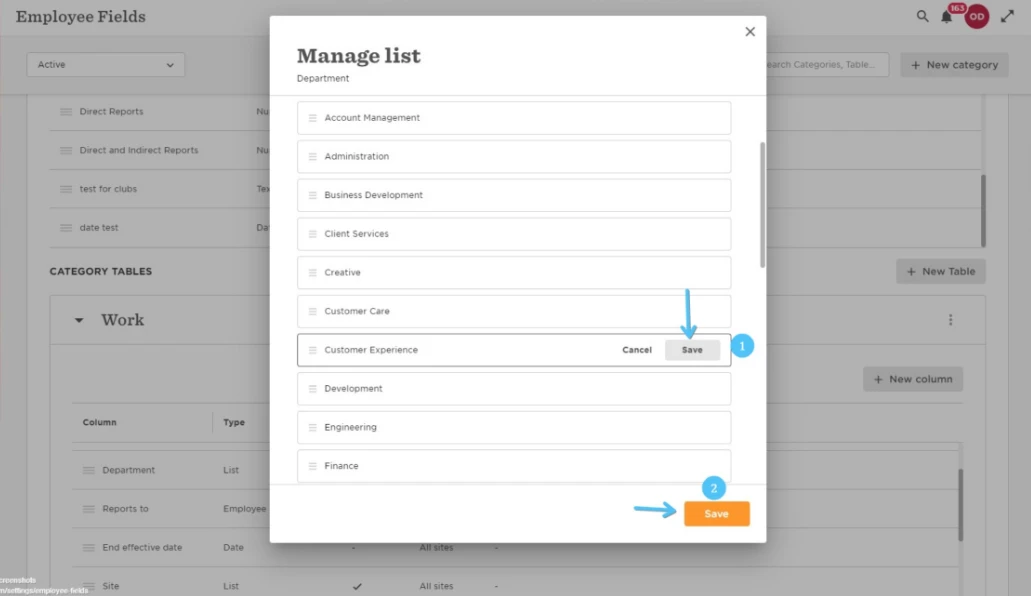
3. Click save here on the grey button, then on the orange button:
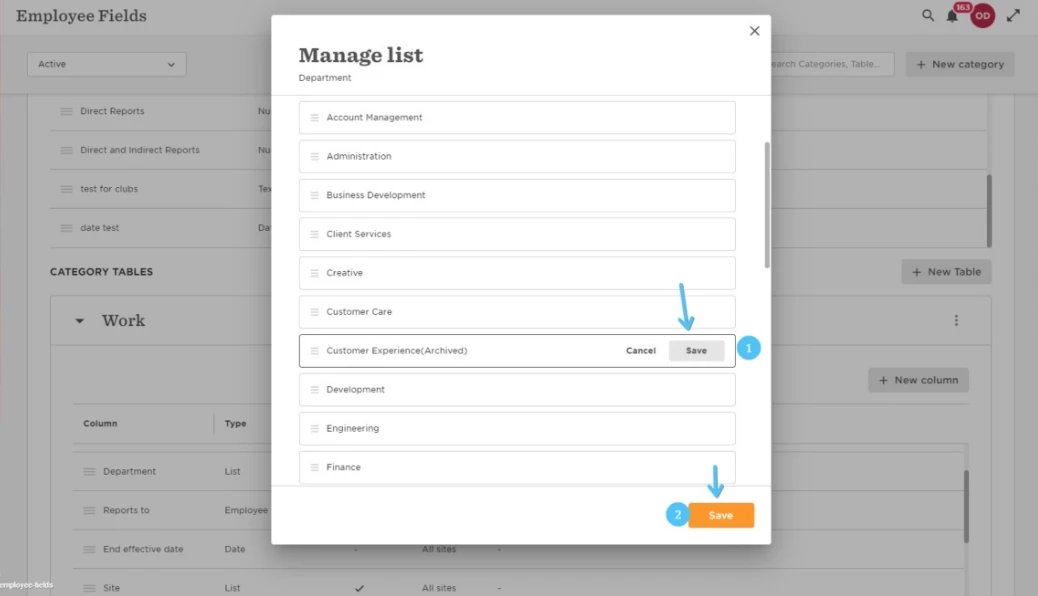
4. Then go back to "Manage list":
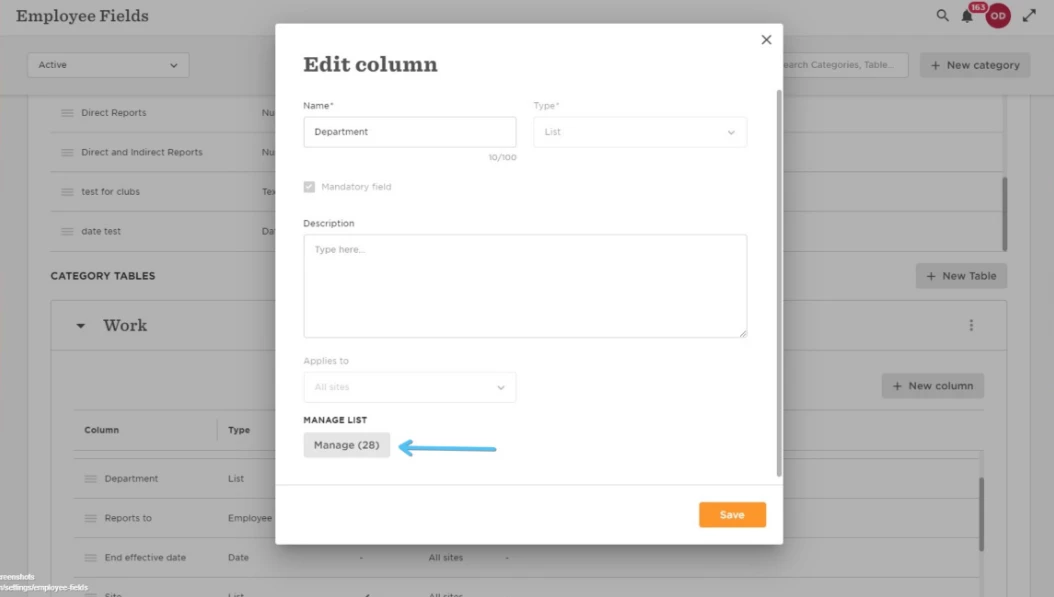
5. Rename "Customer Support" to "Customer Experience", click save here on the grey button, then on the orange button:
6. And you should receive a confirmation it was updated successfully:
7. Now if you want you can delete the value "Customer Experience(archived)"