

When we condition the list in an employee reference field to show only a specific group of employees, the users will only see the correct list of people if they have visibility over the field that was set as the condition in the reference field's list.
Here's an example:
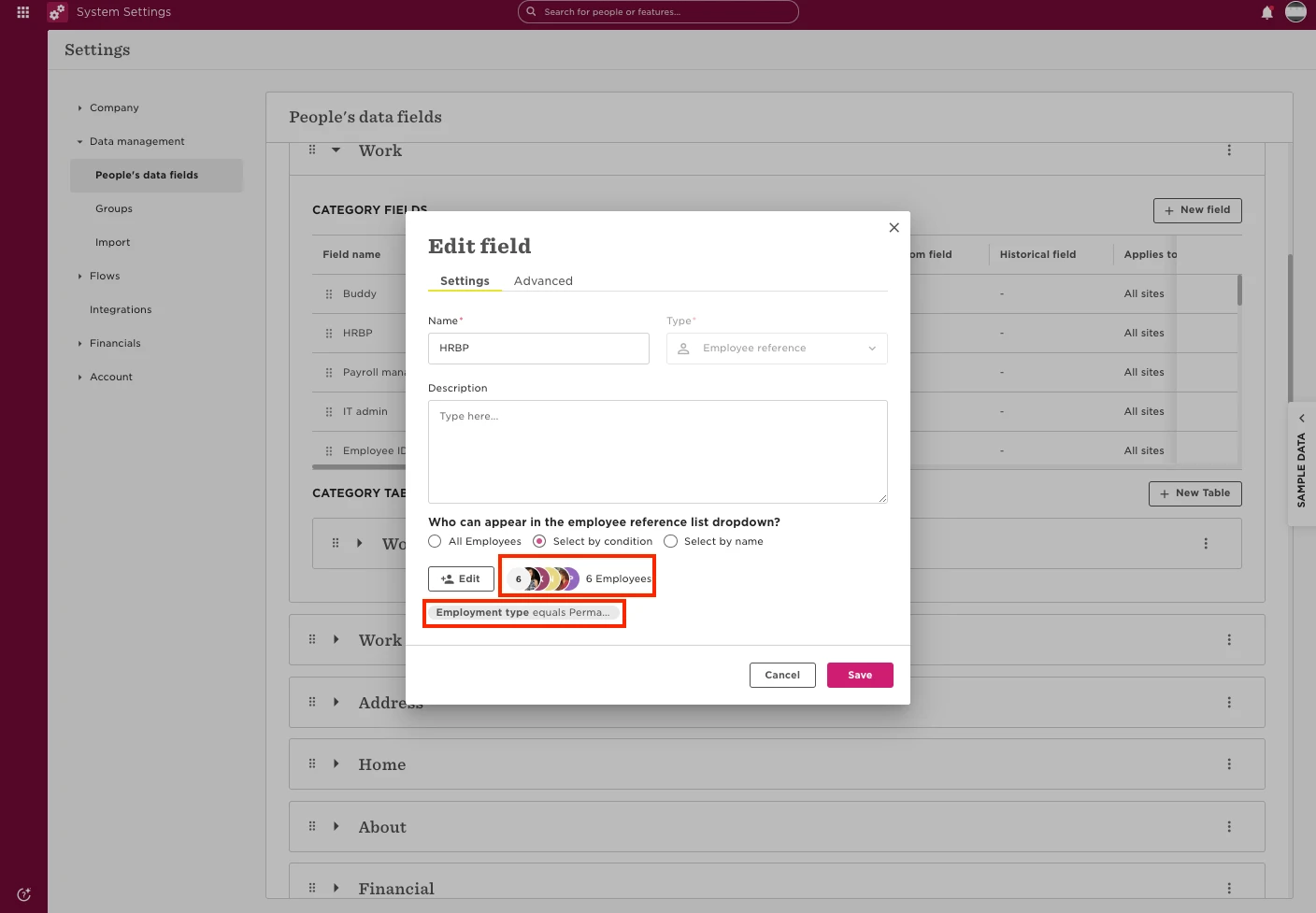
We have an employee reference field named "HRBP" and this field's list is conditioned to show only employees with the "Employment type" "Permanent", as we can see there are only 6 employees in this list:
If we try to edit this field for an employee without having visibility of the "Employment type" field of any of the 6 employees in the list, we will see the list of all the users we can have access to in Bob:
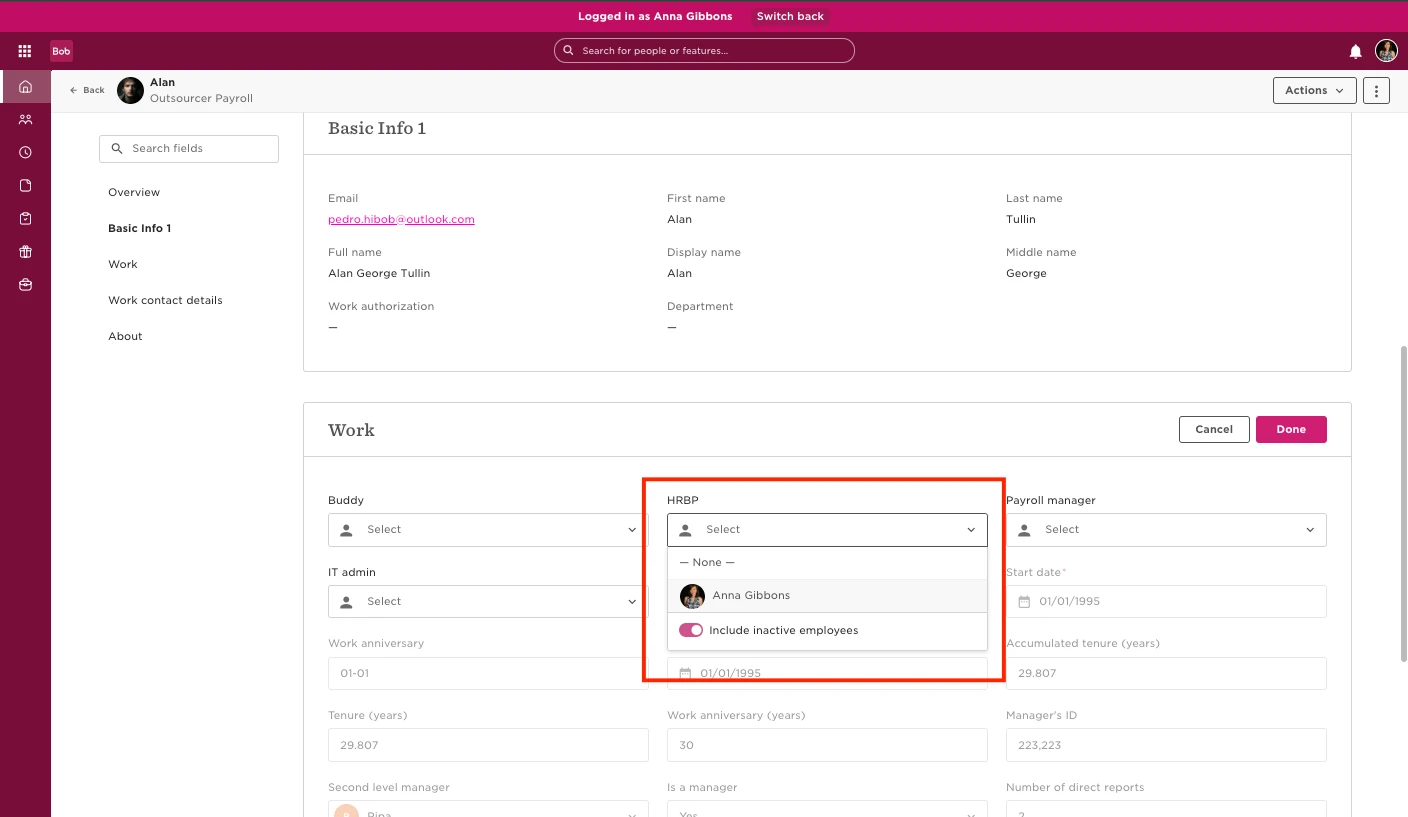
If we still can't see the "Employment type" field for the employees in the list, but we are part of the list, the only option will be ourselves:
In sum, for a user to see a conditioned employee reference field list correctly, they need to have visibility over the field in the condition for the employees in the list. The expected behaviours are:
a) If the user has viewing access over the field used in the condition:
- The list will show the correct list pre-selected list of employees.
b) If the user does not have access over the field used in the condition and is not part of the list:
- The list will show all employees they have visibility over.
c) If the user does not have access over the field used in the condition, but is part of the list:
- The list will only show themselves.
- - Additionally, if the field is mandatory, their name will be automatically populated in the list.