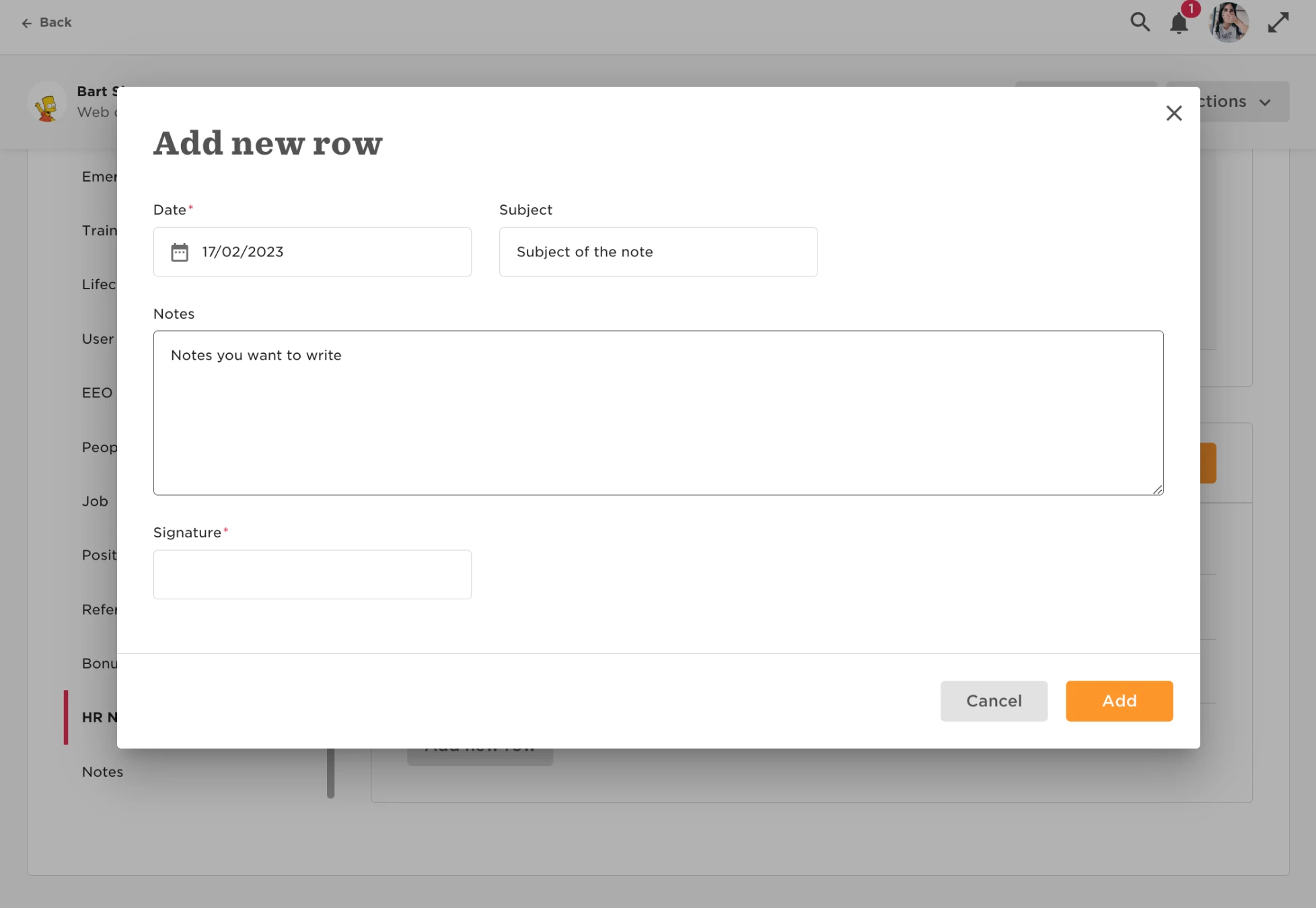

Creating a notes section in the employee profiles.

  • April 5, 2023
  • 4 replies
  • 283 views

Paula Fernandes
Bobber

There's no default category on the profile for notes, but this can be easily set up!

In order to create this category, head to:

  • Settings  
  • Data management  
  • People’s data fields  
  •  Add new category
  • Add new table

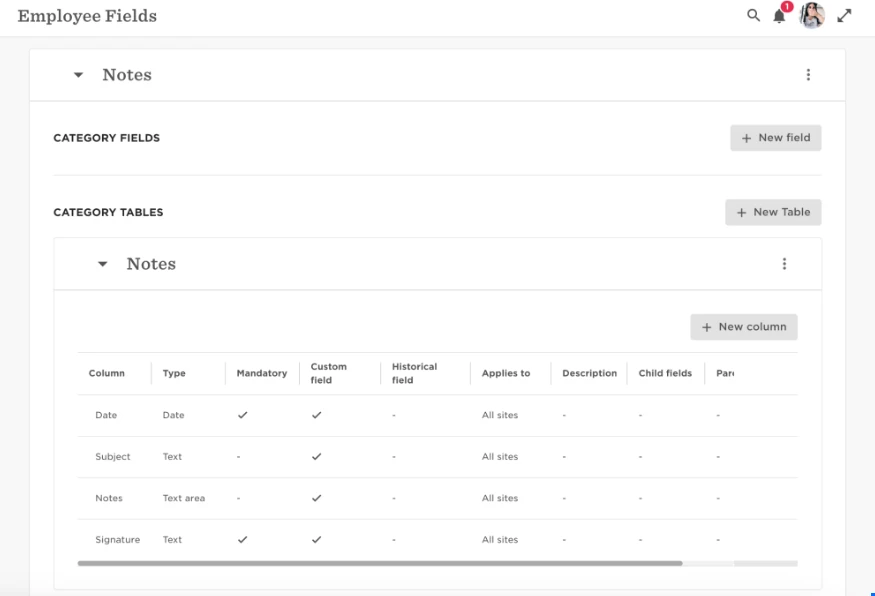
This is how I have my Notes category set up:

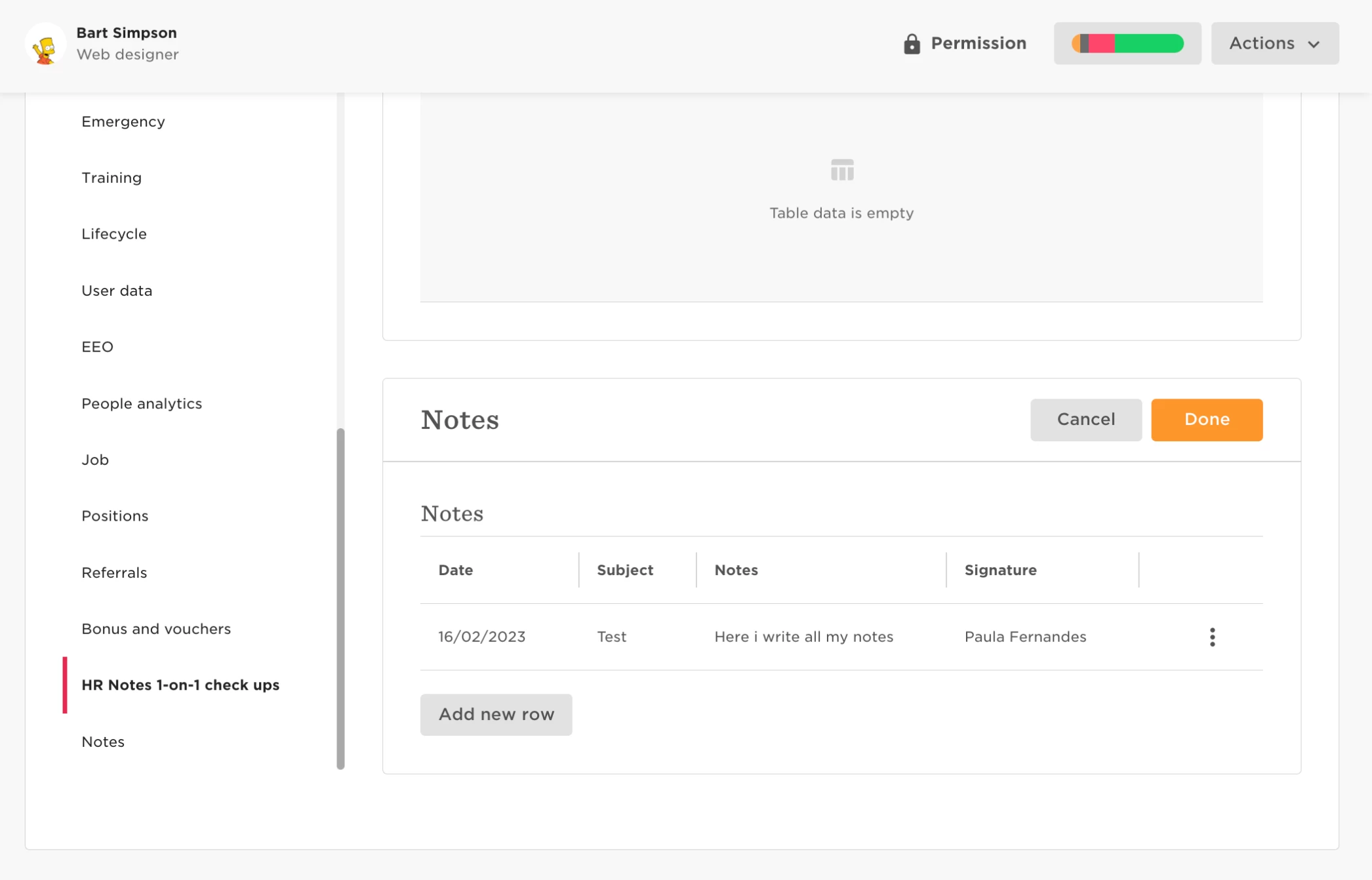
And this is how it looks like on the profile:


Just don't forget to turn this category visibility off on the Permissions groups "All people - other’s data" and "All people - own data", if you want this category to be private (this is commonly used for HR notes for example)! 🙂️

 

4 replies

Super helpful solution - thanks!


Hello, this is great news.  I’m having a bit of trouble getting it to add to my people’s pages.  I added it as you showed above, but it is not transferring to their page, can you help me please?


Thank you!


Also, is this NOTE area capable of just text in the box area?  Truly note taking and not just “check marks”?


Thank you.


Kiare Tavarez
Bobber

Hi ​@Cheryl Reilly! To answer your question, you would be able to add a text field in the table. However, regarding it not appearing for some of the employees, have you been able to check the People’s Data Fields and making sure it applies to All Sites