

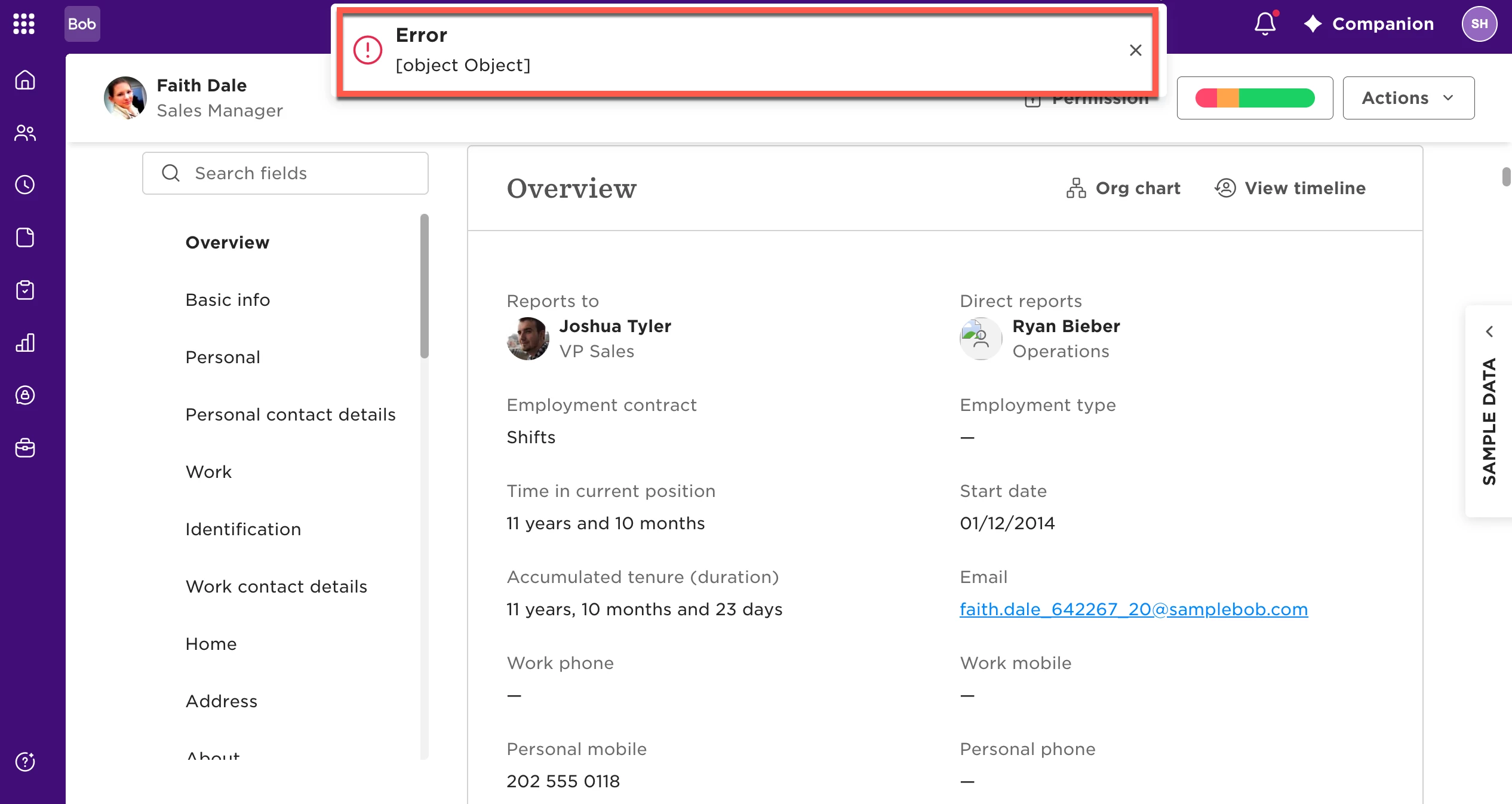
If you see an [object Object] error when updating an employee’s start date, check the budget date assigned to their position in Workforce Planning.
This error can occur when the Start date you’re trying to select is earlier than the Budget date assigned to the employee’s position in Workforce Planning.
Screenshot 1 – Error displayed when updating the employee’s start date
To resolve the error:
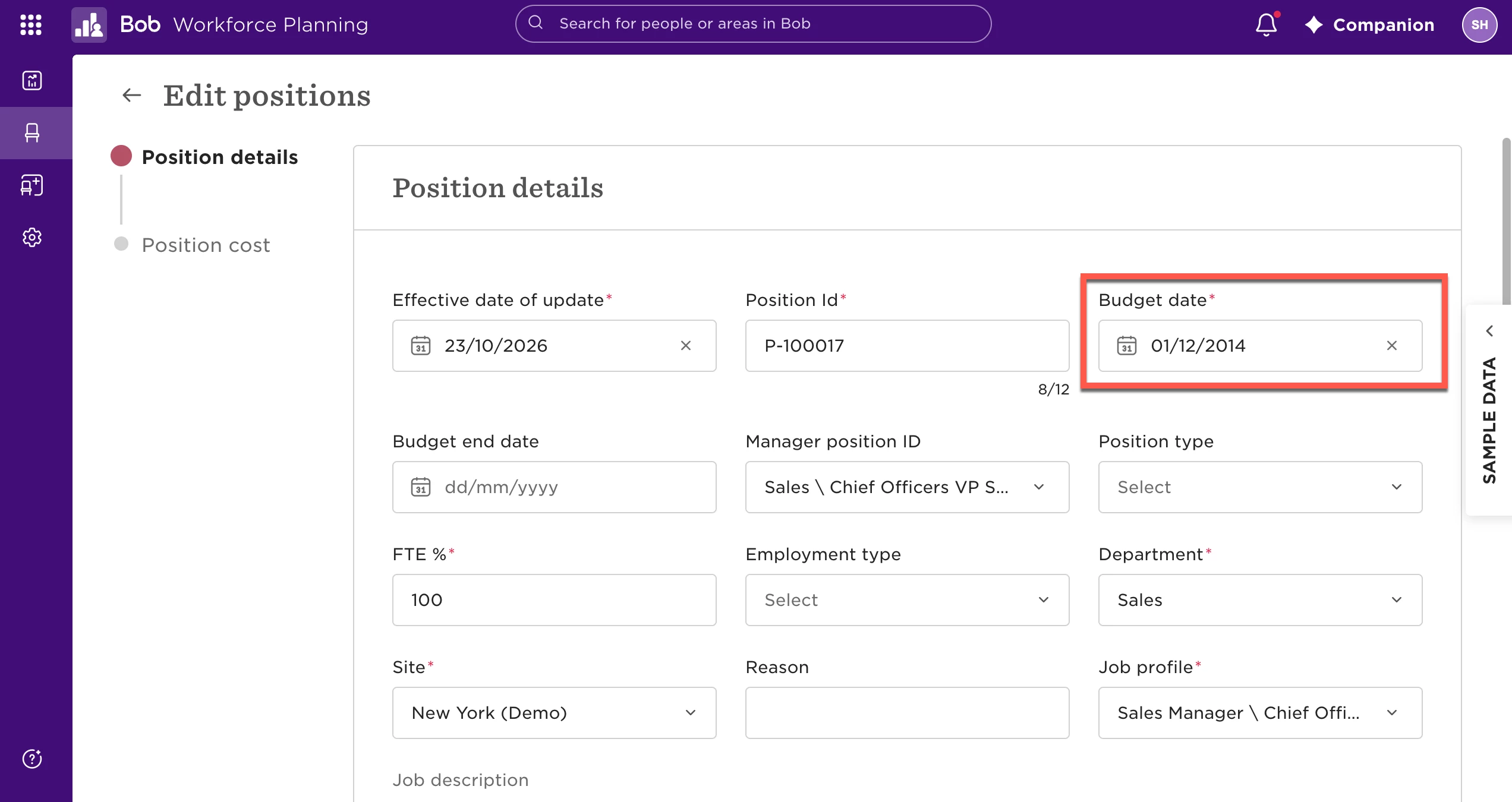
- Go to Workforce Planning and locate the position assigned to the employee.
- Edit the position and go to Position details.
- Update the Budget date so it accommodates the employee’s intended Start date.
- Save your changes.
- Return to the employee’s profile and update their Start date again.
Once the budget date has been amended, you should be able to update the employee’s start date without receiving the [object Object] error.