Go to employee profile → Actions button → Work changes → Change Email.
Note: once you change the email, a new invitation will be sent automatically to the employee.
If the employee was in “Active” status, their status will change to “Invited”
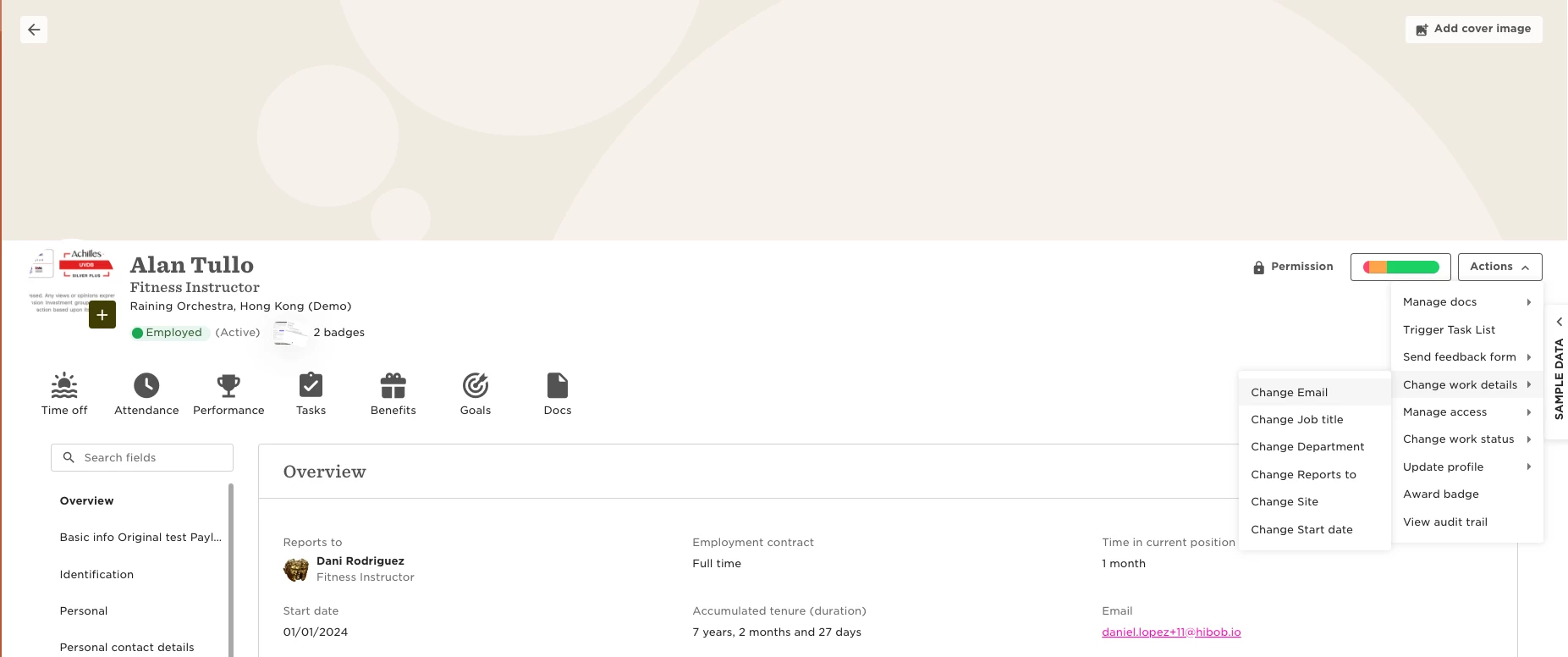

Go to employee profile → Actions button → Work changes → Change Email.
Note: once you change the email, a new invitation will be sent automatically to the employee.
If the employee was in “Active” status, their status will change to “Invited”
Already have an account? Login
Not a customer yet? Enquire today. Create an account
Enter your E-mail address. We'll send you an e-mail with instructions to reset your password.