Changing the work email of an employee.

  • Aug 1, 2023 10:07 AM UTC
  • Sep 22, 2024 7:52 AM UTC
  • 4 replies
  • 673 views
  • Translate All

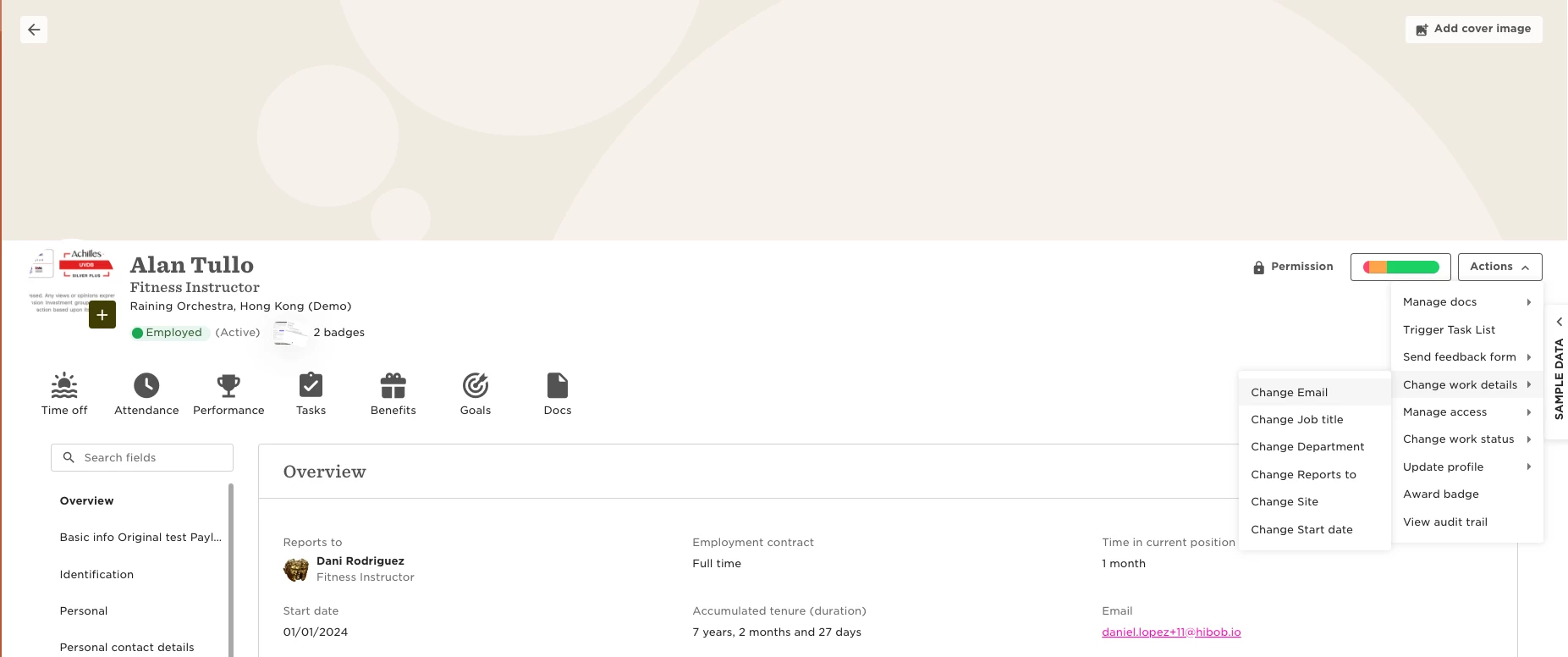
Go to employee profile → Actions button → Work changes → Change Email.
Note: once you change the email, a new invitation will be sent automatically to the employee.

If the employee was in “Active” status, their status will change to “Invited”
 

4 replies

Amichai Goore

Hi @Customer Experience Team,

Is it possible to set a notification list or to automatically trigger a task list, following this action?

Thanks.

Translate

Lindsay Sinenberg
Bobber

Hi @Amichai Goore! Currently, there isn’t an option to create a custom flow for this change or to trigger a task list automatically when the change happens, unfortunately. The HR team will need to manually trigger a task list for the specific user if a work email change has occurred on their profile. 
I can confirm that a feature request does exist with our Product Team so I tagged your company 😊

Translate

Hello ​@Lindsay Sinenberg is there any update on a if the task list/email notification feature for when the work email address is updated?

Translate

Kelsey Kenney

Hi ​there! 


I am also curious if there has been an update to this. 


​@Lindsay Sinenberg and ​@Edgar Marquez 


We would like to give our IT manager access to update the work email field but ideally I would like to receive a notification when a work email is updated. 

Translate