
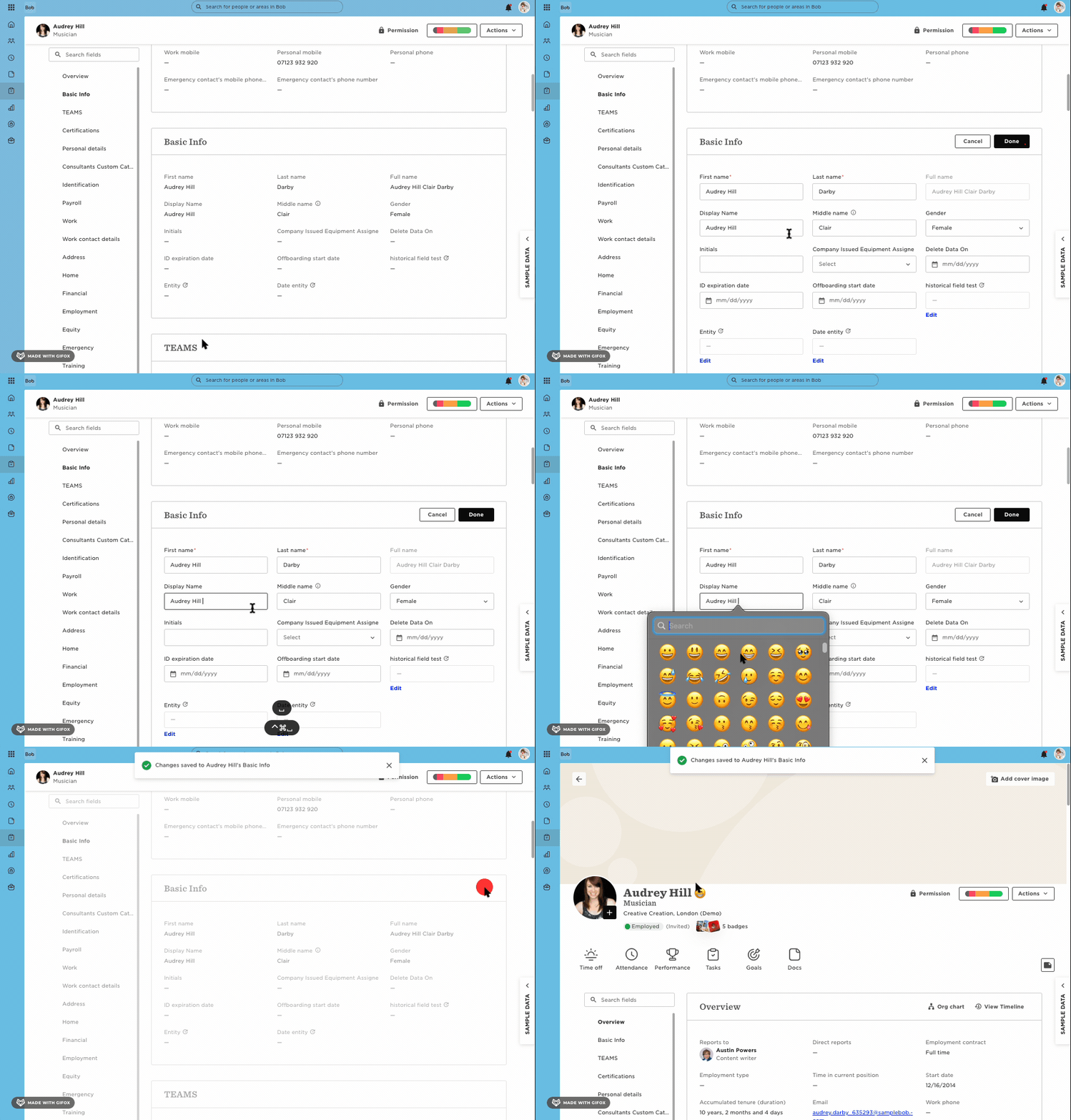
You can quickly personalize an employee’s display name in Bob by adding an emoji.
Add an emoji directly in the Display Name field
-
Go to the employee’s profile in Bob.
-
In the Basic Info section, click the Edit (pencil) icon next to the Display name field.
-
Place your cursor where you want the emoji to appear.
-
Open your device’s emoji picker:
-
Windows:
Windows + . -
Mac:
Control + Command + Space
-
-
Choose your emoji.
-
Click Done to save.
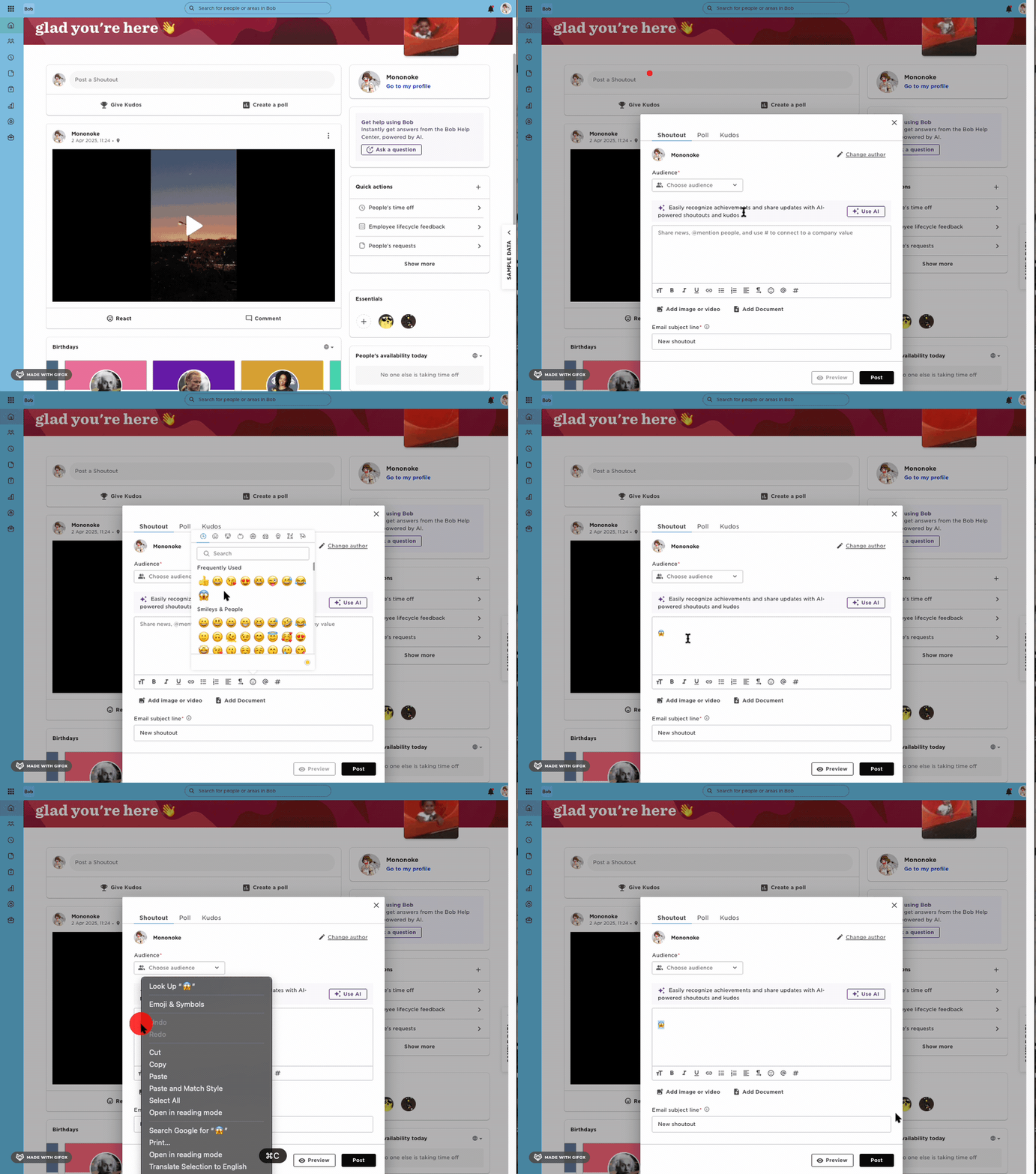
Alternative: Copy from a Shoutout
-
From the Bob homepage, open the Shoutouts feature to start a new shoutout.
-
Click the emoji icon under the text box to open the emoji picker.
-
Select and copy your emoji.
-
Go back to the employee’s profile, open the Display name field, and paste the emoji where you want it.