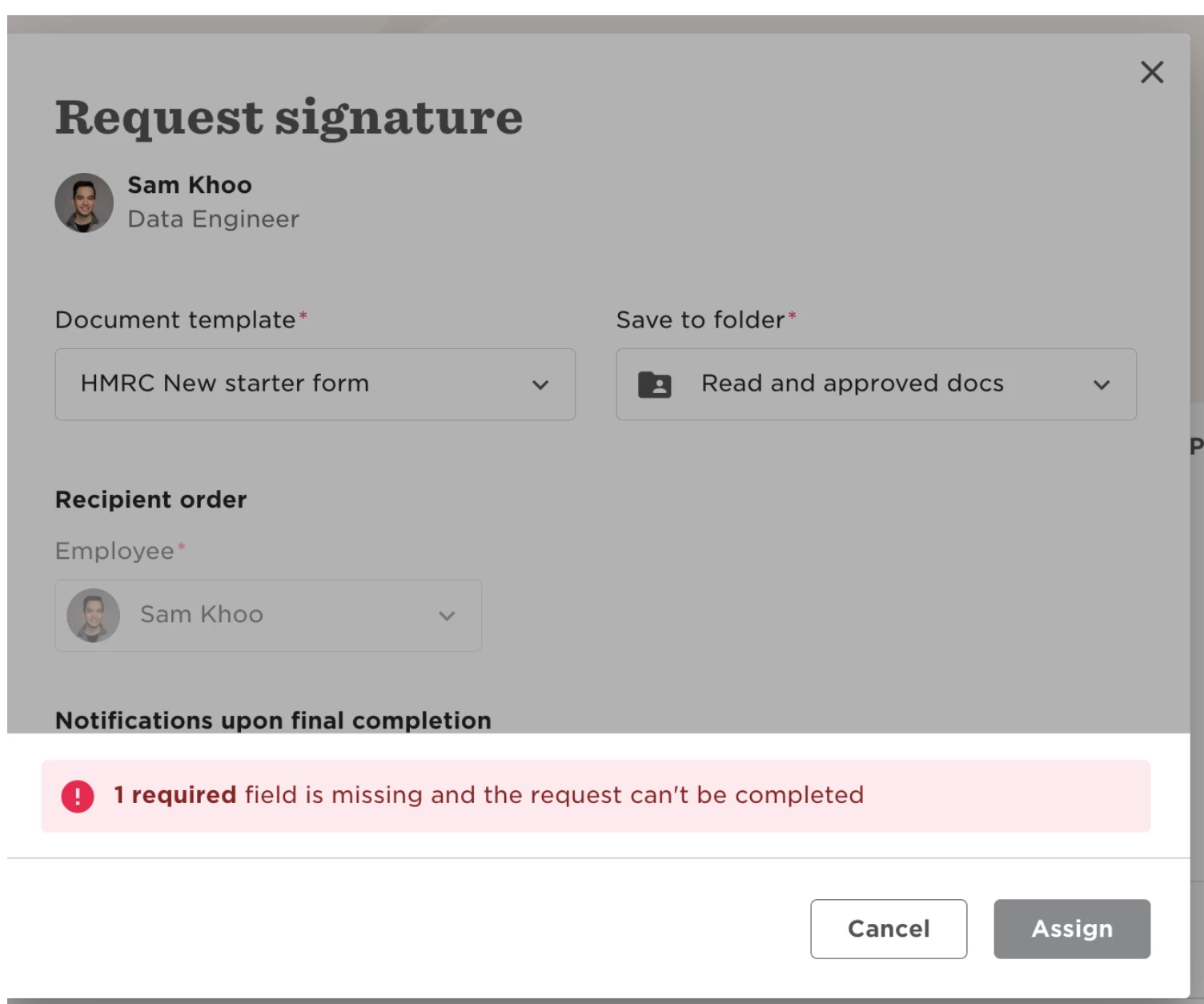
When sending an e-signature request, you may see this error:
“1 required field is missing and the request can’t be completed.”
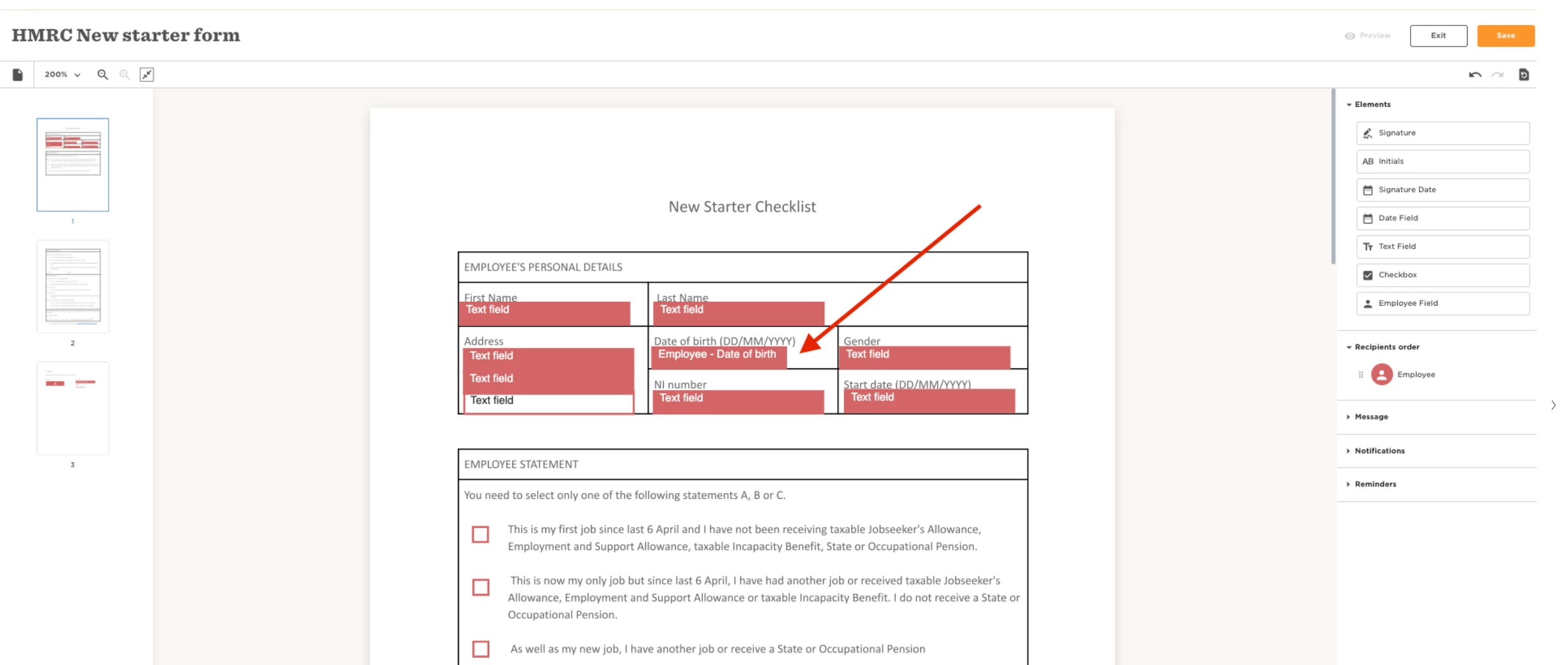
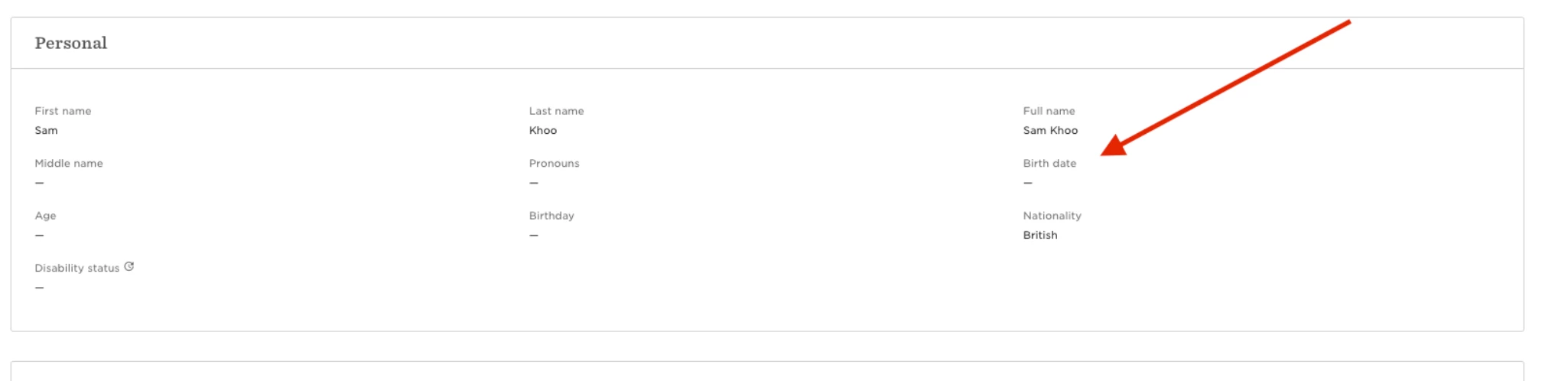
Even if it’s not immediately obvious what’s missing, the system is flagging a required field in the employee’s profile that hasn't been filled out.
To resolve:
-
Open the employee’s profile.
-
Check for missing mandatory fields that relate to the form you’re sending—things like birth date, location, address, or other personal details.
-
Fill in any missing required fields.
-
Try sending the form again.
Once all required fields in the employee profile are completed, the form should send successfully.