


Bob doesn’t currently support reassigning an eSign request that’s already in progress. If you need a document signed by someone else, you’ll need to cancel the request and then recreate it with the correct signer.
Step 1: Cancel the pending request
-
Go to Docs > People’s requests
-
Filter by Pending
-
Tick the box for each request you want to cancel
-
Open the Actions menu and select Cancel request, then apply
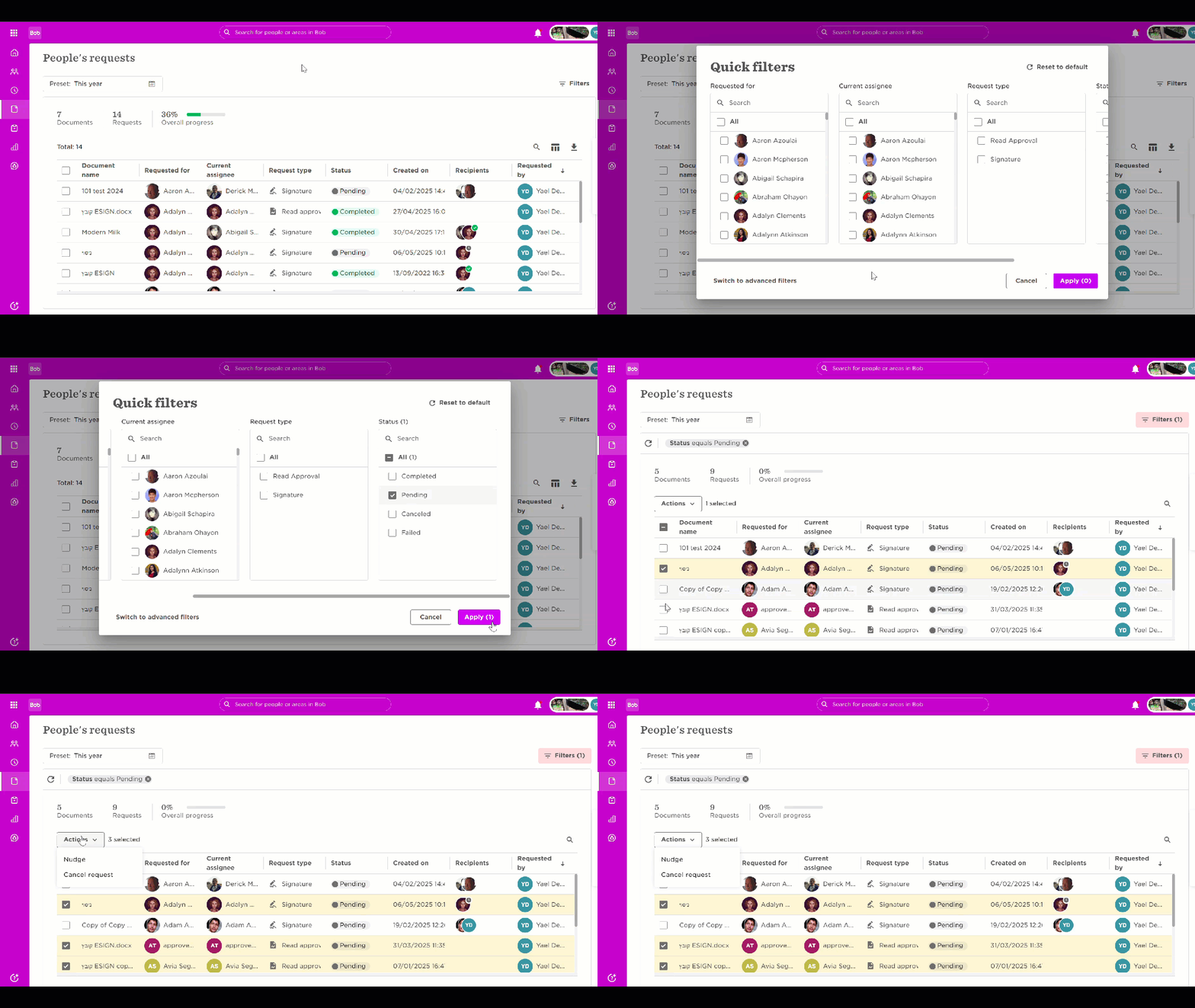
Cancel request
Step 2: Recreate the request with the new signer
-
Go to Docs > eSign templates
-
Find the template and open it
-
In the Recipient’s order area, replace the old signer with the new one
-
(Optional) Update the subject and body message to explain it’s a new request
-
Click Save
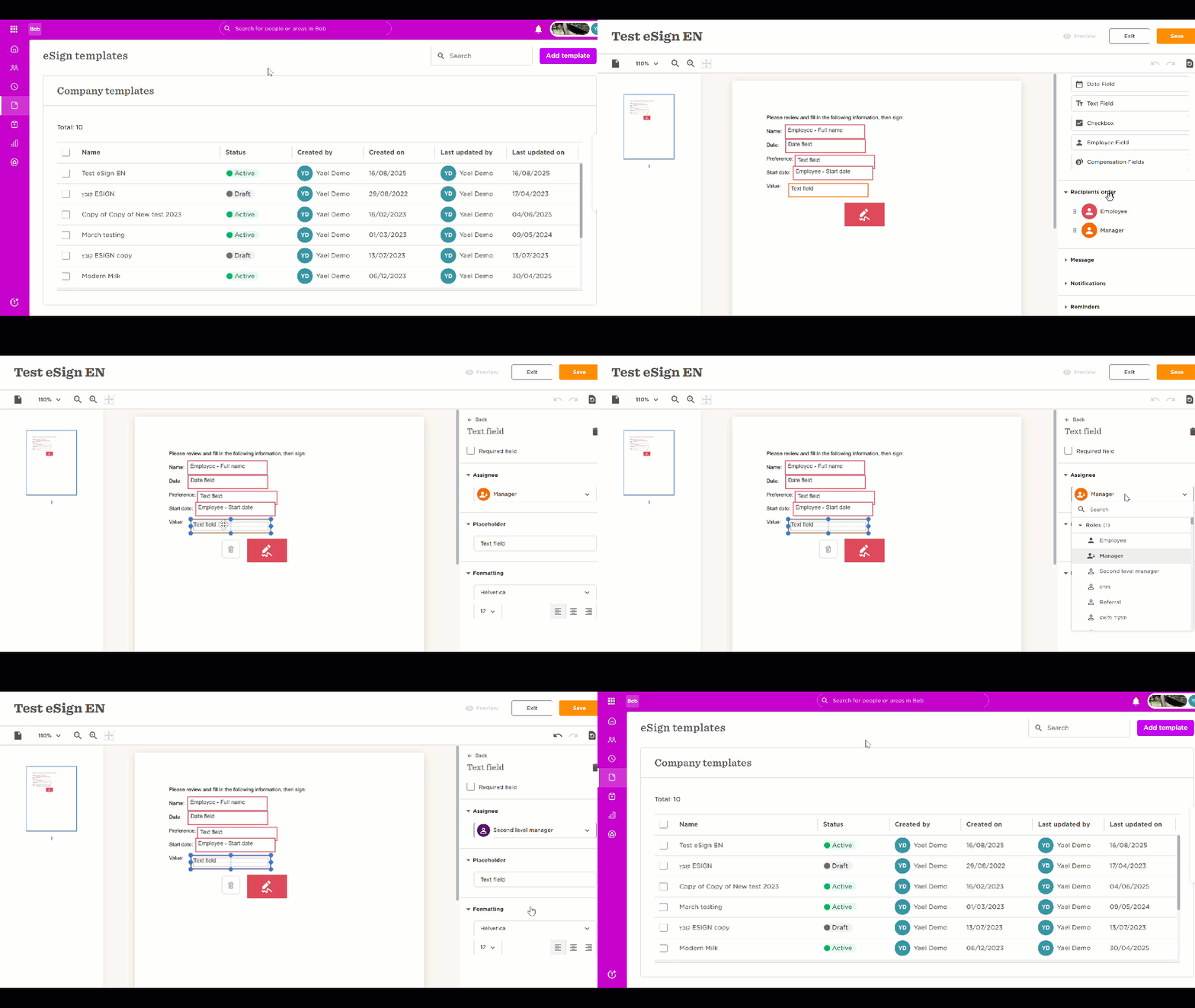
Now you can send the signature request again. Once the new signer completes their part, the workflow continues to any remaining signers and subscribers.
For more details, see these step-by-step guides from our Help Center: