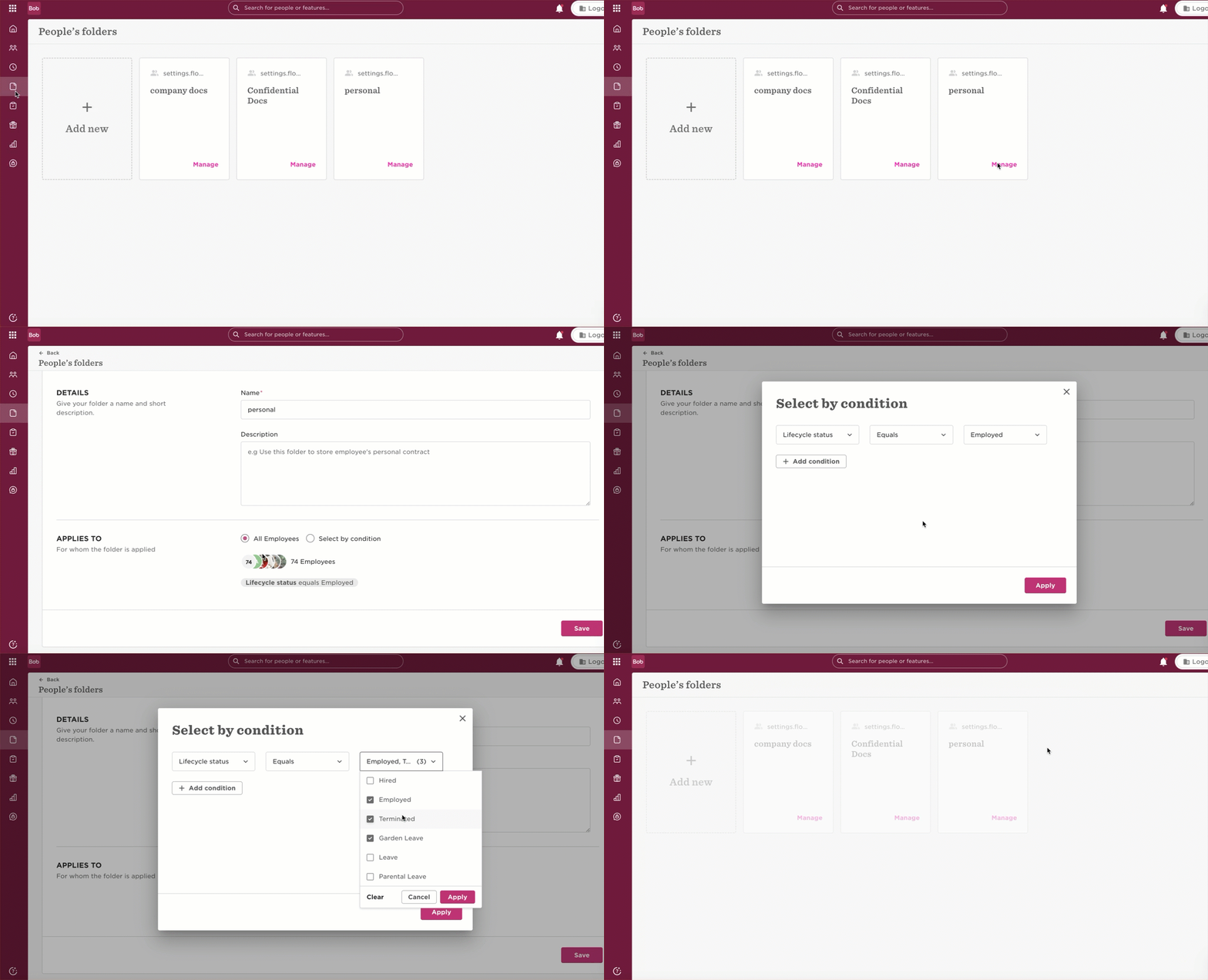

If you're not seeing the folder, it might be because it's set to exclude terminated employees. No worries! Just update the condition, and the folder with all the documents should show up again.
- Docs
- Settings > People’s Folders
- Manage
- Add the relevant lifecycle status to the “Applies to” section