


Making onboarding docs mandatory

  • July 13, 2025
  • 2 replies
  • 309 views

Anna Uriadnykova
Bobber

To ensure that new hires read or sign documents before completing their onboarding, follow these two steps:

1. Add the documents in the New Hire flow

  • Go to Settings > Flows > New hires and onboarding

  • Open your New Hires flow

  • In the Features step, enable Docs

  • Upload each document as a Read approval or an eSign in the relevant section
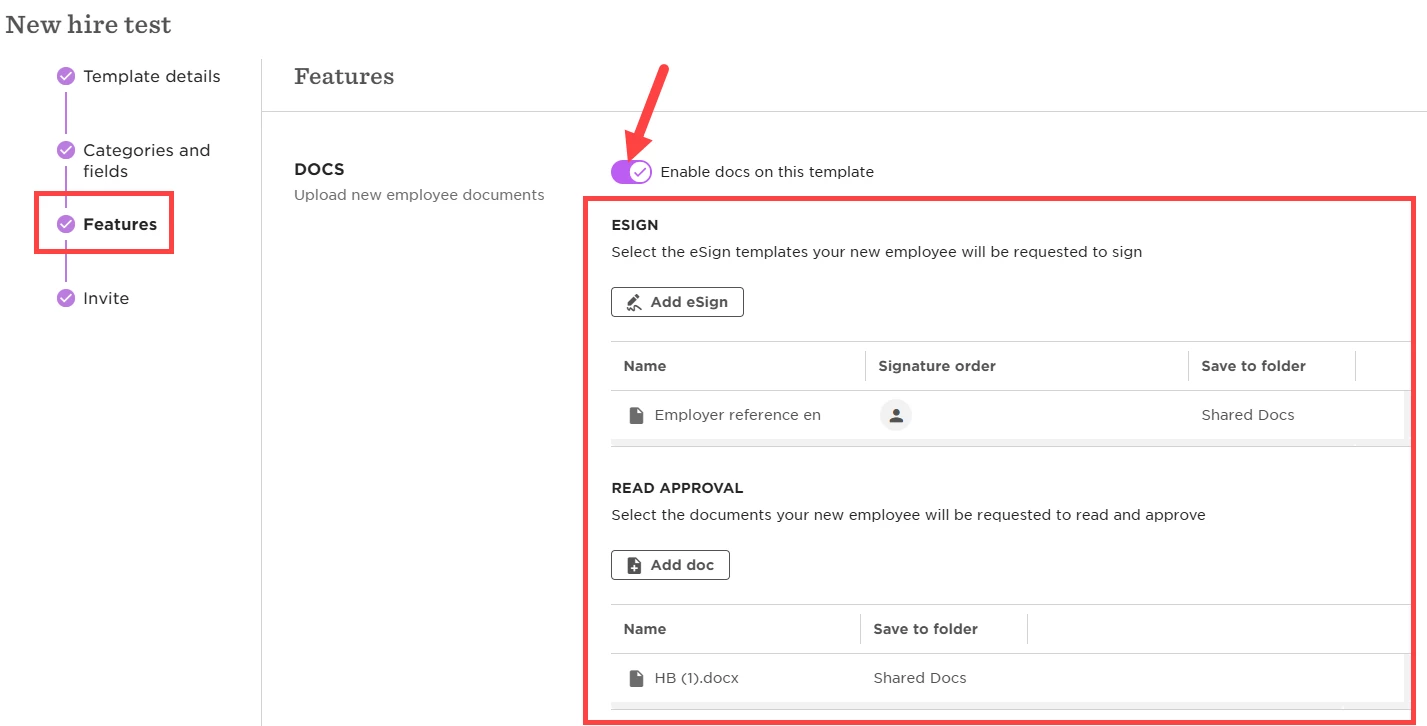


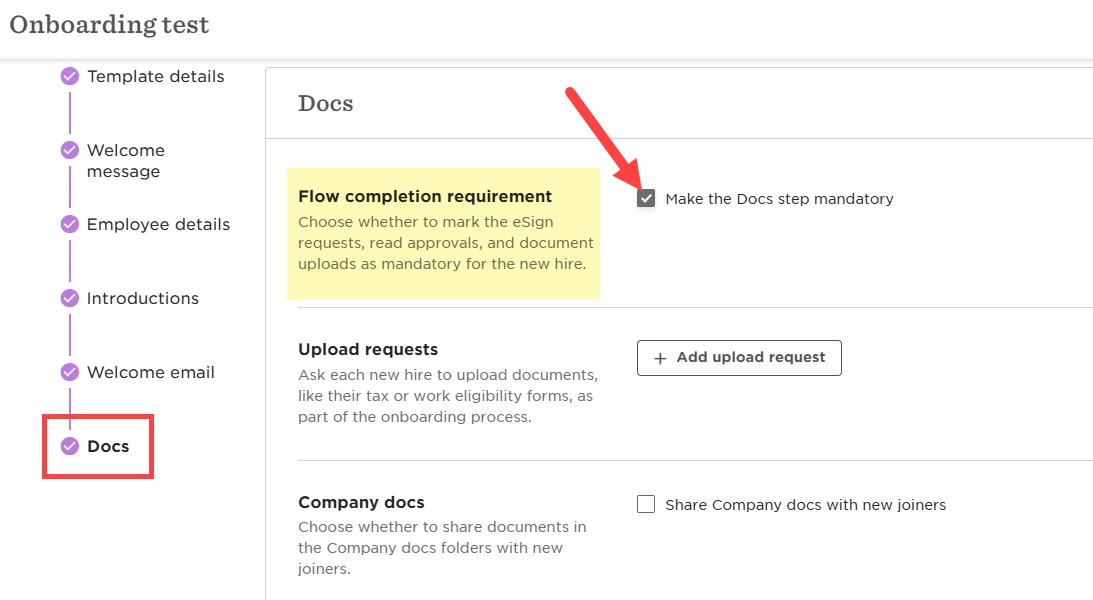
2. Make the Docs step mandatory

  • Go to Settings > Flows > New hires and onboarding

  • Open your Onboarding flow

  • In the Docs step, enable Make the Docs step mandatory


 Once set up:

  • New hires must approve or sign each document

  • The All Done button stays disabled until all documents are completed

2 replies

Are we able to make certain onboarding docs only mandatory for particular job titles? (e.g. I only need a White Card for a positions that are field based and not office based). I can see that I can filter only by site, however I need to filter by job as there are field and office based at all sites. Thanks!


Jasmine Hepherd

Hey ​@Brigitte Jones, thanks so much for sharing your feedback and feature ideas. We appreciate your insights! The best next step would be to share this directly with your CSM. They’ll ensure the full context is captured and keep you informed as things develop.